





Add Tattoo to Photo Online for Free with AI
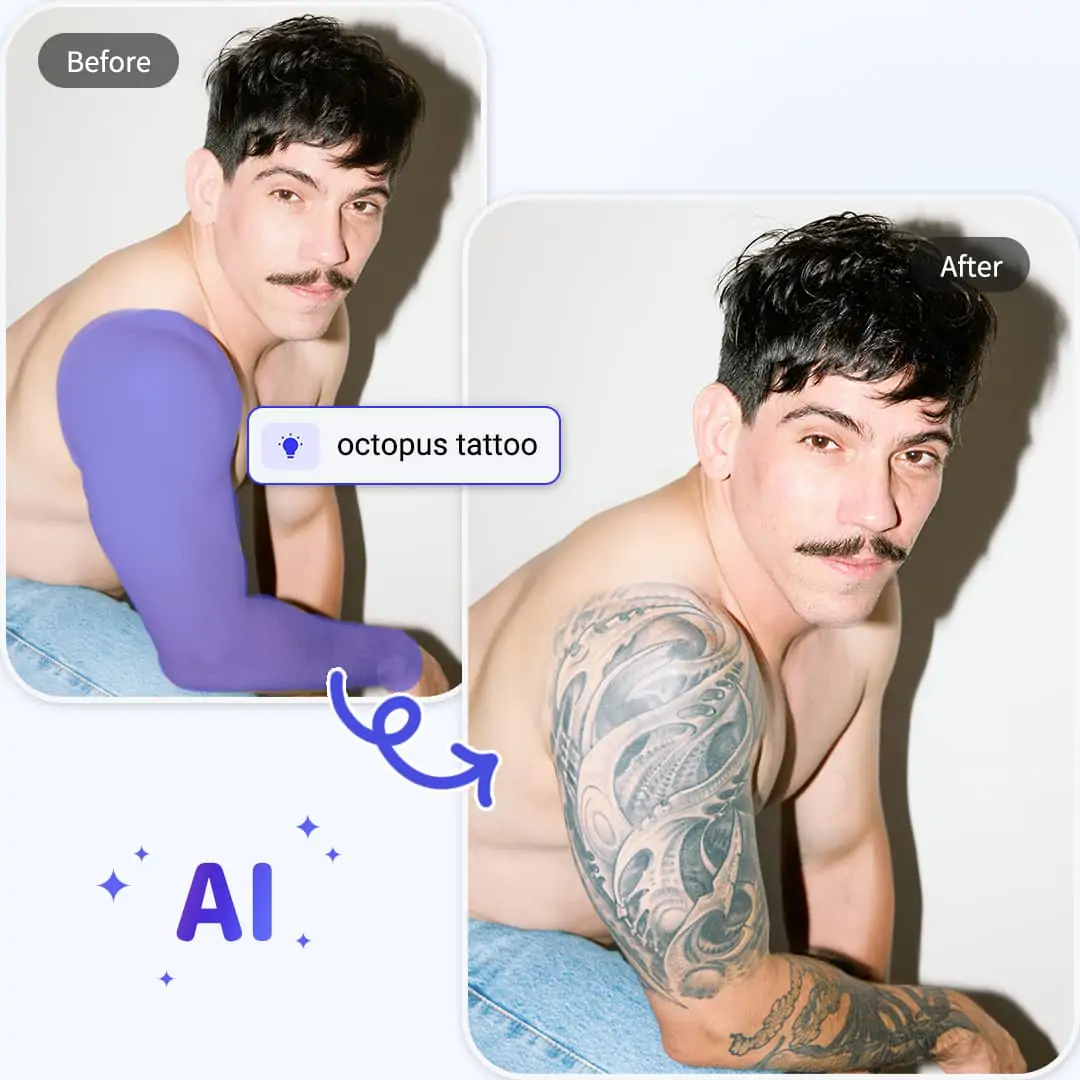
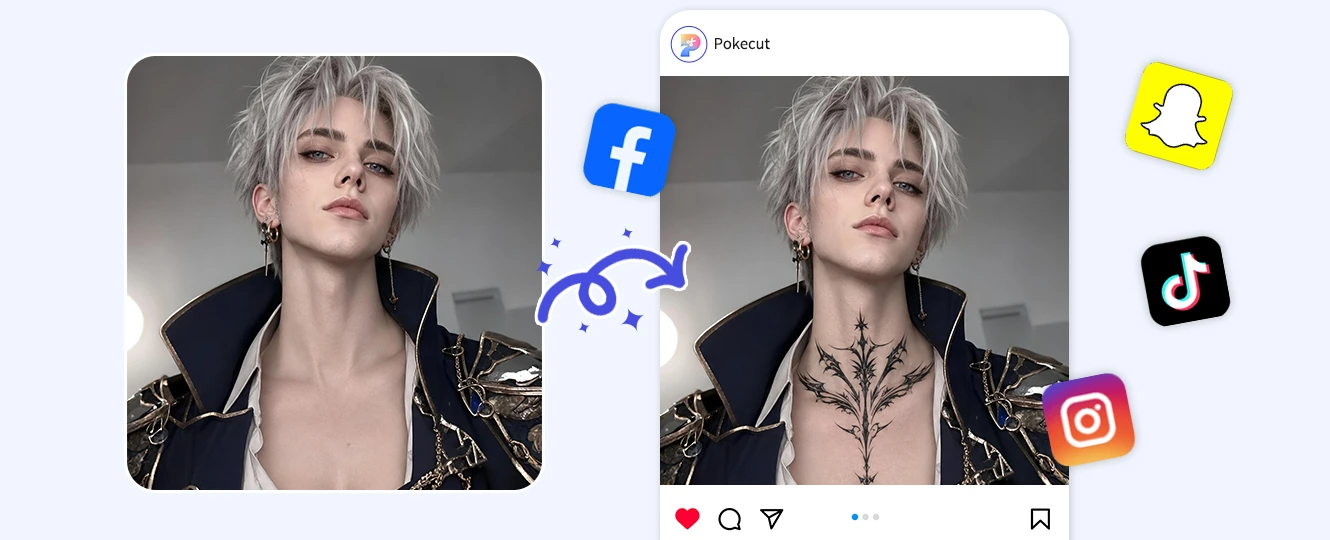
Pokecut's AI Tattoo Editor is a 1-click tool for tattoo lovers and artists to instantly visualize custom designs on real skin. Perfect for testing placements like the forearm or collarbone with flawless light and contour blending.
✨ Zero Risk ⚡ Instant Preview ✅ 100% Realistic




By uploading an image or URL you agree to our Terms of Use and Privacy Policy
What Makes This Tattoo Photo Editor Stand Out?

Place the Tattoo Exactly Where You Want It
Choose the skin area first, then let the tattoo preview follow that spot. With Pokecut, you can brush over the part of the body where the design should appear instead of hoping an automatic effect lands correctly. That control helps when you add tattoo to photo for a real decision, not a flat sticker edit.
Our AI Replace feature keeps the editing friendly for beginners who do not know masks or layers. Upload the photo, mark the skin, and describe the tattoo in plain language. Pokecut gives you enough control to test tattoo placement before you talk to an artist.

Turn Prompts or References into Personal Ink
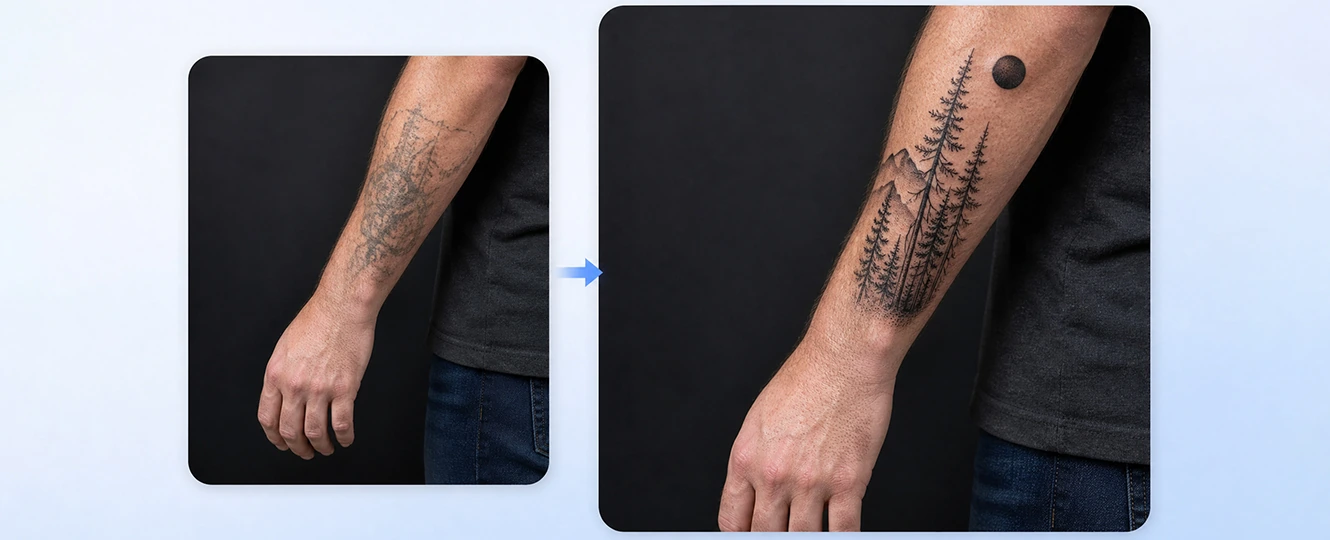
Create a tattoo look from a prompt or reference image, then see how it reads on real skin. Pokecut follows the design direction you describe. Specify the style, color, placement, and line weight to get a high-fidelity preview that contours naturally to your skin. The tattoo photo editor works whether you have a finished idea or a rough style in mind.
Use a short prompt for fresh ideas, or bring a reference image when you want a closer match. You can even try an AI tattoo generator to transform your concept intro realistic designs. Your preview stays tied to your photo, so the idea is easier to judge.
See Ink That Blends Naturally with Skin and Light
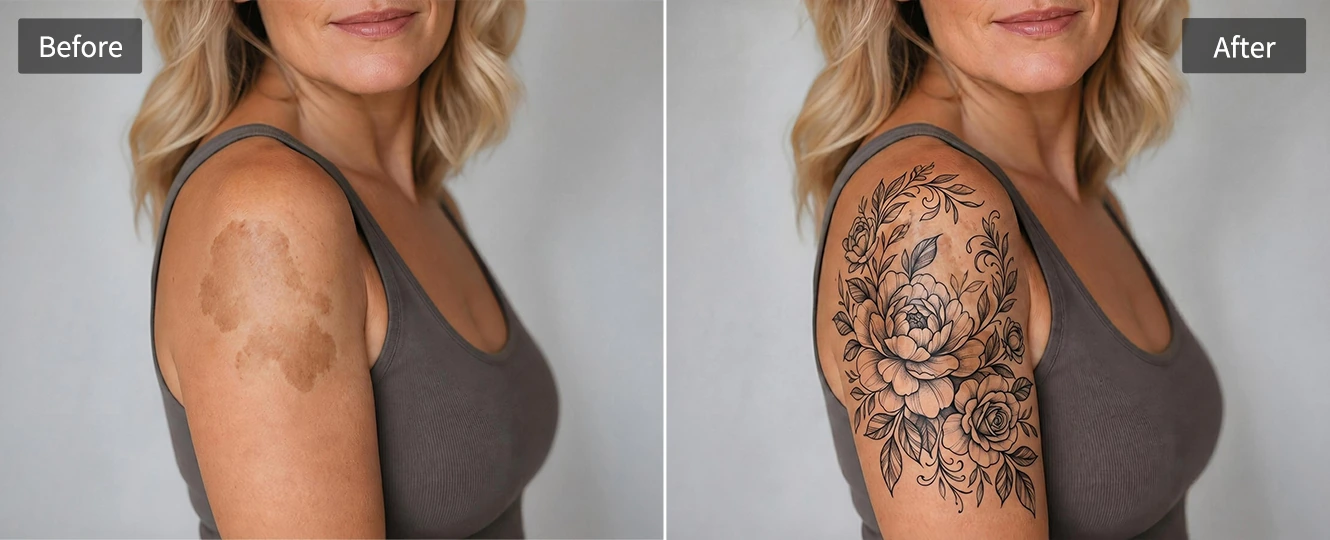
A useful tattoo preview should look like it belongs on the photo. Pokecut reads the selected area and builds the tattoo into the skin instead of placing a flat graphic on top. That matters for tattoo skin blending when the photo has shadows, texture, or a curved body part.
Better blending helps you judge whether the design fits your look. Pokecut's tattoo simulator on body preview can show more than the drawing itself. It helps you notice scale, contrast, and how the design feels in the full photo. Use a clear image and focused prompt for a cleaner preview.
Preview a Tattoo Online without Extra Software
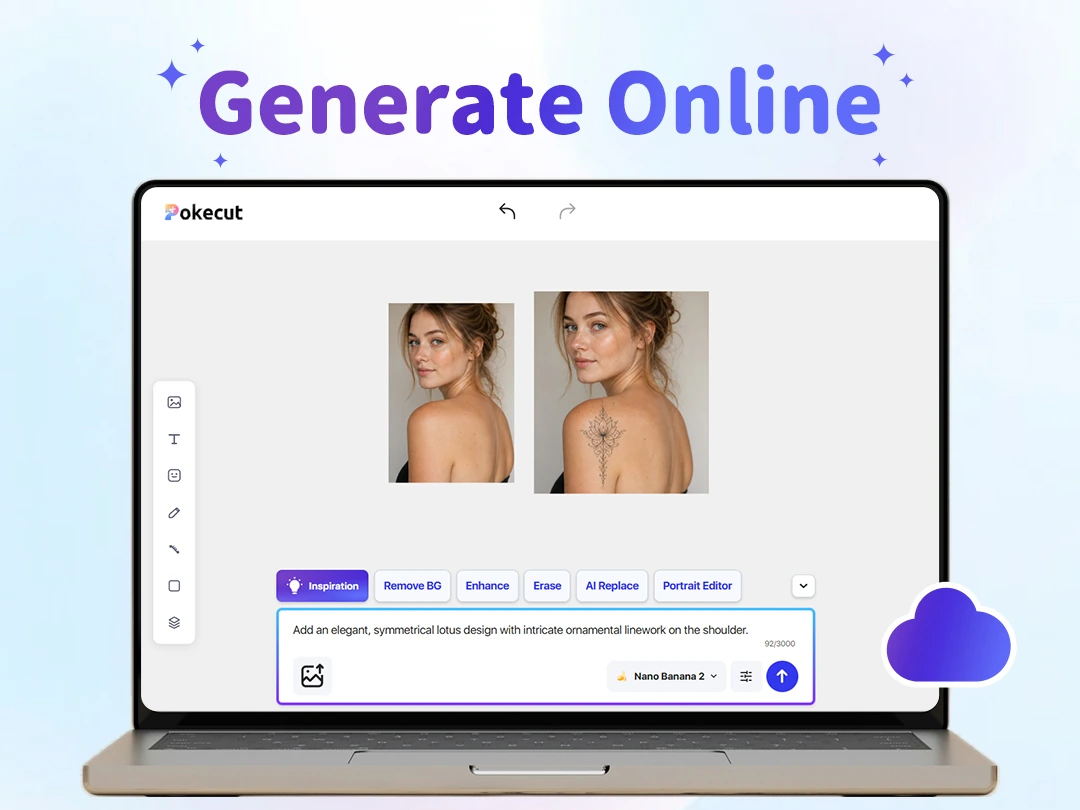
Start with one photo and get a tattoo preview in your browser. You do not need Photoshop skills, a sticker app, or a mobile download just to see whether an idea works. Pokecut keeps the process direct: upload the image, choose the skin area, write the tattoo idea, and review the result.
The online workflow helps with personal choices and creative edits. Try a wrist quote before booking, or prepare a tattoo mockup on body photo for discussion. If the image needs a cleaner finish, use Pokecut Photo Enhancer to sharpen the preview before you save it.
How to Add Tattoo to Photo with Precise AI Control
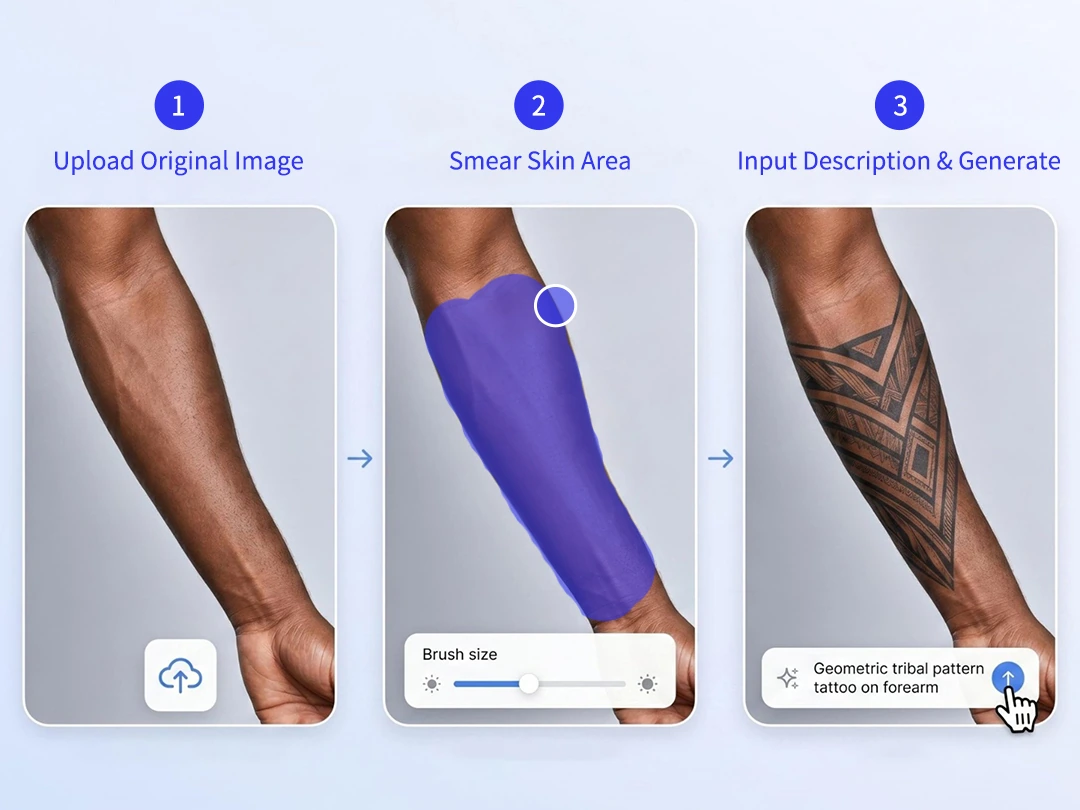
Way 1: Add Tattoos with AI Replace
Use AI Replace when you want direct control over specific body areas. It's perfect for testing different concepts, sizes, and styles on placements like the forearm, back, wrist, or collarbone without any manual masking hassle.
Step 1: Upload the original photo and brush over the target skin area.
Step 2: Describe your vision in a single prompt, specifying the design, color, line style, and preferred realism.
Step 3: Generate the preview and check whether the placement feels right. Rewrite the prompt if the tattoo needs a smaller scale or darker ink.
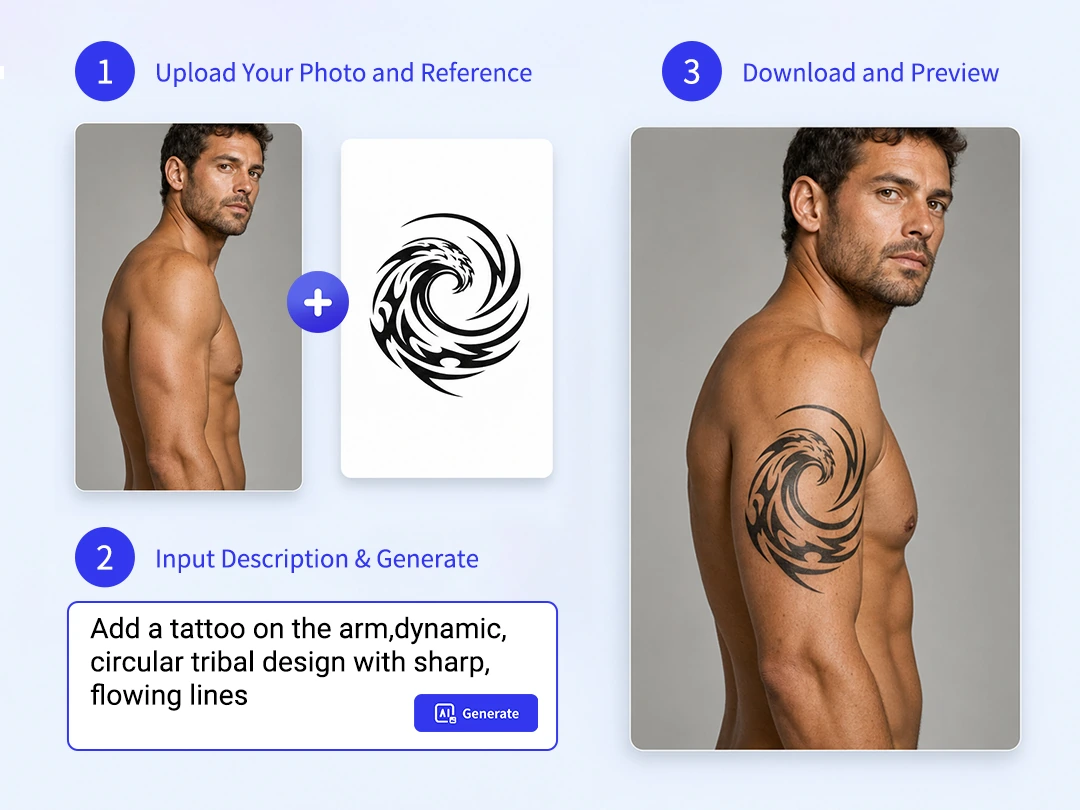
Way 2: Upload a Tattoo Reference Image
Use Image to Image AI to preview a specific tattoo design directly on your body. Perfect for tattoo artists, clients, or anyone with a sketch, font style, or screenshot. This method lets you gauge the exact scale and style of a custom design before making it permanent.
Step 1: Upload your custom tattoo design or sketch—clear, high-contrast images work best for preserving fine details.
Step 2: Describe the placement, such as forearm or collarbone, and choose a model that fits the look.
Step 3: Review the preview on your body photo. Adjust the prompt until the reference feels close enough for planning or sharing.
How to Use AI Tattoo Preview for Different Scenes?
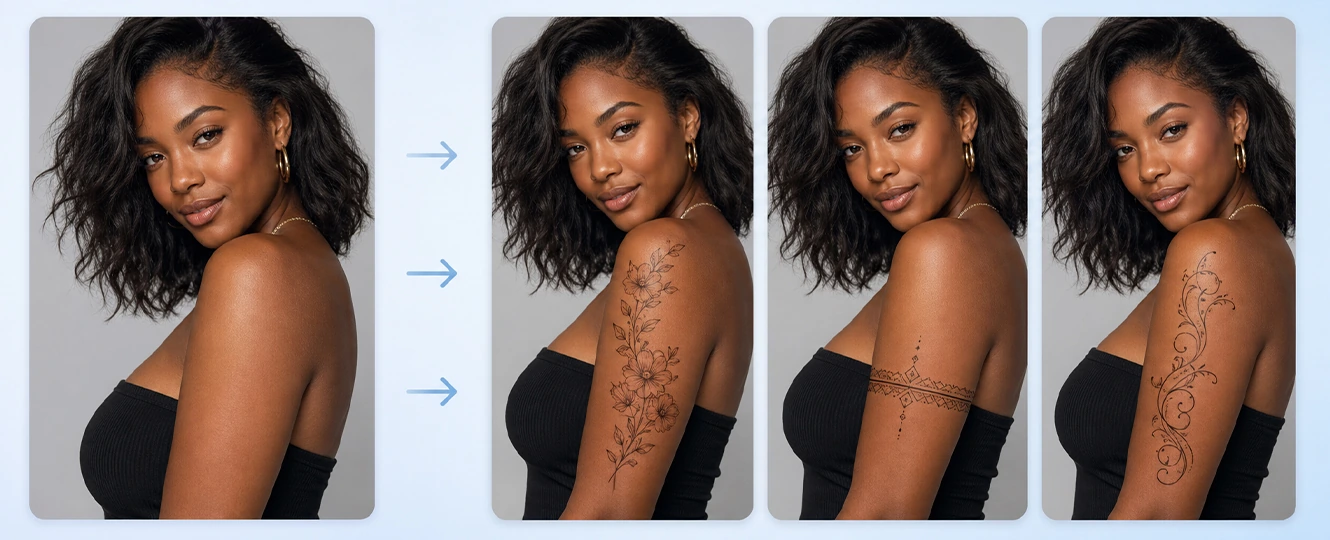
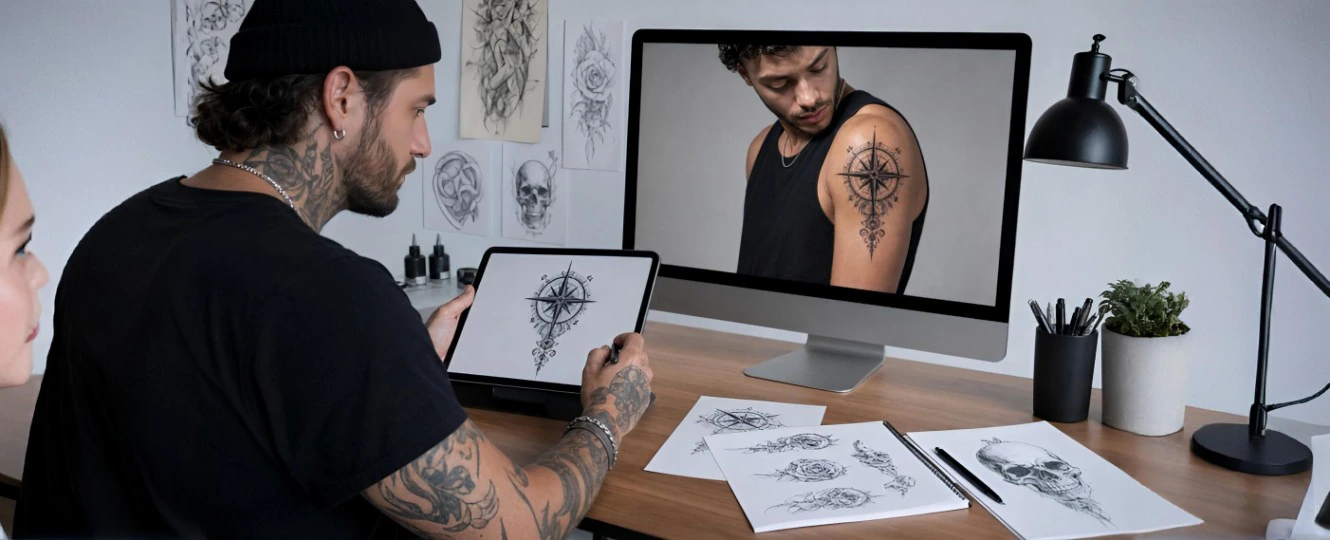
Real Tattoo Preview Stories from Pokecut Users
Users like seeing tattoo placement, style, and scale before making a real choice.


Mia R.

"I used Pokecut before booking my first tattoo. Seeing the design on my wrist made the size decision much easier."
Jordan K.
"The brush selection helped me place the tattoo exactly on my forearm instead of guessing with a sticker app."
Lena T.
"Uploading a reference image gave me a preview close to the design I wanted to show my artist."
Chris W.
"I made a few tattoo versions for a cosplay shoot and picked the one that looked most natural on camera."
Ava M.
"The preview helped me compare floral and fine-line ideas without installing another tattoo app."
Noah S.
"As a tattoo artist, I like using previews to explain placement and scale before the client commits."
Mia R.
"I used Pokecut before booking my first tattoo. Seeing the design on my wrist made the size decision much easier."
Jordan K.
"The brush selection helped me place the tattoo exactly on my forearm instead of guessing with a sticker app."
Lena T.
"Uploading a reference image gave me a preview close to the design I wanted to show my artist."
Chris W.
"I made a few tattoo versions for a cosplay shoot and picked the one that looked most natural on camera."
Ava M.
"The preview helped me compare floral and fine-line ideas without installing another tattoo app."
Noah S.
"As a tattoo artist, I like using previews to explain placement and scale before the client commits."
Mia R.
"I used Pokecut before booking my first tattoo. Seeing the design on my wrist made the size decision much easier."
Jordan K.
"The brush selection helped me place the tattoo exactly on my forearm instead of guessing with a sticker app."
Lena T.
"Uploading a reference image gave me a preview close to the design I wanted to show my artist."
Chris W.
"I made a few tattoo versions for a cosplay shoot and picked the one that looked most natural on camera."
Ava M.
"The preview helped me compare floral and fine-line ideas without installing another tattoo app."
Noah S.
"As a tattoo artist, I like using previews to explain placement and scale before the client commits."
Mia R.
"I used Pokecut before booking my first tattoo. Seeing the design on my wrist made the size decision much easier."
Jordan K.
"The brush selection helped me place the tattoo exactly on my forearm instead of guessing with a sticker app."
Lena T.
"Uploading a reference image gave me a preview close to the design I wanted to show my artist."
Chris W.
"I made a few tattoo versions for a cosplay shoot and picked the one that looked most natural on camera."
Ava M.
"The preview helped me compare floral and fine-line ideas without installing another tattoo app."
Noah S.
"As a tattoo artist, I like using previews to explain placement and scale before the client commits."
Mia R.
"I used Pokecut before booking my first tattoo. Seeing the design on my wrist made the size decision much easier."
Jordan K.
"The brush selection helped me place the tattoo exactly on my forearm instead of guessing with a sticker app."
Lena T.
"Uploading a reference image gave me a preview close to the design I wanted to show my artist."
Chris W.
"I made a few tattoo versions for a cosplay shoot and picked the one that looked most natural on camera."
Ava M.
"The preview helped me compare floral and fine-line ideas without installing another tattoo app."
Noah S.
"As a tattoo artist, I like using previews to explain placement and scale before the client commits."
Chris W.
"I made a few tattoo versions for a cosplay shoot and picked the one that looked most natural on camera."
Ava M.
"The preview helped me compare floral and fine-line ideas without installing another tattoo app."
Noah S.
"As a tattoo artist, I like using previews to explain placement and scale before the client commits."
Mia R.
"I used Pokecut before booking my first tattoo. Seeing the design on my wrist made the size decision much easier."
Jordan K.
"The brush selection helped me place the tattoo exactly on my forearm instead of guessing with a sticker app."
Lena T.
"Uploading a reference image gave me a preview close to the design I wanted to show my artist."
Chris W.
"I made a few tattoo versions for a cosplay shoot and picked the one that looked most natural on camera."
Ava M.
"The preview helped me compare floral and fine-line ideas without installing another tattoo app."
Noah S.
"As a tattoo artist, I like using previews to explain placement and scale before the client commits."
Mia R.
"I used Pokecut before booking my first tattoo. Seeing the design on my wrist made the size decision much easier."
Jordan K.
"The brush selection helped me place the tattoo exactly on my forearm instead of guessing with a sticker app."
Lena T.
"Uploading a reference image gave me a preview close to the design I wanted to show my artist."
Chris W.
"I made a few tattoo versions for a cosplay shoot and picked the one that looked most natural on camera."
Ava M.
"The preview helped me compare floral and fine-line ideas without installing another tattoo app."
Noah S.
"As a tattoo artist, I like using previews to explain placement and scale before the client commits."
Mia R.
"I used Pokecut before booking my first tattoo. Seeing the design on my wrist made the size decision much easier."
Jordan K.
"The brush selection helped me place the tattoo exactly on my forearm instead of guessing with a sticker app."
Lena T.
"Uploading a reference image gave me a preview close to the design I wanted to show my artist."
Chris W.
"I made a few tattoo versions for a cosplay shoot and picked the one that looked most natural on camera."
Ava M.
"The preview helped me compare floral and fine-line ideas without installing another tattoo app."
Noah S.
"As a tattoo artist, I like using previews to explain placement and scale before the client commits."
Mia R.
"I used Pokecut before booking my first tattoo. Seeing the design on my wrist made the size decision much easier."
Jordan K.
"The brush selection helped me place the tattoo exactly on my forearm instead of guessing with a sticker app."
Lena T.
"Uploading a reference image gave me a preview close to the design I wanted to show my artist."
Chris W.
"I made a few tattoo versions for a cosplay shoot and picked the one that looked most natural on camera."
Ava M.
"The preview helped me compare floral and fine-line ideas without installing another tattoo app."
Noah S.
"As a tattoo artist, I like using previews to explain placement and scale before the client commits."
Mia R.
"I used Pokecut before booking my first tattoo. Seeing the design on my wrist made the size decision much easier."
Jordan K.
"The brush selection helped me place the tattoo exactly on my forearm instead of guessing with a sticker app."
Lena T.
"Uploading a reference image gave me a preview close to the design I wanted to show my artist."
Reviews from: Reddit, Product Hunt, G2, TrustRadius, Google Play, App Store, and more.
Questions About AI Tattoo Previews
How realistic is an AI tattoo simulator?
A clear photo gives Pokecut more skin, light, and body shape detail to work with. The AI tattoo simulator can create a believable preview, but real ink still depends on your artist and skin.
Can I choose where the tattoo appears?
Yes. Brush over the exact body area before generating. Pokecut uses that marked spot for tattoo placement simulator previews, so the design appears on the arm, wrist, back, or shoulder you choose.
Can I upload my own tattoo design?
Yes. Use a reference image when you already have a sketch, flash design, or screenshot. Pokecut can turn that reference into an upload tattoo design to body photo preview for planning.
Do I need Photoshop skills to add a tattoo?
No. Pokecut handles the masking and blending for you. Upload a photo, mark the area, and describe the look. The tattoo photo editor is built for users who do not edit layers by hand.
Can I test different tattoo styles on one photo?
Yes. Change the prompt or reference image to compare fine-line, blackwork, floral, or color ideas. A tattoo preview helps you judge which style fits your photo before choosing one.
Which body parts work best for tattoo preview?
Visible skin areas usually work best. Arms, wrists, shoulders, backs, and collarbones give Pokecut enough room to build an online tattoo body preview with cleaner placement and scale.

Pokecut's Tattoo Editor Trusted by Professionals and Users

1M+ Users Worldwide
Pokecut generates over 500,000 images every day

#2 on Product Hunt
Pokecut was voted #2 Product of the Day on launch

Professional Privacy Protection
Ensure 100% data privacy for every photo

Trusted by Well-Known Brands
Apple, Google, PayPal, Stripe, Product Hunt, G2, TrustRadius





