






Free Online HD Photo Converter for 8K Images
Experience superior image transformation with Pokecut's hd pic converter. Convert photos to high definition effortlessly, perfect for various scenes.


By uploading an image or URL you agree to our Terms of Use and Privacy Policy
HD Quality Output

Convert images up to 8K with flexible output options like 2K, 4K, and 8K.
No Watermark

Download your enhanced images completely watermark-free.
4 Upscale Models

Tailored AI models specifically designed to enhance different types of images.
Batch Process

Enhance up to 50 images in one batch to save time and improve workflow.
HD Photo Converter for Auto Image Enhancement up to 8K
With Pokecut's photo enhancer, upload your image and select the desired mode. You can flexibly adjust the quality from 2K, 4K, to 8K. Once you have chosen, a single click is all it takes for the AI to automatically recognize and enhance your photo.
Our tool not only acts as a high resolution photo converter but also offers a seamless experience. The AI image upscaling technology ensures clarity and precision, turning your regular photos into stunning high definition images effortlessly.
HD Pic Converter with 4 Professional AI Enhancement Modes


This mode is ideal for casual photos, landscapes, and objects. By striking a careful balance between sharpness and realism, Standard Mode delivers clean, HD-quality results that look natural and polished, without the risk of over-processing or artificial effects.

Batch Convert Photo to HD to Improve Efficiency
Pokecut's HD photo converter supports batch processing of up to 50 images at once, helping you handle large workloads efficiently. Instead of enhancing photos one by one, you can upload multiple files and apply the same settings across all images in a single operation.
This batch feature can reduce editing time by more than 70% for photographers, e-commerce teams, and content creators. Whether you need to convert photos to HD for product listings, social media campaigns, or archives, Pokecut ensures consistent quality across every image while maintaining fast processing speeds.

Restore Real Textures with HD Photo Converter
Enjoy a natural, sharp look without any fake plastic feel. Most tools just stretch the pixels, which makes faces and products look completely artificial. Our system avoids weird AI distortions by focusing on true clarity.
It accurately rebuilds tiny details like hair, skin tones, and fabric textures. When you convert photo to HD, the smart AI analyzes every single inch of your picture. It restores the original beauty and keeps things real.
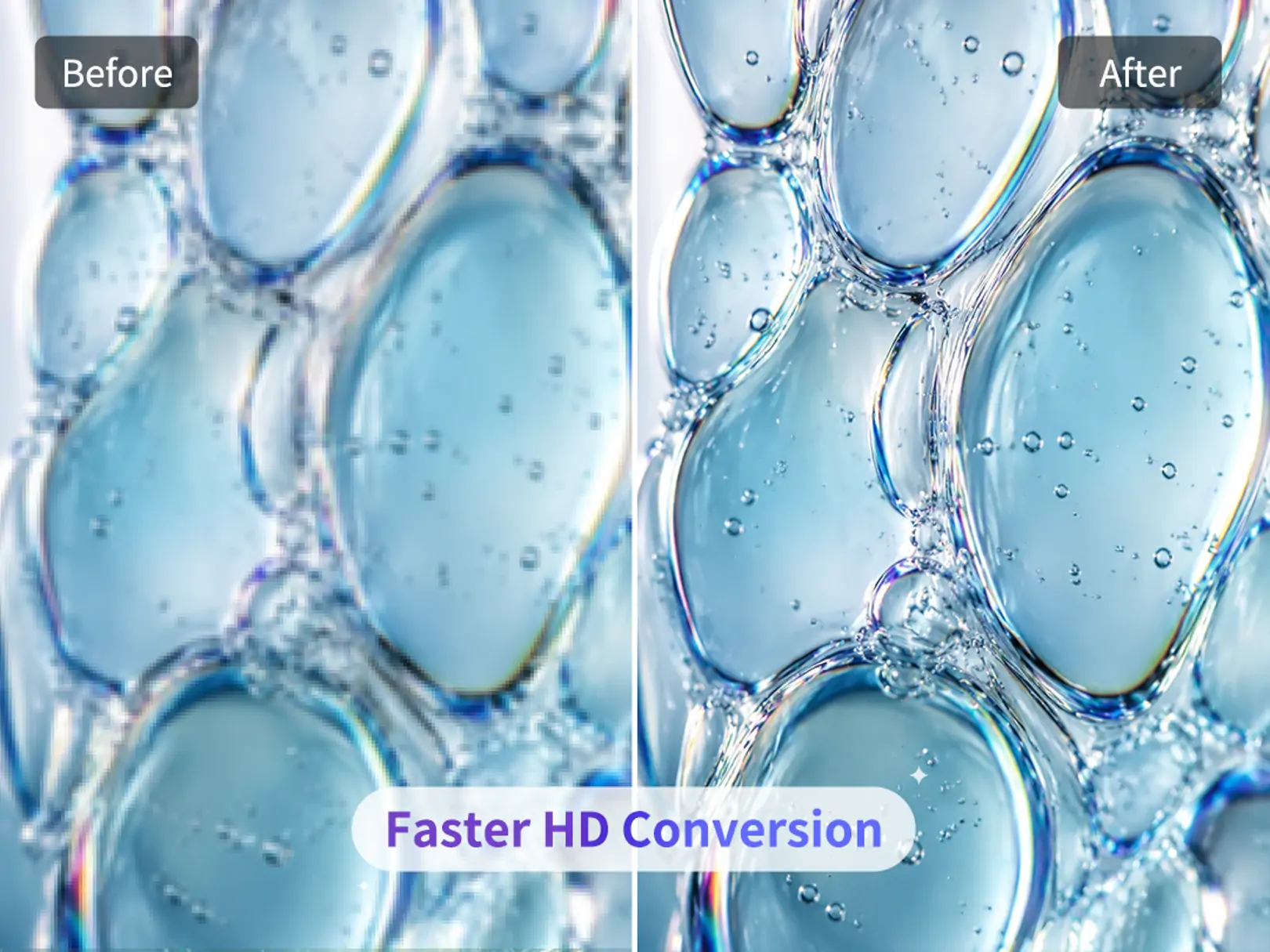
New Model Speed Update for Faster HD Photo Conversion
Pokecut has introduced a new speed update designed specifically for its HD enhancement model. The update optimizes image-processing speed, reducing the wait between upload and result while keeping the same HD output options and AI enhancement modes.
It makes every HD photo conversion feel faster, more responsive, and easier to complete. Just upload, enhance, and move on with a smoother HD conversion workflow.
Who Needs an HD Photo Converter for Daily and Professional Use?


How to Convert Photo to HD with Pokecut
Step 1: Upload Your Image
Upload a blurry or low-resolution photo. POkecut's HD photo converter supports JPG, JPEG, PNG, WEBP, and other common formats for quick enhancement.
Step 2: Choose Mode & Resolution
Select the best AI model: Standard, Portrait, Text, or Ultra, and choose from 2K, 4K, or 8K resolution.
Step 3: Enhance & Download
Click once to enhance image quality and download your HD or ultra-high-resolution photo instantly.

Table Comparison: Which HD Photo Converter Is the Best?
Pokecut offers more AI modes, higher resolution support up to 8K, and faster processing than most competitors. With flexible pricing and strong batch upscaling, it delivers better value for both everyday and professional use.
(2K, 4K, 8K)
(2K, 4K, 8K, 16K)
(HD download is paid)
(2K, 4K, 8K)
(Standard/Portrait/Text/Ultra)
See What Users Say About Pokecut's HD Photo Converter
See why users rely on the HD Photo Converter to instantly sharpen and upscale their images. Experience the crystal-clear details and professional restoration that make transforming low-quality photos a breeze.


Emily R.

"I use this HD pic converter almost every day. The portrait mode is amazing. My photos look way sharper without looking fake. Super easy to use."
Jason L.
"Batch processing saved me tons of time. I converted 50 product images to HD in minutes. Way faster than doing it manually."
Sophia M.
"I tried the free upscale first and was surprised by the quality. The AI actually fixes blur instead of just resizing."
Daniel K.
"Text mode is a lifesaver. I restored old scanned documents and the text came out super clear, no distortion at all."
Olivia T.
"Ultra mode is next level. I upscaled my photos to 8K for printing and the details still look clean and natural."
Mark W.
"I’m not a designer, but this tool makes my photos look professional. Just upload, click, and download."
Linda P.
"Perfect for social media. My images look sharper and get more engagement after using this HD image converter."
Emily R.
"I use this HD pic converter almost every day. The portrait mode is amazing. My photos look way sharper without looking fake. Super easy to use."
Jason L.
"Batch processing saved me tons of time. I converted 50 product images to HD in minutes. Way faster than doing it manually."
Sophia M.
"I tried the free upscale first and was surprised by the quality. The AI actually fixes blur instead of just resizing."
Daniel K.
"Text mode is a lifesaver. I restored old scanned documents and the text came out super clear, no distortion at all."
Olivia T.
"Ultra mode is next level. I upscaled my photos to 8K for printing and the details still look clean and natural."
Mark W.
"I’m not a designer, but this tool makes my photos look professional. Just upload, click, and download."
Linda P.
"Perfect for social media. My images look sharper and get more engagement after using this HD image converter."
Emily R.
"I use this HD pic converter almost every day. The portrait mode is amazing. My photos look way sharper without looking fake. Super easy to use."
Jason L.
"Batch processing saved me tons of time. I converted 50 product images to HD in minutes. Way faster than doing it manually."
Sophia M.
"I tried the free upscale first and was surprised by the quality. The AI actually fixes blur instead of just resizing."
Daniel K.
"Text mode is a lifesaver. I restored old scanned documents and the text came out super clear, no distortion at all."
Olivia T.
"Ultra mode is next level. I upscaled my photos to 8K for printing and the details still look clean and natural."
Mark W.
"I’m not a designer, but this tool makes my photos look professional. Just upload, click, and download."
Linda P.
"Perfect for social media. My images look sharper and get more engagement after using this HD image converter."
Emily R.
"I use this HD pic converter almost every day. The portrait mode is amazing. My photos look way sharper without looking fake. Super easy to use."
Jason L.
"Batch processing saved me tons of time. I converted 50 product images to HD in minutes. Way faster than doing it manually."
Sophia M.
"I tried the free upscale first and was surprised by the quality. The AI actually fixes blur instead of just resizing."
Daniel K.
"Text mode is a lifesaver. I restored old scanned documents and the text came out super clear, no distortion at all."
Olivia T.
"Ultra mode is next level. I upscaled my photos to 8K for printing and the details still look clean and natural."
Mark W.
"I’m not a designer, but this tool makes my photos look professional. Just upload, click, and download."
Linda P.
"Perfect for social media. My images look sharper and get more engagement after using this HD image converter."
Emily R.
"I use this HD pic converter almost every day. The portrait mode is amazing. My photos look way sharper without looking fake. Super easy to use."
Jason L.
"Batch processing saved me tons of time. I converted 50 product images to HD in minutes. Way faster than doing it manually."
Sophia M.
"I tried the free upscale first and was surprised by the quality. The AI actually fixes blur instead of just resizing."
Daniel K.
"Text mode is a lifesaver. I restored old scanned documents and the text came out super clear, no distortion at all."
Olivia T.
"Ultra mode is next level. I upscaled my photos to 8K for printing and the details still look clean and natural."
Mark W.
"I’m not a designer, but this tool makes my photos look professional. Just upload, click, and download."
Linda P.
"Perfect for social media. My images look sharper and get more engagement after using this HD image converter."
Daniel K.
"Text mode is a lifesaver. I restored old scanned documents and the text came out super clear, no distortion at all."
Olivia T.
"Ultra mode is next level. I upscaled my photos to 8K for printing and the details still look clean and natural."
Mark W.
"I’m not a designer, but this tool makes my photos look professional. Just upload, click, and download."
Linda P.
"Perfect for social media. My images look sharper and get more engagement after using this HD image converter."
Emily R.
"I use this HD pic converter almost every day. The portrait mode is amazing. My photos look way sharper without looking fake. Super easy to use."
Jason L.
"Batch processing saved me tons of time. I converted 50 product images to HD in minutes. Way faster than doing it manually."
Sophia M.
"I tried the free upscale first and was surprised by the quality. The AI actually fixes blur instead of just resizing."
Daniel K.
"Text mode is a lifesaver. I restored old scanned documents and the text came out super clear, no distortion at all."
Olivia T.
"Ultra mode is next level. I upscaled my photos to 8K for printing and the details still look clean and natural."
Mark W.
"I’m not a designer, but this tool makes my photos look professional. Just upload, click, and download."
Linda P.
"Perfect for social media. My images look sharper and get more engagement after using this HD image converter."
Emily R.
"I use this HD pic converter almost every day. The portrait mode is amazing. My photos look way sharper without looking fake. Super easy to use."
Jason L.
"Batch processing saved me tons of time. I converted 50 product images to HD in minutes. Way faster than doing it manually."
Sophia M.
"I tried the free upscale first and was surprised by the quality. The AI actually fixes blur instead of just resizing."
Daniel K.
"Text mode is a lifesaver. I restored old scanned documents and the text came out super clear, no distortion at all."
Olivia T.
"Ultra mode is next level. I upscaled my photos to 8K for printing and the details still look clean and natural."
Mark W.
"I’m not a designer, but this tool makes my photos look professional. Just upload, click, and download."
Linda P.
"Perfect for social media. My images look sharper and get more engagement after using this HD image converter."
Emily R.
"I use this HD pic converter almost every day. The portrait mode is amazing. My photos look way sharper without looking fake. Super easy to use."
Jason L.
"Batch processing saved me tons of time. I converted 50 product images to HD in minutes. Way faster than doing it manually."
Sophia M.
"I tried the free upscale first and was surprised by the quality. The AI actually fixes blur instead of just resizing."
Daniel K.
"Text mode is a lifesaver. I restored old scanned documents and the text came out super clear, no distortion at all."
Olivia T.
"Ultra mode is next level. I upscaled my photos to 8K for printing and the details still look clean and natural."
Mark W.
"I’m not a designer, but this tool makes my photos look professional. Just upload, click, and download."
Linda P.
"Perfect for social media. My images look sharper and get more engagement after using this HD image converter."
Emily R.
"I use this HD pic converter almost every day. The portrait mode is amazing. My photos look way sharper without looking fake. Super easy to use."
Jason L.
"Batch processing saved me tons of time. I converted 50 product images to HD in minutes. Way faster than doing it manually."
Sophia M.
"I tried the free upscale first and was surprised by the quality. The AI actually fixes blur instead of just resizing."
Daniel K.
"Text mode is a lifesaver. I restored old scanned documents and the text came out super clear, no distortion at all."
Olivia T.
"Ultra mode is next level. I upscaled my photos to 8K for printing and the details still look clean and natural."
Mark W.
"I’m not a designer, but this tool makes my photos look professional. Just upload, click, and download."
Linda P.
"Perfect for social media. My images look sharper and get more engagement after using this HD image converter."
Emily R.
"I use this HD pic converter almost every day. The portrait mode is amazing. My photos look way sharper without looking fake. Super easy to use."
Jason L.
"Batch processing saved me tons of time. I converted 50 product images to HD in minutes. Way faster than doing it manually."
Sophia M.
"I tried the free upscale first and was surprised by the quality. The AI actually fixes blur instead of just resizing."
Reviews from: Reddit, Product Hunt, G2, TrustRadius, Google Play, App Store, and more.
Pokecut Trusted by Millions of Leaders and Users

1M+ Users Worldwide
Pokecut improves over 500,000 images' quality every day

#2 on Product Hunt
Pokecut launched and won #2 product of the day

Professional Privacy Protection
Ensure 100% data privacy for every photo

Trusted by Well-known Brands
Apple, Google, PayPal, Stripe, Product Hunt, G2, TrustRadius
Trusted and Featured by Industry Media
Explore third-party articles and tool guides that include Pokecut among the practical options for upscaling images, refining photo detail, and creating sharper high-resolution results online.


BigWriteHook
Hiring a professional retoucher is expensive and slow, and traditional editing software can be daunting. That's why tools such as Pokecut's HD Photo Converter are so useful: they turn dull, low-resolution photos into crisp, high-definition visuals in seconds, without any special skills.
>>>Learn More
Dutable
Many tools claim to improve image quality, but few combine simplicity, speed and reliable results the way Pokecut does. Here are the features that make its HD photo conversion stand out: Preset Sizes & HD Output, Automatic Noise Reduction and Sharpening, Batch Processing & Background Editing...
>>>Learn More
Supawork
For users who want to improve blurry scans or recover finer image details before manual refinement, Pokecut's AI photo enhancer is another practical option for sharpening old photos, improving clarity, and making restored images look cleaner.
>>>Learn MoreFAQs
Can Pokecut convert photo to HD online for free?
Yes. Pokecut provides a free hd photo converter online. Free users can also export images at high resolutions, including up to 8K.
Can I convert images to 4K or 8K resolution?
Yes. Pokecut supports high-resolution output, including 2K, 4K and up to 8K, depending on the image type. The AI enhances details while keeping textures realistic and visually balanced.
How do I choose the right AI mode for my image?
Pokecut offers four AI modes to match different needs. Standard Mode works for most images, Portrait Mode focuses on facial enhancement, Text Mode improves text clarity without distortion, and Ultra Mode delivers maximum sharpness. You can switch modes easily and preview results before downloading.
Does Pokecut support batch HD image enhancement?
Yes. Pokecut allows users to enhance up to 50 images in one batch. This feature helps save time when working with large sets of photos, such as product images or content assets. The same resolution and AI mode can be applied consistently across all images.
Does the AI make faces or products look fake and "plastic"?
No. Unlike older, basic upscalers, Pokecut's AI features specialized texture recovery algorithms. It enhances critical details while preserving natural skin tones, lighting, and realistic material textures, ensuring your photos never get that artificial, over-smoothed look.





