AI Image Extender: Uncrop Images Online for Free
Use Pokecut's AI image extender with no signup to expand and uncrop images online easily. The tool analyzes your picture and outpaints missing parts in high-quality.



By uploading an image or URL you agree to our Terms of Use and Privacy Policy
Why Choose Pokecut's Free AI Image Extender?

Free Online & No Sign-Up
Expand images directly in your browser without creating an account. It works perfectly on desktop, mobile, or tablet with zero installations.

Seamless AI Expansion
Our smart AI analyzes your photo to generate realistic backgrounds naturally. Skip complex Photoshop edits and save valuable time with one click.

Flexible Sizing Options
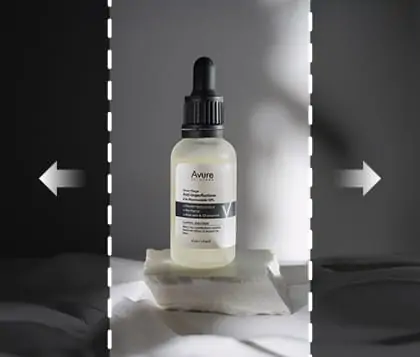
Choose from various one-click preset ratios or input custom dimensions. You can easily drag borders to expand your canvas in any direction.

HD Watermark-Free Export
Download your expanded images in high resolution without any watermarks. The AI perfectly preserves original textures and crisp visual details.
How Can Our AI Photo Extender Transform Your Photos?
AI Generative Expansion for Natural Edges
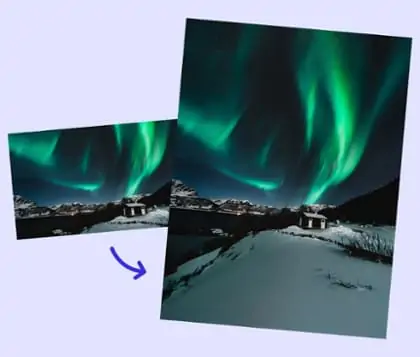
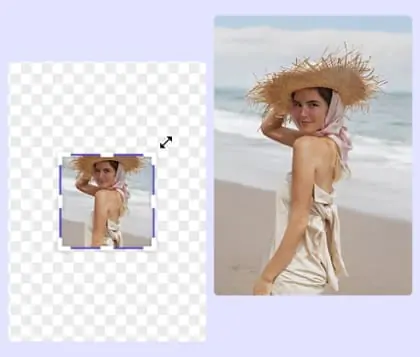
With Pokecut's AI photo extender free, you can easily fix cropped or incomplete photos naturally. Our AI recognizes missing edges and generates a natural-looking background. This image enlarger ensures the expanded area matches the original lighting and texture, leaving no visible seams or joints.
Whether it's a travel photo that was cut too tightly or an architectural shot missing its edges, Pokecut's AI ensures smooth image extension that blends perfectly with the original picture. Instead of spending hours in Photoshop, you can achieve professional results in just one click.

Expand Images with 30+ Presets or Custom Sizes
Pokecut's photo enlarger offers over 30 one-click presets (1:1, 9:16, 3:4, etc.) to fit any platform. If presets aren't exactly what you need, simply drag the image borders or input specific dimensions for a custom fit. You can easily convert landscape to portrait without cropping out important details.
For e-commerce sellers, our uncrop AI ensures your images meet Amazon, eBay, or Shopify requirements, avoiding awkward crops or stretched visuals. Meanwhile, social media creators can instantly adapt content for Instagram, TikTok, or YouTube. Easily extend photo background to match any format perfectly, saving both time and editing costs while maintaining top quality.

Outpaint Images from Any Direction with AI
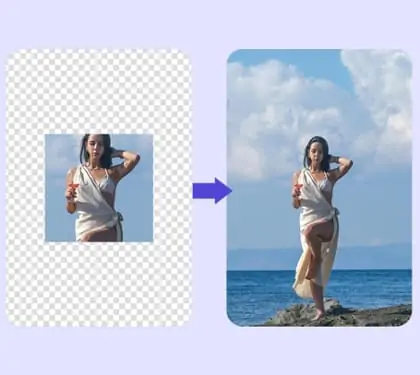
Our flexible AI image expander allows you to outpaint backgrounds in any custom direction. You can easily expand the canvas up, down, left, or right independently. This smart tool quickly rescues cropped portraits and incomplete subjects, providing a flawless final look every time.
You can smoothly crop the original photo and generate new background edges seamlessly. Just drag your image freely around the canvas to define the specific target area. It is incredibly simple to outpaint the missing parts and achieve the ideal visual ratio.

Uncrop Image for Free Without Quality Loss
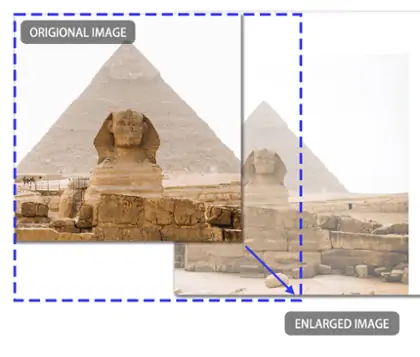
Pokecut provides flawless AI image expansion to keep your visual content completely clear and sharp. Our advanced tool lets you easily uncrop an image and eliminate blurry edges. The smart system perfectly matches original pixels and fine textures to maintain sharpness across enlarged areas.
Whether you want to make a photo bigger online for printing, or extend backgrounds for wallpapers, Pokecut ensures the final output remains crisp and professional. Unlike traditional tools, Pokecut provides high-quality picture expansion that looks natural even in large formats.
Where Can an AI Image Expander Be Used?


How to Extend an Image Using Pokecut Without Sign-Up
Step1
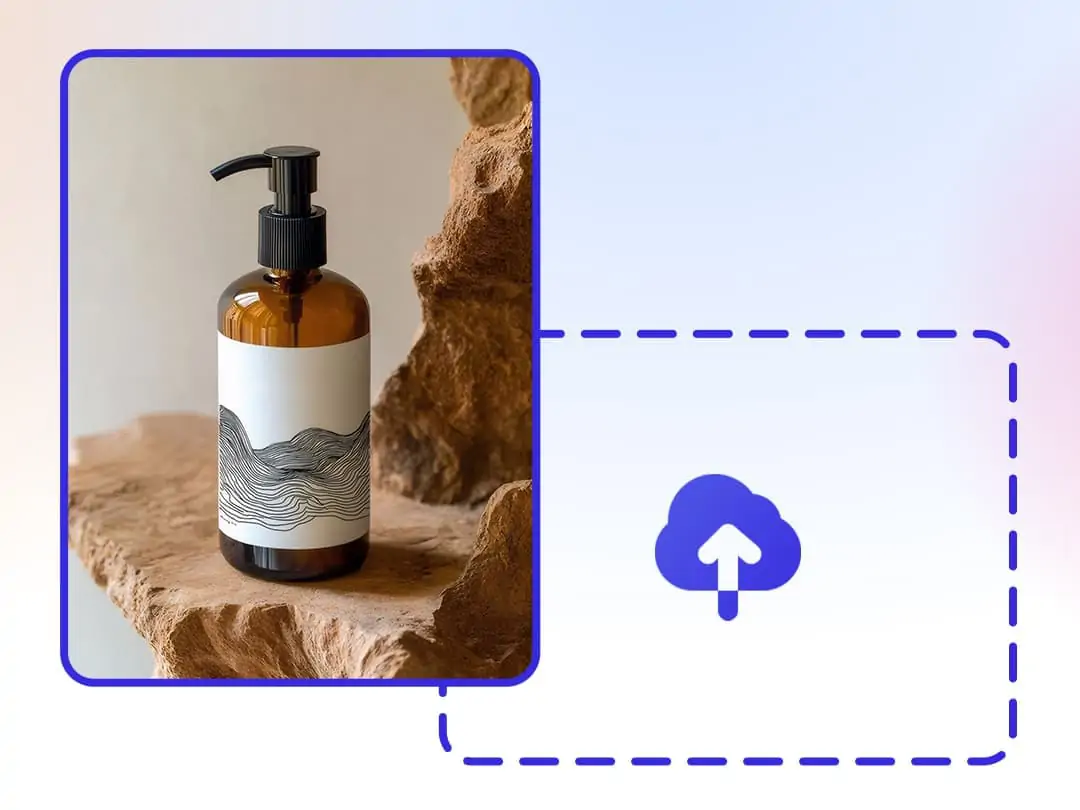
Upload Your Photo
Click "Upload" to add your photo, or simply drag and drop the file here. You can also paste an image URL to start uncropping.
Step2
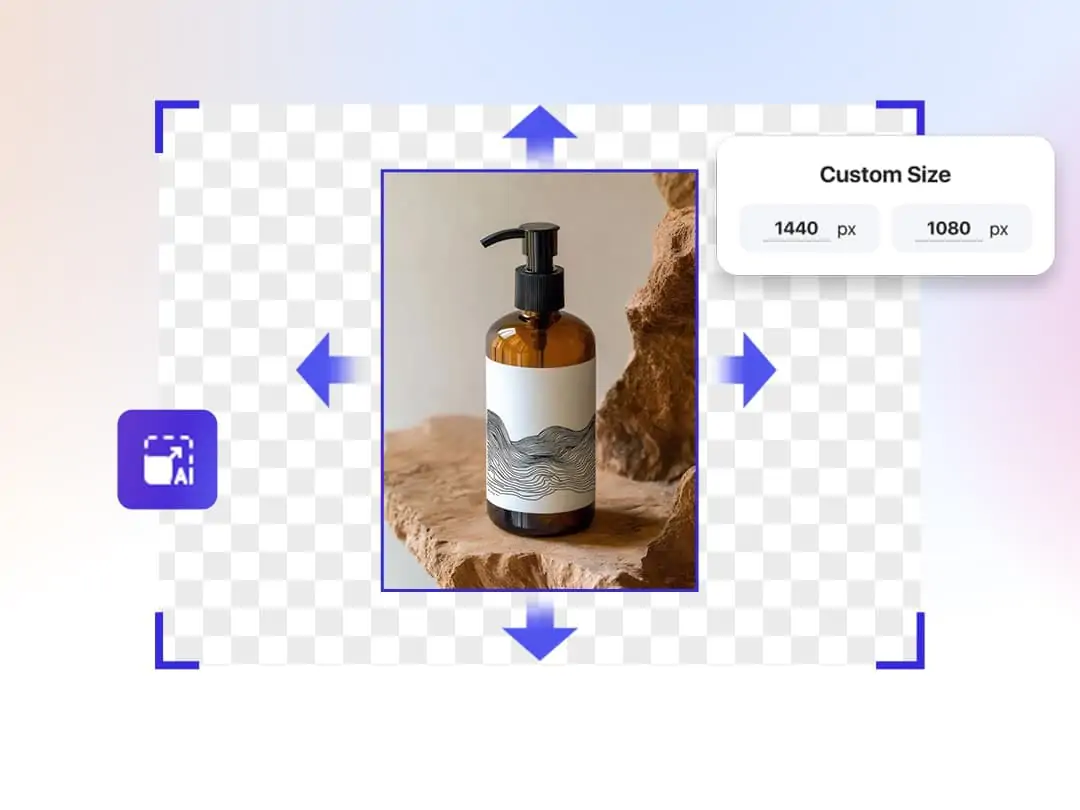
Resize and Extend
Select a preset size or customize dimensions. Pokecut will automatically fill in the missing parts based on the image context in just seconds.
Step3
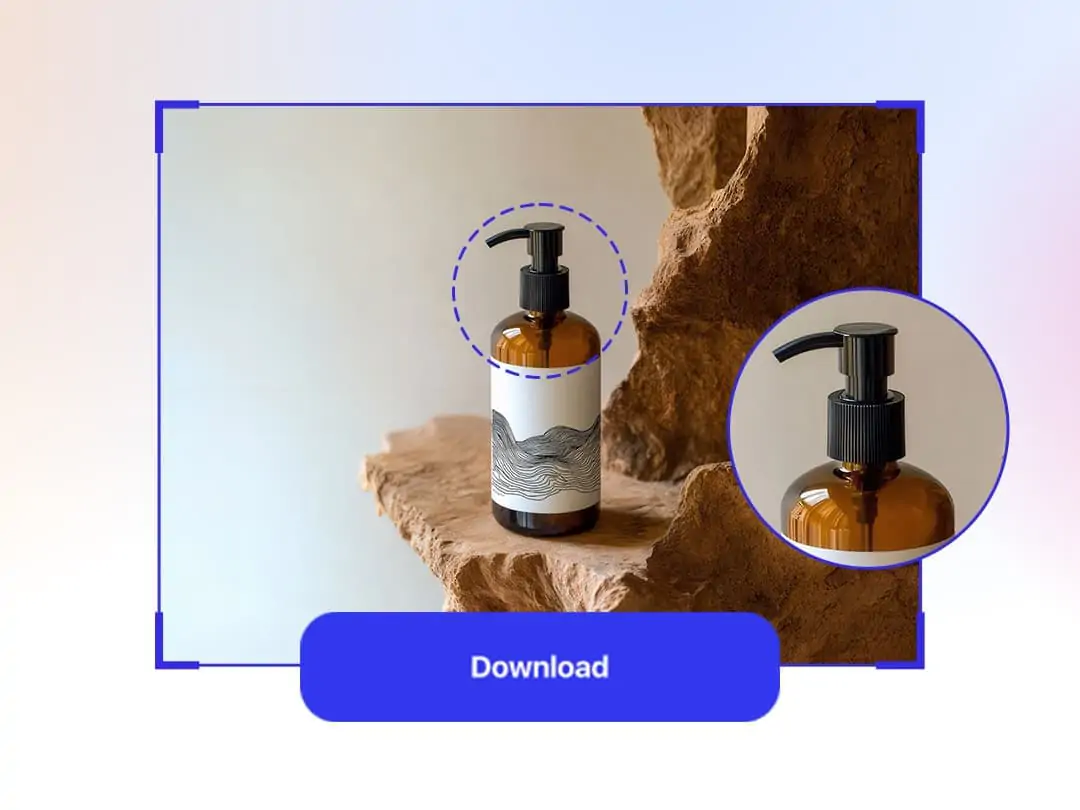
Download HD Image
Preview the generated HD result. Once satisfied, download your extended photo directly to your device in JPG or PNG format for free.
How Pokecut Compares to Other AI Image Extenders
While Airbrush, Pixa, and NoteGPT offer basic expansion, Pokecut stands out with its 4K-8K high-resolution output and flawless portrait edge blending. Compare features below to see how Pokecut delivers 30+ customizable presets, ultra-fast generation, and completely watermark-free downloads without requiring an account.
What Users Say About Pokecut's AI Image Extender
Users praise our tool for its effortless operation and highly natural results. It is a reliable lifesaver for personal photos and urgent business design tasks.


Sarah M.

"I was so stressed when my client sent product shots that were way too cropped for Amazon. This tool expanded the white background seamlessly. Total lifesaver!"
David L.
"Honestly didn't expect much, but it completely saved my chopped-off selfie. It naturally drew my hair and shoulders. I will definitely use it for Instagram!"
Emily R.
"The outpainting quality is fantastic for my web banners. It sometimes takes a few extra seconds to process on my old laptop, but the crisp results are worth it."
James K.
"As a photographer, I am usually picky about fake textures. I tried other tools, but this one matches the original lighting and grain flawlessly. Truly amazed."
Chloe T.
"I found a gorgeous landscape artwork but it was a square. I used this tool to turn it into a full desktop wallpaper in just one click. It looks incredible!"
Marcus V.
"My boss needed a Facebook cover in ten minutes, and the stock photo was too narrow. I dragged the borders, and the AI filled the rest perfectly. Job saved!"
Sarah M.
"I was so stressed when my client sent product shots that were way too cropped for Amazon. This tool expanded the white background seamlessly. Total lifesaver!"
David L.
"Honestly didn't expect much, but it completely saved my chopped-off selfie. It naturally drew my hair and shoulders. I will definitely use it for Instagram!"
Emily R.
"The outpainting quality is fantastic for my web banners. It sometimes takes a few extra seconds to process on my old laptop, but the crisp results are worth it."
James K.
"As a photographer, I am usually picky about fake textures. I tried other tools, but this one matches the original lighting and grain flawlessly. Truly amazed."
Chloe T.
"I found a gorgeous landscape artwork but it was a square. I used this tool to turn it into a full desktop wallpaper in just one click. It looks incredible!"
Marcus V.
"My boss needed a Facebook cover in ten minutes, and the stock photo was too narrow. I dragged the borders, and the AI filled the rest perfectly. Job saved!"
Sarah M.
"I was so stressed when my client sent product shots that were way too cropped for Amazon. This tool expanded the white background seamlessly. Total lifesaver!"
David L.
"Honestly didn't expect much, but it completely saved my chopped-off selfie. It naturally drew my hair and shoulders. I will definitely use it for Instagram!"
Emily R.
"The outpainting quality is fantastic for my web banners. It sometimes takes a few extra seconds to process on my old laptop, but the crisp results are worth it."
James K.
"As a photographer, I am usually picky about fake textures. I tried other tools, but this one matches the original lighting and grain flawlessly. Truly amazed."
Chloe T.
"I found a gorgeous landscape artwork but it was a square. I used this tool to turn it into a full desktop wallpaper in just one click. It looks incredible!"
Marcus V.
"My boss needed a Facebook cover in ten minutes, and the stock photo was too narrow. I dragged the borders, and the AI filled the rest perfectly. Job saved!"
Sarah M.
"I was so stressed when my client sent product shots that were way too cropped for Amazon. This tool expanded the white background seamlessly. Total lifesaver!"
David L.
"Honestly didn't expect much, but it completely saved my chopped-off selfie. It naturally drew my hair and shoulders. I will definitely use it for Instagram!"
Emily R.
"The outpainting quality is fantastic for my web banners. It sometimes takes a few extra seconds to process on my old laptop, but the crisp results are worth it."
James K.
"As a photographer, I am usually picky about fake textures. I tried other tools, but this one matches the original lighting and grain flawlessly. Truly amazed."
Chloe T.
"I found a gorgeous landscape artwork but it was a square. I used this tool to turn it into a full desktop wallpaper in just one click. It looks incredible!"
Marcus V.
"My boss needed a Facebook cover in ten minutes, and the stock photo was too narrow. I dragged the borders, and the AI filled the rest perfectly. Job saved!"
Sarah M.
"I was so stressed when my client sent product shots that were way too cropped for Amazon. This tool expanded the white background seamlessly. Total lifesaver!"
David L.
"Honestly didn't expect much, but it completely saved my chopped-off selfie. It naturally drew my hair and shoulders. I will definitely use it for Instagram!"
Emily R.
"The outpainting quality is fantastic for my web banners. It sometimes takes a few extra seconds to process on my old laptop, but the crisp results are worth it."
James K.
"As a photographer, I am usually picky about fake textures. I tried other tools, but this one matches the original lighting and grain flawlessly. Truly amazed."
Chloe T.
"I found a gorgeous landscape artwork but it was a square. I used this tool to turn it into a full desktop wallpaper in just one click. It looks incredible!"
Marcus V.
"My boss needed a Facebook cover in ten minutes, and the stock photo was too narrow. I dragged the borders, and the AI filled the rest perfectly. Job saved!"
James K.
"As a photographer, I am usually picky about fake textures. I tried other tools, but this one matches the original lighting and grain flawlessly. Truly amazed."
Chloe T.
"I found a gorgeous landscape artwork but it was a square. I used this tool to turn it into a full desktop wallpaper in just one click. It looks incredible!"
Marcus V.
"My boss needed a Facebook cover in ten minutes, and the stock photo was too narrow. I dragged the borders, and the AI filled the rest perfectly. Job saved!"
Sarah M.
"I was so stressed when my client sent product shots that were way too cropped for Amazon. This tool expanded the white background seamlessly. Total lifesaver!"
David L.
"Honestly didn't expect much, but it completely saved my chopped-off selfie. It naturally drew my hair and shoulders. I will definitely use it for Instagram!"
Emily R.
"The outpainting quality is fantastic for my web banners. It sometimes takes a few extra seconds to process on my old laptop, but the crisp results are worth it."
James K.
"As a photographer, I am usually picky about fake textures. I tried other tools, but this one matches the original lighting and grain flawlessly. Truly amazed."
Chloe T.
"I found a gorgeous landscape artwork but it was a square. I used this tool to turn it into a full desktop wallpaper in just one click. It looks incredible!"
Marcus V.
"My boss needed a Facebook cover in ten minutes, and the stock photo was too narrow. I dragged the borders, and the AI filled the rest perfectly. Job saved!"
Sarah M.
"I was so stressed when my client sent product shots that were way too cropped for Amazon. This tool expanded the white background seamlessly. Total lifesaver!"
David L.
"Honestly didn't expect much, but it completely saved my chopped-off selfie. It naturally drew my hair and shoulders. I will definitely use it for Instagram!"
Emily R.
"The outpainting quality is fantastic for my web banners. It sometimes takes a few extra seconds to process on my old laptop, but the crisp results are worth it."
James K.
"As a photographer, I am usually picky about fake textures. I tried other tools, but this one matches the original lighting and grain flawlessly. Truly amazed."
Chloe T.
"I found a gorgeous landscape artwork but it was a square. I used this tool to turn it into a full desktop wallpaper in just one click. It looks incredible!"
Marcus V.
"My boss needed a Facebook cover in ten minutes, and the stock photo was too narrow. I dragged the borders, and the AI filled the rest perfectly. Job saved!"
Sarah M.
"I was so stressed when my client sent product shots that were way too cropped for Amazon. This tool expanded the white background seamlessly. Total lifesaver!"
David L.
"Honestly didn't expect much, but it completely saved my chopped-off selfie. It naturally drew my hair and shoulders. I will definitely use it for Instagram!"
Emily R.
"The outpainting quality is fantastic for my web banners. It sometimes takes a few extra seconds to process on my old laptop, but the crisp results are worth it."
James K.
"As a photographer, I am usually picky about fake textures. I tried other tools, but this one matches the original lighting and grain flawlessly. Truly amazed."
Chloe T.
"I found a gorgeous landscape artwork but it was a square. I used this tool to turn it into a full desktop wallpaper in just one click. It looks incredible!"
Marcus V.
"My boss needed a Facebook cover in ten minutes, and the stock photo was too narrow. I dragged the borders, and the AI filled the rest perfectly. Job saved!"
Sarah M.
"I was so stressed when my client sent product shots that were way too cropped for Amazon. This tool expanded the white background seamlessly. Total lifesaver!"
David L.
"Honestly didn't expect much, but it completely saved my chopped-off selfie. It naturally drew my hair and shoulders. I will definitely use it for Instagram!"
Emily R.
"The outpainting quality is fantastic for my web banners. It sometimes takes a few extra seconds to process on my old laptop, but the crisp results are worth it."
James K.
"As a photographer, I am usually picky about fake textures. I tried other tools, but this one matches the original lighting and grain flawlessly. Truly amazed."
Chloe T.
"I found a gorgeous landscape artwork but it was a square. I used this tool to turn it into a full desktop wallpaper in just one click. It looks incredible!"
Marcus V.
"My boss needed a Facebook cover in ten minutes, and the stock photo was too narrow. I dragged the borders, and the AI filled the rest perfectly. Job saved!"
Sarah M.
"I was so stressed when my client sent product shots that were way too cropped for Amazon. This tool expanded the white background seamlessly. Total lifesaver!"
David L.
"Honestly didn't expect much, but it completely saved my chopped-off selfie. It naturally drew my hair and shoulders. I will definitely use it for Instagram!"
Emily R.
"The outpainting quality is fantastic for my web banners. It sometimes takes a few extra seconds to process on my old laptop, but the crisp results are worth it."
Reviews from: Reddit, Product Hunt, G2, TrustRadius, Google Play, App Store, and more.
Frequently Asked Questions
How does the AI uncrop and expand my image?
Our advanced AI analyzes the content and context of your uploaded photo, then seamlessly generates and fills in the missing areas to expand the canvas, revealing new details and providing a more complete image.
Can I customize the size to which my image is expanded?
Yes! You can either choose from preset size templates tailored for social media and e-commerce platforms or manually set custom dimensions to best fit your needs.
Will expanding my image cause any loss in quality?
No. Our AI technology ensures that the expanded areas blend naturally with the original image, and your final download is available in high-definition, lossless quality.
Is it completely free to use this AI image extender with no signup?
Yes, we provide free credits to test our AI image expander. You can process high-quality photos instantly without an account. To unlock more credits or features, you can go to the online store to learn more.
Can I use the AI Image Extender for social media or e-commerce images?
Definitely! Our tool is perfect for adapting your images to fit Instagram, Facebook, YouTube, and various e-commerce platform size requirements, ensuring your visuals look professional and engaging.
Can I edit the picture further after expanding my image?
Yes! Just click confirm to keep working in the Pokecut canvas. You can easily apply creative filters, add fun stickers and text. It is also simple to adjust brightness, crop, or change backgrounds.
Pokecut's AI Photo Extender Trusted by Global Creators

1M+ Users Worldwide
Pokecut generates over 500,000 images every day

#2 on Product Hunt
Pokecut launched and won #2 product of the day

Professional Privacy Protection
Ensure 100% data privacy for every photo

Trusted by Well-Known Brands
Apple, Google, PayPal, Stripe, Product Hunt, G2, TrustRadius