Batch Photo Editor: Bulk Edit Photos Online Free
Turn a product launch, catalog refresh, or campaign asset pack into a publish-ready set with Pokecut's batch photo editor online for free. Process up to 50 images in one batch for cleaner backgrounds, sharper visuals, and channel-ready sizes.
✨ Multiple batch editing tools ⚡ Up to 30% less prep time 📦 Packaged downloads


By uploading an image you agree to our Terms of Use and Privacy Policy
Why Use Pokecut for a Batch of Images?

Turn a Repetitive Image Batch into One Clear Job
Start with the product photos, campaign assets, or shoot selects already waiting in your folder. Pokecut turns repetitive image preparation into one focused batch task, so you can apply the right background, quality, or size update across the set instead of reopening files one by one.
Process up to 50 images at once and download the finished set as a package when your launch, catalog update, or content calendar needs to move. The result is a clearer handoff from image prep to publishing, with more time left for the decisions that make each image perform.

Create Cleaner Backgrounds for the Whole Set
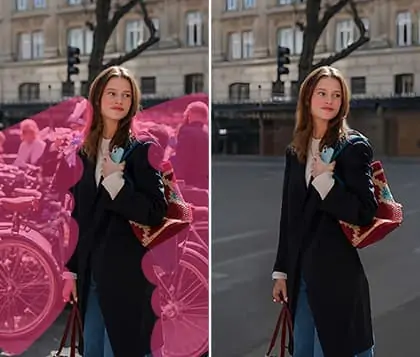
Give every image in a batch a cleaner stage for the subject that matters. Pokecut can remove an existing background or replace it with a solid color, a custom color, your own image, or a template direction that makes a product line, campaign, or content series feel more intentional.
Choose transparent PNG cutouts when your team needs flexible product assets for listings, design files, or ads. They give designers and channel teams a versatile base for layouts, product pages, and paid creative without rebuilding the image from scratch.

Get Every Image Ready for Different Channels
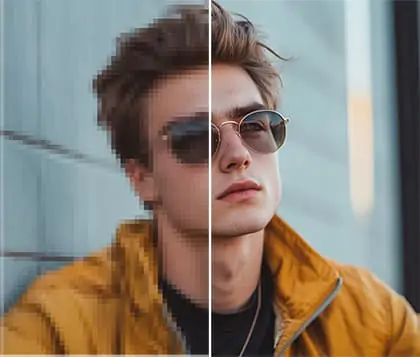
Send a batch toward its next destination, whether it is a marketplace listing, a storefront update, or a campaign launch. Enhance soft images and crop or resize the set for the formats each channel needs. From Amazon, eBay, Etsy, and Shopify product pages to paid media, email, and social, every file arrives prepared for publishing.
High-resolution, watermark-free downloads help your team move from source images to usable assets without slowing down the publishing queue. A prepared image set gives listings and campaigns a more consistent starting point across channels.

Turn Your Best Batch Images into AI-Ready Hero Visuals
Finish the repeated work first, then give the images with the biggest commercial role more creative attention. A polished product hero, paid-ad visual, or social cover can do more for clicks and buyer confidence than another round of routine file preparation.
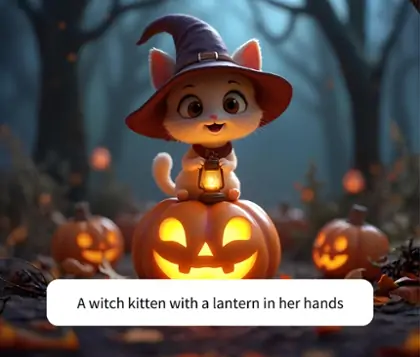
Upload multiple images in Pokecut's Unlimited Canvas and use AI backgrounds, lighting adjustments, Replace, and Retouch on the individual images that deserve deeper work. Your batch becomes the starting point for stronger hero visuals, not the end of the creative process.
Pokecut Is Trusted by Creators for Every Photo Creation

3M+ Creators
Built for creators and teams turning image ideas into finished assets.

200+ AI Tools
Move from batch preparation into broader AI image editing when a key visual needs more.

500M+ Edits Processed
Create, refine, and export images with a platform made for repeat visual work.

#2 on Product Hunt
Recognized by the Product Hunt community for a faster, more flexible image workflow.
Which Batch Image Task Matches Your Goal?


Who Is Batch Editing Built For?


How Does Pokecut Compare for Batch Photo Editing?
Pokecut is a strong fit for everyday batch editing when you want simple AI tools, background options, and flexible resizing without a complex workflow. Pixlr suits macro-driven edits, Photoroom is built for high-volume e-commerce catalogs, and Picsart works well for creators who want more batch effects and editing options.
How to Batch Edit Photos Online
Step 1: Upload Your Images
Add the product photos, campaign assets, or shoot selects that share the same preparation goal. Start with the images that need one clear background, quality, or sizing update before they move to the next publishing or review stage.
Step 2: Choose the Right Batch Task
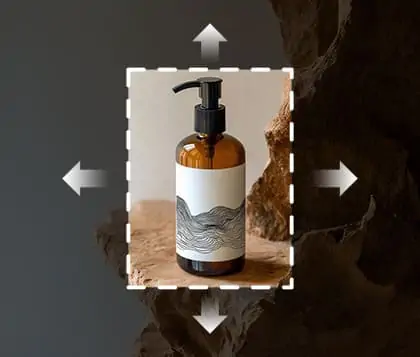
Match the set to the outcome you need. Choose enhancement for clearer detail, background removal for flexible cutouts, background change for a new visual direction, or crop and resize for the formats your storefront and campaign channels need.
Step 3: Process the Set
Let Pokecut apply the selected batch task across the images you prepared. Review the finished direction as a set, so the repeated work is handled before your team spends time on the individual hero images and creative refinements.
Step 4: Download and Take Key Images Further
Download the finished images as a package for your catalog, launch folder, or campaign handoff. Open the images with the most commercial potential in Unlimited Canvas when they need a stronger background, lighting, retouching, or AI visual direction.

What Creators Say About Batch Editing with Pokecut
Teams use Pokecut to clear repetitive image work before launches, listing updates, content calendars, and delivery deadlines. The recurring value is simple: more finished assets, more time for hero visuals, and fewer stalled publishing tasks.


Emily R.

"I had 40 product photos waiting for a catalog update, and Pokecut helped me get the first pass done before lunch. The background cleanup made the whole line look ready for review."
Marcus T.
"Our marketplace refresh felt about a third shorter because the image prep stopped bouncing between separate files. I saved the deeper creative work for the products that needed it."
Sofia L.
"I use the batch background changer before seasonal launches. It gives the team a consistent starting point, then we build the strongest ad images from the best results."
Jordan P.
"We cleared two promotion image sets in the same afternoon and still had time to make new hero visuals for the paid campaign."
Nina C.
"The resizer is useful when one product range has to reach storefronts, email, and social at once. The files feel much more organized before they reach the rest of the team."
Owen G.
"The batch tools cover the work I do most often. I use a separate AI edit pass for hero images, which keeps catalog work practical and campaign work more creative."
Daniel M.
"I start with batch enhancement after studio shoots, then retouch only the images that matter most. It is a better use of time than treating every frame like a final hero image."
Chloe B.
"The transparent cutouts gave our designers more options for layouts and paid ads. We moved from source shots to usable assets fast enough to keep a launch on schedule."
Ryan K.
"For a small store, getting listing photos cleaned up in one place makes a real difference. The buyer confidence jump was easy to see in our weekly refresh."
Leah S.
"I still retouch the top few images individually, but the batch step gets routine work out of the way before I make those creative calls."
Emily R.
"I had 40 product photos waiting for a catalog update, and Pokecut helped me get the first pass done before lunch. The background cleanup made the whole line look ready for review."
Marcus T.
"Our marketplace refresh felt about a third shorter because the image prep stopped bouncing between separate files. I saved the deeper creative work for the products that needed it."
Sofia L.
"I use the batch background changer before seasonal launches. It gives the team a consistent starting point, then we build the strongest ad images from the best results."
Jordan P.
"We cleared two promotion image sets in the same afternoon and still had time to make new hero visuals for the paid campaign."
Nina C.
"The resizer is useful when one product range has to reach storefronts, email, and social at once. The files feel much more organized before they reach the rest of the team."
Owen G.
"The batch tools cover the work I do most often. I use a separate AI edit pass for hero images, which keeps catalog work practical and campaign work more creative."
Daniel M.
"I start with batch enhancement after studio shoots, then retouch only the images that matter most. It is a better use of time than treating every frame like a final hero image."
Chloe B.
"The transparent cutouts gave our designers more options for layouts and paid ads. We moved from source shots to usable assets fast enough to keep a launch on schedule."
Ryan K.
"For a small store, getting listing photos cleaned up in one place makes a real difference. The buyer confidence jump was easy to see in our weekly refresh."
Leah S.
"I still retouch the top few images individually, but the batch step gets routine work out of the way before I make those creative calls."
Emily R.
"I had 40 product photos waiting for a catalog update, and Pokecut helped me get the first pass done before lunch. The background cleanup made the whole line look ready for review."
Marcus T.
"Our marketplace refresh felt about a third shorter because the image prep stopped bouncing between separate files. I saved the deeper creative work for the products that needed it."
Sofia L.
"I use the batch background changer before seasonal launches. It gives the team a consistent starting point, then we build the strongest ad images from the best results."
Jordan P.
"We cleared two promotion image sets in the same afternoon and still had time to make new hero visuals for the paid campaign."
Nina C.
"The resizer is useful when one product range has to reach storefronts, email, and social at once. The files feel much more organized before they reach the rest of the team."
Owen G.
"The batch tools cover the work I do most often. I use a separate AI edit pass for hero images, which keeps catalog work practical and campaign work more creative."
Daniel M.
"I start with batch enhancement after studio shoots, then retouch only the images that matter most. It is a better use of time than treating every frame like a final hero image."
Chloe B.
"The transparent cutouts gave our designers more options for layouts and paid ads. We moved from source shots to usable assets fast enough to keep a launch on schedule."
Ryan K.
"For a small store, getting listing photos cleaned up in one place makes a real difference. The buyer confidence jump was easy to see in our weekly refresh."
Leah S.
"I still retouch the top few images individually, but the batch step gets routine work out of the way before I make those creative calls."
Emily R.
"I had 40 product photos waiting for a catalog update, and Pokecut helped me get the first pass done before lunch. The background cleanup made the whole line look ready for review."
Marcus T.
"Our marketplace refresh felt about a third shorter because the image prep stopped bouncing between separate files. I saved the deeper creative work for the products that needed it."
Sofia L.
"I use the batch background changer before seasonal launches. It gives the team a consistent starting point, then we build the strongest ad images from the best results."
Jordan P.
"We cleared two promotion image sets in the same afternoon and still had time to make new hero visuals for the paid campaign."
Nina C.
"The resizer is useful when one product range has to reach storefronts, email, and social at once. The files feel much more organized before they reach the rest of the team."
Owen G.
"The batch tools cover the work I do most often. I use a separate AI edit pass for hero images, which keeps catalog work practical and campaign work more creative."
Daniel M.
"I start with batch enhancement after studio shoots, then retouch only the images that matter most. It is a better use of time than treating every frame like a final hero image."
Chloe B.
"The transparent cutouts gave our designers more options for layouts and paid ads. We moved from source shots to usable assets fast enough to keep a launch on schedule."
Ryan K.
"For a small store, getting listing photos cleaned up in one place makes a real difference. The buyer confidence jump was easy to see in our weekly refresh."
Leah S.
"I still retouch the top few images individually, but the batch step gets routine work out of the way before I make those creative calls."
Emily R.
"I had 40 product photos waiting for a catalog update, and Pokecut helped me get the first pass done before lunch. The background cleanup made the whole line look ready for review."
Marcus T.
"Our marketplace refresh felt about a third shorter because the image prep stopped bouncing between separate files. I saved the deeper creative work for the products that needed it."
Sofia L.
"I use the batch background changer before seasonal launches. It gives the team a consistent starting point, then we build the strongest ad images from the best results."
Jordan P.
"We cleared two promotion image sets in the same afternoon and still had time to make new hero visuals for the paid campaign."
Nina C.
"The resizer is useful when one product range has to reach storefronts, email, and social at once. The files feel much more organized before they reach the rest of the team."
Owen G.
"The batch tools cover the work I do most often. I use a separate AI edit pass for hero images, which keeps catalog work practical and campaign work more creative."
Daniel M.
"I start with batch enhancement after studio shoots, then retouch only the images that matter most. It is a better use of time than treating every frame like a final hero image."
Chloe B.
"The transparent cutouts gave our designers more options for layouts and paid ads. We moved from source shots to usable assets fast enough to keep a launch on schedule."
Ryan K.
"For a small store, getting listing photos cleaned up in one place makes a real difference. The buyer confidence jump was easy to see in our weekly refresh."
Leah S.
"I still retouch the top few images individually, but the batch step gets routine work out of the way before I make those creative calls."
Jordan P.
"We cleared two promotion image sets in the same afternoon and still had time to make new hero visuals for the paid campaign."
Nina C.
"The resizer is useful when one product range has to reach storefronts, email, and social at once. The files feel much more organized before they reach the rest of the team."
Owen G.
"The batch tools cover the work I do most often. I use a separate AI edit pass for hero images, which keeps catalog work practical and campaign work more creative."
Daniel M.
"I start with batch enhancement after studio shoots, then retouch only the images that matter most. It is a better use of time than treating every frame like a final hero image."
Chloe B.
"The transparent cutouts gave our designers more options for layouts and paid ads. We moved from source shots to usable assets fast enough to keep a launch on schedule."
Ryan K.
"For a small store, getting listing photos cleaned up in one place makes a real difference. The buyer confidence jump was easy to see in our weekly refresh."
Leah S.
"I still retouch the top few images individually, but the batch step gets routine work out of the way before I make those creative calls."
Emily R.
"I had 40 product photos waiting for a catalog update, and Pokecut helped me get the first pass done before lunch. The background cleanup made the whole line look ready for review."
Marcus T.
"Our marketplace refresh felt about a third shorter because the image prep stopped bouncing between separate files. I saved the deeper creative work for the products that needed it."
Sofia L.
"I use the batch background changer before seasonal launches. It gives the team a consistent starting point, then we build the strongest ad images from the best results."
Jordan P.
"We cleared two promotion image sets in the same afternoon and still had time to make new hero visuals for the paid campaign."
Nina C.
"The resizer is useful when one product range has to reach storefronts, email, and social at once. The files feel much more organized before they reach the rest of the team."
Owen G.
"The batch tools cover the work I do most often. I use a separate AI edit pass for hero images, which keeps catalog work practical and campaign work more creative."
Daniel M.
"I start with batch enhancement after studio shoots, then retouch only the images that matter most. It is a better use of time than treating every frame like a final hero image."
Chloe B.
"The transparent cutouts gave our designers more options for layouts and paid ads. We moved from source shots to usable assets fast enough to keep a launch on schedule."
Ryan K.
"For a small store, getting listing photos cleaned up in one place makes a real difference. The buyer confidence jump was easy to see in our weekly refresh."
Leah S.
"I still retouch the top few images individually, but the batch step gets routine work out of the way before I make those creative calls."
Emily R.
"I had 40 product photos waiting for a catalog update, and Pokecut helped me get the first pass done before lunch. The background cleanup made the whole line look ready for review."
Marcus T.
"Our marketplace refresh felt about a third shorter because the image prep stopped bouncing between separate files. I saved the deeper creative work for the products that needed it."
Sofia L.
"I use the batch background changer before seasonal launches. It gives the team a consistent starting point, then we build the strongest ad images from the best results."
Jordan P.
"We cleared two promotion image sets in the same afternoon and still had time to make new hero visuals for the paid campaign."
Nina C.
"The resizer is useful when one product range has to reach storefronts, email, and social at once. The files feel much more organized before they reach the rest of the team."
Owen G.
"The batch tools cover the work I do most often. I use a separate AI edit pass for hero images, which keeps catalog work practical and campaign work more creative."
Daniel M.
"I start with batch enhancement after studio shoots, then retouch only the images that matter most. It is a better use of time than treating every frame like a final hero image."
Chloe B.
"The transparent cutouts gave our designers more options for layouts and paid ads. We moved from source shots to usable assets fast enough to keep a launch on schedule."
Ryan K.
"For a small store, getting listing photos cleaned up in one place makes a real difference. The buyer confidence jump was easy to see in our weekly refresh."
Leah S.
"I still retouch the top few images individually, but the batch step gets routine work out of the way before I make those creative calls."
Emily R.
"I had 40 product photos waiting for a catalog update, and Pokecut helped me get the first pass done before lunch. The background cleanup made the whole line look ready for review."
Marcus T.
"Our marketplace refresh felt about a third shorter because the image prep stopped bouncing between separate files. I saved the deeper creative work for the products that needed it."
Sofia L.
"I use the batch background changer before seasonal launches. It gives the team a consistent starting point, then we build the strongest ad images from the best results."
Jordan P.
"We cleared two promotion image sets in the same afternoon and still had time to make new hero visuals for the paid campaign."
Nina C.
"The resizer is useful when one product range has to reach storefronts, email, and social at once. The files feel much more organized before they reach the rest of the team."
Owen G.
"The batch tools cover the work I do most often. I use a separate AI edit pass for hero images, which keeps catalog work practical and campaign work more creative."
Daniel M.
"I start with batch enhancement after studio shoots, then retouch only the images that matter most. It is a better use of time than treating every frame like a final hero image."
Chloe B.
"The transparent cutouts gave our designers more options for layouts and paid ads. We moved from source shots to usable assets fast enough to keep a launch on schedule."
Ryan K.
"For a small store, getting listing photos cleaned up in one place makes a real difference. The buyer confidence jump was easy to see in our weekly refresh."
Leah S.
"I still retouch the top few images individually, but the batch step gets routine work out of the way before I make those creative calls."
Emily R.
"I had 40 product photos waiting for a catalog update, and Pokecut helped me get the first pass done before lunch. The background cleanup made the whole line look ready for review."
Marcus T.
"Our marketplace refresh felt about a third shorter because the image prep stopped bouncing between separate files. I saved the deeper creative work for the products that needed it."
Sofia L.
"I use the batch background changer before seasonal launches. It gives the team a consistent starting point, then we build the strongest ad images from the best results."
Jordan P.
"We cleared two promotion image sets in the same afternoon and still had time to make new hero visuals for the paid campaign."
Nina C.
"The resizer is useful when one product range has to reach storefronts, email, and social at once. The files feel much more organized before they reach the rest of the team."
Owen G.
"The batch tools cover the work I do most often. I use a separate AI edit pass for hero images, which keeps catalog work practical and campaign work more creative."
Daniel M.
"I start with batch enhancement after studio shoots, then retouch only the images that matter most. It is a better use of time than treating every frame like a final hero image."
Chloe B.
"The transparent cutouts gave our designers more options for layouts and paid ads. We moved from source shots to usable assets fast enough to keep a launch on schedule."
Ryan K.
"For a small store, getting listing photos cleaned up in one place makes a real difference. The buyer confidence jump was easy to see in our weekly refresh."
Leah S.
"I still retouch the top few images individually, but the batch step gets routine work out of the way before I make those creative calls."
Emily R.
"I had 40 product photos waiting for a catalog update, and Pokecut helped me get the first pass done before lunch. The background cleanup made the whole line look ready for review."
Marcus T.
"Our marketplace refresh felt about a third shorter because the image prep stopped bouncing between separate files. I saved the deeper creative work for the products that needed it."
Sofia L.
"I use the batch background changer before seasonal launches. It gives the team a consistent starting point, then we build the strongest ad images from the best results."
Reviews from: Reddit, Product Hunt, G2, TrustRadius, Google Play, App Store, and more.
Explore Pokecut Across Independent Platforms
See how independent publications and tool directories highlight Pokecut for batch photo editing, AI-powered image enhancement, and faster visual workflows.


BIG NEWS NETWORK
With tools like Pokecut, you can remove backgrounds, resize, enhance quality and maintain brand templates across hundreds of images at once. It's a straightforward way to keep your visuals sharp and free up time for more valuable work.
Read Listing
LEMONSIGHT
If you work with many photos at once, Pokecut's batch editing feature saves time. You can edit multiple images together, making bulk tasks easier. Its simple interface is easy to navigate, so you don't need technical skills to get professional results.
Read Listing
Pro Link Directory
Whether you are a professional photographer, a social media enthusiast, or a small business owner, Pokecut can help you effortlessly create images with professional studio quality. Pokecut is equipped with dozens of AI image editing features.
Read ListingFAQs About Batch Photo Editing
What is the best free batch photo editor online?
Pokecut is one of the best free batch photo editors for people who need to enhance, resize, remove backgrounds, or change backgrounds across a set. Start online with free credits and trial opportunities, then choose the task that fits the images you need to publish.
What is the best batch photo editor for small teams?
Pokecut is one of the best batch photo editors for small teams that need an affordable way to prepare listing, campaign, and social images. Batch enhance, resize, remove backgrounds, or change backgrounds across the set, then use Pokecut's wider AI editing tools to give priority product and ad images a stronger final finish.
Which image formats can I upload and download in Batch Edit?
Pokecut supports common image formats including JPG, JPEG, PNG, BMP, and WebP for batch uploads. After enhancing, resizing, removing backgrounds, or changing backgrounds, download the finished images as a package in JPG or PNG format for a faster catalog, campaign, or content handoff.
Can I prepare product images for multiple sales channels in one batch?
Yes. Use batch enhancement, background removal, background change, or resize to prepare a consistent starting set for marketplace listings, storefront updates, and campaign assets. Pokecut helps small teams organize repeat image-prep work before files move to Amazon, eBay, Etsy, Shopify, ads, email, or social publishing.
What batch tasks can I use in Pokecut?
Choose from four batch tasks: image enhancement, background removal, background change, and crop and resize. Each task is built around a common image-prep outcome, so you can send the set toward a cleaner listing, campaign, catalog, or content destination.
Can I download high-resolution images without watermarks?
Yes. Pokecut supports high-resolution, watermark-free downloads for images you prepare online. Export the finished set for product pages, advertising, social publishing, or design handoff, then keep editing the few images that need a stronger final visual direction.