





AI Butt Enhancer to Make Butt Bigger in Photo
Try an online bigger butt filter to improve your full-body photos. Smooth hip dips, lift your butt shape, and create a more flattering curve for social posts or portraits.


Why Choose Pokecut to Make Butt Bigger in Photo?
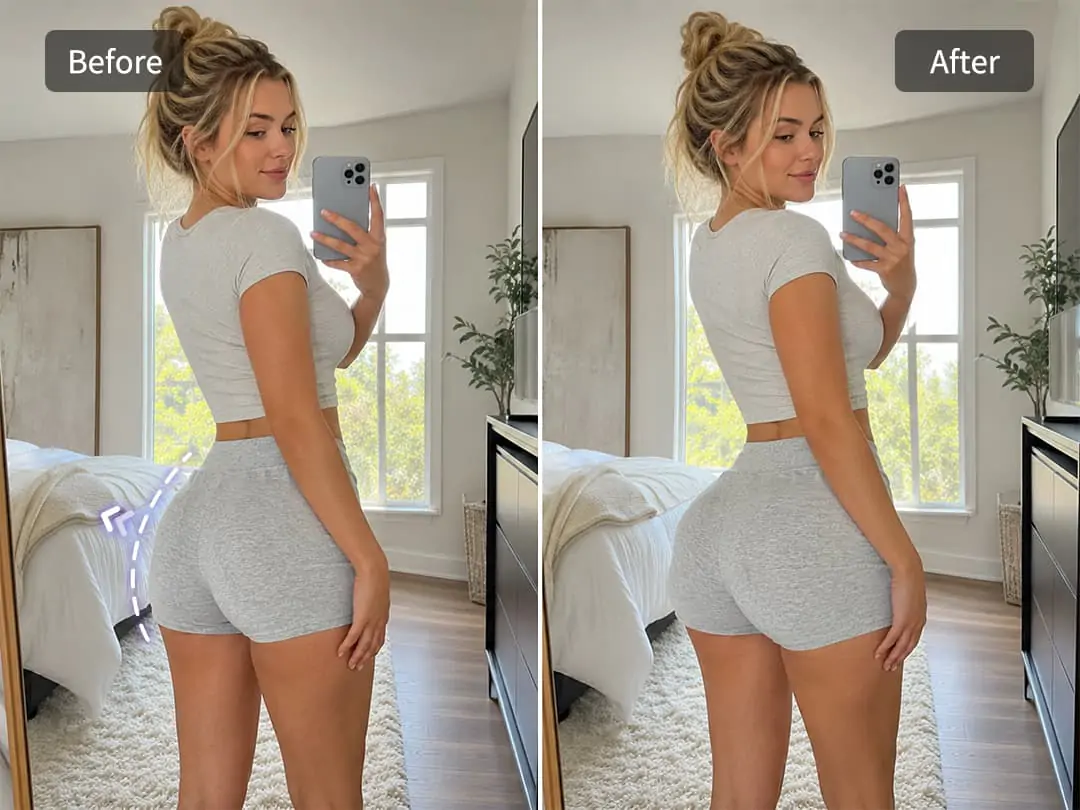
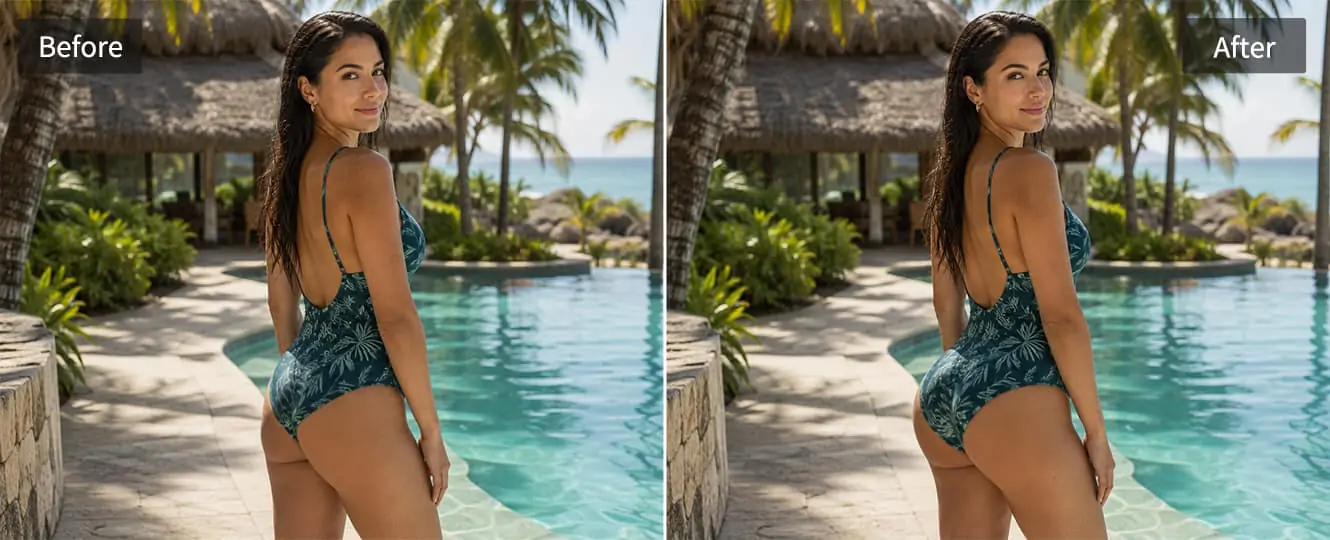
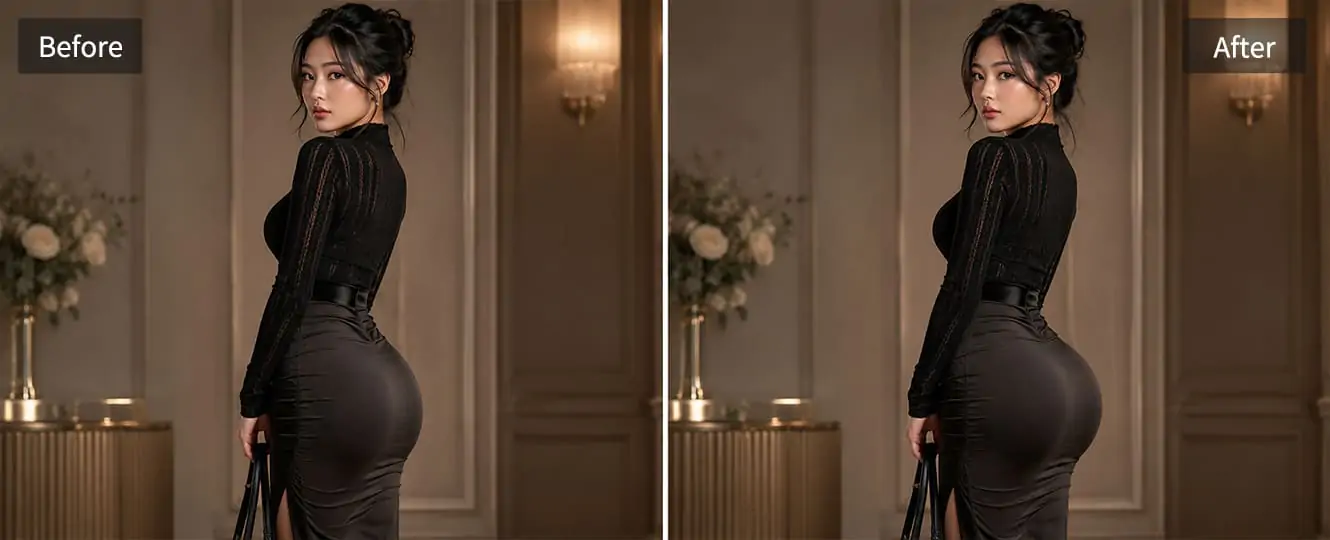
Apply Bigger Butt Filter Naturally with No Edit Marks
Pokecut's body editor helps you make your butt look fuller and lifted in a photo with just one upload. You do not need Photoshop, manual liquify tools, or editing skills. The AI focuses on a natural body curve, so the result looks better without looking fake.
The AI butt enhancer keeps the background, clothes, and body shape balanced while improving the photo. It helps avoid bent walls, blurry pants, or strange body proportions. You can use the result for social posts, dating profiles, or portraits with more confidence.
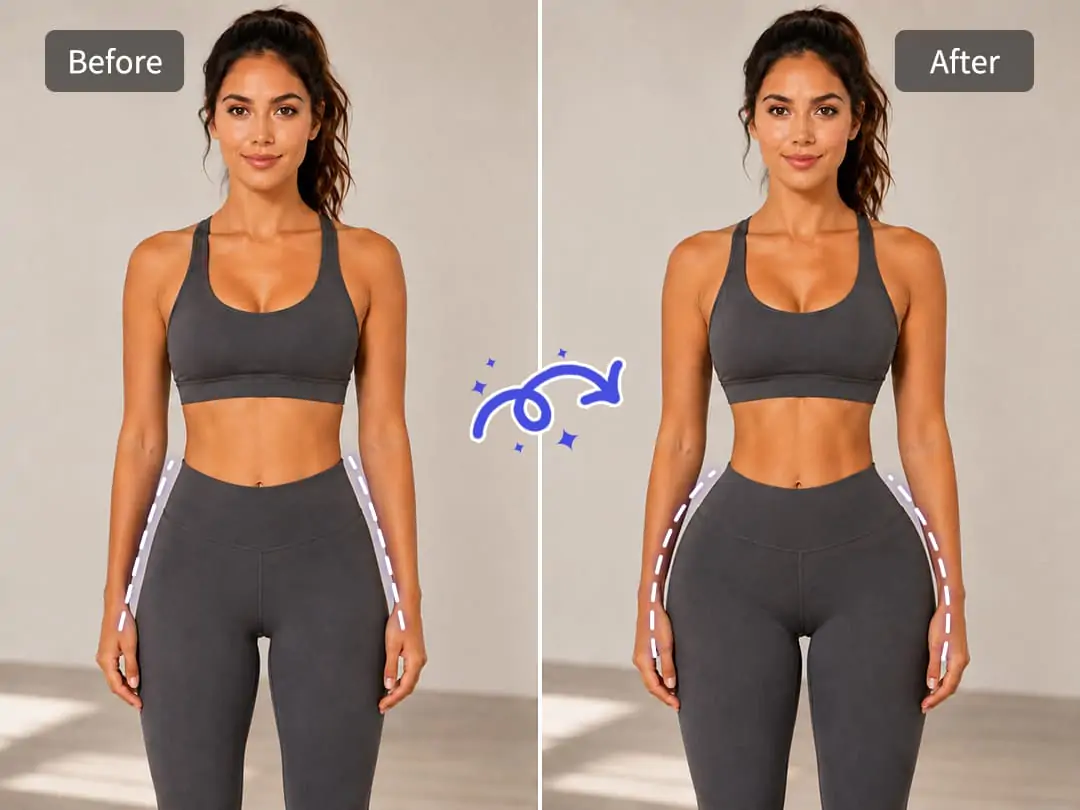
Improve Hip Dips and Body Curves Together
Pokecut does more than simply enlarge one area. It can help smooth hip dips, round the butt shape, and make the waist-to-hip line look more balanced. This gives your photo a cleaner and more flattering curve.
The bigger butt filter is useful when your outfit or pose makes your body line look flat. It can improve the transition between hips, thighs, and butt, so the full-body photo feels more natural, smooth, and close to a soft hourglass shape.
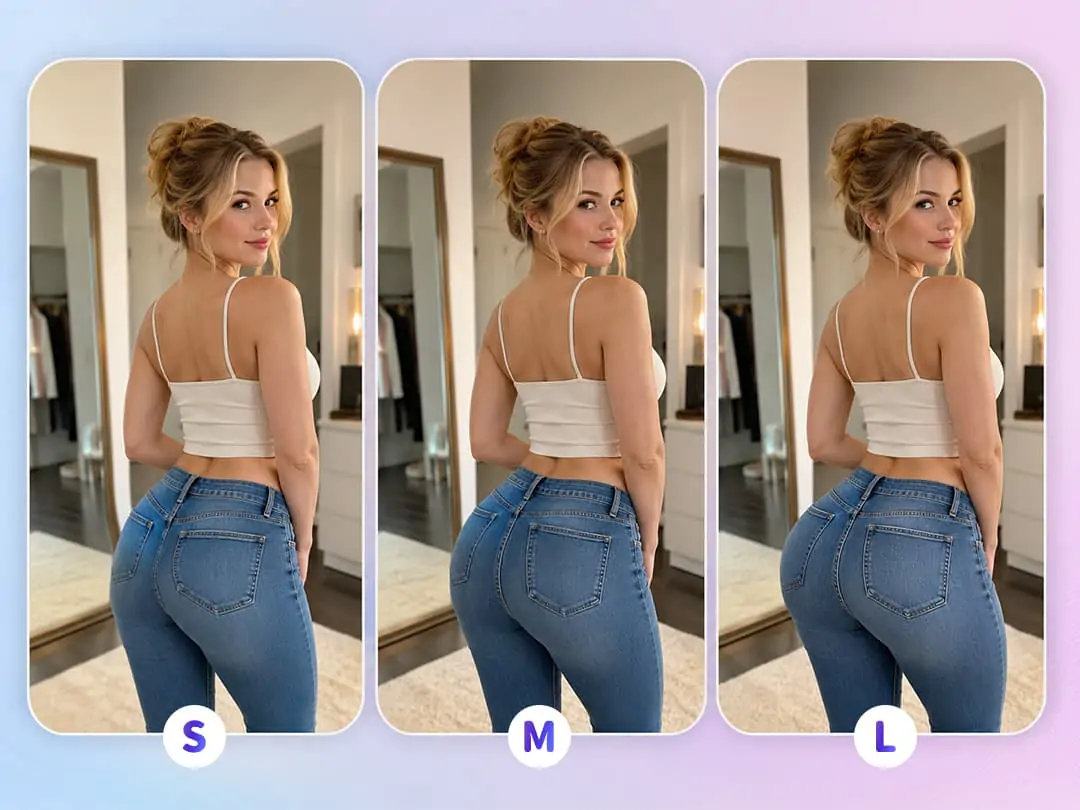
Control Your Bigger Butt Effect with Ease
Pokecut lets you choose how strong the edit should be. You can keep the change light and subtle, or create a more visible bigger butt effect for a bold photo style. This helps you avoid over-editing and stay in control.
The butt enlarger works for different photo needs, from daily selfies to fitness shots and eye-catching social content. Whether you want a gentle lift or a stronger body curve, you can adjust the result until it matches your photo style.
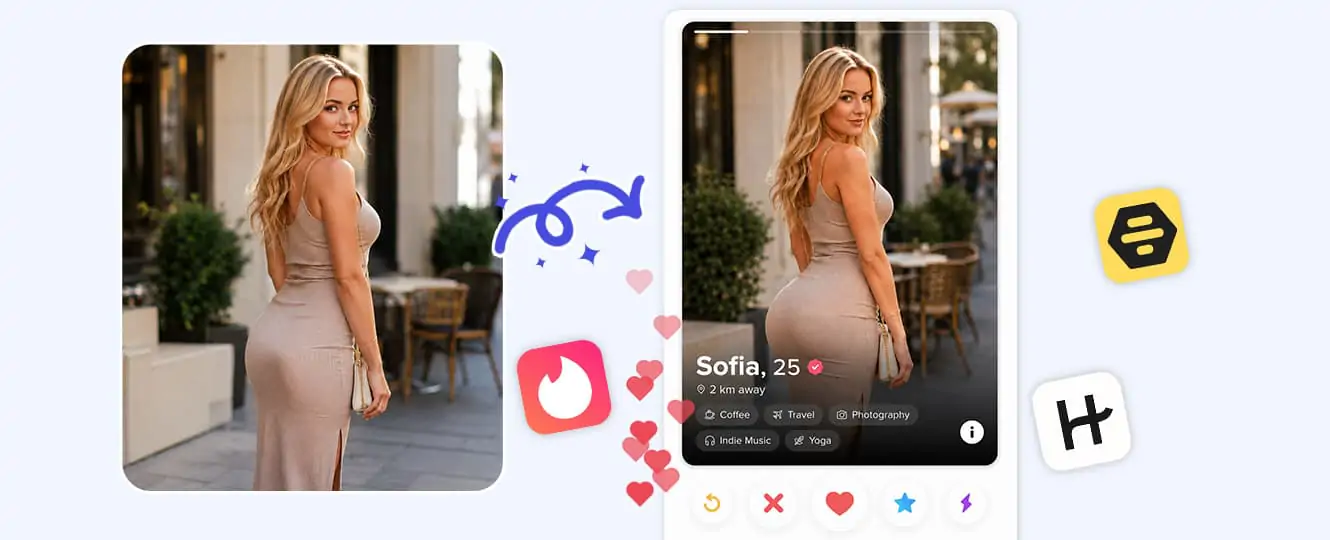
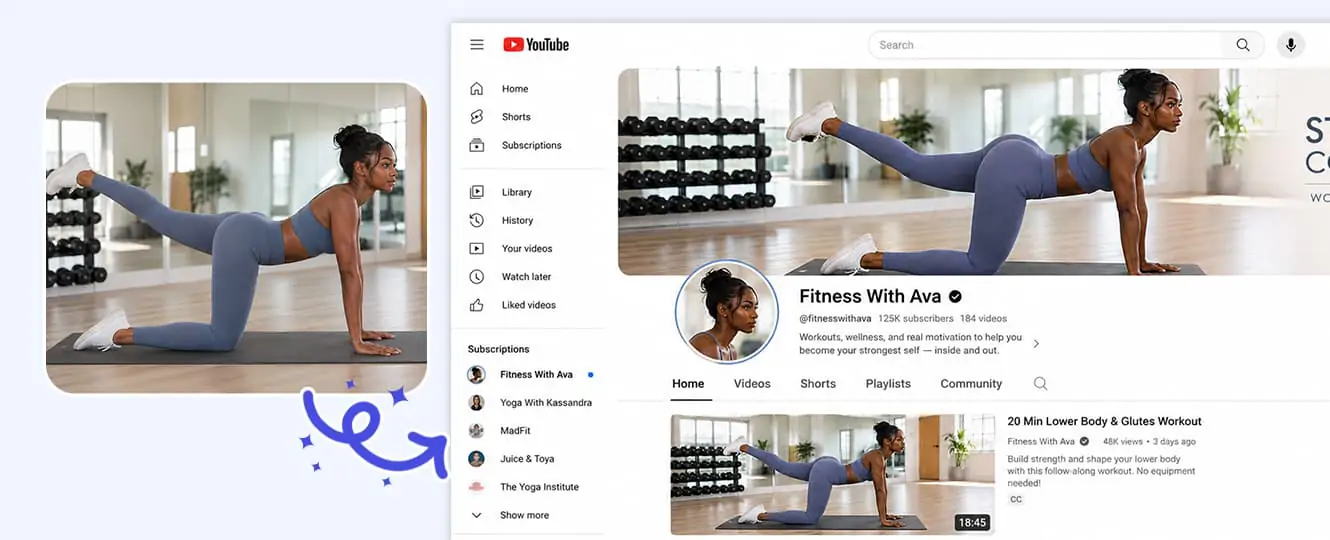
Where Can You Make Butt Bigger in Photo for Better Body Curves?

Explore More Features of Pokecut
How to Make Your Butt Bigger in Photos with Pokecut
Step 1: Choose the Perfect Photo
Select a high-quality image where your posture is natural. Ensure good lighting to highlight your features. A clear photo aids in achieving the perfect bigger butt effect.
Step 2: Apply the Bigger Butt Filter
Open the selected photo in the editor. Use the bigger butt filter to enhance curves subtly. Adjust the intensity by revising the text prompt to maintain a natural look. Preview for satisfaction.
Step 3: Adjust and Finalize Your Image
Once satisfied, click download to save your photo. Share online or use in social media posts with your enhanced curves.

What Real Users Say About the Bigger Butt Photo Editor
Achieve your dream curves effortlessly with the butt reshaper tool, widely acclaimed for its ability to deliver subtle, natural-looking enhancements. Users love how the smart technology refines body proportions without distorting the background, giving you a flawless finish that looks completely authentic.


Amanda R.

"I just wanted my photos to look a bit more flattering, not fake. This editor surprised me. The lift looks smooth and natural, especially in jeans. It took me less than a minute, and I didn’t need any editing skills at all."
Chloe M.
"I use this mostly for social media pics. The after result gives my body better balance without going overboard. It doesn't blur the background or mess up my waist, which I really like. Super easy to use on my phone."
Jessica L.
"Honestly, I was skeptical at first. But the result looked way more realistic than I expected. It just looks like I know my angles better. Great for outfit photos and mirror selfies when lighting isn't perfect."
Natalie P.
"What I like most is control. I can make small changes instead of a huge jump. The lifted look feels subtle and clean. I've tried other apps before, but this one feels much more natural."
Brianna K.
"This tool is perfect when I want my curves to stand out a little more in photos. It doesn't stretch my legs or distort my clothes. Everything stays in place, just more flattering overall."
Olivia S.
"I don't edit photos much, but this was really straightforward. Upload, adjust, done. The after photo looks like the same me, just with better proportions. Great for casual photos, not just glam shots."
Lauren D.
"I use it mainly before posting outfit pics. The lifted effect helps my clothes fit better visually. It saves time and I don't need to retake photos again and again."
Amanda R.
"I just wanted my photos to look a bit more flattering, not fake. This editor surprised me. The lift looks smooth and natural, especially in jeans. It took me less than a minute, and I didn’t need any editing skills at all."
Chloe M.
"I use this mostly for social media pics. The after result gives my body better balance without going overboard. It doesn't blur the background or mess up my waist, which I really like. Super easy to use on my phone."
Jessica L.
"Honestly, I was skeptical at first. But the result looked way more realistic than I expected. It just looks like I know my angles better. Great for outfit photos and mirror selfies when lighting isn't perfect."
Natalie P.
"What I like most is control. I can make small changes instead of a huge jump. The lifted look feels subtle and clean. I've tried other apps before, but this one feels much more natural."
Brianna K.
"This tool is perfect when I want my curves to stand out a little more in photos. It doesn't stretch my legs or distort my clothes. Everything stays in place, just more flattering overall."
Olivia S.
"I don't edit photos much, but this was really straightforward. Upload, adjust, done. The after photo looks like the same me, just with better proportions. Great for casual photos, not just glam shots."
Lauren D.
"I use it mainly before posting outfit pics. The lifted effect helps my clothes fit better visually. It saves time and I don't need to retake photos again and again."
Amanda R.
"I just wanted my photos to look a bit more flattering, not fake. This editor surprised me. The lift looks smooth and natural, especially in jeans. It took me less than a minute, and I didn’t need any editing skills at all."
Chloe M.
"I use this mostly for social media pics. The after result gives my body better balance without going overboard. It doesn't blur the background or mess up my waist, which I really like. Super easy to use on my phone."
Jessica L.
"Honestly, I was skeptical at first. But the result looked way more realistic than I expected. It just looks like I know my angles better. Great for outfit photos and mirror selfies when lighting isn't perfect."
Natalie P.
"What I like most is control. I can make small changes instead of a huge jump. The lifted look feels subtle and clean. I've tried other apps before, but this one feels much more natural."
Brianna K.
"This tool is perfect when I want my curves to stand out a little more in photos. It doesn't stretch my legs or distort my clothes. Everything stays in place, just more flattering overall."
Olivia S.
"I don't edit photos much, but this was really straightforward. Upload, adjust, done. The after photo looks like the same me, just with better proportions. Great for casual photos, not just glam shots."
Lauren D.
"I use it mainly before posting outfit pics. The lifted effect helps my clothes fit better visually. It saves time and I don't need to retake photos again and again."
Amanda R.
"I just wanted my photos to look a bit more flattering, not fake. This editor surprised me. The lift looks smooth and natural, especially in jeans. It took me less than a minute, and I didn’t need any editing skills at all."
Chloe M.
"I use this mostly for social media pics. The after result gives my body better balance without going overboard. It doesn't blur the background or mess up my waist, which I really like. Super easy to use on my phone."
Jessica L.
"Honestly, I was skeptical at first. But the result looked way more realistic than I expected. It just looks like I know my angles better. Great for outfit photos and mirror selfies when lighting isn't perfect."
Natalie P.
"What I like most is control. I can make small changes instead of a huge jump. The lifted look feels subtle and clean. I've tried other apps before, but this one feels much more natural."
Brianna K.
"This tool is perfect when I want my curves to stand out a little more in photos. It doesn't stretch my legs or distort my clothes. Everything stays in place, just more flattering overall."
Olivia S.
"I don't edit photos much, but this was really straightforward. Upload, adjust, done. The after photo looks like the same me, just with better proportions. Great for casual photos, not just glam shots."
Lauren D.
"I use it mainly before posting outfit pics. The lifted effect helps my clothes fit better visually. It saves time and I don't need to retake photos again and again."
Amanda R.
"I just wanted my photos to look a bit more flattering, not fake. This editor surprised me. The lift looks smooth and natural, especially in jeans. It took me less than a minute, and I didn’t need any editing skills at all."
Chloe M.
"I use this mostly for social media pics. The after result gives my body better balance without going overboard. It doesn't blur the background or mess up my waist, which I really like. Super easy to use on my phone."
Jessica L.
"Honestly, I was skeptical at first. But the result looked way more realistic than I expected. It just looks like I know my angles better. Great for outfit photos and mirror selfies when lighting isn't perfect."
Natalie P.
"What I like most is control. I can make small changes instead of a huge jump. The lifted look feels subtle and clean. I've tried other apps before, but this one feels much more natural."
Brianna K.
"This tool is perfect when I want my curves to stand out a little more in photos. It doesn't stretch my legs or distort my clothes. Everything stays in place, just more flattering overall."
Olivia S.
"I don't edit photos much, but this was really straightforward. Upload, adjust, done. The after photo looks like the same me, just with better proportions. Great for casual photos, not just glam shots."
Lauren D.
"I use it mainly before posting outfit pics. The lifted effect helps my clothes fit better visually. It saves time and I don't need to retake photos again and again."
Natalie P.
"What I like most is control. I can make small changes instead of a huge jump. The lifted look feels subtle and clean. I've tried other apps before, but this one feels much more natural."
Brianna K.
"This tool is perfect when I want my curves to stand out a little more in photos. It doesn't stretch my legs or distort my clothes. Everything stays in place, just more flattering overall."
Olivia S.
"I don't edit photos much, but this was really straightforward. Upload, adjust, done. The after photo looks like the same me, just with better proportions. Great for casual photos, not just glam shots."
Lauren D.
"I use it mainly before posting outfit pics. The lifted effect helps my clothes fit better visually. It saves time and I don't need to retake photos again and again."
Amanda R.
"I just wanted my photos to look a bit more flattering, not fake. This editor surprised me. The lift looks smooth and natural, especially in jeans. It took me less than a minute, and I didn’t need any editing skills at all."
Chloe M.
"I use this mostly for social media pics. The after result gives my body better balance without going overboard. It doesn't blur the background or mess up my waist, which I really like. Super easy to use on my phone."
Jessica L.
"Honestly, I was skeptical at first. But the result looked way more realistic than I expected. It just looks like I know my angles better. Great for outfit photos and mirror selfies when lighting isn't perfect."
Natalie P.
"What I like most is control. I can make small changes instead of a huge jump. The lifted look feels subtle and clean. I've tried other apps before, but this one feels much more natural."
Brianna K.
"This tool is perfect when I want my curves to stand out a little more in photos. It doesn't stretch my legs or distort my clothes. Everything stays in place, just more flattering overall."
Olivia S.
"I don't edit photos much, but this was really straightforward. Upload, adjust, done. The after photo looks like the same me, just with better proportions. Great for casual photos, not just glam shots."
Lauren D.
"I use it mainly before posting outfit pics. The lifted effect helps my clothes fit better visually. It saves time and I don't need to retake photos again and again."
Amanda R.
"I just wanted my photos to look a bit more flattering, not fake. This editor surprised me. The lift looks smooth and natural, especially in jeans. It took me less than a minute, and I didn’t need any editing skills at all."
Chloe M.
"I use this mostly for social media pics. The after result gives my body better balance without going overboard. It doesn't blur the background or mess up my waist, which I really like. Super easy to use on my phone."
Jessica L.
"Honestly, I was skeptical at first. But the result looked way more realistic than I expected. It just looks like I know my angles better. Great for outfit photos and mirror selfies when lighting isn't perfect."
Natalie P.
"What I like most is control. I can make small changes instead of a huge jump. The lifted look feels subtle and clean. I've tried other apps before, but this one feels much more natural."
Brianna K.
"This tool is perfect when I want my curves to stand out a little more in photos. It doesn't stretch my legs or distort my clothes. Everything stays in place, just more flattering overall."
Olivia S.
"I don't edit photos much, but this was really straightforward. Upload, adjust, done. The after photo looks like the same me, just with better proportions. Great for casual photos, not just glam shots."
Lauren D.
"I use it mainly before posting outfit pics. The lifted effect helps my clothes fit better visually. It saves time and I don't need to retake photos again and again."
Amanda R.
"I just wanted my photos to look a bit more flattering, not fake. This editor surprised me. The lift looks smooth and natural, especially in jeans. It took me less than a minute, and I didn’t need any editing skills at all."
Chloe M.
"I use this mostly for social media pics. The after result gives my body better balance without going overboard. It doesn't blur the background or mess up my waist, which I really like. Super easy to use on my phone."
Jessica L.
"Honestly, I was skeptical at first. But the result looked way more realistic than I expected. It just looks like I know my angles better. Great for outfit photos and mirror selfies when lighting isn't perfect."
Natalie P.
"What I like most is control. I can make small changes instead of a huge jump. The lifted look feels subtle and clean. I've tried other apps before, but this one feels much more natural."
Brianna K.
"This tool is perfect when I want my curves to stand out a little more in photos. It doesn't stretch my legs or distort my clothes. Everything stays in place, just more flattering overall."
Olivia S.
"I don't edit photos much, but this was really straightforward. Upload, adjust, done. The after photo looks like the same me, just with better proportions. Great for casual photos, not just glam shots."
Lauren D.
"I use it mainly before posting outfit pics. The lifted effect helps my clothes fit better visually. It saves time and I don't need to retake photos again and again."
Amanda R.
"I just wanted my photos to look a bit more flattering, not fake. This editor surprised me. The lift looks smooth and natural, especially in jeans. It took me less than a minute, and I didn’t need any editing skills at all."
Chloe M.
"I use this mostly for social media pics. The after result gives my body better balance without going overboard. It doesn't blur the background or mess up my waist, which I really like. Super easy to use on my phone."
Jessica L.
"Honestly, I was skeptical at first. But the result looked way more realistic than I expected. It just looks like I know my angles better. Great for outfit photos and mirror selfies when lighting isn't perfect."
Natalie P.
"What I like most is control. I can make small changes instead of a huge jump. The lifted look feels subtle and clean. I've tried other apps before, but this one feels much more natural."
Brianna K.
"This tool is perfect when I want my curves to stand out a little more in photos. It doesn't stretch my legs or distort my clothes. Everything stays in place, just more flattering overall."
Olivia S.
"I don't edit photos much, but this was really straightforward. Upload, adjust, done. The after photo looks like the same me, just with better proportions. Great for casual photos, not just glam shots."
Lauren D.
"I use it mainly before posting outfit pics. The lifted effect helps my clothes fit better visually. It saves time and I don't need to retake photos again and again."
Amanda R.
"I just wanted my photos to look a bit more flattering, not fake. This editor surprised me. The lift looks smooth and natural, especially in jeans. It took me less than a minute, and I didn’t need any editing skills at all."
Chloe M.
"I use this mostly for social media pics. The after result gives my body better balance without going overboard. It doesn't blur the background or mess up my waist, which I really like. Super easy to use on my phone."
Jessica L.
"Honestly, I was skeptical at first. But the result looked way more realistic than I expected. It just looks like I know my angles better. Great for outfit photos and mirror selfies when lighting isn't perfect."
Reviews from: Reddit, Product Hunt, G2, TrustRadius, Google Play, App Store, and more.
FAQs
Will the edited photo look natural?
Pokecut is designed to create a natural-looking result instead of an over-edited shape. The AI tries to keep body proportions balanced and reduce obvious edit marks, such as bent backgrounds or blurry clothes. For the best result, use a clear photo and choose a moderate effect.
Is the bigger butt filter free to use?
Yes! Pokecut allows you to use the bigger butt feature for free with 5 daily credits. However, the free version comes with limited usage and partial feature access. To unlock unlimited edits and all advanced enhancement tools, you can upgrade to the Pro plan.
Can I use Pokecut on mobile devices?
Definitely. Pokecut is fully online and mobile-friendly. You can upload photos, apply the bigger butt filter, and download your edited images directly from your phone.
Is it safe to upload body photos to Pokecut?
Yes. It is safe to upload body photos to Pokecut. Your photos are processed securely and are not shown to other users. Pokecut helps protect your privacy during the editing process, so you can use the AI butt enhancer with more confidence.
Can I control how big the butt enhancement looks?
Yes. A good make butt bigger in photo tool should let you control the effect strength. You may want a light lift for daily photos, a rounder curve for fitness shots, or a stronger look for creative content. Adjustable intensity helps avoid over-editing.





