





AI Muscle Generator Online Free
An AI muscle generator is a tool uses AI to detect your body shape and add realistic muscle definition to your image. Pokecut can enhance abs, arms, chest, shoulders, back, and V-line contours while keeping natural skin texture, face details, and body proportions.
✅Advanced proportion control ✅Realistic muscle shading ✅Targeted body enhancement ✅Privacy-focused processing


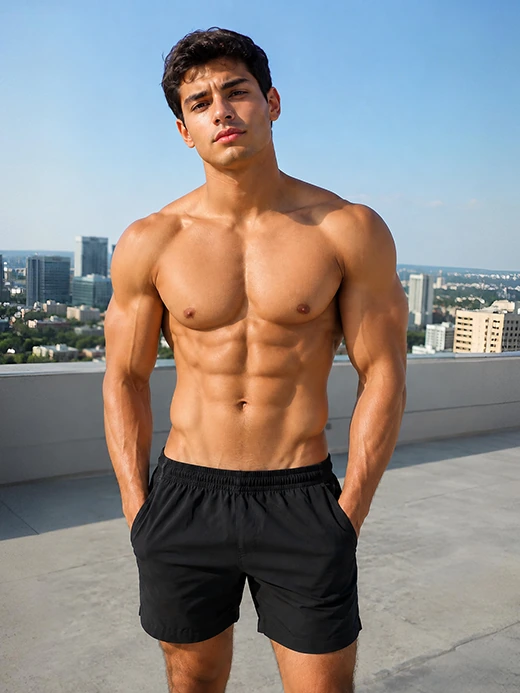
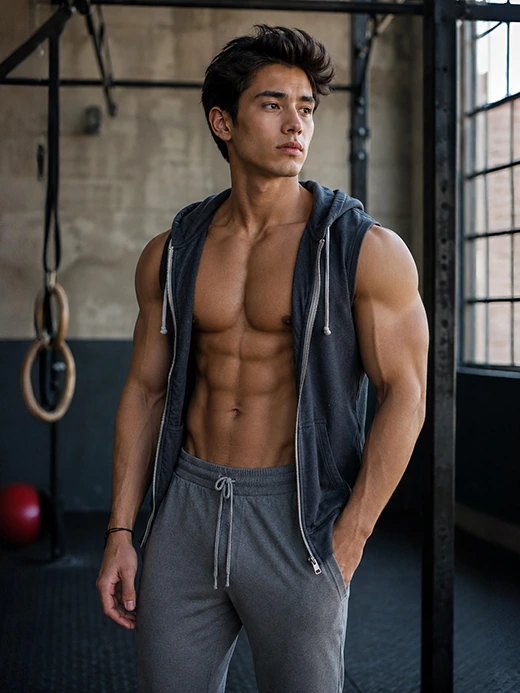
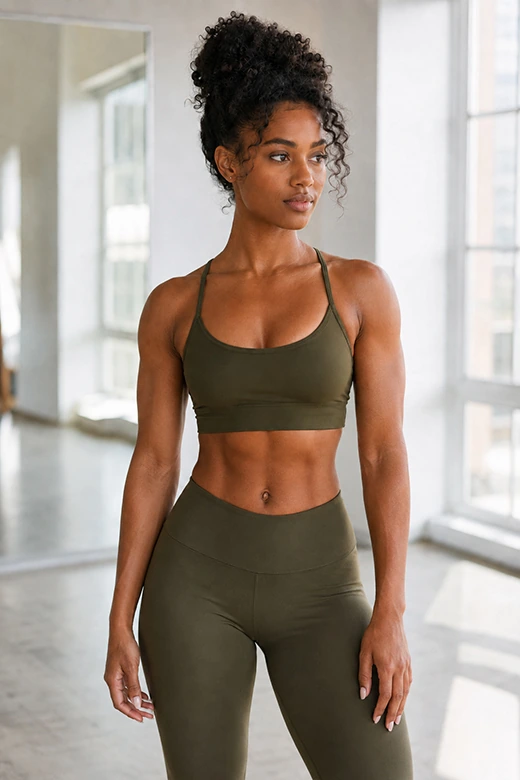
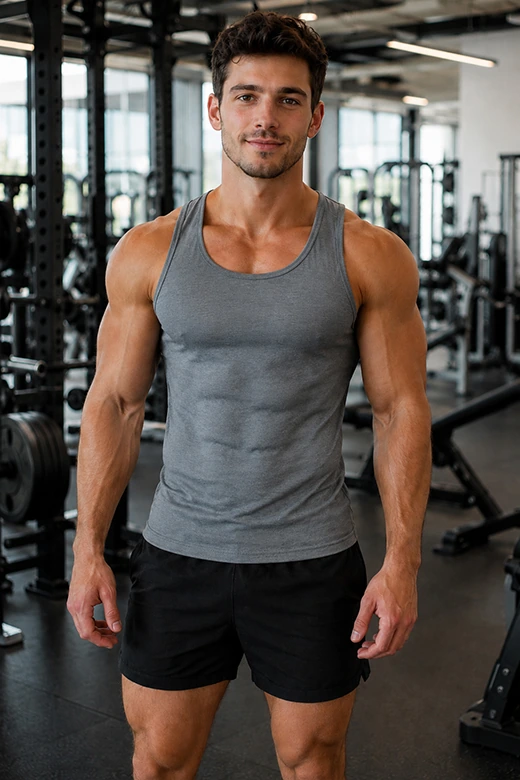
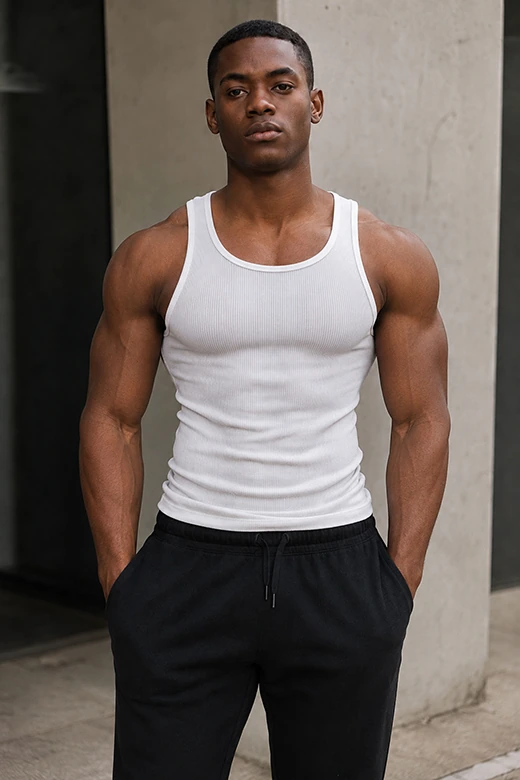
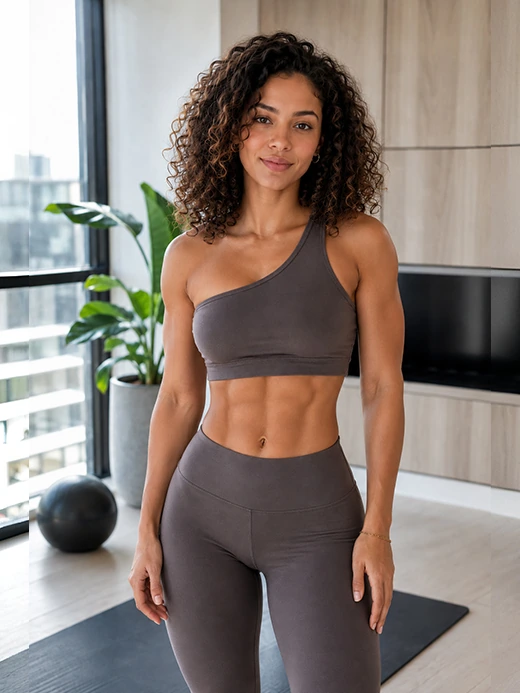
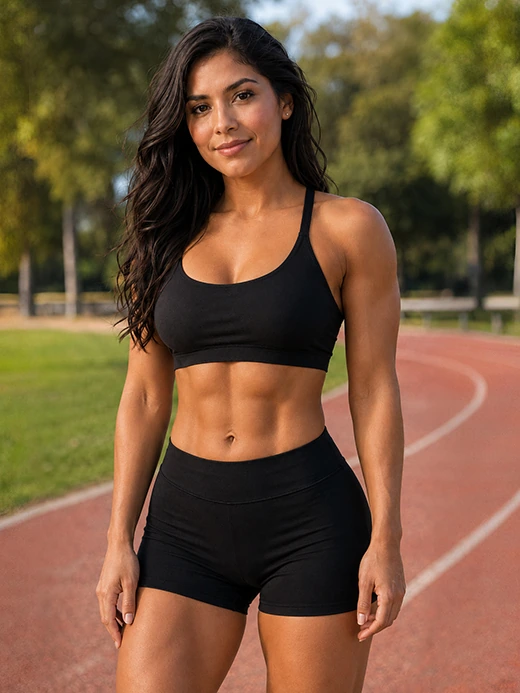
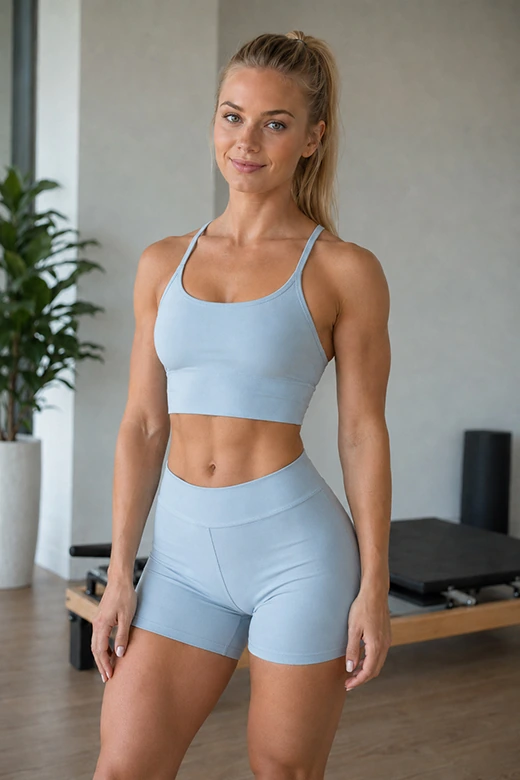
What Kinds of Muscles Does Pokecut Support Generating?


Where Can You Use an AI Muscle Generator Online?
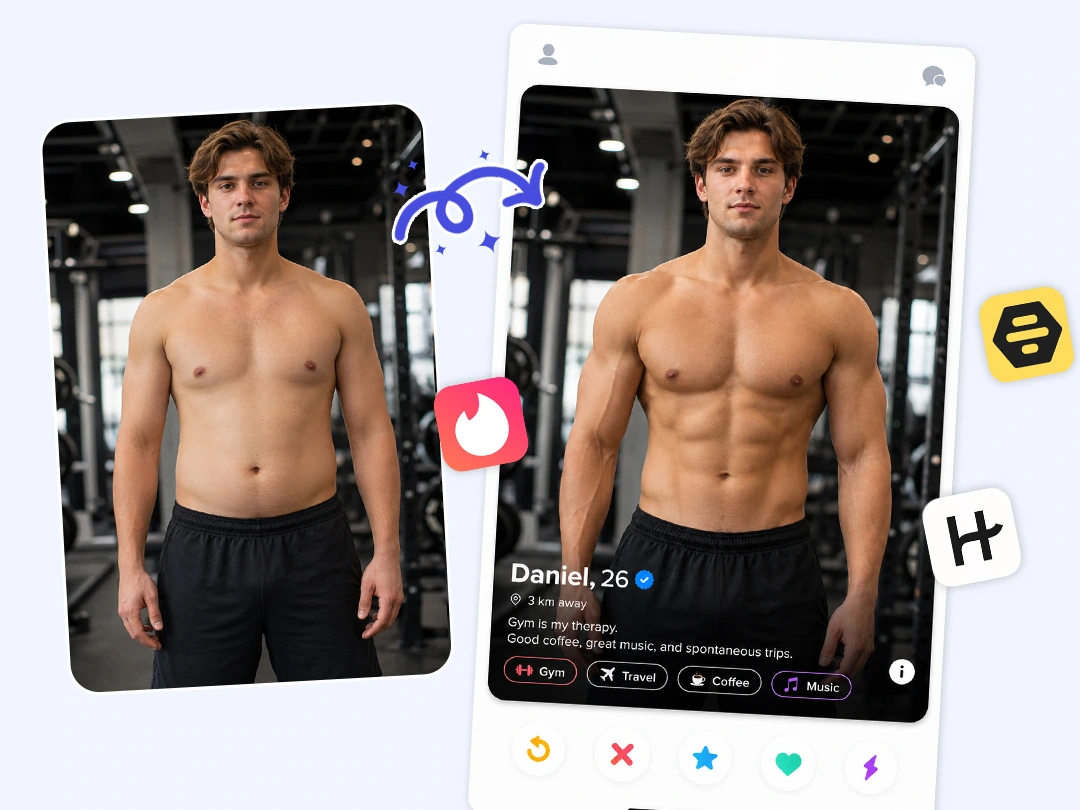
AI Muscle Generator for Dating Profiles
A stronger-looking profile photo can help you create a more confident first impression. With a muscle photo editor, you can refine your photo in a natural way before using it on dating apps like Tinder or Bumble.
Pokecut keeps the edit simple and realistic, so your photo still looks like you. Use it to improve your profile picture, test a new look, or create a polished image without manual photo editing skills.
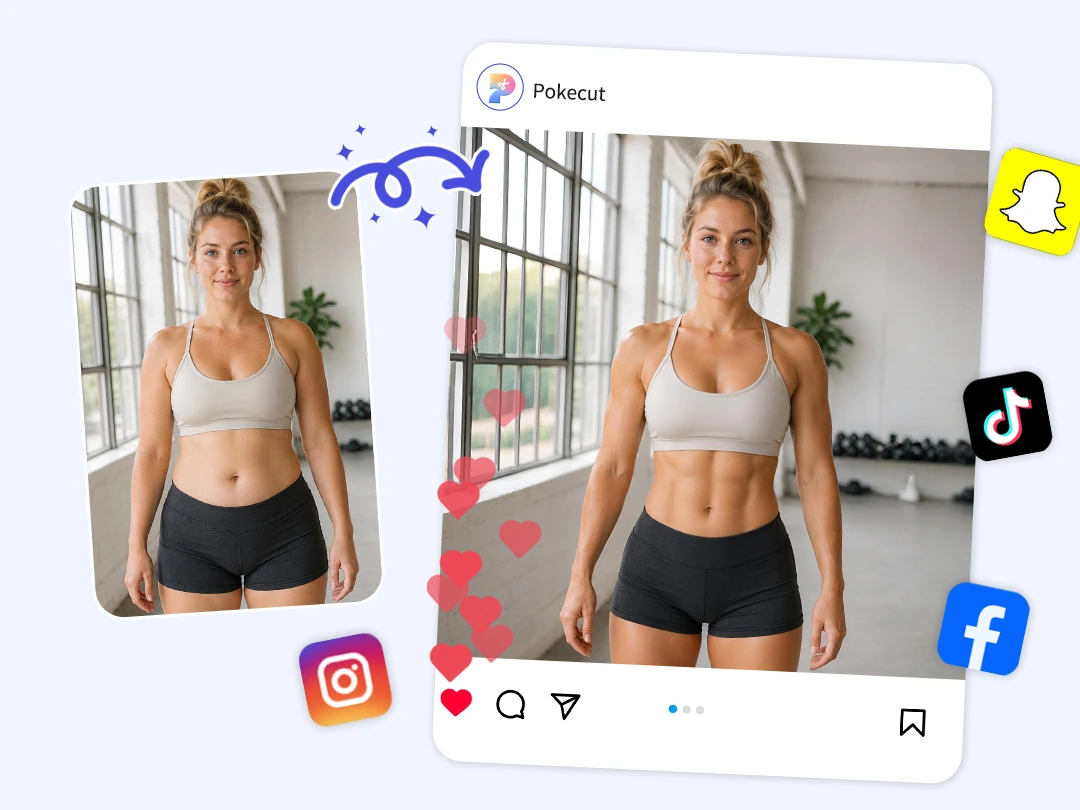
Muscle Photo Editor for Social Media Posts
A clean muscle edit can make your social content more eye-catching. With an AI muscle generator, you can create polished photos for Instagram, TikTok, thumbnails, stories, or short-form video covers.
The result is useful when you want a bold visual without spending time on complex edits. Upload your image, apply the AI effect, and share a more defined photo that fits your personal content style.

AI Bodybuilder Generator for Fitness Goal Visualization
A visual goal can make your fitness plan feel more real. With an AI muscle enhancer, you can preview a stronger version of your body photo and use it as simple motivation for your fitness journey.
This kind of edit is not a real fitness report, but it can help you imagine progress and stay inspired. Use Pokecut to create a before-and-after image that supports your personal goal setting.
Why Choose Pokecut AI Muscle Generator?
Natural Body Proportions
Pokecut keeps your face, skin tone, pose, and body shape visually consistent, making each AI muscle generator result look balanced.
Seamless Muscle Definition
The muscle effect is not painted on. Pokecut adds natural light, shadow, and texture for a clean, seamless muscle photo edit.

Custom Muscle Enhancement
Choose the area you want to enhance, including pecs, abs, biceps, or V-line, with the AI muscle enhancer.

Online and Beginner-Friendly
Upload a photo and create a muscular look online without manual editing skills or complex photo editing steps.
How to Use Pokecut AI Muscle Generator
Step 1: Upload Your Photo
Choose a clear body photo and upload it to the Pokecut AI muscle booster. The tool automatically detects your body shape and proportions.
Step 2: Select Muscle Enhancement
Choose your desired muscle template. Options include defined abs, full-body muscles, or subtle enhancements. Customize specific areas to match your personal fitness goals.
Step 3: Preview and Download
Review your enhanced image to ensure satisfaction. Once you're happy with the transformation, easily download your new look to share or keep for inspiration.

Visual Muscle Editors vs. Fitness Motivation Apps
While AI muscle generators are perfect for instant visual upgrades, fitness apps are designed to help you achieve real-world physical changes. Here is a quick breakdown to help you understand the core differences between these two types of tools.
What Users Say About Pokecut AI Muscle Generator?
Users like Pokecut because it is quick, simple, and creates natural-looking muscle edits. Many use it for profile photos, social posts, fitness motivation, and fun before-and-after images.


Ryan C.

"I used it for a new profile photo, and the result looked clean, not fake. It gave my picture a stronger look in minutes."
Maya T.
"I tried Pokecut before posting on Instagram. The edit looked natural, and I didn't need to adjust anything by hand."
Ethan B.
"I wanted a simple before-and-after photo for motivation. The tool was easy to use, and the result actually looked believable."
Nina P.
"I'm not good at photo editing, so this helped a lot. I uploaded one photo and got a polished muscle effect fast."
Leo M.
"I used it just for fun with friends, but the result surprised me. The body edit matched the original photo really well."
Chloe B.
"The best part for me was how smooth the lighting looked. It didn't feel like muscles were pasted onto the image."
Ryan C.
"I used it for a new profile photo, and the result looked clean, not fake. It gave my picture a stronger look in minutes."
Maya T.
"I tried Pokecut before posting on Instagram. The edit looked natural, and I didn't need to adjust anything by hand."
Ethan B.
"I wanted a simple before-and-after photo for motivation. The tool was easy to use, and the result actually looked believable."
Nina P.
"I'm not good at photo editing, so this helped a lot. I uploaded one photo and got a polished muscle effect fast."
Leo M.
"I used it just for fun with friends, but the result surprised me. The body edit matched the original photo really well."
Chloe B.
"The best part for me was how smooth the lighting looked. It didn't feel like muscles were pasted onto the image."
Ryan C.
"I used it for a new profile photo, and the result looked clean, not fake. It gave my picture a stronger look in minutes."
Maya T.
"I tried Pokecut before posting on Instagram. The edit looked natural, and I didn't need to adjust anything by hand."
Ethan B.
"I wanted a simple before-and-after photo for motivation. The tool was easy to use, and the result actually looked believable."
Nina P.
"I'm not good at photo editing, so this helped a lot. I uploaded one photo and got a polished muscle effect fast."
Leo M.
"I used it just for fun with friends, but the result surprised me. The body edit matched the original photo really well."
Chloe B.
"The best part for me was how smooth the lighting looked. It didn't feel like muscles were pasted onto the image."
Ryan C.
"I used it for a new profile photo, and the result looked clean, not fake. It gave my picture a stronger look in minutes."
Maya T.
"I tried Pokecut before posting on Instagram. The edit looked natural, and I didn't need to adjust anything by hand."
Ethan B.
"I wanted a simple before-and-after photo for motivation. The tool was easy to use, and the result actually looked believable."
Nina P.
"I'm not good at photo editing, so this helped a lot. I uploaded one photo and got a polished muscle effect fast."
Leo M.
"I used it just for fun with friends, but the result surprised me. The body edit matched the original photo really well."
Chloe B.
"The best part for me was how smooth the lighting looked. It didn't feel like muscles were pasted onto the image."
Ryan C.
"I used it for a new profile photo, and the result looked clean, not fake. It gave my picture a stronger look in minutes."
Maya T.
"I tried Pokecut before posting on Instagram. The edit looked natural, and I didn't need to adjust anything by hand."
Ethan B.
"I wanted a simple before-and-after photo for motivation. The tool was easy to use, and the result actually looked believable."
Nina P.
"I'm not good at photo editing, so this helped a lot. I uploaded one photo and got a polished muscle effect fast."
Leo M.
"I used it just for fun with friends, but the result surprised me. The body edit matched the original photo really well."
Chloe B.
"The best part for me was how smooth the lighting looked. It didn't feel like muscles were pasted onto the image."
Nina P.
"I'm not good at photo editing, so this helped a lot. I uploaded one photo and got a polished muscle effect fast."
Leo M.
"I used it just for fun with friends, but the result surprised me. The body edit matched the original photo really well."
Chloe B.
"The best part for me was how smooth the lighting looked. It didn't feel like muscles were pasted onto the image."
Ryan C.
"I used it for a new profile photo, and the result looked clean, not fake. It gave my picture a stronger look in minutes."
Maya T.
"I tried Pokecut before posting on Instagram. The edit looked natural, and I didn't need to adjust anything by hand."
Ethan B.
"I wanted a simple before-and-after photo for motivation. The tool was easy to use, and the result actually looked believable."
Nina P.
"I'm not good at photo editing, so this helped a lot. I uploaded one photo and got a polished muscle effect fast."
Leo M.
"I used it just for fun with friends, but the result surprised me. The body edit matched the original photo really well."
Chloe B.
"The best part for me was how smooth the lighting looked. It didn't feel like muscles were pasted onto the image."
Ryan C.
"I used it for a new profile photo, and the result looked clean, not fake. It gave my picture a stronger look in minutes."
Maya T.
"I tried Pokecut before posting on Instagram. The edit looked natural, and I didn't need to adjust anything by hand."
Ethan B.
"I wanted a simple before-and-after photo for motivation. The tool was easy to use, and the result actually looked believable."
Nina P.
"I'm not good at photo editing, so this helped a lot. I uploaded one photo and got a polished muscle effect fast."
Leo M.
"I used it just for fun with friends, but the result surprised me. The body edit matched the original photo really well."
Chloe B.
"The best part for me was how smooth the lighting looked. It didn't feel like muscles were pasted onto the image."
Ryan C.
"I used it for a new profile photo, and the result looked clean, not fake. It gave my picture a stronger look in minutes."
Maya T.
"I tried Pokecut before posting on Instagram. The edit looked natural, and I didn't need to adjust anything by hand."
Ethan B.
"I wanted a simple before-and-after photo for motivation. The tool was easy to use, and the result actually looked believable."
Nina P.
"I'm not good at photo editing, so this helped a lot. I uploaded one photo and got a polished muscle effect fast."
Leo M.
"I used it just for fun with friends, but the result surprised me. The body edit matched the original photo really well."
Chloe B.
"The best part for me was how smooth the lighting looked. It didn't feel like muscles were pasted onto the image."
Ryan C.
"I used it for a new profile photo, and the result looked clean, not fake. It gave my picture a stronger look in minutes."
Maya T.
"I tried Pokecut before posting on Instagram. The edit looked natural, and I didn't need to adjust anything by hand."
Ethan B.
"I wanted a simple before-and-after photo for motivation. The tool was easy to use, and the result actually looked believable."
Nina P.
"I'm not good at photo editing, so this helped a lot. I uploaded one photo and got a polished muscle effect fast."
Leo M.
"I used it just for fun with friends, but the result surprised me. The body edit matched the original photo really well."
Chloe B.
"The best part for me was how smooth the lighting looked. It didn't feel like muscles were pasted onto the image."
Ryan C.
"I used it for a new profile photo, and the result looked clean, not fake. It gave my picture a stronger look in minutes."
Maya T.
"I tried Pokecut before posting on Instagram. The edit looked natural, and I didn't need to adjust anything by hand."
Ethan B.
"I wanted a simple before-and-after photo for motivation. The tool was easy to use, and the result actually looked believable."
Reviews from: Reddit, Product Hunt, G2, TrustRadius, Google Play, App Store, and more.
Pokecut Trusted by Millions of Leaders and Users

1M+ Users Worldwide
Pokecut generates over 500,000 images every day

#2 on Product Hunt
Pokecut launched and won #2 product of the day

Professional Privacy Protection
Ensure 100% data privacy for every photo

Trusted by Well-known Brands
Apple, Google, PayPal, Stripe, Product Hunt, G2, TrustRadius

Explore More Features of Pokecut
FAQs
Can I add muscle to a photo online for free?
Yes. Pokecut lets you add muscle to a photo online with free daily credits. You can upload an image, apply the AI muscle effect, preview the result, and download your edited photo. It works directly in your browser, so no advanced editing skills are needed.
Will the AI muscle result look realistic?
Yes, Pokecut is designed to create a natural muscle effect instead of a painted-on look. The AI keeps the original pose, skin tone, lighting, and body proportions consistent. For best results, use a clear, well-lit photo with a visible body outline.
Can I control which muscles are enhanced?
Yes. Pokecut supports targeted enhancement for different body areas, such as pecs, abs, biceps, and V-line. This makes it easy to create a subtle fitness look or a stronger bodybuilder-style result, depending on the photo and the effect you choose.
How does Pokecut ensure privacy for uploaded images?
Pokecut values your privacy and security. Uploaded images are processed using encrypted connections. They are not stored on our servers after the enhancement process. This ensures your personal data remains confidential. It prioritizes protecting user information while delivering high-quality muscle transformation results.
What types of photos work best?
For the most natural result, upload a clear, high-resolution photo with good lighting and a visible body outline. Front-facing upper-body or full-body photos work best. Avoid group photos, loose clothing, extreme poses, heavy shadows, and low-resolution images, as these can make muscle detecti





