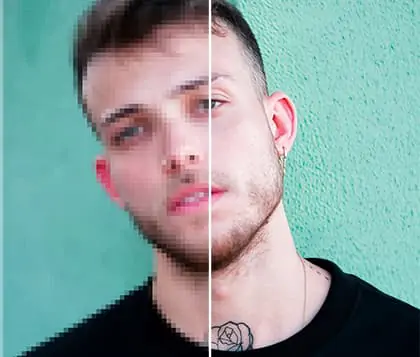
AI Wrinkle Remover: Remove Wrinkles From Photo for Free
Transform your portraits instantly with our free online face smoother. Discover Pokecut's AI wrinkle remover for a flawless, natural look.





By uploading an image or URL you agree to our Terms of Use and Privacy Policy
Why Choose Pokecut's Wrinkle Remover?

Face Smoother Online Automatically Removes Wrinkles from Photos
Forget about complex Photoshop skills. There is no need for tedious manual brushing to select wrinkled areas. Pokecut's AI face editor accurately detects facial wrinkle details. It targets and removes them automatically.
Simply upload your photo and click the erase button. Wrinkle remover picture editor smooths out wrinkles online in just seconds. Even complete beginners can remove wrinkles from photo effortlessly.

AI Wrinkle Removal with Natural Skin Preservation
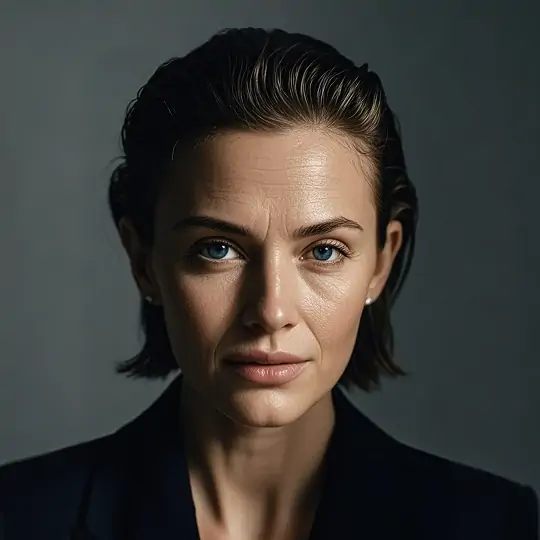
Pokecut uses an advanced AI wrinkle remover to erase deep lines and fine wrinkles while maintaining the authentic look of your skin. The skin smoother online function ensures that every highlight and shadow remains natural, with no harsh blurring or artificial appearance.
For an even more refined portrait, try our perfect face filter to subtly align your features to the golden ratio. Your photo will keep its original texture and clarity, delivering a result that is both flawless and realistic.

Comprehensive Wrinkle Removal from Photos
Pokecut's AI wrinkle remover can handle every type of wrinkle, whether it's laugh lines, forehead wrinkles, or neck wrinkles. Instantly erase dynamic expression lines and stubborn wrinkles. No need to select different wrinkle removal models.
Our wrinkle removal tool goes beyond perfecting your face. With a single click, you can also instantly eliminate messy fabric creases using the clothes wrinkle remover. Make sure your entire outfit looks as perfectly polished as your face.

AI Wrinkle Remover Delivers Flawless Quality Without Image Loss
Pokecut's face wrinkle remover eliminates lines and imperfections. It perfectly preserves your photo's crispness and detail. Easily remove forehead wrinkles. Keep every natural texture sharp at 100% original resolution.
Combine our photo wrinkle remover with the AI photo enhancer. Elevate your images to stunning 4K quality in seconds. Experience flawless, high-definition results for portraits and close-up shots. Achieve everything with a single click.
What Can You Do with Pokecut's AI Wrinkle Remover?

Enhance Professional Headshots Easily
Professionals updating LinkedIn or resumes can use the face smoother online to remove eye wrinkles and laugh lines. Achieve a confident, refreshed appearance with our ai wrinkle remover for job applications and networking.

Family Portraits Wrinkle Remover
Use picture wrinkle remover to restore family group photos. Remove wrinkles from photos of parents or grandparents and reveal vibrant, youthful faces. The wrinkle remover picture editor makes cherished memories shine.

Perfect Your Social Media Look
Achieve your best look for every platform. We offer the best way to remove wrinkles from faces. Our photo editor wrinkle tool perfects your selfies. It naturally erases fine lines and smooths your skin. You can even remove wrinkles from clothes in your photos. Every image stays polished and ready to impress your social media audience.
See Why Thousands Trust Our Wrinkle Remover for Flawless Photos
Join thousands of satisfied users who trust our AI tool for natural, flawless, and instant results.


David L.

Updating my LinkedIn headshot was stressing me out due to my deep crow's feet. This tool softened them just enough so I still look my age, but much more rested and professional. The fact that it didn't ruin the photo quality is amazing.
Sarah M.
I used this on my wedding close-ups because the harsh lighting made my forehead lines look huge. It smoothed them out perfectly without blurring my makeup or giving me a plastic look. Way better than the generic filters I tried before.
Sophia K.
I sell vintage clothes online, and sometimes the fabric looks terribly creased in photos even after ironing. Using the clothes wrinkle remover feature makes my product shots look premium instantly. It's so much faster than using the healing brush tool in Photoshop.
Karen B.
Being a tired mom of two, my under-eye lines are very real in family selfies. Just one click and I look like I actually got eight hours of sleep. I love that it keeps my natural skin texture intact.
Mark W.
I shoot a lot of outdoor portraits, and sunlight always exaggerates fine lines on my clients' faces. Pokecut's AI isolates the wrinkles perfectly without me having to mask anything manually. The 4K enhancement feature afterward is just the cherry on top for my workflow.
Jessica T.
I constantly use this before posting outfit pics on Instagram. It not only fixes my smile lines effortlessly but also works wonders on the wrinkles in my silk dresses! A total lifesaver for ensuring my entire image looks polished.
David L.
Updating my LinkedIn headshot was stressing me out due to my deep crow's feet. This tool softened them just enough so I still look my age, but much more rested and professional. The fact that it didn't ruin the photo quality is amazing.
Sarah M.
I used this on my wedding close-ups because the harsh lighting made my forehead lines look huge. It smoothed them out perfectly without blurring my makeup or giving me a plastic look. Way better than the generic filters I tried before.
Sophia K.
I sell vintage clothes online, and sometimes the fabric looks terribly creased in photos even after ironing. Using the clothes wrinkle remover feature makes my product shots look premium instantly. It's so much faster than using the healing brush tool in Photoshop.
Karen B.
Being a tired mom of two, my under-eye lines are very real in family selfies. Just one click and I look like I actually got eight hours of sleep. I love that it keeps my natural skin texture intact.
Mark W.
I shoot a lot of outdoor portraits, and sunlight always exaggerates fine lines on my clients' faces. Pokecut's AI isolates the wrinkles perfectly without me having to mask anything manually. The 4K enhancement feature afterward is just the cherry on top for my workflow.
Jessica T.
I constantly use this before posting outfit pics on Instagram. It not only fixes my smile lines effortlessly but also works wonders on the wrinkles in my silk dresses! A total lifesaver for ensuring my entire image looks polished.
David L.
Updating my LinkedIn headshot was stressing me out due to my deep crow's feet. This tool softened them just enough so I still look my age, but much more rested and professional. The fact that it didn't ruin the photo quality is amazing.
Sarah M.
I used this on my wedding close-ups because the harsh lighting made my forehead lines look huge. It smoothed them out perfectly without blurring my makeup or giving me a plastic look. Way better than the generic filters I tried before.
Sophia K.
I sell vintage clothes online, and sometimes the fabric looks terribly creased in photos even after ironing. Using the clothes wrinkle remover feature makes my product shots look premium instantly. It's so much faster than using the healing brush tool in Photoshop.
Karen B.
Being a tired mom of two, my under-eye lines are very real in family selfies. Just one click and I look like I actually got eight hours of sleep. I love that it keeps my natural skin texture intact.
Mark W.
I shoot a lot of outdoor portraits, and sunlight always exaggerates fine lines on my clients' faces. Pokecut's AI isolates the wrinkles perfectly without me having to mask anything manually. The 4K enhancement feature afterward is just the cherry on top for my workflow.
Jessica T.
I constantly use this before posting outfit pics on Instagram. It not only fixes my smile lines effortlessly but also works wonders on the wrinkles in my silk dresses! A total lifesaver for ensuring my entire image looks polished.
David L.
Updating my LinkedIn headshot was stressing me out due to my deep crow's feet. This tool softened them just enough so I still look my age, but much more rested and professional. The fact that it didn't ruin the photo quality is amazing.
Sarah M.
I used this on my wedding close-ups because the harsh lighting made my forehead lines look huge. It smoothed them out perfectly without blurring my makeup or giving me a plastic look. Way better than the generic filters I tried before.
Sophia K.
I sell vintage clothes online, and sometimes the fabric looks terribly creased in photos even after ironing. Using the clothes wrinkle remover feature makes my product shots look premium instantly. It's so much faster than using the healing brush tool in Photoshop.
Karen B.
Being a tired mom of two, my under-eye lines are very real in family selfies. Just one click and I look like I actually got eight hours of sleep. I love that it keeps my natural skin texture intact.
Mark W.
I shoot a lot of outdoor portraits, and sunlight always exaggerates fine lines on my clients' faces. Pokecut's AI isolates the wrinkles perfectly without me having to mask anything manually. The 4K enhancement feature afterward is just the cherry on top for my workflow.
Jessica T.
I constantly use this before posting outfit pics on Instagram. It not only fixes my smile lines effortlessly but also works wonders on the wrinkles in my silk dresses! A total lifesaver for ensuring my entire image looks polished.
David L.
Updating my LinkedIn headshot was stressing me out due to my deep crow's feet. This tool softened them just enough so I still look my age, but much more rested and professional. The fact that it didn't ruin the photo quality is amazing.
Sarah M.
I used this on my wedding close-ups because the harsh lighting made my forehead lines look huge. It smoothed them out perfectly without blurring my makeup or giving me a plastic look. Way better than the generic filters I tried before.
Sophia K.
I sell vintage clothes online, and sometimes the fabric looks terribly creased in photos even after ironing. Using the clothes wrinkle remover feature makes my product shots look premium instantly. It's so much faster than using the healing brush tool in Photoshop.
Karen B.
Being a tired mom of two, my under-eye lines are very real in family selfies. Just one click and I look like I actually got eight hours of sleep. I love that it keeps my natural skin texture intact.
Mark W.
I shoot a lot of outdoor portraits, and sunlight always exaggerates fine lines on my clients' faces. Pokecut's AI isolates the wrinkles perfectly without me having to mask anything manually. The 4K enhancement feature afterward is just the cherry on top for my workflow.
Jessica T.
I constantly use this before posting outfit pics on Instagram. It not only fixes my smile lines effortlessly but also works wonders on the wrinkles in my silk dresses! A total lifesaver for ensuring my entire image looks polished.
Karen B.
Being a tired mom of two, my under-eye lines are very real in family selfies. Just one click and I look like I actually got eight hours of sleep. I love that it keeps my natural skin texture intact.
Mark W.
I shoot a lot of outdoor portraits, and sunlight always exaggerates fine lines on my clients' faces. Pokecut's AI isolates the wrinkles perfectly without me having to mask anything manually. The 4K enhancement feature afterward is just the cherry on top for my workflow.
Jessica T.
I constantly use this before posting outfit pics on Instagram. It not only fixes my smile lines effortlessly but also works wonders on the wrinkles in my silk dresses! A total lifesaver for ensuring my entire image looks polished.
David L.
Updating my LinkedIn headshot was stressing me out due to my deep crow's feet. This tool softened them just enough so I still look my age, but much more rested and professional. The fact that it didn't ruin the photo quality is amazing.
Sarah M.
I used this on my wedding close-ups because the harsh lighting made my forehead lines look huge. It smoothed them out perfectly without blurring my makeup or giving me a plastic look. Way better than the generic filters I tried before.
Sophia K.
I sell vintage clothes online, and sometimes the fabric looks terribly creased in photos even after ironing. Using the clothes wrinkle remover feature makes my product shots look premium instantly. It's so much faster than using the healing brush tool in Photoshop.
Karen B.
Being a tired mom of two, my under-eye lines are very real in family selfies. Just one click and I look like I actually got eight hours of sleep. I love that it keeps my natural skin texture intact.
Mark W.
I shoot a lot of outdoor portraits, and sunlight always exaggerates fine lines on my clients' faces. Pokecut's AI isolates the wrinkles perfectly without me having to mask anything manually. The 4K enhancement feature afterward is just the cherry on top for my workflow.
Jessica T.
I constantly use this before posting outfit pics on Instagram. It not only fixes my smile lines effortlessly but also works wonders on the wrinkles in my silk dresses! A total lifesaver for ensuring my entire image looks polished.
David L.
Updating my LinkedIn headshot was stressing me out due to my deep crow's feet. This tool softened them just enough so I still look my age, but much more rested and professional. The fact that it didn't ruin the photo quality is amazing.
Sarah M.
I used this on my wedding close-ups because the harsh lighting made my forehead lines look huge. It smoothed them out perfectly without blurring my makeup or giving me a plastic look. Way better than the generic filters I tried before.
Sophia K.
I sell vintage clothes online, and sometimes the fabric looks terribly creased in photos even after ironing. Using the clothes wrinkle remover feature makes my product shots look premium instantly. It's so much faster than using the healing brush tool in Photoshop.
Karen B.
Being a tired mom of two, my under-eye lines are very real in family selfies. Just one click and I look like I actually got eight hours of sleep. I love that it keeps my natural skin texture intact.
Mark W.
I shoot a lot of outdoor portraits, and sunlight always exaggerates fine lines on my clients' faces. Pokecut's AI isolates the wrinkles perfectly without me having to mask anything manually. The 4K enhancement feature afterward is just the cherry on top for my workflow.
Jessica T.
I constantly use this before posting outfit pics on Instagram. It not only fixes my smile lines effortlessly but also works wonders on the wrinkles in my silk dresses! A total lifesaver for ensuring my entire image looks polished.
David L.
Updating my LinkedIn headshot was stressing me out due to my deep crow's feet. This tool softened them just enough so I still look my age, but much more rested and professional. The fact that it didn't ruin the photo quality is amazing.
Sarah M.
I used this on my wedding close-ups because the harsh lighting made my forehead lines look huge. It smoothed them out perfectly without blurring my makeup or giving me a plastic look. Way better than the generic filters I tried before.
Sophia K.
I sell vintage clothes online, and sometimes the fabric looks terribly creased in photos even after ironing. Using the clothes wrinkle remover feature makes my product shots look premium instantly. It's so much faster than using the healing brush tool in Photoshop.
Karen B.
Being a tired mom of two, my under-eye lines are very real in family selfies. Just one click and I look like I actually got eight hours of sleep. I love that it keeps my natural skin texture intact.
Mark W.
I shoot a lot of outdoor portraits, and sunlight always exaggerates fine lines on my clients' faces. Pokecut's AI isolates the wrinkles perfectly without me having to mask anything manually. The 4K enhancement feature afterward is just the cherry on top for my workflow.
Jessica T.
I constantly use this before posting outfit pics on Instagram. It not only fixes my smile lines effortlessly but also works wonders on the wrinkles in my silk dresses! A total lifesaver for ensuring my entire image looks polished.
David L.
Updating my LinkedIn headshot was stressing me out due to my deep crow's feet. This tool softened them just enough so I still look my age, but much more rested and professional. The fact that it didn't ruin the photo quality is amazing.
Sarah M.
I used this on my wedding close-ups because the harsh lighting made my forehead lines look huge. It smoothed them out perfectly without blurring my makeup or giving me a plastic look. Way better than the generic filters I tried before.
Sophia K.
I sell vintage clothes online, and sometimes the fabric looks terribly creased in photos even after ironing. Using the clothes wrinkle remover feature makes my product shots look premium instantly. It's so much faster than using the healing brush tool in Photoshop.
Karen B.
Being a tired mom of two, my under-eye lines are very real in family selfies. Just one click and I look like I actually got eight hours of sleep. I love that it keeps my natural skin texture intact.
Mark W.
I shoot a lot of outdoor portraits, and sunlight always exaggerates fine lines on my clients' faces. Pokecut's AI isolates the wrinkles perfectly without me having to mask anything manually. The 4K enhancement feature afterward is just the cherry on top for my workflow.
Jessica T.
I constantly use this before posting outfit pics on Instagram. It not only fixes my smile lines effortlessly but also works wonders on the wrinkles in my silk dresses! A total lifesaver for ensuring my entire image looks polished.
David L.
Updating my LinkedIn headshot was stressing me out due to my deep crow's feet. This tool softened them just enough so I still look my age, but much more rested and professional. The fact that it didn't ruin the photo quality is amazing.
Sarah M.
I used this on my wedding close-ups because the harsh lighting made my forehead lines look huge. It smoothed them out perfectly without blurring my makeup or giving me a plastic look. Way better than the generic filters I tried before.
Sophia K.
I sell vintage clothes online, and sometimes the fabric looks terribly creased in photos even after ironing. Using the clothes wrinkle remover feature makes my product shots look premium instantly. It's so much faster than using the healing brush tool in Photoshop.
Reviews from: Reddit, Product Hunt, G2, TrustRadius, Google Play, App Store, and more.
Natural Texture, Universal Wrinkle Removal, 4K Quality: Pokecut vs. Competitors
Pokecut stands out by instantly smoothing both facial and fabric wrinkles automatically, preserving your authentic skin texture while offering 4K quality upscaling in seconds.
Pokecut's AI Wrinkle Remover Trusted by Millions of Leaders and Users

1M+ Users Worldwide
Pokecut generate over 500,000 images every day

#2 on Product Hunt
Pokecut launched and won #2 product of the day

Professional Privacy Protection
Ensure 100% data privacy for every photo

Trusted by well-known brands
Apple、Google、Paypal、Stripe、Product hunt、G2、TrustRadius
FAQs about Remove Tattoo from Photo
Can Pokecut's AI wrinkle remover handle all types of facial wrinkles?
Yes, Pokecut's advanced ai wrinkle remover can easily remove eye wrinkles, forehead wrinkles, and neck wrinkles. Just upload your photo, and the model will accurately identify and erase various wrinkle types in seconds. Enjoy a natural, high-quality result without manual effort.
Do I need to download any software to use Pokecut wrinkle remover?
No software download is needed. Pokecut is an online wrinkle remover and face smoother online. Just upload your photo on any device and remove wrinkles from photos instantly. All features work directly in your browser.
Can I add text and arrows to screenshots with Pokecut's editor?
Yes, Pokecut offers an online photo editor with skin retouch tool features. You can easily add text, arrows, and other annotations to your edited images. Enhance your screenshots and highlight key details after wrinkle removal.
What image formats does Pokecut's wrinkle remover support for upload?
Pokecut wrinkle remover picture editor supports popular formats like JPG, PNG, and BMP. Just upload your photo in these formats to remove wrinkles photo online free. Enjoy instant, high-quality results on your favorite images.
Can I preview my photo after wrinkle removal before downloading it?
Yes, Pokecut allows you to preview your photo after using the wrinkle remover for face. Instantly see the changes made by our ai wrinkle removal. Make sure you are satisfied with your flawless result before downloading.