





AI Action Figure Generator for Custom Toy Photos Online
Upload a portrait, pet, or outfit photo and let Pokecut turn it into a collectible toy figure with a 3D plastic look, box packaging, and small accessories.
👍No 3D modeling skills 🏆No prompt needed ✨Free daily tries 😊High-resolution download ✅Works online, no software


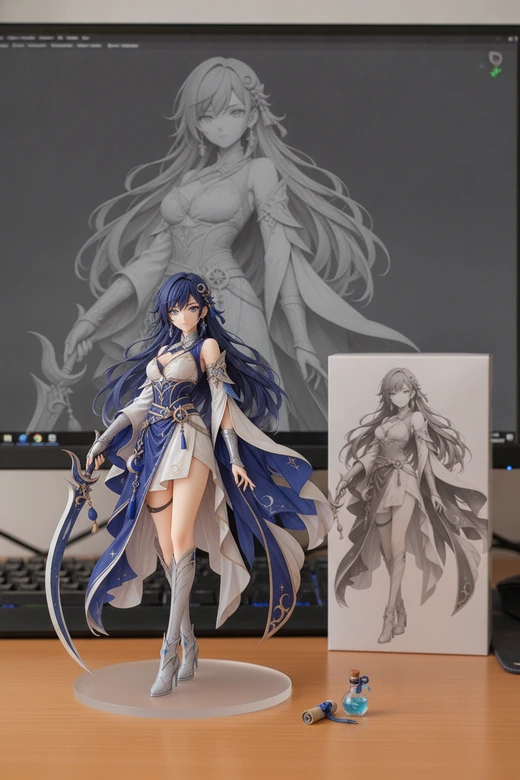
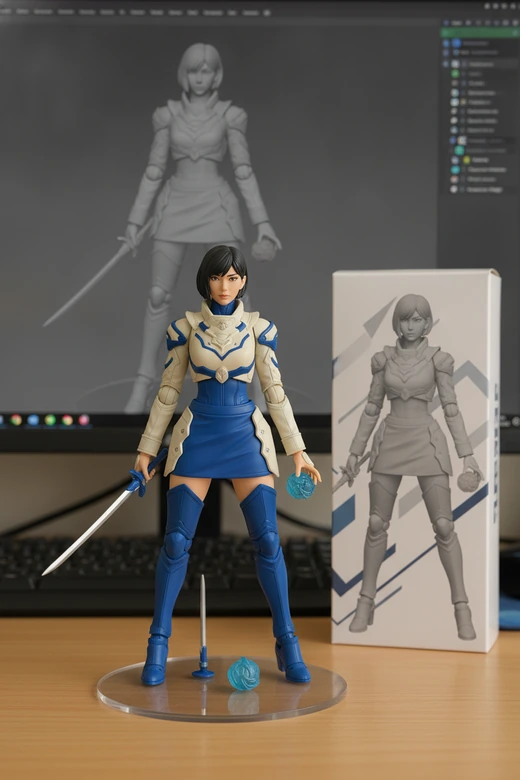
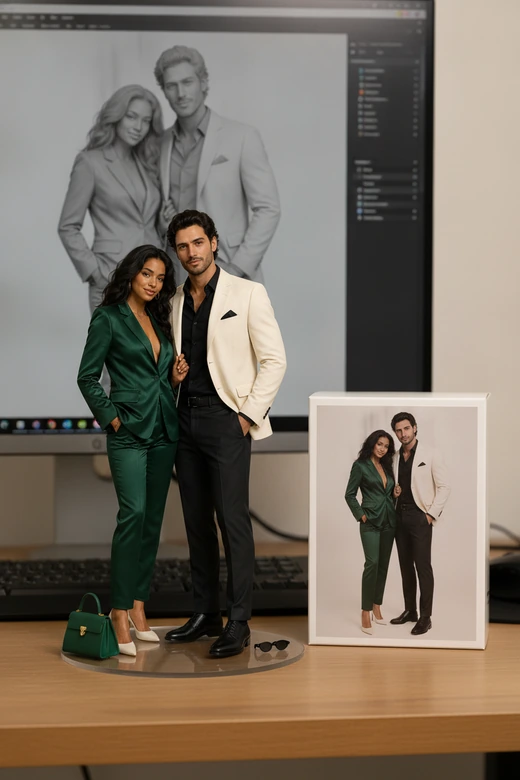
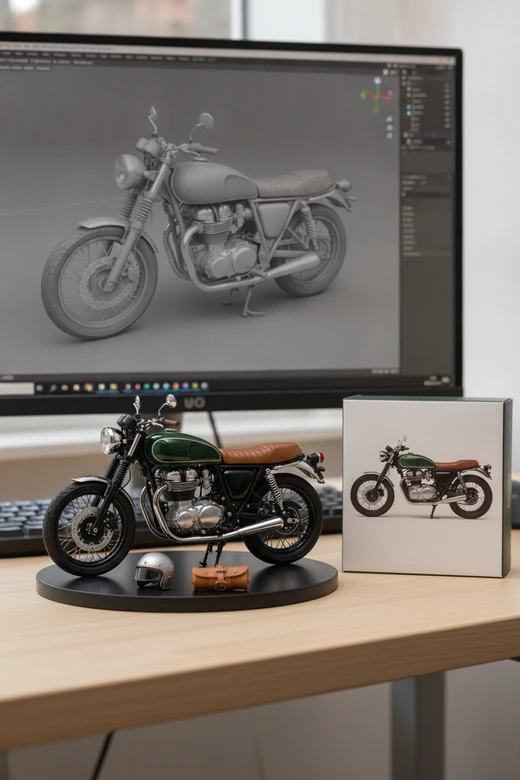
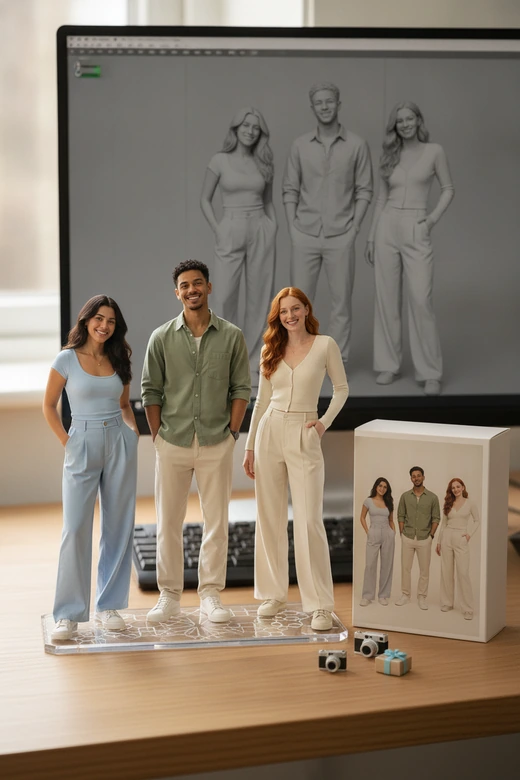
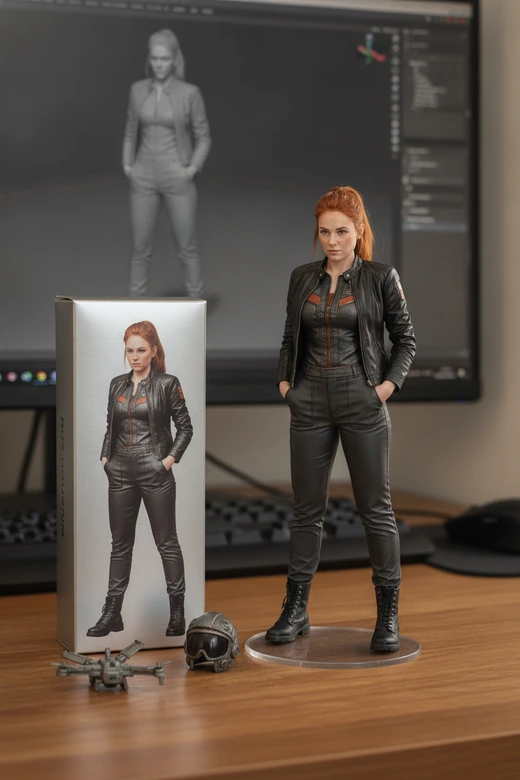
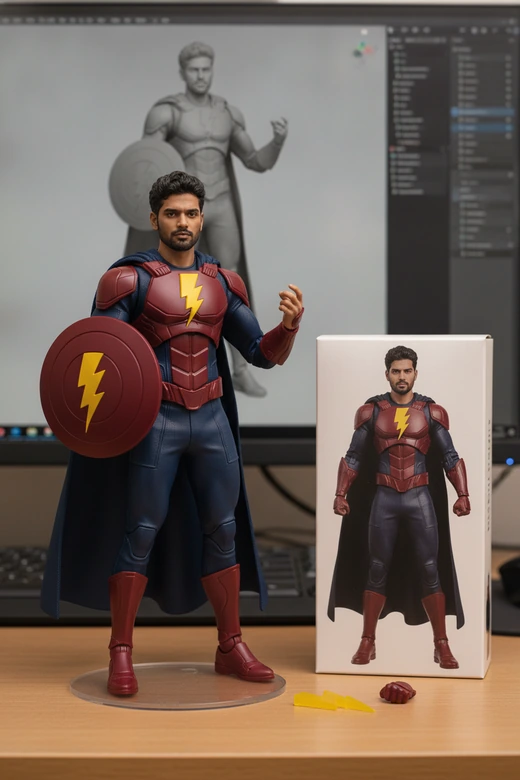
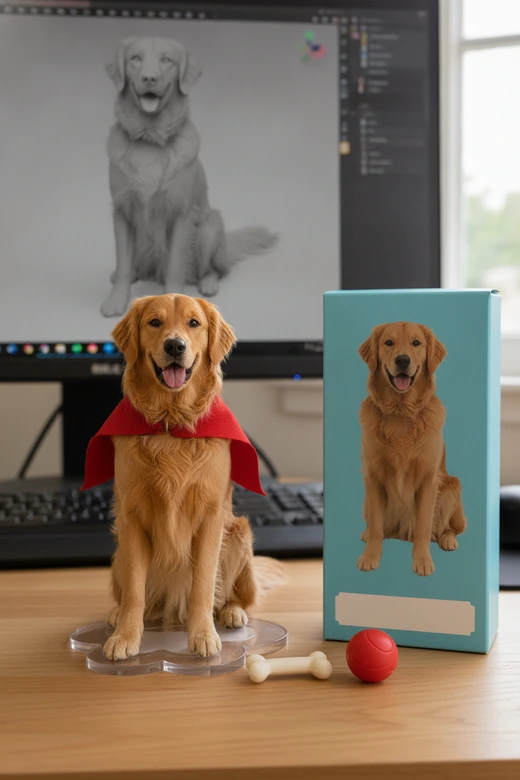

What This Toy Figure Tool Creates?
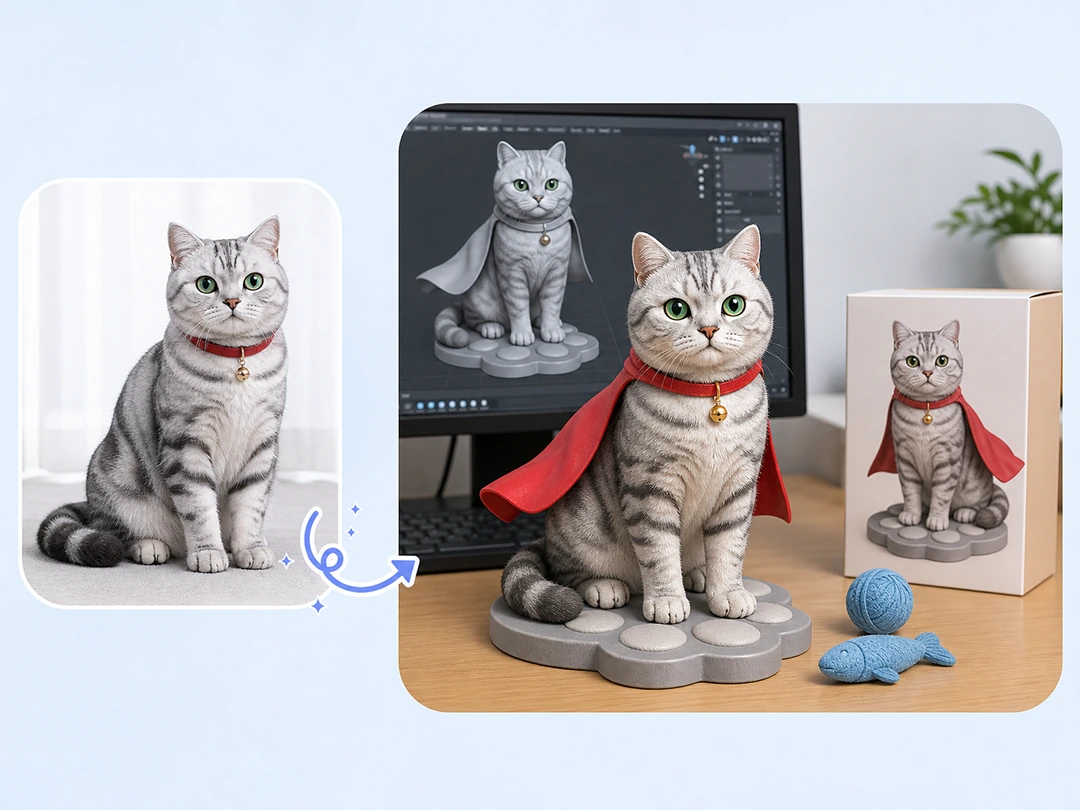
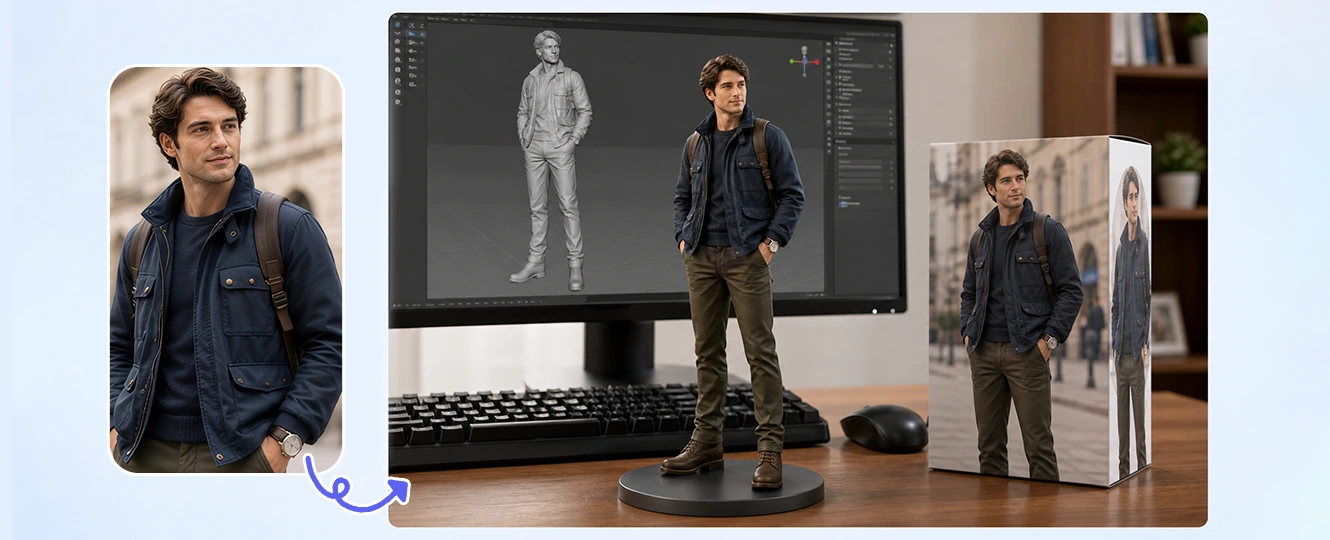
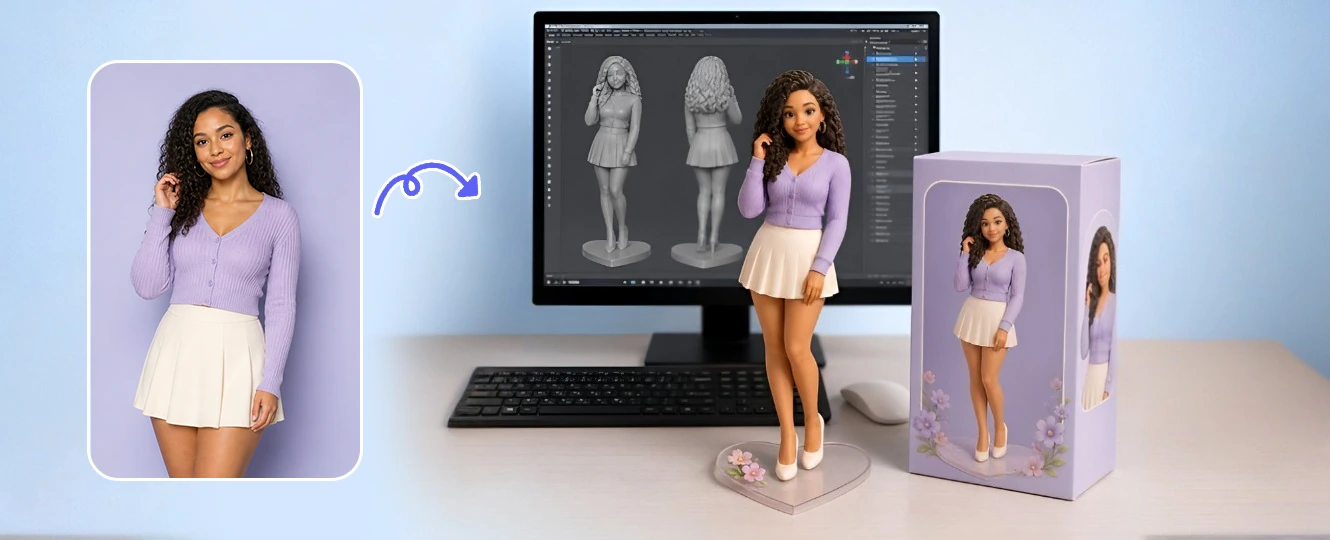
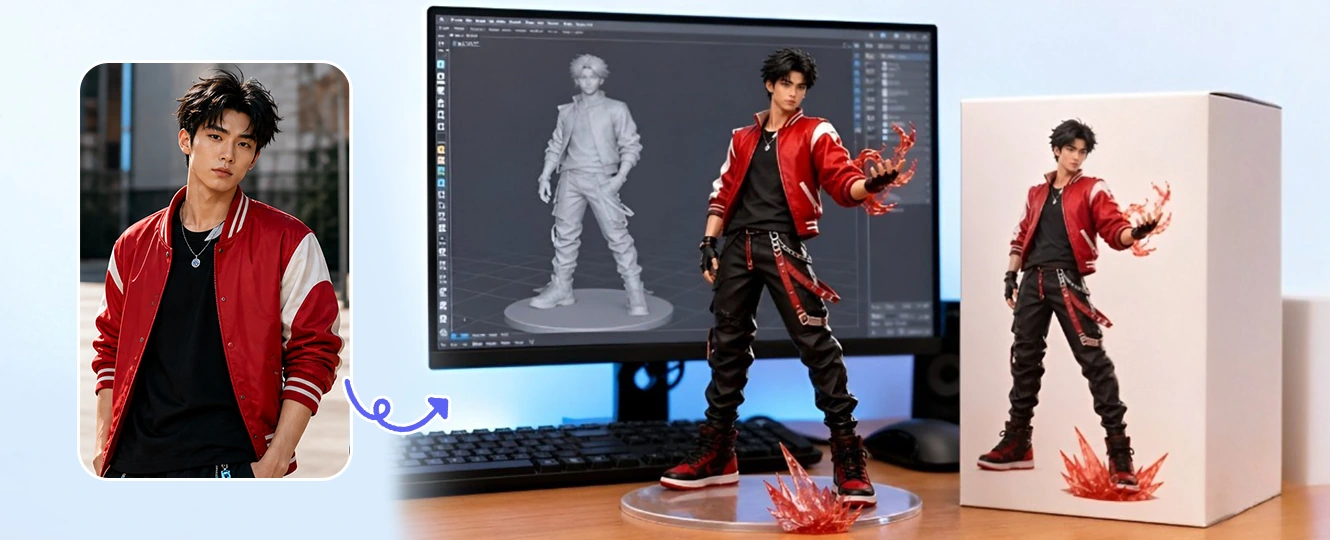
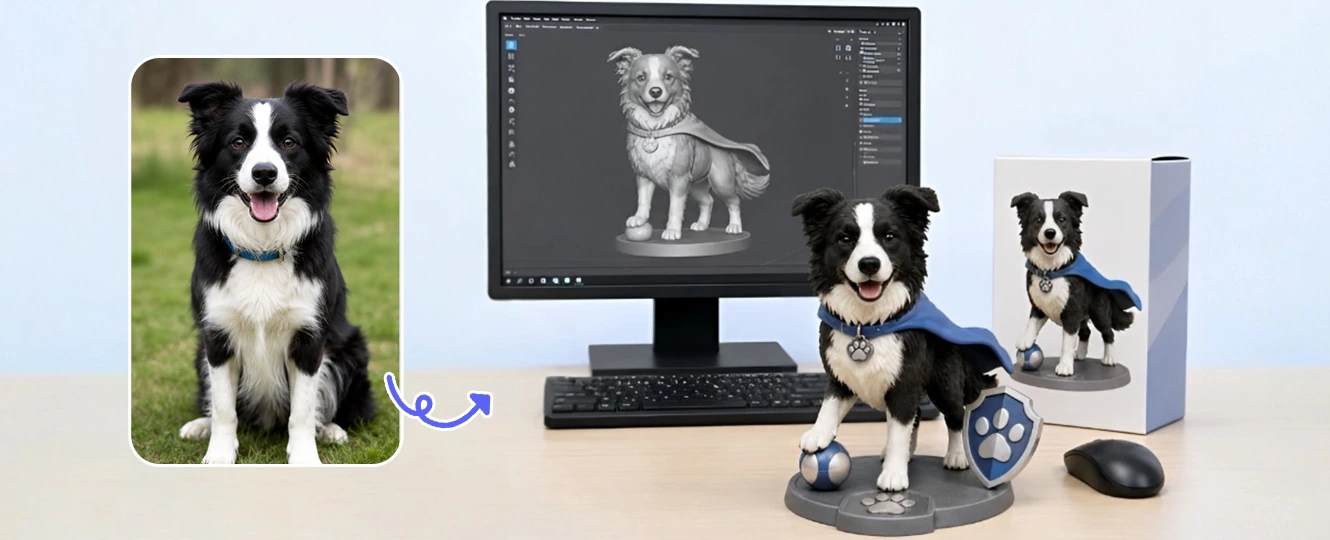
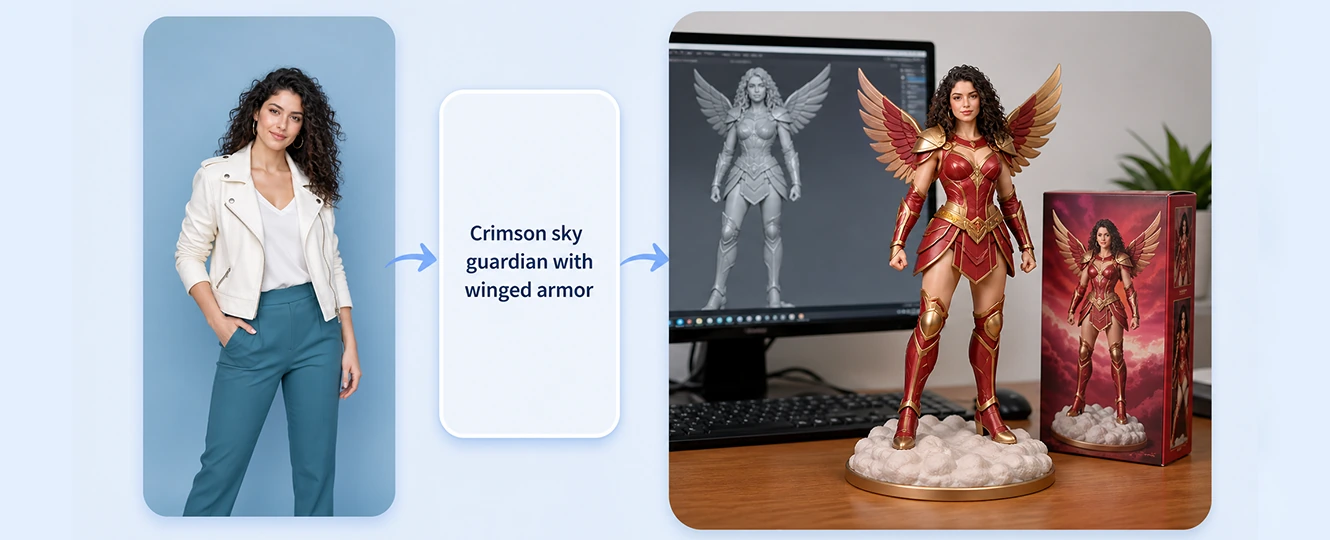
Pokecut changes a normal photo into a digital toy figure scene instead of a flat filter. It keeps the subject recognizable, then gives the result a molded-plastic surface, a display-ready pose, and the visual cues people expect from a collectible figure.
This matters when a selfie, pet photo, or character image needs to feel like a finished toy mockup. If you want to create action figure from photo without modeling software, start with a clear image and let Pokecut build the figure style around it. For broader edits, you can also try image to image AI on related photo styles.

Join the AI Action Figure Trend with a Photo
The AI action figure trend works because it turns familiar photos into something that looks collectible. A casual portrait can become a boxed toy hero, while a pet or couple photo can feel like a limited-edition figure set made for social posts or gift ideas.
Pokecut is designed for users who want the trend result first, not a long setup process. Upload the image, preview the toy version, and use the output as a profile picture, meme post, birthday card concept, or character reference. The clearer the subject and outfit are, the easier it is for the figure to keep the right identity details.
Build the Toy Box Look with Packaging and Accessories
A strong action figure image needs more than a plastic-looking character. The toy box gives the result a retail feel, while the display base helps the figure read as a finished collectible rather than a basic 3D portrait.
Pokecut can frame the subject with packaging details that match the photo. A gamer might appear with a controller accessory, while a pet can be placed in a playful hero box with a name label. When you need text-first character ideas instead of photo-based output, you can generate images from text instead.
What Kinds of AI Toy Figure Generator Styles You Can Create?
What Can You Do with Pokecut's AI Action Figure Generator?

Custom Action Figures for Collection
In your extensive collection of figurines, are you missing a figurine of your personal likeness? Use our AI action figure generator to make your own action figure online. Easily add a unique, personalized AI action figure to your display.

Effortless Action Figure Design
Simplify the design process with our action figure maker. No need to manually model 3D figurines using complex modeling tools. Just upload your image and create action figure models in seconds. Save time and experience advanced image to action figure transformation.

Personalized Action Figure Gifts
Design an action figure gift with character and memorable value. Transform cherished photos from virtual to reality by turning them into action figures. Experience the joy of giving a unique present crafted with ourAI action figure maker.
How to Make AI Action Figure Images from Photos
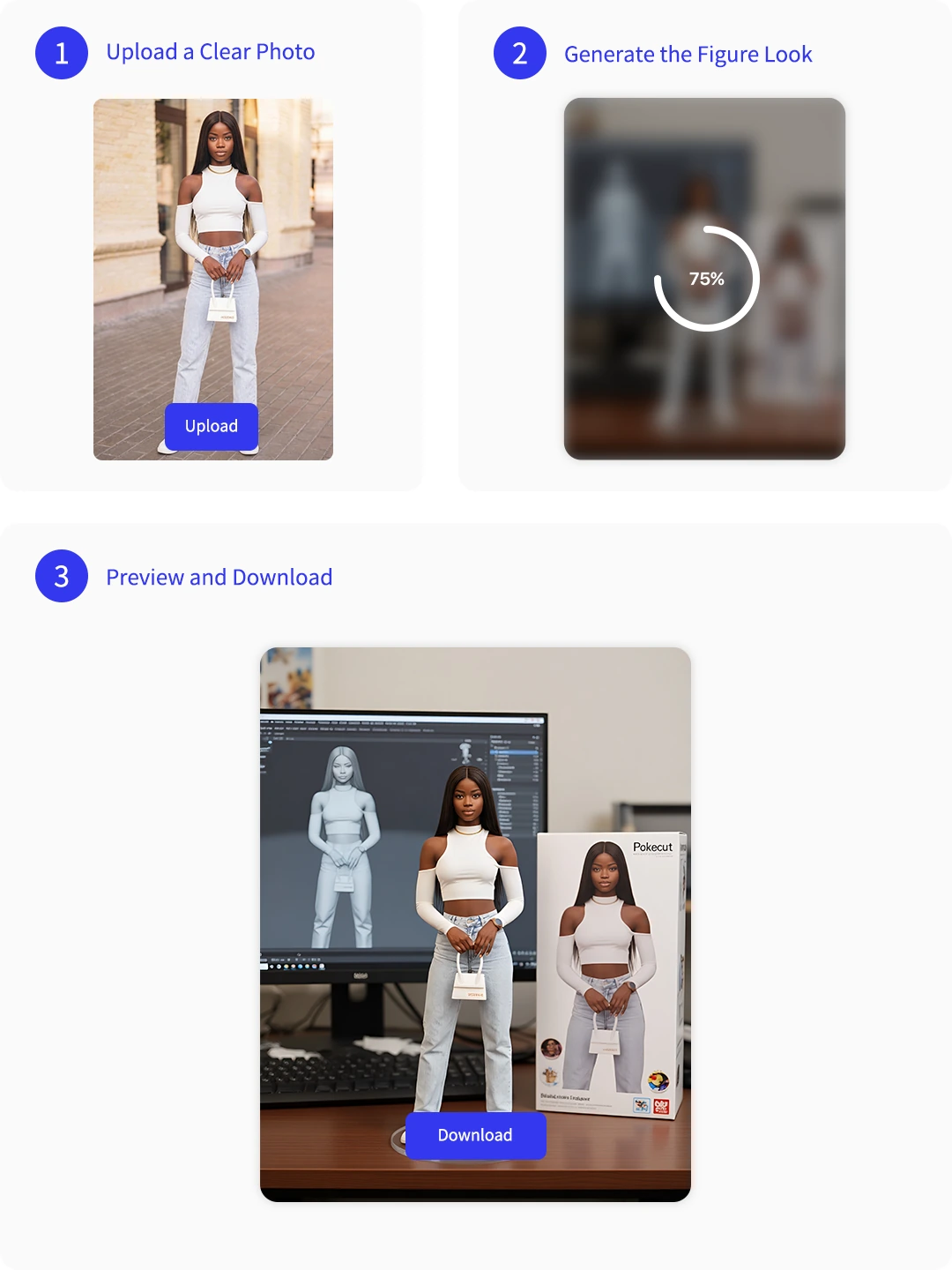
Step 1: Upload a Clear Photo
Choose a portrait, pet shot, or outfit photo with visible details so the toy figure can keep the subject recognizable.
Step 2: Generate the Figure Look
Let Pokecut create action figure styling with a molded 3D feel, display pose, packaging cues, and matching visual details.
Step 3: Preview and Download
Check the generated toy photo, then download it for a profile image, social post, gift mockup, or character reference.
Pokecut vs Prompt-Based AI Action Figure Creation
Choose Pokecut when you want a fast photo upload workflow. Choose prompt-based generation when you need manual control and can write a detailed prompt.

Why Use Pokecut as Your AI Action Figure Maker?
What Creators Say About Their AI Toy Figures
Creators use Pokecut for trend posts, pet keepsakes, gift mockups, and quick character concepts from everyday photos.


Mia R.

"I used a clear selfie and got a toy-box style image that looked ready for a social post. The small accessories made it feel more personal."
Ethan K.
"I like that I can upload first instead of writing a long prompt. It is easier when I just want to see myself as a collectible figure."
Sofia L.
"My dog photo turned into a tiny hero figure with a display-box look. It gave me a fun image for a pet birthday card idea."
Noah T.
"The result kept my haircut and jacket recognizable, but the plastic texture made it feel like an actual toy mockup."
Ava C.
"The prompt examples were useful when I wanted more control over the pose, box label, and accessories after the first upload."
Liam P.
"I tested a few outfit photos for character concepts. It helped me see which look would work best as a custom figure."
Mia R.
"I used a clear selfie and got a toy-box style image that looked ready for a social post. The small accessories made it feel more personal."
Ethan K.
"I like that I can upload first instead of writing a long prompt. It is easier when I just want to see myself as a collectible figure."
Sofia L.
"My dog photo turned into a tiny hero figure with a display-box look. It gave me a fun image for a pet birthday card idea."
Noah T.
"The result kept my haircut and jacket recognizable, but the plastic texture made it feel like an actual toy mockup."
Ava C.
"The prompt examples were useful when I wanted more control over the pose, box label, and accessories after the first upload."
Liam P.
"I tested a few outfit photos for character concepts. It helped me see which look would work best as a custom figure."
Mia R.
"I used a clear selfie and got a toy-box style image that looked ready for a social post. The small accessories made it feel more personal."
Ethan K.
"I like that I can upload first instead of writing a long prompt. It is easier when I just want to see myself as a collectible figure."
Sofia L.
"My dog photo turned into a tiny hero figure with a display-box look. It gave me a fun image for a pet birthday card idea."
Noah T.
"The result kept my haircut and jacket recognizable, but the plastic texture made it feel like an actual toy mockup."
Ava C.
"The prompt examples were useful when I wanted more control over the pose, box label, and accessories after the first upload."
Liam P.
"I tested a few outfit photos for character concepts. It helped me see which look would work best as a custom figure."
Mia R.
"I used a clear selfie and got a toy-box style image that looked ready for a social post. The small accessories made it feel more personal."
Ethan K.
"I like that I can upload first instead of writing a long prompt. It is easier when I just want to see myself as a collectible figure."
Sofia L.
"My dog photo turned into a tiny hero figure with a display-box look. It gave me a fun image for a pet birthday card idea."
Noah T.
"The result kept my haircut and jacket recognizable, but the plastic texture made it feel like an actual toy mockup."
Ava C.
"The prompt examples were useful when I wanted more control over the pose, box label, and accessories after the first upload."
Liam P.
"I tested a few outfit photos for character concepts. It helped me see which look would work best as a custom figure."
Mia R.
"I used a clear selfie and got a toy-box style image that looked ready for a social post. The small accessories made it feel more personal."
Ethan K.
"I like that I can upload first instead of writing a long prompt. It is easier when I just want to see myself as a collectible figure."
Sofia L.
"My dog photo turned into a tiny hero figure with a display-box look. It gave me a fun image for a pet birthday card idea."
Noah T.
"The result kept my haircut and jacket recognizable, but the plastic texture made it feel like an actual toy mockup."
Ava C.
"The prompt examples were useful when I wanted more control over the pose, box label, and accessories after the first upload."
Liam P.
"I tested a few outfit photos for character concepts. It helped me see which look would work best as a custom figure."
Noah T.
"The result kept my haircut and jacket recognizable, but the plastic texture made it feel like an actual toy mockup."
Ava C.
"The prompt examples were useful when I wanted more control over the pose, box label, and accessories after the first upload."
Liam P.
"I tested a few outfit photos for character concepts. It helped me see which look would work best as a custom figure."
Mia R.
"I used a clear selfie and got a toy-box style image that looked ready for a social post. The small accessories made it feel more personal."
Ethan K.
"I like that I can upload first instead of writing a long prompt. It is easier when I just want to see myself as a collectible figure."
Sofia L.
"My dog photo turned into a tiny hero figure with a display-box look. It gave me a fun image for a pet birthday card idea."
Noah T.
"The result kept my haircut and jacket recognizable, but the plastic texture made it feel like an actual toy mockup."
Ava C.
"The prompt examples were useful when I wanted more control over the pose, box label, and accessories after the first upload."
Liam P.
"I tested a few outfit photos for character concepts. It helped me see which look would work best as a custom figure."
Mia R.
"I used a clear selfie and got a toy-box style image that looked ready for a social post. The small accessories made it feel more personal."
Ethan K.
"I like that I can upload first instead of writing a long prompt. It is easier when I just want to see myself as a collectible figure."
Sofia L.
"My dog photo turned into a tiny hero figure with a display-box look. It gave me a fun image for a pet birthday card idea."
Noah T.
"The result kept my haircut and jacket recognizable, but the plastic texture made it feel like an actual toy mockup."
Ava C.
"The prompt examples were useful when I wanted more control over the pose, box label, and accessories after the first upload."
Liam P.
"I tested a few outfit photos for character concepts. It helped me see which look would work best as a custom figure."
Mia R.
"I used a clear selfie and got a toy-box style image that looked ready for a social post. The small accessories made it feel more personal."
Ethan K.
"I like that I can upload first instead of writing a long prompt. It is easier when I just want to see myself as a collectible figure."
Sofia L.
"My dog photo turned into a tiny hero figure with a display-box look. It gave me a fun image for a pet birthday card idea."
Noah T.
"The result kept my haircut and jacket recognizable, but the plastic texture made it feel like an actual toy mockup."
Ava C.
"The prompt examples were useful when I wanted more control over the pose, box label, and accessories after the first upload."
Liam P.
"I tested a few outfit photos for character concepts. It helped me see which look would work best as a custom figure."
Mia R.
"I used a clear selfie and got a toy-box style image that looked ready for a social post. The small accessories made it feel more personal."
Ethan K.
"I like that I can upload first instead of writing a long prompt. It is easier when I just want to see myself as a collectible figure."
Sofia L.
"My dog photo turned into a tiny hero figure with a display-box look. It gave me a fun image for a pet birthday card idea."
Noah T.
"The result kept my haircut and jacket recognizable, but the plastic texture made it feel like an actual toy mockup."
Ava C.
"The prompt examples were useful when I wanted more control over the pose, box label, and accessories after the first upload."
Liam P.
"I tested a few outfit photos for character concepts. It helped me see which look would work best as a custom figure."
Mia R.
"I used a clear selfie and got a toy-box style image that looked ready for a social post. The small accessories made it feel more personal."
Ethan K.
"I like that I can upload first instead of writing a long prompt. It is easier when I just want to see myself as a collectible figure."
Sofia L.
"My dog photo turned into a tiny hero figure with a display-box look. It gave me a fun image for a pet birthday card idea."
Reviews from: Reddit, Product Hunt, G2, TrustRadius, Google Play, App Store, and more.
Trusted Pokecut AI Creation Tools

1M+ Users
Pokecut supports practical AI image editing for creators worldwide.

Product Hunt #2
Pokecut was recognized as a Product Hunt product of the day.

Privacy Focused
Photo handling is designed for responsible editing workflows.

Creator Friendly
Built for non-designers who need clear image results.
FAQs About Custom Toy Figures
What kind of photo works best for an AI action figure?
A clear, well-lit photo works best for an AI action figure. Use a front-facing portrait, pet photo, or outfit shot where the face, clothing, hairstyle, or body shape is easy to recognize. Avoid heavy blur, dark lighting, cropped faces, or busy objects covering the subject, because those details can make the toy figure less accurate.
Can I turn pictures into action figures without prompts?
Yes. With Pokecut, you can turn pictures into action figures without writing a prompt. Upload a photo, and the tool creates the toy figure look from the image directly. Prompts are useful when you want extra control over packaging, pose, accessories, or background style, but they are not required for the main photo-to-figure workflow.
What should an AI action figure prompt include?
An AI action figure prompt should describe the subject, toy material, pose, package style, display base, and accessories. For example, ask for a molded plastic figure in a blister pack with three props that match the person's hobby.
Can I create an AI toy figure of my pet?
Pet photos can work well when the animal is clear and not hidden by motion blur. Use a photo that shows the face, fur pattern, and body shape so the result can look playful while still resembling your dog or cat.
Is the result a real 3D model for printing?
The generated action figure is a 2D image, not a ready-to-print 3D file. You can use it as a visual reference for a designer or modeler, but the page should not present it as a printable model download.
Can I create an AI toy figure with packaging and accessories?
Yes. You can create an AI toy figure with packaging and accessories by using a clear photo and describing the collectible look you want. Add details such as a toy box, blister-pack backing, display base, name label, and small props that match the subject's hobby, outfit, pet, or profession. These elements help the result feel more like a finished action figure mockup instead of a simple 3D portrait.





