





AI Pose Generator: Change Any Pose Online Free
Easily adjust and transform any image pose with this AI pose changer. Perfect for artists, photographers, and designers who need precise, customizable pose adjustments for their creative projects.


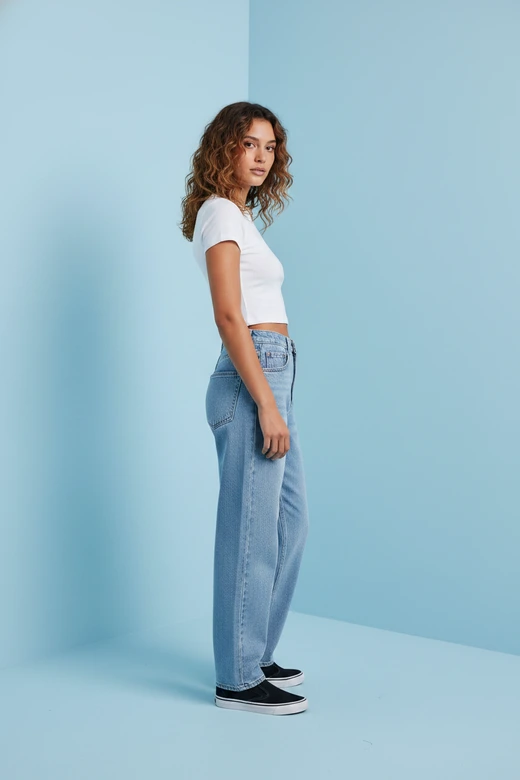
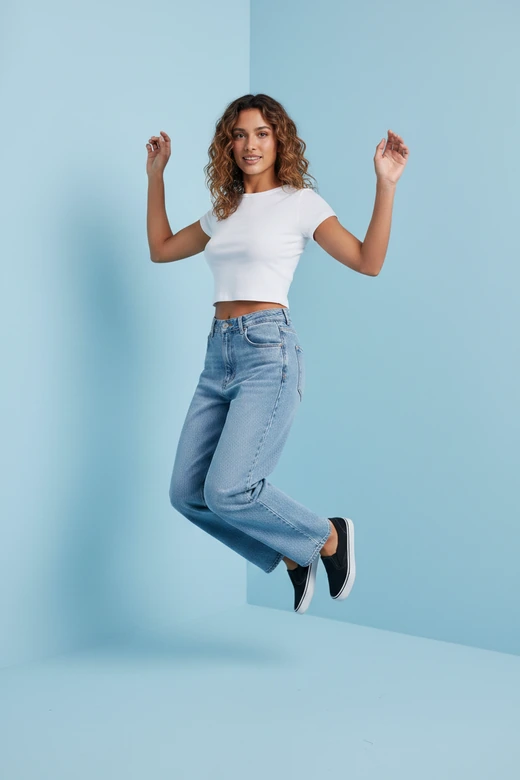
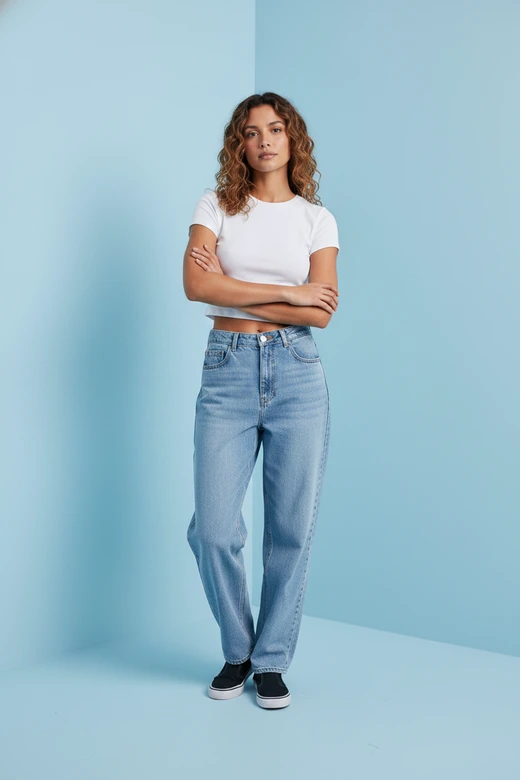

What Is an AI Pose Generator?
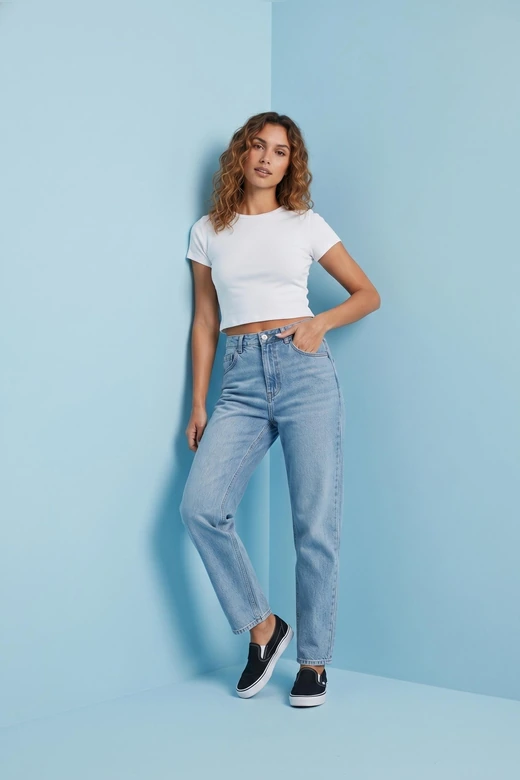
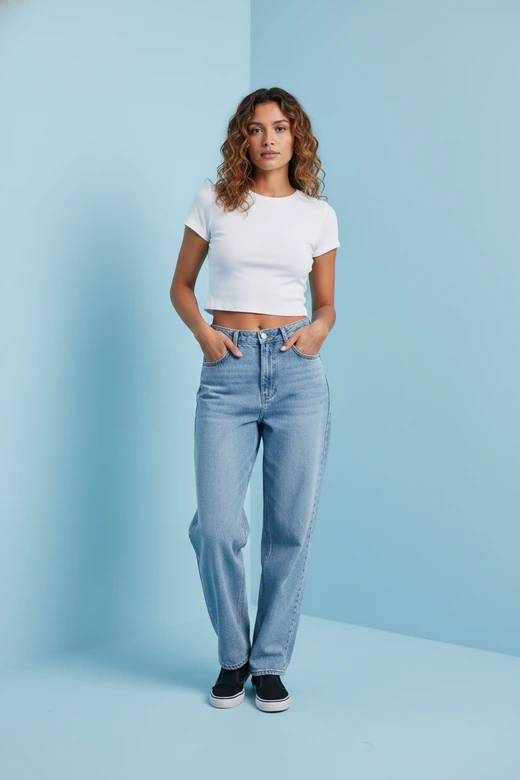
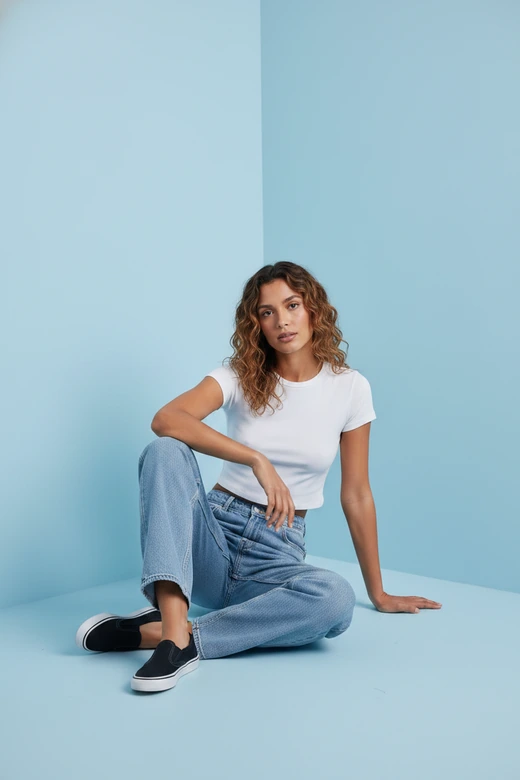
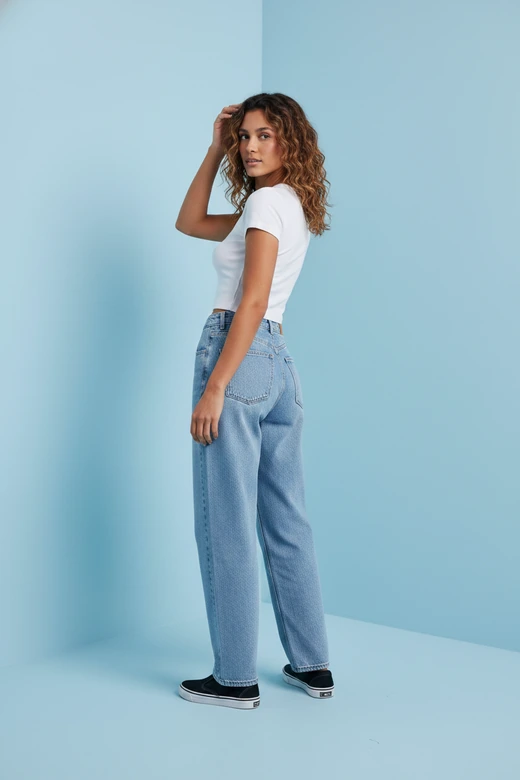
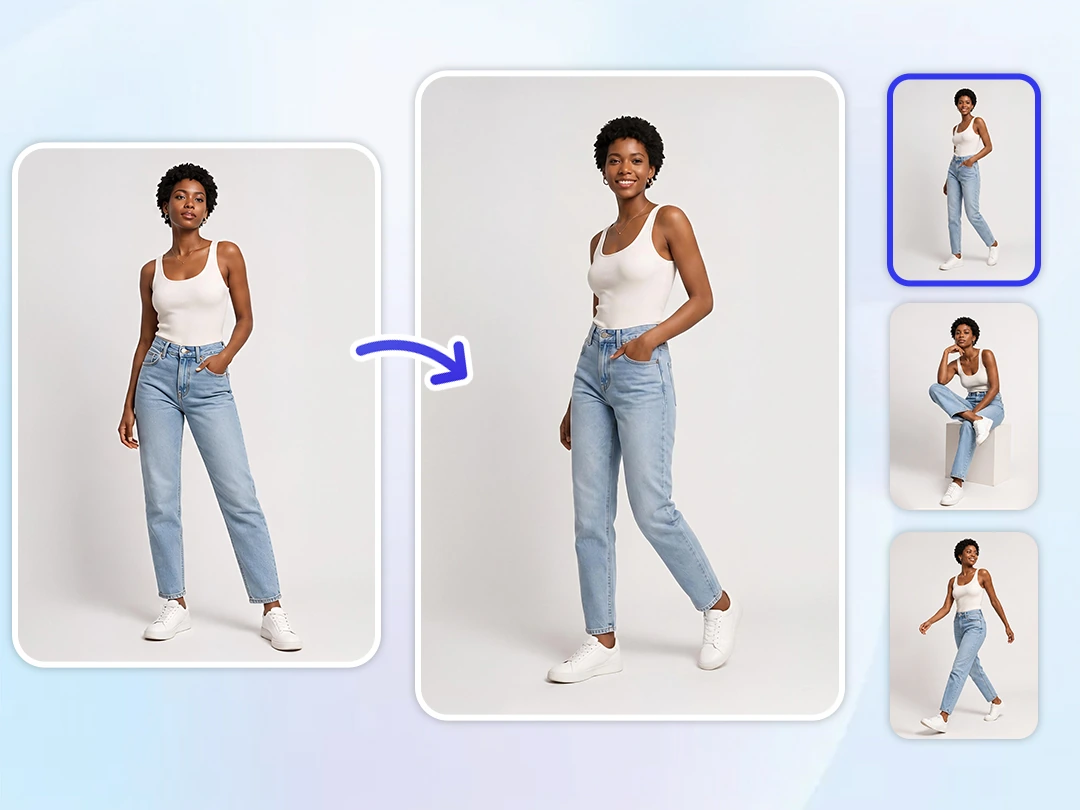
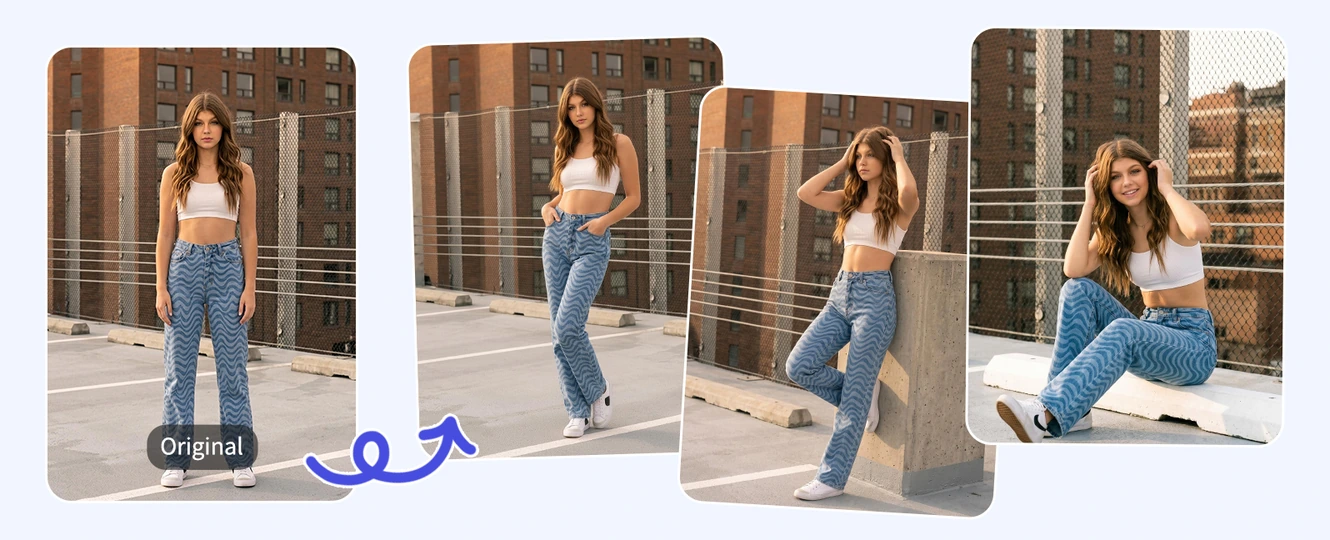
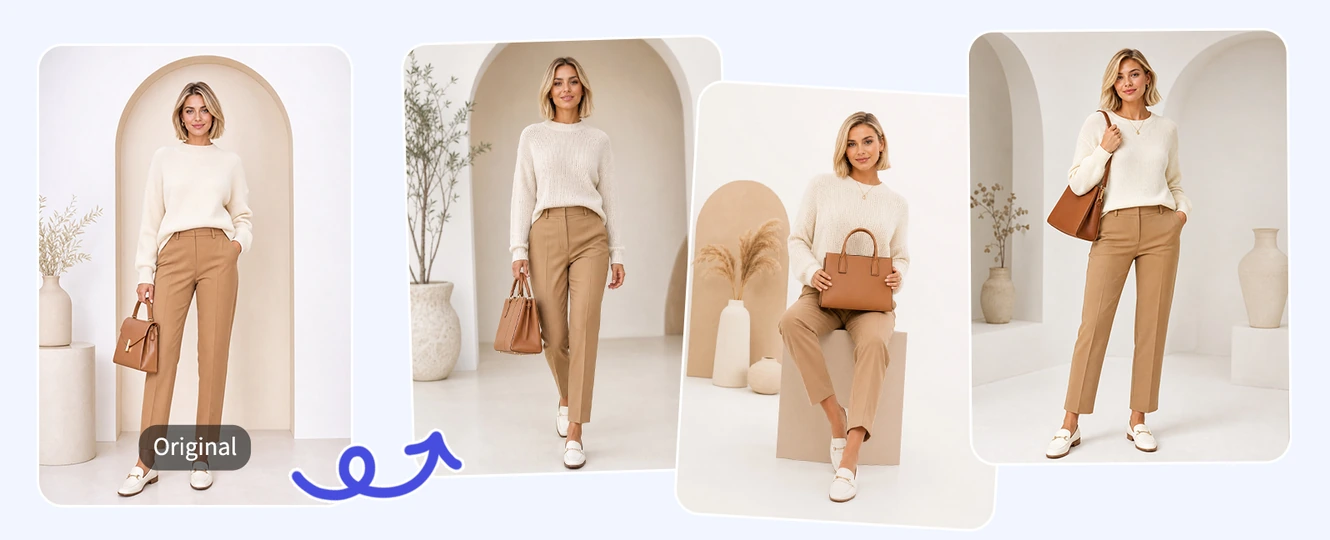
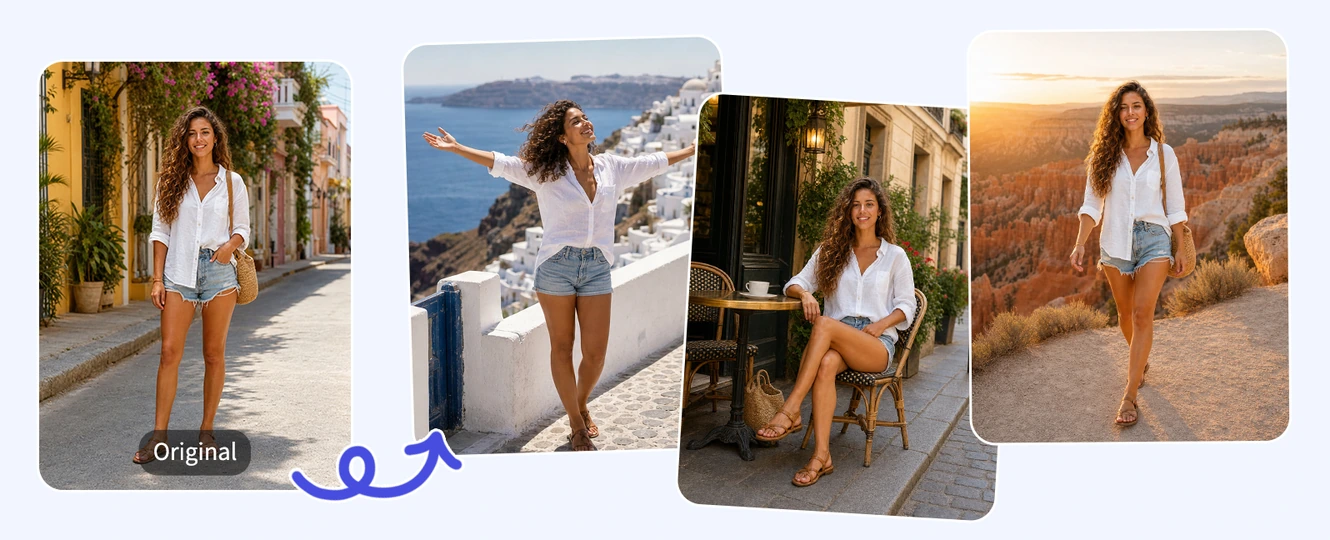
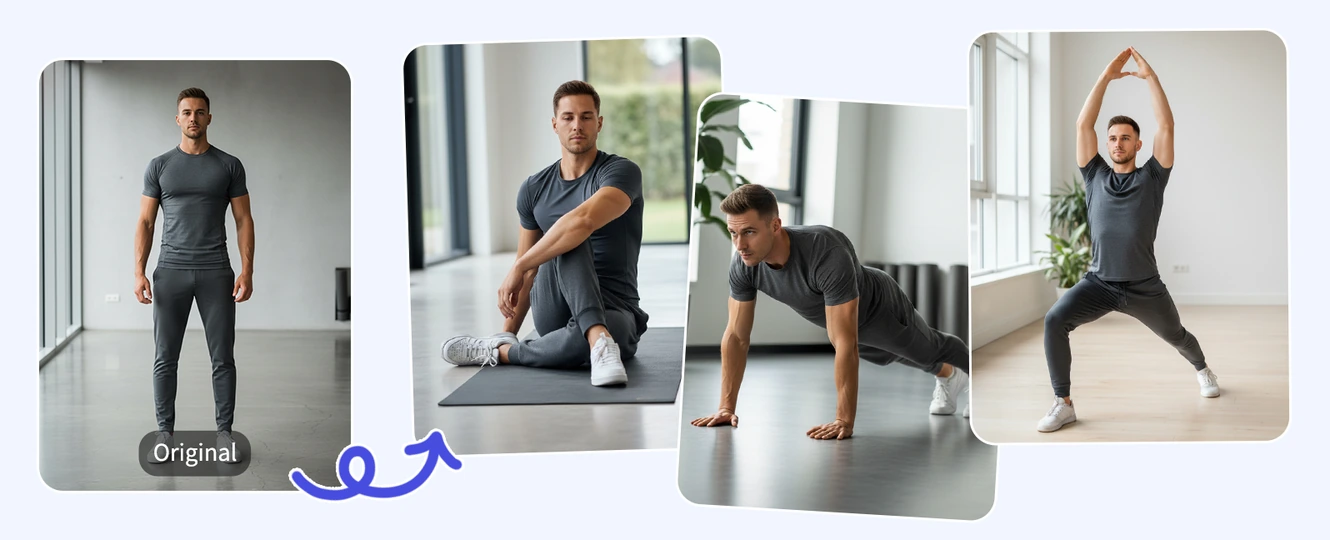
An AI pose generator is an online tool that uses artificial intelligence to create or change human poses in images. Instead of arranging a new photoshoot or manually editing body positions, you can upload a photo, choose a ready-made pose template, and let AI generate a natural-looking pose in seconds.
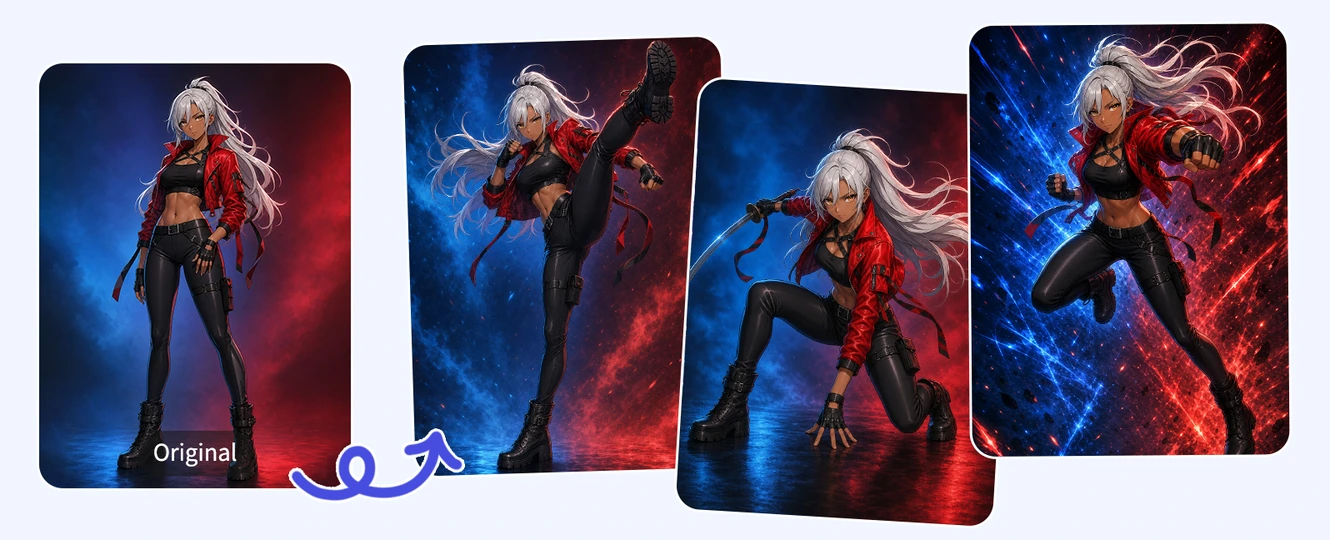
Pokecut's AI Pose Generator works as an AI pose changer from photo. It provides popular pose templates such as standing, sitting, walking, leaning, fashion, portrait, and action poses, so you can quickly transform an image without writing a detailed prompt. If you want a more specific result, you can also enter your own prompt after uploading an image to customize the posture, body angle, gesture, or scene style.
Popular Pose Randomizer Ideas You Can Try
Key Features of Pokecut's AI Pose Generator

Ready-Made Pose Templates
Pokecut provides pose templates that let you change a photo's posture with just a few clicks. Choose from common poses such as standing, walking, fashion poses, portrait poses, action poses, and product display poses.

Creative AI Pose References
Use Pokecut as an AI pose reference generator for art, design, characters, social posts, and visual concepts. It helps creators explore body movement, composition, and dynamic poses more efficiently.

Custom Prompt Control
If you need a more specific pose, you can enter a custom prompt after uploading your image. Describe the posture, body angle, hand placement, movement, expression, camera view, or visual style you want.

Keep Face, Outfit, and BG Consistent
Pokecut focuses on changing the pose while preserving the original identity and scene. The AI tries to keep the same face, hairstyle, clothing, and background so your edited image still looks connected to the original.
How to Change Pose in a Photo with AI
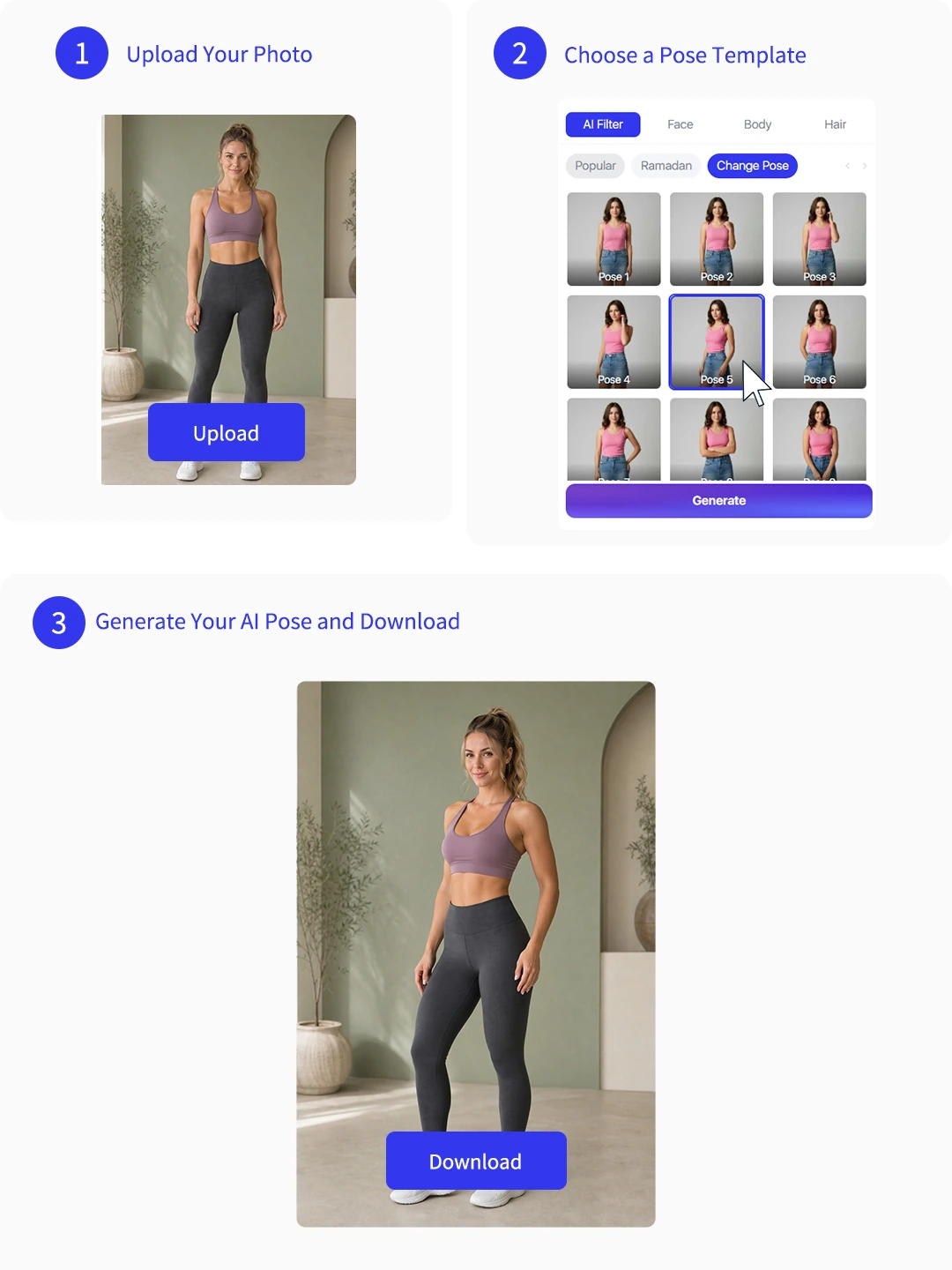
Step 1: Upload Your Photo
Upload a clear image of a person, model, character, or pet. For best results, choose a photo where the subject's body shape, clothing, arms, and legs are visible. Full-body and half-body photos usually work best.
Step 2: Choose a Pose Template
Select from ready-made pose templates. These templates help you create common pose changes quickly without writing a prompt from scratch.
Step 3: Generate Your AI Pose and Download
Click generate and let Pokecut's AI pose changer create a new version of your image. Once the result is ready, download your image and use it for e-commerce listings, social media posts, character references, or creative inspiration.

Explore More Features of Pokecut
AI Pose Generator vs. 3D Poser vs. Text-to-Image Tools
Whether you choose an image-to-image AI, a 3D online poser, or a text-to-image generator, each format serves a completely different creative workflow. Check out the comparison table below to easily find the right tool for your specific editing needs.
Preserves the original face, outfit, and background.
Usually generates a completely new person and scene.
Automated and easy to use.
Requires manual control and patience.
Requires prompt trial and error.
See What Users Say About Pokecut's AI Pose Generator
Bring characters to life with the Pose Reference Tool. Creators are obsessed with the precise control over body language that makes visualizing complex scenes simple and fast.


Emma R.

"I've been using Pokecut for my e-commerce store, and it's a game-changer. I can easily adjust poses for my product shots without needing a photoshoot every time. Saves me so much time and money!"
David M.
"This AI pose generator is awesome! I had a few photos I wasn't happy with and wanted to change the poses. With just a few clicks, I had multiple new options. Super easy to use and very effective!"
Sarah K.
"As a photographer, I love how Pokecut helps me create different pose options from a single image. I can play around with angles and expressions to find the perfect one for my clients. It's really helpful."
John P.
"I've tried a lot of tools, but Pokecut's pose changer is one of the easiest. Upload an image, enter what you want, and you get the new pose."
Olivia W.
"I use Pokecut for my online store, and it's perfect. I can try different poses on my product images without needing a model on-site. It makes everything so much easier and quicker!"
Michael T.
"I wasn't sure about using AI for my product shots at first, but this tool surprised me. It generates poses quickly, and I can even try on virtual products with it. Really saves on photoshoot costs!"
Sophia G.
"Pokecut is fantastic for creating different variations of my model photos. The poses are realistic, and I can adjust the look and feel to match the vibe I'm going for. Definitely worth the try!"
Emma R.
"I've been using Pokecut for my e-commerce store, and it's a game-changer. I can easily adjust poses for my product shots without needing a photoshoot every time. Saves me so much time and money!"
David M.
"This AI pose generator is awesome! I had a few photos I wasn't happy with and wanted to change the poses. With just a few clicks, I had multiple new options. Super easy to use and very effective!"
Sarah K.
"As a photographer, I love how Pokecut helps me create different pose options from a single image. I can play around with angles and expressions to find the perfect one for my clients. It's really helpful."
John P.
"I've tried a lot of tools, but Pokecut's pose changer is one of the easiest. Upload an image, enter what you want, and you get the new pose."
Olivia W.
"I use Pokecut for my online store, and it's perfect. I can try different poses on my product images without needing a model on-site. It makes everything so much easier and quicker!"
Michael T.
"I wasn't sure about using AI for my product shots at first, but this tool surprised me. It generates poses quickly, and I can even try on virtual products with it. Really saves on photoshoot costs!"
Sophia G.
"Pokecut is fantastic for creating different variations of my model photos. The poses are realistic, and I can adjust the look and feel to match the vibe I'm going for. Definitely worth the try!"
Emma R.
"I've been using Pokecut for my e-commerce store, and it's a game-changer. I can easily adjust poses for my product shots without needing a photoshoot every time. Saves me so much time and money!"
David M.
"This AI pose generator is awesome! I had a few photos I wasn't happy with and wanted to change the poses. With just a few clicks, I had multiple new options. Super easy to use and very effective!"
Sarah K.
"As a photographer, I love how Pokecut helps me create different pose options from a single image. I can play around with angles and expressions to find the perfect one for my clients. It's really helpful."
John P.
"I've tried a lot of tools, but Pokecut's pose changer is one of the easiest. Upload an image, enter what you want, and you get the new pose."
Olivia W.
"I use Pokecut for my online store, and it's perfect. I can try different poses on my product images without needing a model on-site. It makes everything so much easier and quicker!"
Michael T.
"I wasn't sure about using AI for my product shots at first, but this tool surprised me. It generates poses quickly, and I can even try on virtual products with it. Really saves on photoshoot costs!"
Sophia G.
"Pokecut is fantastic for creating different variations of my model photos. The poses are realistic, and I can adjust the look and feel to match the vibe I'm going for. Definitely worth the try!"
Emma R.
"I've been using Pokecut for my e-commerce store, and it's a game-changer. I can easily adjust poses for my product shots without needing a photoshoot every time. Saves me so much time and money!"
David M.
"This AI pose generator is awesome! I had a few photos I wasn't happy with and wanted to change the poses. With just a few clicks, I had multiple new options. Super easy to use and very effective!"
Sarah K.
"As a photographer, I love how Pokecut helps me create different pose options from a single image. I can play around with angles and expressions to find the perfect one for my clients. It's really helpful."
John P.
"I've tried a lot of tools, but Pokecut's pose changer is one of the easiest. Upload an image, enter what you want, and you get the new pose."
Olivia W.
"I use Pokecut for my online store, and it's perfect. I can try different poses on my product images without needing a model on-site. It makes everything so much easier and quicker!"
Michael T.
"I wasn't sure about using AI for my product shots at first, but this tool surprised me. It generates poses quickly, and I can even try on virtual products with it. Really saves on photoshoot costs!"
Sophia G.
"Pokecut is fantastic for creating different variations of my model photos. The poses are realistic, and I can adjust the look and feel to match the vibe I'm going for. Definitely worth the try!"
Emma R.
"I've been using Pokecut for my e-commerce store, and it's a game-changer. I can easily adjust poses for my product shots without needing a photoshoot every time. Saves me so much time and money!"
David M.
"This AI pose generator is awesome! I had a few photos I wasn't happy with and wanted to change the poses. With just a few clicks, I had multiple new options. Super easy to use and very effective!"
Sarah K.
"As a photographer, I love how Pokecut helps me create different pose options from a single image. I can play around with angles and expressions to find the perfect one for my clients. It's really helpful."
John P.
"I've tried a lot of tools, but Pokecut's pose changer is one of the easiest. Upload an image, enter what you want, and you get the new pose."
Olivia W.
"I use Pokecut for my online store, and it's perfect. I can try different poses on my product images without needing a model on-site. It makes everything so much easier and quicker!"
Michael T.
"I wasn't sure about using AI for my product shots at first, but this tool surprised me. It generates poses quickly, and I can even try on virtual products with it. Really saves on photoshoot costs!"
Sophia G.
"Pokecut is fantastic for creating different variations of my model photos. The poses are realistic, and I can adjust the look and feel to match the vibe I'm going for. Definitely worth the try!"
John P.
"I've tried a lot of tools, but Pokecut's pose changer is one of the easiest. Upload an image, enter what you want, and you get the new pose."
Olivia W.
"I use Pokecut for my online store, and it's perfect. I can try different poses on my product images without needing a model on-site. It makes everything so much easier and quicker!"
Michael T.
"I wasn't sure about using AI for my product shots at first, but this tool surprised me. It generates poses quickly, and I can even try on virtual products with it. Really saves on photoshoot costs!"
Sophia G.
"Pokecut is fantastic for creating different variations of my model photos. The poses are realistic, and I can adjust the look and feel to match the vibe I'm going for. Definitely worth the try!"
Emma R.
"I've been using Pokecut for my e-commerce store, and it's a game-changer. I can easily adjust poses for my product shots without needing a photoshoot every time. Saves me so much time and money!"
David M.
"This AI pose generator is awesome! I had a few photos I wasn't happy with and wanted to change the poses. With just a few clicks, I had multiple new options. Super easy to use and very effective!"
Sarah K.
"As a photographer, I love how Pokecut helps me create different pose options from a single image. I can play around with angles and expressions to find the perfect one for my clients. It's really helpful."
John P.
"I've tried a lot of tools, but Pokecut's pose changer is one of the easiest. Upload an image, enter what you want, and you get the new pose."
Olivia W.
"I use Pokecut for my online store, and it's perfect. I can try different poses on my product images without needing a model on-site. It makes everything so much easier and quicker!"
Michael T.
"I wasn't sure about using AI for my product shots at first, but this tool surprised me. It generates poses quickly, and I can even try on virtual products with it. Really saves on photoshoot costs!"
Sophia G.
"Pokecut is fantastic for creating different variations of my model photos. The poses are realistic, and I can adjust the look and feel to match the vibe I'm going for. Definitely worth the try!"
Emma R.
"I've been using Pokecut for my e-commerce store, and it's a game-changer. I can easily adjust poses for my product shots without needing a photoshoot every time. Saves me so much time and money!"
David M.
"This AI pose generator is awesome! I had a few photos I wasn't happy with and wanted to change the poses. With just a few clicks, I had multiple new options. Super easy to use and very effective!"
Sarah K.
"As a photographer, I love how Pokecut helps me create different pose options from a single image. I can play around with angles and expressions to find the perfect one for my clients. It's really helpful."
John P.
"I've tried a lot of tools, but Pokecut's pose changer is one of the easiest. Upload an image, enter what you want, and you get the new pose."
Olivia W.
"I use Pokecut for my online store, and it's perfect. I can try different poses on my product images without needing a model on-site. It makes everything so much easier and quicker!"
Michael T.
"I wasn't sure about using AI for my product shots at first, but this tool surprised me. It generates poses quickly, and I can even try on virtual products with it. Really saves on photoshoot costs!"
Sophia G.
"Pokecut is fantastic for creating different variations of my model photos. The poses are realistic, and I can adjust the look and feel to match the vibe I'm going for. Definitely worth the try!"
Emma R.
"I've been using Pokecut for my e-commerce store, and it's a game-changer. I can easily adjust poses for my product shots without needing a photoshoot every time. Saves me so much time and money!"
David M.
"This AI pose generator is awesome! I had a few photos I wasn't happy with and wanted to change the poses. With just a few clicks, I had multiple new options. Super easy to use and very effective!"
Sarah K.
"As a photographer, I love how Pokecut helps me create different pose options from a single image. I can play around with angles and expressions to find the perfect one for my clients. It's really helpful."
John P.
"I've tried a lot of tools, but Pokecut's pose changer is one of the easiest. Upload an image, enter what you want, and you get the new pose."
Olivia W.
"I use Pokecut for my online store, and it's perfect. I can try different poses on my product images without needing a model on-site. It makes everything so much easier and quicker!"
Michael T.
"I wasn't sure about using AI for my product shots at first, but this tool surprised me. It generates poses quickly, and I can even try on virtual products with it. Really saves on photoshoot costs!"
Sophia G.
"Pokecut is fantastic for creating different variations of my model photos. The poses are realistic, and I can adjust the look and feel to match the vibe I'm going for. Definitely worth the try!"
Emma R.
"I've been using Pokecut for my e-commerce store, and it's a game-changer. I can easily adjust poses for my product shots without needing a photoshoot every time. Saves me so much time and money!"
David M.
"This AI pose generator is awesome! I had a few photos I wasn't happy with and wanted to change the poses. With just a few clicks, I had multiple new options. Super easy to use and very effective!"
Sarah K.
"As a photographer, I love how Pokecut helps me create different pose options from a single image. I can play around with angles and expressions to find the perfect one for my clients. It's really helpful."
John P.
"I've tried a lot of tools, but Pokecut's pose changer is one of the easiest. Upload an image, enter what you want, and you get the new pose."
Olivia W.
"I use Pokecut for my online store, and it's perfect. I can try different poses on my product images without needing a model on-site. It makes everything so much easier and quicker!"
Michael T.
"I wasn't sure about using AI for my product shots at first, but this tool surprised me. It generates poses quickly, and I can even try on virtual products with it. Really saves on photoshoot costs!"
Sophia G.
"Pokecut is fantastic for creating different variations of my model photos. The poses are realistic, and I can adjust the look and feel to match the vibe I'm going for. Definitely worth the try!"
Emma R.
"I've been using Pokecut for my e-commerce store, and it's a game-changer. I can easily adjust poses for my product shots without needing a photoshoot every time. Saves me so much time and money!"
David M.
"This AI pose generator is awesome! I had a few photos I wasn't happy with and wanted to change the poses. With just a few clicks, I had multiple new options. Super easy to use and very effective!"
Sarah K.
"As a photographer, I love how Pokecut helps me create different pose options from a single image. I can play around with angles and expressions to find the perfect one for my clients. It's really helpful."
Reviews from: Reddit, Product Hunt, G2, TrustRadius, Google Play, App Store, and more.
FAQs
How can I get better results with Pokecut's AI Pose Generator?
For better AI pose results, upload a clear photo where the subject's body, arms, legs, and clothing are easy to see. Full-body or half-body images with good lighting and a simple background usually work best.
What can I use Pokecut's AI Pose Generator for?
You can use Pokecut to create pose variations for e-commerce, portraits, social media, art references, character design, yoga, fitness, and action visuals.
Will using Pokecut to change a pose alter my clothing or other details?
No, changing the pose with Pokecut will not affect your clothing or other details in the image. The focus is solely on adjusting the pose while keeping the rest of the image intact.
What kinds of pose templates does Pokecut offer?
Pokecut can provide pose templates for common use cases such as standing, sitting, walking, leaning, portrait poses, fashion poses, action poses, product display poses, character poses, and creative pose references.
Can I use Pokecut as an AI pose reference generator?
Yes. Artists, illustrators, designers, and character creators can use Pokecut to generate pose reference ideas for drawing, concept art, storyboards, comics, and digital art projects.







