





Free AI First Impression Test: Score Your Photos Online
Unlock the hidden data behind your smile. Pokecut's advanced biometric analysis provides a comprehensive personality score to help you decide which photo projects the most confidence and authority for your career or dating life.
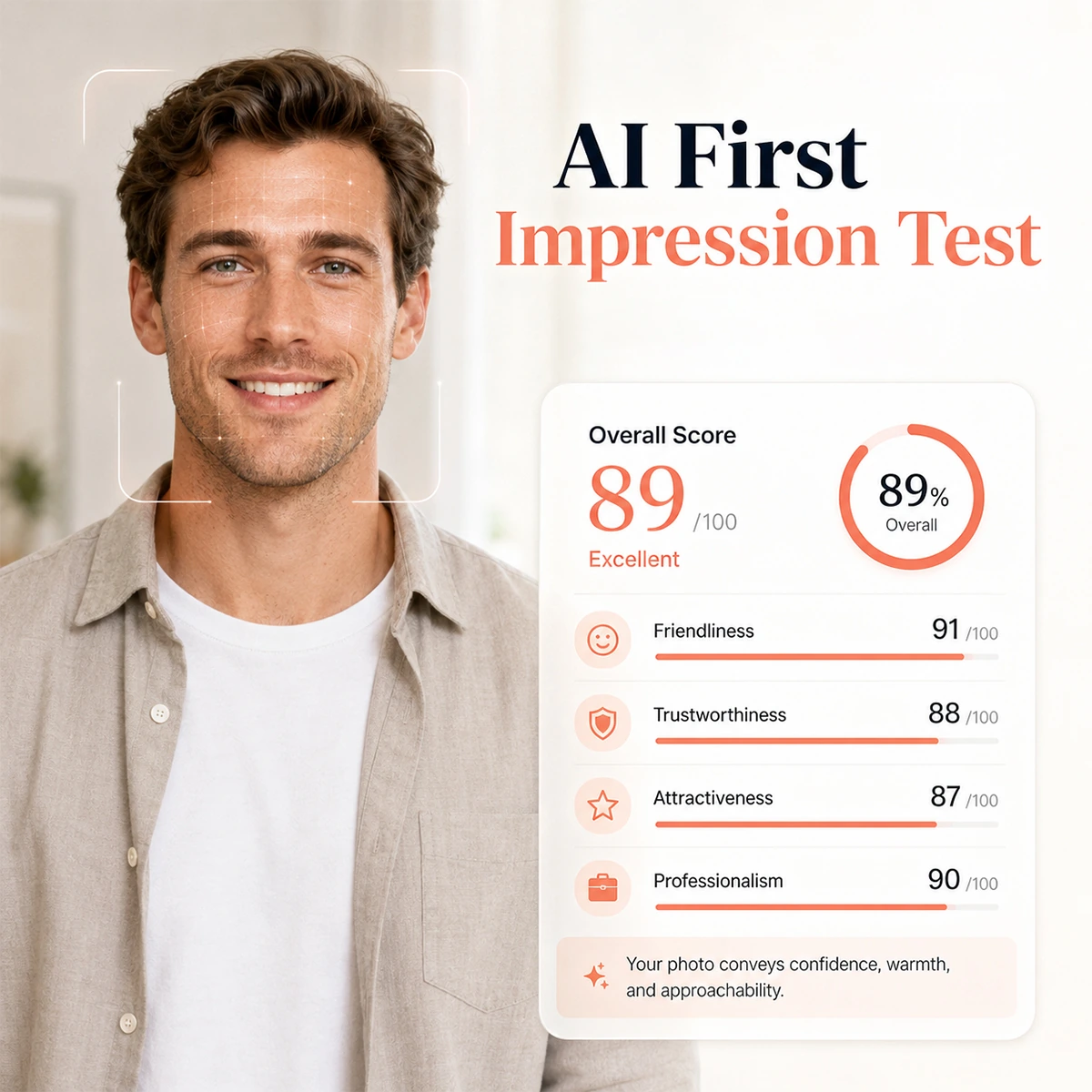






When Can You Use Pokecut's AI First Impression Test Tool?
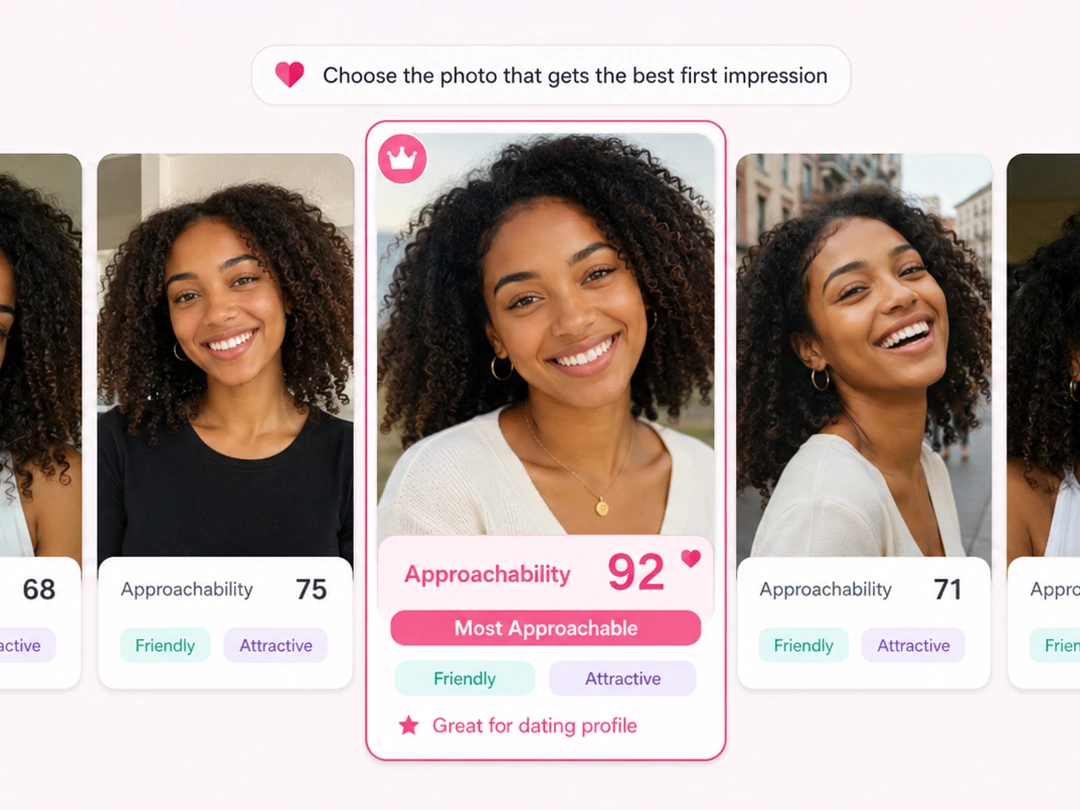
Find the Photo that Looks Most Approachable
See which portrait feels most approachable before you post it. The AI first impression test use image to image feature to reads visible cues in your face, expression, and photo style, then turns them into easy feedback you can use for dating apps or social profiles.
If likes and replies feel random, compare your score before changing your avatar. A clearer photo can help you look more open, more friendly, and easier to start a conversation with, without guessing which shot works best.
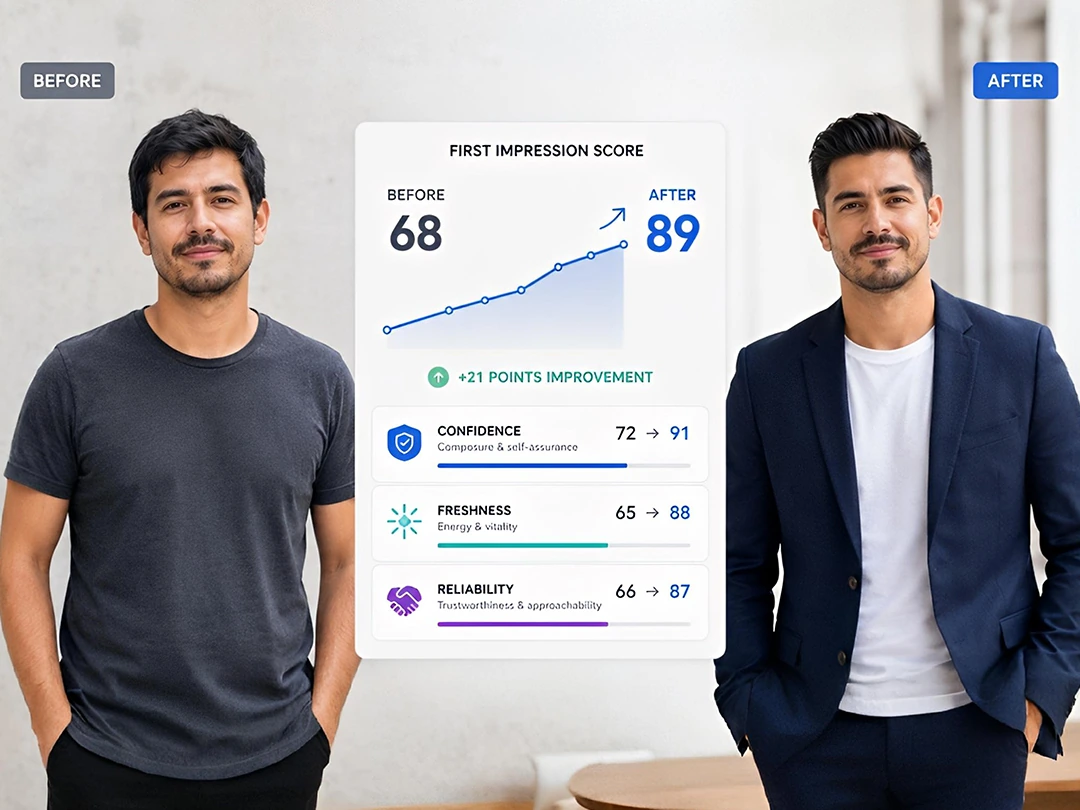
Track Image Changes with First Impression Scores
Use the first impressions test as a simple record of your image changes. After a haircut, outfit update, or fitness progress, upload a new photo and compare how the score shifts from your earlier result.
The point is not to chase a perfect number. It helps you see whether a change makes your photo read as more confident, fresh, or reliable. When the feedback is visible, it is easier to decide which look to keep for profiles, resumes, or daily posts.
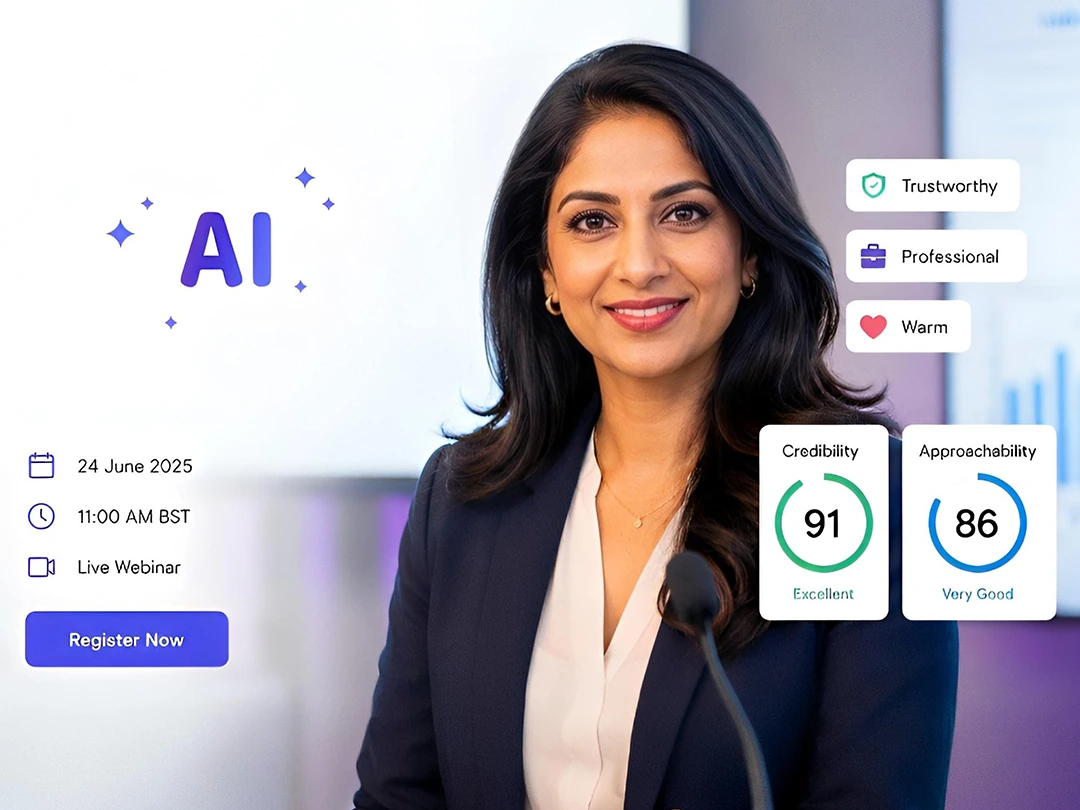
Prepare a Speaker Photo that Feels Trustworthy
Choose a speaker photo that feels informed and easy to approach. When you are joining a conference, webinar, or livestream, the first impression test results can point out whether your portrait reads as warm, confident, and credible.
Use the feedback before placing your headshot on a poster or event page. You can adjust the photo, expression, or crop, then test again until the image supports your expert role while still making people feel comfortable signing up.
Why Should You Choose Pokecut's AI First Impression Test?
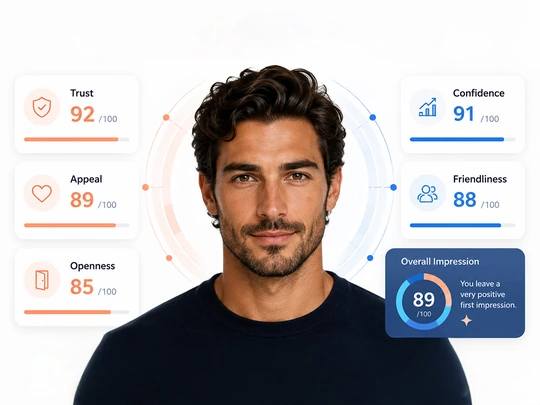
Make Social Appeal Visible
Stop guessing which photo looks better. Pokecut scores visible traits like trust, appeal, and openness, then helps you explore your facial features before you post, highlights your visual strengths so you can grab attention in milliseconds.
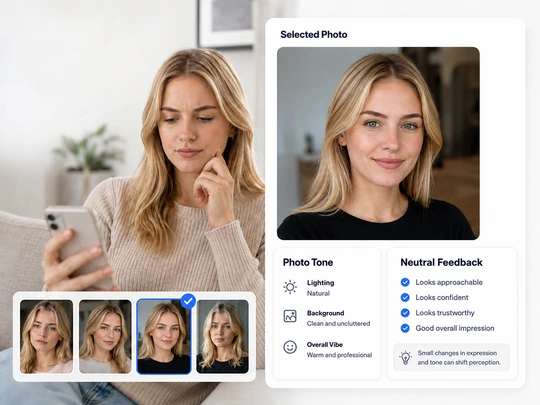
Remove Your Self-Image Blind Spot
Get feedback that is more neutral than friends and easier to read than your own doubts. The AI first impression test points out expression details that affect how your photo is perceived, ensuring you present the most accurate and professional version of yourself for any occasion.
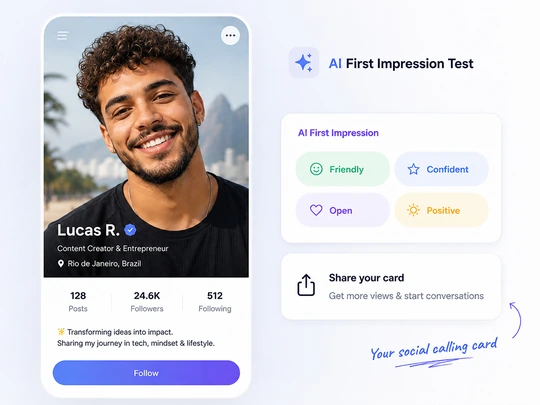
Build a Social Card That Fits
Align your images with your brand goals. When you take the first impressions test, you can ensure your photos match your social media persona, sparking new conversations and increasing engagement with your followers.
How to Test First Impression Online?
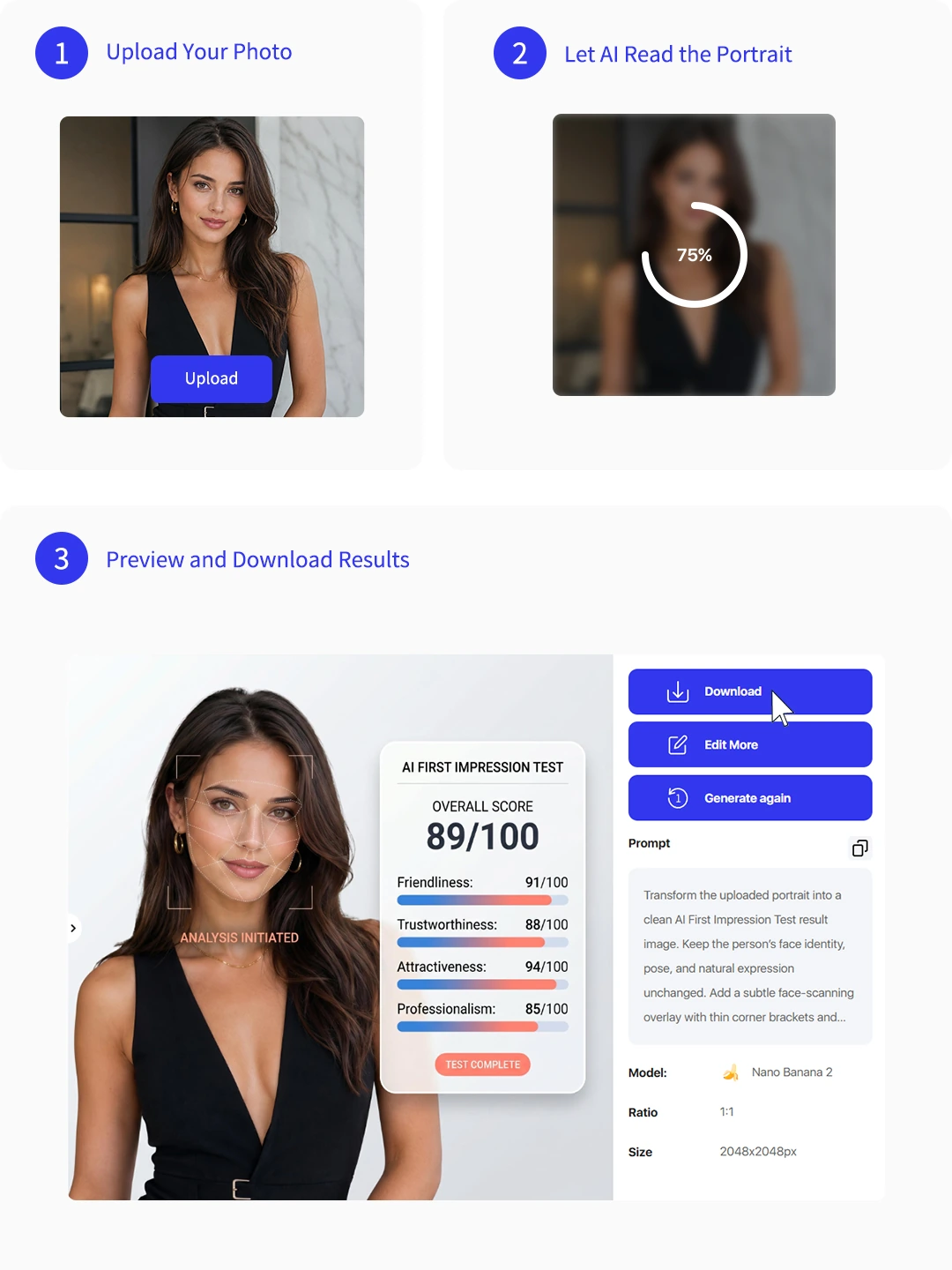
Step 1: Upload Your Photo
Upload a clear portrait in JPEG, JPG, PNG, WebP, or BMP. Choose a face-forward photo for better first impression feedback.
Step 2: Let AI Read the Portrait
Pokecut checks visible cues such as expression, face balance, and photo clarity, then turns them into simple impression feedback.
Step 3: Preview and Download Results
Review your first impression test results, compare photo options, and save the report when you find the profile image you prefer.

Explore More Features of Pokecut
What Do Users Say About Pokecut's AI First Impression Tester?
See how thousands of people are using Pokecut's AI insights to level up their professional headshots and social media presence.


Michael S.

"I tested three dating profile photos and finally saw why one felt more approachable. The score helped me pick a photo without asking every friend for a different opinion."
Patricia C.
"I used it before updating my LinkedIn headshot. The feedback made me change the crop and expression, and the final photo felt more professional but still friendly."
William B.
"The report was easy to understand. I liked seeing trust and appeal separated because it showed me which photo worked for networking and which one fit social apps better."
Jennifer H.
"After changing my hair and outfit, I compared the new portrait with my old one. The result gave me a simple way to see whether the update actually improved my image."
David R.
"I needed a speaker photo for a webinar page. Pokecut helped me choose the shot that looked confident without feeling too stiff, which saved a lot of second-guessing."
Barbara R.
"I used the test for my creator profile. It gave me practical feedback about my expression, so I could post a photo that matched the friendly style I wanted."
Michael S.
"I tested three dating profile photos and finally saw why one felt more approachable. The score helped me pick a photo without asking every friend for a different opinion."
Patricia C.
"I used it before updating my LinkedIn headshot. The feedback made me change the crop and expression, and the final photo felt more professional but still friendly."
William B.
"The report was easy to understand. I liked seeing trust and appeal separated because it showed me which photo worked for networking and which one fit social apps better."
Jennifer H.
"After changing my hair and outfit, I compared the new portrait with my old one. The result gave me a simple way to see whether the update actually improved my image."
David R.
"I needed a speaker photo for a webinar page. Pokecut helped me choose the shot that looked confident without feeling too stiff, which saved a lot of second-guessing."
Barbara R.
"I used the test for my creator profile. It gave me practical feedback about my expression, so I could post a photo that matched the friendly style I wanted."
Michael S.
"I tested three dating profile photos and finally saw why one felt more approachable. The score helped me pick a photo without asking every friend for a different opinion."
Patricia C.
"I used it before updating my LinkedIn headshot. The feedback made me change the crop and expression, and the final photo felt more professional but still friendly."
William B.
"The report was easy to understand. I liked seeing trust and appeal separated because it showed me which photo worked for networking and which one fit social apps better."
Jennifer H.
"After changing my hair and outfit, I compared the new portrait with my old one. The result gave me a simple way to see whether the update actually improved my image."
David R.
"I needed a speaker photo for a webinar page. Pokecut helped me choose the shot that looked confident without feeling too stiff, which saved a lot of second-guessing."
Barbara R.
"I used the test for my creator profile. It gave me practical feedback about my expression, so I could post a photo that matched the friendly style I wanted."
Michael S.
"I tested three dating profile photos and finally saw why one felt more approachable. The score helped me pick a photo without asking every friend for a different opinion."
Patricia C.
"I used it before updating my LinkedIn headshot. The feedback made me change the crop and expression, and the final photo felt more professional but still friendly."
William B.
"The report was easy to understand. I liked seeing trust and appeal separated because it showed me which photo worked for networking and which one fit social apps better."
Jennifer H.
"After changing my hair and outfit, I compared the new portrait with my old one. The result gave me a simple way to see whether the update actually improved my image."
David R.
"I needed a speaker photo for a webinar page. Pokecut helped me choose the shot that looked confident without feeling too stiff, which saved a lot of second-guessing."
Barbara R.
"I used the test for my creator profile. It gave me practical feedback about my expression, so I could post a photo that matched the friendly style I wanted."
Michael S.
"I tested three dating profile photos and finally saw why one felt more approachable. The score helped me pick a photo without asking every friend for a different opinion."
Patricia C.
"I used it before updating my LinkedIn headshot. The feedback made me change the crop and expression, and the final photo felt more professional but still friendly."
William B.
"The report was easy to understand. I liked seeing trust and appeal separated because it showed me which photo worked for networking and which one fit social apps better."
Jennifer H.
"After changing my hair and outfit, I compared the new portrait with my old one. The result gave me a simple way to see whether the update actually improved my image."
David R.
"I needed a speaker photo for a webinar page. Pokecut helped me choose the shot that looked confident without feeling too stiff, which saved a lot of second-guessing."
Barbara R.
"I used the test for my creator profile. It gave me practical feedback about my expression, so I could post a photo that matched the friendly style I wanted."
Jennifer H.
"After changing my hair and outfit, I compared the new portrait with my old one. The result gave me a simple way to see whether the update actually improved my image."
David R.
"I needed a speaker photo for a webinar page. Pokecut helped me choose the shot that looked confident without feeling too stiff, which saved a lot of second-guessing."
Barbara R.
"I used the test for my creator profile. It gave me practical feedback about my expression, so I could post a photo that matched the friendly style I wanted."
Michael S.
"I tested three dating profile photos and finally saw why one felt more approachable. The score helped me pick a photo without asking every friend for a different opinion."
Patricia C.
"I used it before updating my LinkedIn headshot. The feedback made me change the crop and expression, and the final photo felt more professional but still friendly."
William B.
"The report was easy to understand. I liked seeing trust and appeal separated because it showed me which photo worked for networking and which one fit social apps better."
Jennifer H.
"After changing my hair and outfit, I compared the new portrait with my old one. The result gave me a simple way to see whether the update actually improved my image."
David R.
"I needed a speaker photo for a webinar page. Pokecut helped me choose the shot that looked confident without feeling too stiff, which saved a lot of second-guessing."
Barbara R.
"I used the test for my creator profile. It gave me practical feedback about my expression, so I could post a photo that matched the friendly style I wanted."
Michael S.
"I tested three dating profile photos and finally saw why one felt more approachable. The score helped me pick a photo without asking every friend for a different opinion."
Patricia C.
"I used it before updating my LinkedIn headshot. The feedback made me change the crop and expression, and the final photo felt more professional but still friendly."
William B.
"The report was easy to understand. I liked seeing trust and appeal separated because it showed me which photo worked for networking and which one fit social apps better."
Jennifer H.
"After changing my hair and outfit, I compared the new portrait with my old one. The result gave me a simple way to see whether the update actually improved my image."
David R.
"I needed a speaker photo for a webinar page. Pokecut helped me choose the shot that looked confident without feeling too stiff, which saved a lot of second-guessing."
Barbara R.
"I used the test for my creator profile. It gave me practical feedback about my expression, so I could post a photo that matched the friendly style I wanted."
Michael S.
"I tested three dating profile photos and finally saw why one felt more approachable. The score helped me pick a photo without asking every friend for a different opinion."
Patricia C.
"I used it before updating my LinkedIn headshot. The feedback made me change the crop and expression, and the final photo felt more professional but still friendly."
William B.
"The report was easy to understand. I liked seeing trust and appeal separated because it showed me which photo worked for networking and which one fit social apps better."
Jennifer H.
"After changing my hair and outfit, I compared the new portrait with my old one. The result gave me a simple way to see whether the update actually improved my image."
David R.
"I needed a speaker photo for a webinar page. Pokecut helped me choose the shot that looked confident without feeling too stiff, which saved a lot of second-guessing."
Barbara R.
"I used the test for my creator profile. It gave me practical feedback about my expression, so I could post a photo that matched the friendly style I wanted."
Michael S.
"I tested three dating profile photos and finally saw why one felt more approachable. The score helped me pick a photo without asking every friend for a different opinion."
Patricia C.
"I used it before updating my LinkedIn headshot. The feedback made me change the crop and expression, and the final photo felt more professional but still friendly."
William B.
"The report was easy to understand. I liked seeing trust and appeal separated because it showed me which photo worked for networking and which one fit social apps better."
Jennifer H.
"After changing my hair and outfit, I compared the new portrait with my old one. The result gave me a simple way to see whether the update actually improved my image."
David R.
"I needed a speaker photo for a webinar page. Pokecut helped me choose the shot that looked confident without feeling too stiff, which saved a lot of second-guessing."
Barbara R.
"I used the test for my creator profile. It gave me practical feedback about my expression, so I could post a photo that matched the friendly style I wanted."
Michael S.
"I tested three dating profile photos and finally saw why one felt more approachable. The score helped me pick a photo without asking every friend for a different opinion."
Patricia C.
"I used it before updating my LinkedIn headshot. The feedback made me change the crop and expression, and the final photo felt more professional but still friendly."
William B.
"The report was easy to understand. I liked seeing trust and appeal separated because it showed me which photo worked for networking and which one fit social apps better."
Reviews from: Reddit, Product Hunt, G2, TrustRadius, Google Play, App Store, and more.
Pokecut Trusted by Millions of Leaders and Users

1M+ Users Worldwide
Pokecut generates over 500,000 images every day

#2 on Product Hunt
Pokecut launched and won #2 product of the day

Professional Privacy Protection
Ensure 100% data privacy for every photo

Trusted by Well-known Brands
Apple, Google, PayPal, Stripe, Product Hunt, G2, TrustRadius
FAQs About AI First Impression Test
Will my photos be stored on your servers?
Privacy is Pokecut's top priority. Pokecut uses an instant processing protocol where your images are analyzed in real-time and then permanently deleted from our servers. We do not use your personal photos to train our public models without your explicit, separate consent.
Can I take the first impressions test for dating photos?
Yes. Upload different dating profile photos and compare which one looks more open, friendly, or confident. The test helps you choose a photo with less guessing before you update your profile.
How should I test first impression results fairly?
Use clear photos with similar lighting, crop, and face angle. Testing several options under similar conditions makes the first impression test results easier to compare and apply.
Can this first impressions personality test define who I am?
No. It reads the impression created by one photo, not your full personality. Treat the feedback as a practical photo guide, especially when choosing profile, speaker, or social images.
Is this tool free to use for everyone?
Yes. You can enjoy 20 free editing credits to experience this tool. This allows you to get your first impression result at no cost. If you find yourself needing more creative power or advanced features, feel free to check out store for flexible premium plans.





