





Remove Color from Image Online for Free - No Sign Up
Use our image color remover to remove color from image quickly and efficiently. Transform your photo into a clean, professional result in seconds.
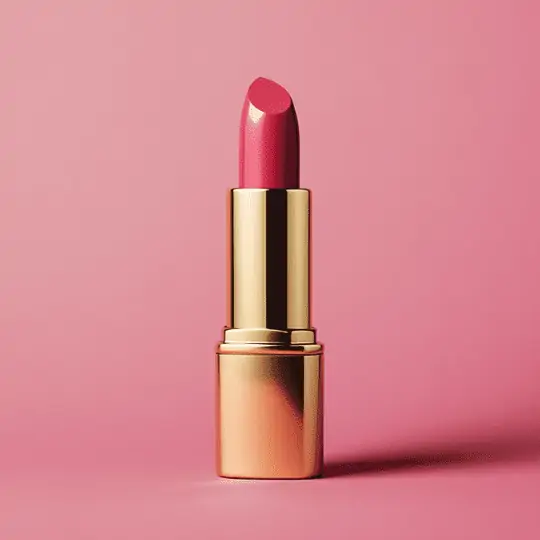




By uploading an image or URL you agree to our Terms of Use and Privacy Policy
Why Choose Pokecut's Color Remover

One-Click AI Color Remover
Our AI handles everything automatically. Just upload a photo and watch the background vanish. You need no skills to remove colors from image instantly.

Free Color Remover Online
Use this tool without signing up. We provide a completely free service for everyone directly in the browser. It is the best way to remove color from image free.

High-Quality Color Removal
Download your files in HD without any watermarks. We keep the original resolution of your photos. This png color remover ensures your images look crisp.

Precise Color Eraser Tool
Fix small details with our manual brush tools. You can restore parts of the image or erase tricky spots. Control exactly where you erase color in image.
Why Use Pokecut to Remove Color from Image?
Remove Color from Image with Smart AI Detection
Our AI color remover automatically detects and deletes distracting backgrounds for you. You get precise results without manually picking pixels or adjusting settings. Just upload a photo to remove color from image areas instantly.
Experience precise color removal even with complex or cluttered backdrops. It leaves no ugly noise behind, ensuring edges remain as clean and smooth as hair strands. Simply upload your photo to separate the foreground from similar hues in seconds. Get a clean, transparent result online without installing heavy software.

Image Color Remover for Every Format & Photo Type
Our tool supports multiple common image formats, including PNG, JPEG, WebP and BMP. You can remove color from picture and choose the appropriate format for export. Whether you're preparing images for online use or print, we provide high-quality output.
Pokecut's AI color remover works on all kinds of images, like portraits, products, signatures, logos, and more. Remove unwanted colors in seconds and get a clean, professional result every time. You can even choose an AI background to enhance your photos.

Remove a Color from an Image in High Quality
Pokecut's image color remover eliminates background hues while preserving 100% of your subject's original resolution. Our AI intelligently protects fine details, such as hair strands and product textures, to remove a color from an image precisely.
Get a smooth, transparent background with no jagged edges or pixelation. We support HD export, so your visuals stay sharp for large prints or web use. Save your file as PNG and keep every edge crisp after the color is removed.

Batch Color Removal: Process 50 Photos at Once
Boost your productivity instantly with our batch background remover capabilities. You can upload up to 50 files simultaneously and let our AI handle the heavy lifting. Remove colors from image sets in just one click to save hours of manual work.
Automate your entire workflow and delete color from massive product catalogs efficiently. This color remover ensures consistent quality across all your uploads. It acts as the perfect solution for e-commerce sellers who face tight deadlines.
What Can You Create with Our Color Eraser?


How to Remove Color From Image Online Free with Pokecut
Step 1: Upload Your Image
Click "Upload Image" or drag your file here to start. Our image color remover accepts standard formats like JPG, JPEG, PNG, BMP and WebP for instant processing.
Step 2: AI Remove Color Automatically
Our AI automatically detects the subject and will remove color from image backgrounds in seconds. It ensures clean edges without any manual selection.
Step 3: Download Transparent Result
Preview the result and download your HD file instantly. Save it as a transparent PNG or use our AI Background feature to add a new background easily.

What Users Are Saying About Pokecut's Image Color Remover
Users love how fast and accurate our tool is. From quick social posts to professional e-commerce listings, it handles every task perfectly.


Sarah J.

"I run a small vintage shop and needed to remove gray backgrounds from product photos. This tool did it instantly. The edges are clean and it saved me hours."
Mike T.
"Had a rush deadline for a client logo. Other tools left jagged pixelated edges, but this one was smooth. My client was happy, and I avoided a huge headache."
Emily R.
"Wanted to update my profile picture but the background was messy. It took two seconds to delete the color. The hair detail looked surprisingly natural."
Jessica L.
"I use this to create transparent stickers for my digital journal. It grabs the subject perfectly every time. Honestly better than some paid apps I tried."
David B.
"I am not tech-savvy at all, but this was so simple. Just upload and boom, background gone. I love that I did not have to sign up to get a great result."
Chris M.
"It works perfectly for 99% of my images. I had one very complex background that needed a tiny manual fix, but for a free tool, the quality is amazing."
Sarah J.
"I run a small vintage shop and needed to remove gray backgrounds from product photos. This tool did it instantly. The edges are clean and it saved me hours."
Mike T.
"Had a rush deadline for a client logo. Other tools left jagged pixelated edges, but this one was smooth. My client was happy, and I avoided a huge headache."
Emily R.
"Wanted to update my profile picture but the background was messy. It took two seconds to delete the color. The hair detail looked surprisingly natural."
Jessica L.
"I use this to create transparent stickers for my digital journal. It grabs the subject perfectly every time. Honestly better than some paid apps I tried."
David B.
"I am not tech-savvy at all, but this was so simple. Just upload and boom, background gone. I love that I did not have to sign up to get a great result."
Chris M.
"It works perfectly for 99% of my images. I had one very complex background that needed a tiny manual fix, but for a free tool, the quality is amazing."
Sarah J.
"I run a small vintage shop and needed to remove gray backgrounds from product photos. This tool did it instantly. The edges are clean and it saved me hours."
Mike T.
"Had a rush deadline for a client logo. Other tools left jagged pixelated edges, but this one was smooth. My client was happy, and I avoided a huge headache."
Emily R.
"Wanted to update my profile picture but the background was messy. It took two seconds to delete the color. The hair detail looked surprisingly natural."
Jessica L.
"I use this to create transparent stickers for my digital journal. It grabs the subject perfectly every time. Honestly better than some paid apps I tried."
David B.
"I am not tech-savvy at all, but this was so simple. Just upload and boom, background gone. I love that I did not have to sign up to get a great result."
Chris M.
"It works perfectly for 99% of my images. I had one very complex background that needed a tiny manual fix, but for a free tool, the quality is amazing."
Sarah J.
"I run a small vintage shop and needed to remove gray backgrounds from product photos. This tool did it instantly. The edges are clean and it saved me hours."
Mike T.
"Had a rush deadline for a client logo. Other tools left jagged pixelated edges, but this one was smooth. My client was happy, and I avoided a huge headache."
Emily R.
"Wanted to update my profile picture but the background was messy. It took two seconds to delete the color. The hair detail looked surprisingly natural."
Jessica L.
"I use this to create transparent stickers for my digital journal. It grabs the subject perfectly every time. Honestly better than some paid apps I tried."
David B.
"I am not tech-savvy at all, but this was so simple. Just upload and boom, background gone. I love that I did not have to sign up to get a great result."
Chris M.
"It works perfectly for 99% of my images. I had one very complex background that needed a tiny manual fix, but for a free tool, the quality is amazing."
Sarah J.
"I run a small vintage shop and needed to remove gray backgrounds from product photos. This tool did it instantly. The edges are clean and it saved me hours."
Mike T.
"Had a rush deadline for a client logo. Other tools left jagged pixelated edges, but this one was smooth. My client was happy, and I avoided a huge headache."
Emily R.
"Wanted to update my profile picture but the background was messy. It took two seconds to delete the color. The hair detail looked surprisingly natural."
Jessica L.
"I use this to create transparent stickers for my digital journal. It grabs the subject perfectly every time. Honestly better than some paid apps I tried."
David B.
"I am not tech-savvy at all, but this was so simple. Just upload and boom, background gone. I love that I did not have to sign up to get a great result."
Chris M.
"It works perfectly for 99% of my images. I had one very complex background that needed a tiny manual fix, but for a free tool, the quality is amazing."
Jessica L.
"I use this to create transparent stickers for my digital journal. It grabs the subject perfectly every time. Honestly better than some paid apps I tried."
David B.
"I am not tech-savvy at all, but this was so simple. Just upload and boom, background gone. I love that I did not have to sign up to get a great result."
Chris M.
"It works perfectly for 99% of my images. I had one very complex background that needed a tiny manual fix, but for a free tool, the quality is amazing."
Sarah J.
"I run a small vintage shop and needed to remove gray backgrounds from product photos. This tool did it instantly. The edges are clean and it saved me hours."
Mike T.
"Had a rush deadline for a client logo. Other tools left jagged pixelated edges, but this one was smooth. My client was happy, and I avoided a huge headache."
Emily R.
"Wanted to update my profile picture but the background was messy. It took two seconds to delete the color. The hair detail looked surprisingly natural."
Jessica L.
"I use this to create transparent stickers for my digital journal. It grabs the subject perfectly every time. Honestly better than some paid apps I tried."
David B.
"I am not tech-savvy at all, but this was so simple. Just upload and boom, background gone. I love that I did not have to sign up to get a great result."
Chris M.
"It works perfectly for 99% of my images. I had one very complex background that needed a tiny manual fix, but for a free tool, the quality is amazing."
Sarah J.
"I run a small vintage shop and needed to remove gray backgrounds from product photos. This tool did it instantly. The edges are clean and it saved me hours."
Mike T.
"Had a rush deadline for a client logo. Other tools left jagged pixelated edges, but this one was smooth. My client was happy, and I avoided a huge headache."
Emily R.
"Wanted to update my profile picture but the background was messy. It took two seconds to delete the color. The hair detail looked surprisingly natural."
Jessica L.
"I use this to create transparent stickers for my digital journal. It grabs the subject perfectly every time. Honestly better than some paid apps I tried."
David B.
"I am not tech-savvy at all, but this was so simple. Just upload and boom, background gone. I love that I did not have to sign up to get a great result."
Chris M.
"It works perfectly for 99% of my images. I had one very complex background that needed a tiny manual fix, but for a free tool, the quality is amazing."
Sarah J.
"I run a small vintage shop and needed to remove gray backgrounds from product photos. This tool did it instantly. The edges are clean and it saved me hours."
Mike T.
"Had a rush deadline for a client logo. Other tools left jagged pixelated edges, but this one was smooth. My client was happy, and I avoided a huge headache."
Emily R.
"Wanted to update my profile picture but the background was messy. It took two seconds to delete the color. The hair detail looked surprisingly natural."
Jessica L.
"I use this to create transparent stickers for my digital journal. It grabs the subject perfectly every time. Honestly better than some paid apps I tried."
David B.
"I am not tech-savvy at all, but this was so simple. Just upload and boom, background gone. I love that I did not have to sign up to get a great result."
Chris M.
"It works perfectly for 99% of my images. I had one very complex background that needed a tiny manual fix, but for a free tool, the quality is amazing."
Sarah J.
"I run a small vintage shop and needed to remove gray backgrounds from product photos. This tool did it instantly. The edges are clean and it saved me hours."
Mike T.
"Had a rush deadline for a client logo. Other tools left jagged pixelated edges, but this one was smooth. My client was happy, and I avoided a huge headache."
Emily R.
"Wanted to update my profile picture but the background was messy. It took two seconds to delete the color. The hair detail looked surprisingly natural."
Jessica L.
"I use this to create transparent stickers for my digital journal. It grabs the subject perfectly every time. Honestly better than some paid apps I tried."
David B.
"I am not tech-savvy at all, but this was so simple. Just upload and boom, background gone. I love that I did not have to sign up to get a great result."
Chris M.
"It works perfectly for 99% of my images. I had one very complex background that needed a tiny manual fix, but for a free tool, the quality is amazing."
Sarah J.
"I run a small vintage shop and needed to remove gray backgrounds from product photos. This tool did it instantly. The edges are clean and it saved me hours."
Mike T.
"Had a rush deadline for a client logo. Other tools left jagged pixelated edges, but this one was smooth. My client was happy, and I avoided a huge headache."
Emily R.
"Wanted to update my profile picture but the background was messy. It took two seconds to delete the color. The hair detail looked surprisingly natural."
Reviews from: Reddit, Product Hunt, G2, TrustRadius, Google Play, App Store, and more.
FAQs About Removing Color from Image Online Free
Is there a way to remove color from an image for free?
Yes! You can remove background color from an image free of charge using Pokecut's online color remover from image tool. Simply upload your photo, wait a few seconds for removing, and download the edited version at no cost.
Can I create a transparent PNG after using the color remover?
Yes, after removing color from your image, Poekcut's tool allows you to save it as a transparent PNG. This feature is perfect for creating graphics that require a transparent background, enhancing your design projects effortlessly.
How do I remove the background color from an image?
To remove the background color from your image, just upload it to Poekcut's background color remover. Our AI-powered tool will automatically detect and remove the background color, giving you a clean and professional look without any hassle.
Is Pokecut supports bulk color removal?
Yes, we support batch processing. You can upload multiple photos at once to remove colors from image sets. This saves huge time for e-commerce sellers with large product catalogs.
Can I edit my image further after removing colors?
Yes, once you've removed colors from your image, you can use our extensive photo editing suite to make additional adjustments. This includes changing backgrounds, adding text, cropping, and more, allowing you to create the perfect final image.

Explore Similar AI Features Like AI Color Remover Online Free
Pokecut's Image Color Remover Trusted by Millions of Users

1M+ Users Worldwide
Pokecut generates over 500,000 images every day

#2 on Product Hunt
Pokecut launched and won #2 product of the day

Professional Privacy Protection
Ensure 100% data privacy for every photo

Trusted by Well-Known Brands
Apple、Google、Paypal、Stripe、Product hunt、G2、TrustRadius





