





Vogue Filter Online Free for Magazine Cover Photos
Use Pokecut's vogue cover generator to turn everyday portraits into fashion magazine cover images with clean layout, studio light, and real facial detail.
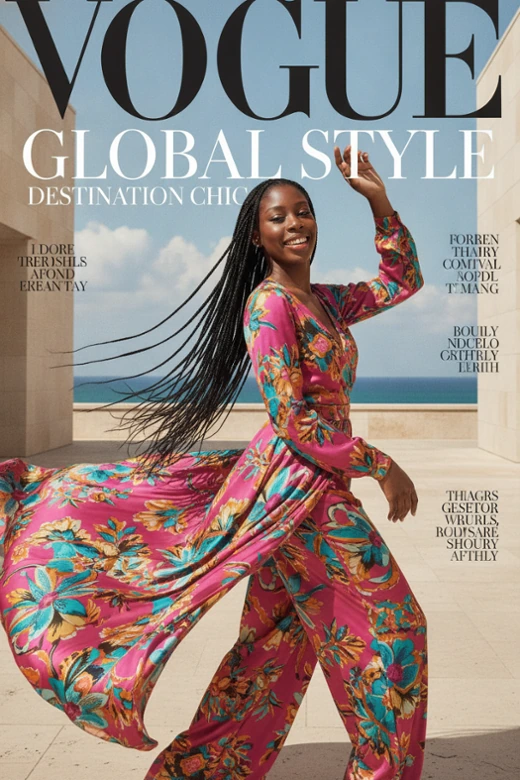
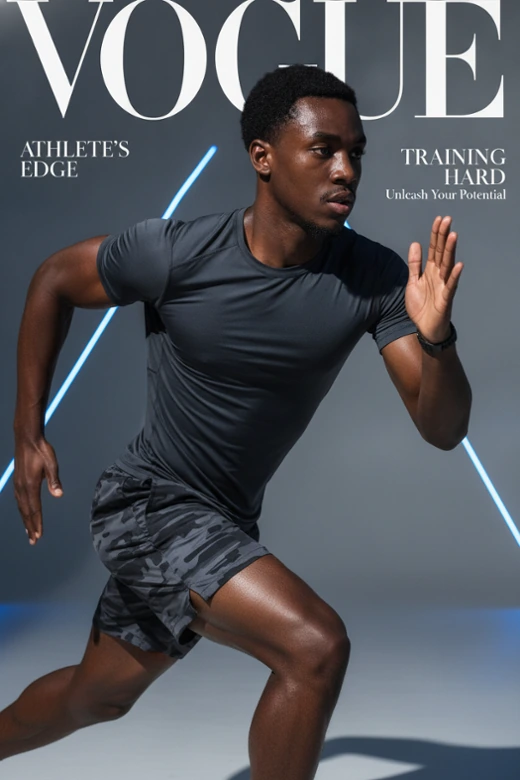
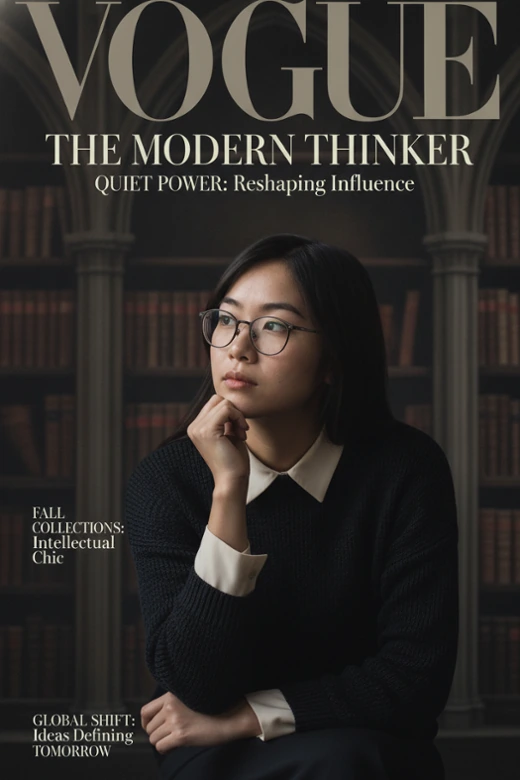
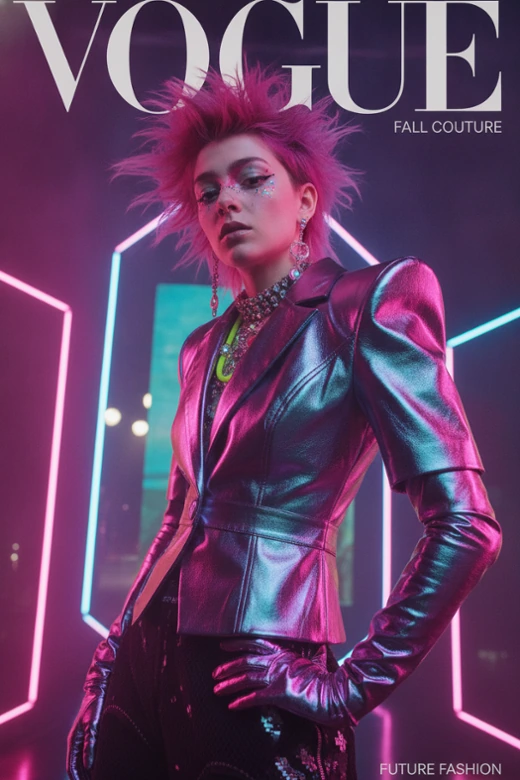


What Can You Do with Pokecut's Vogue Filter?
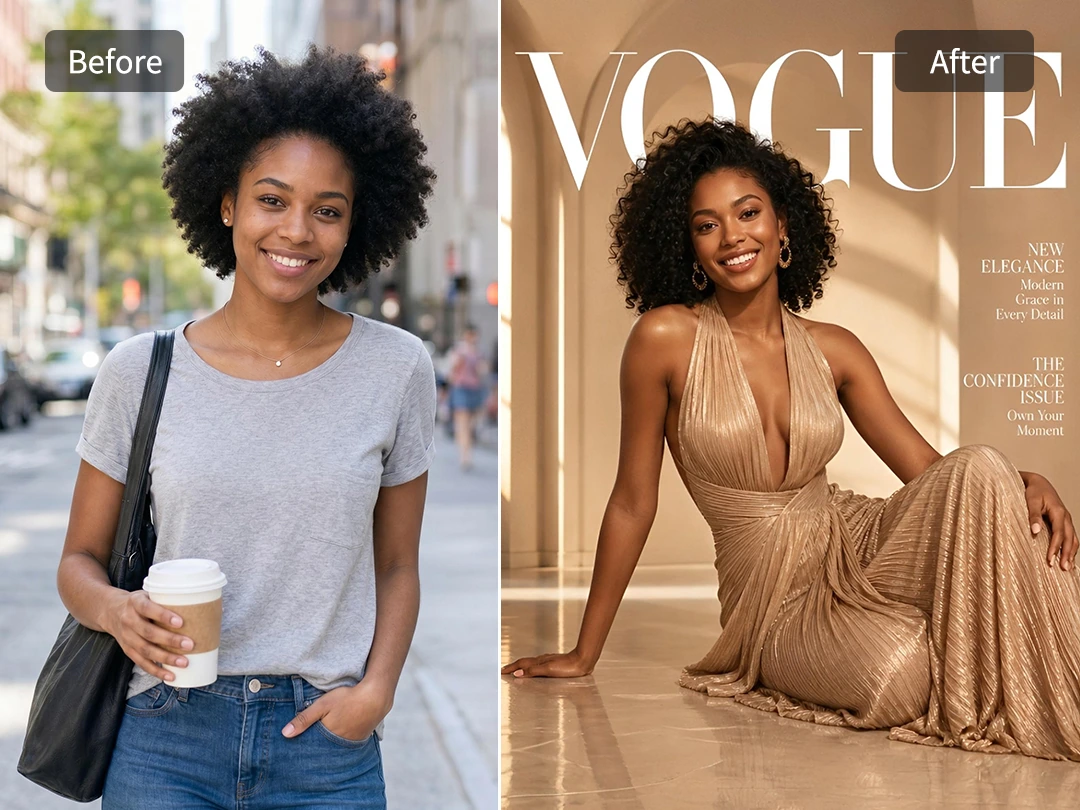
Turn Everyday Photos Into Fashion Cover Shots
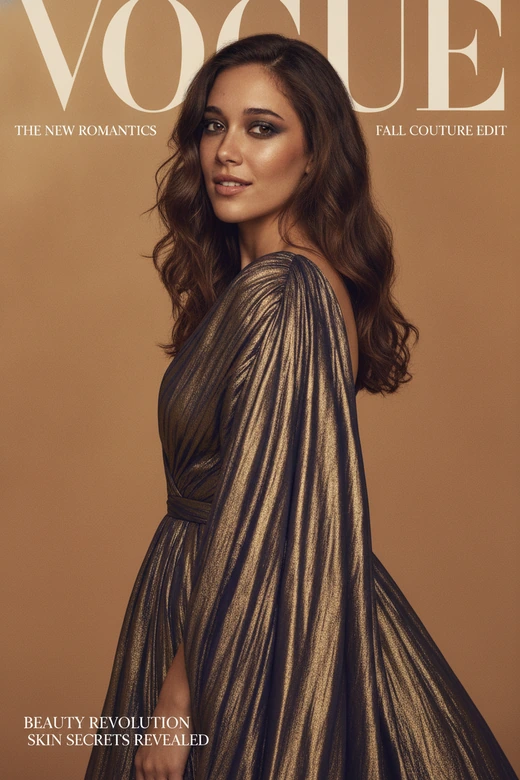
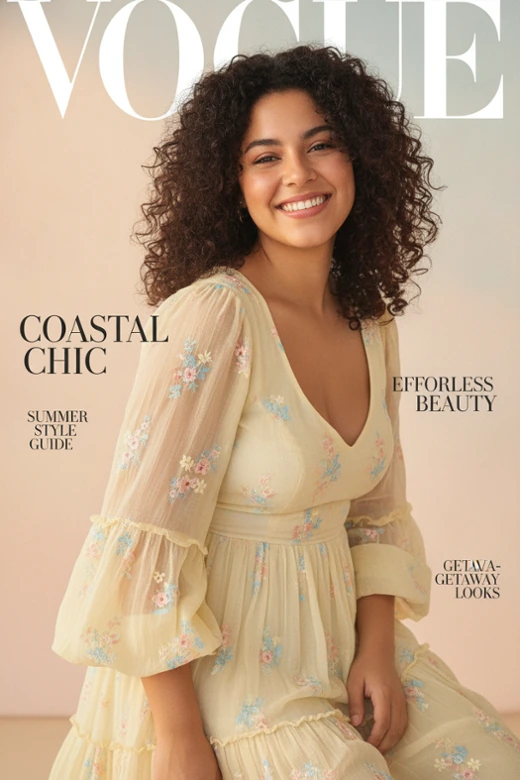
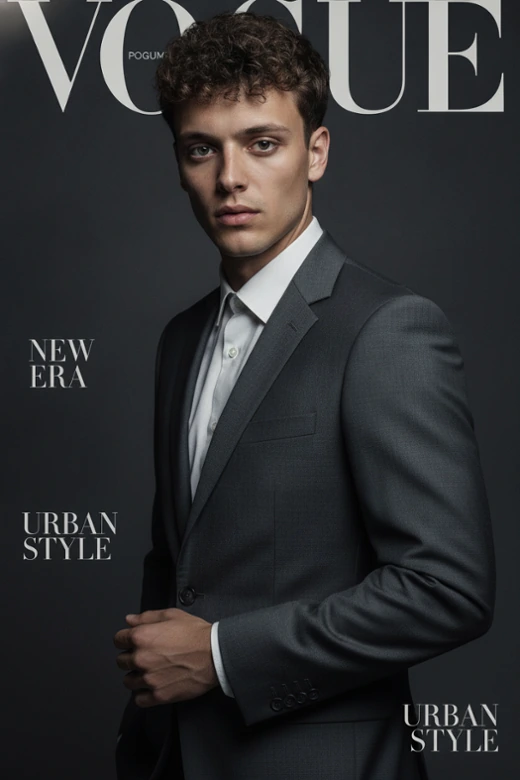
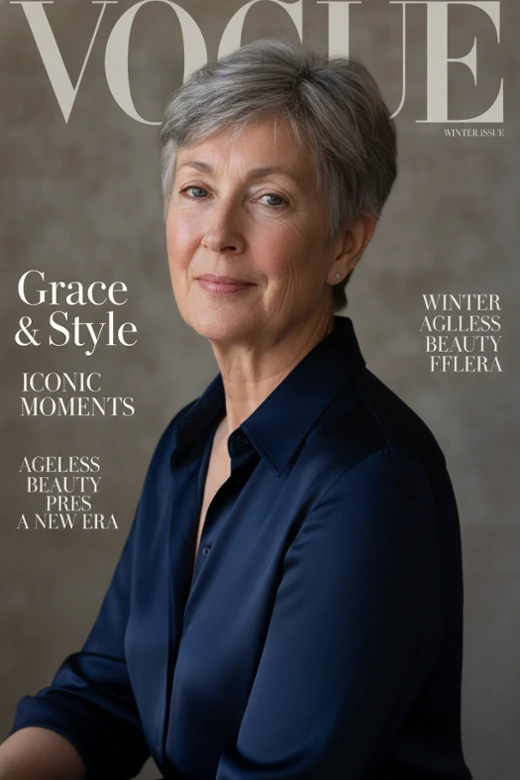
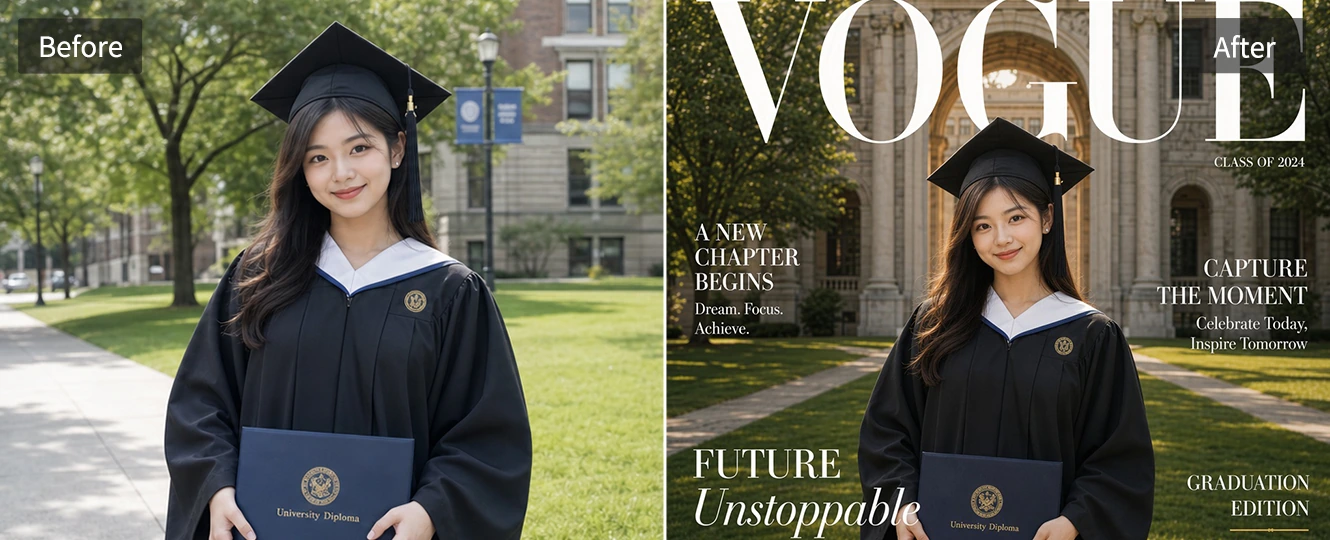
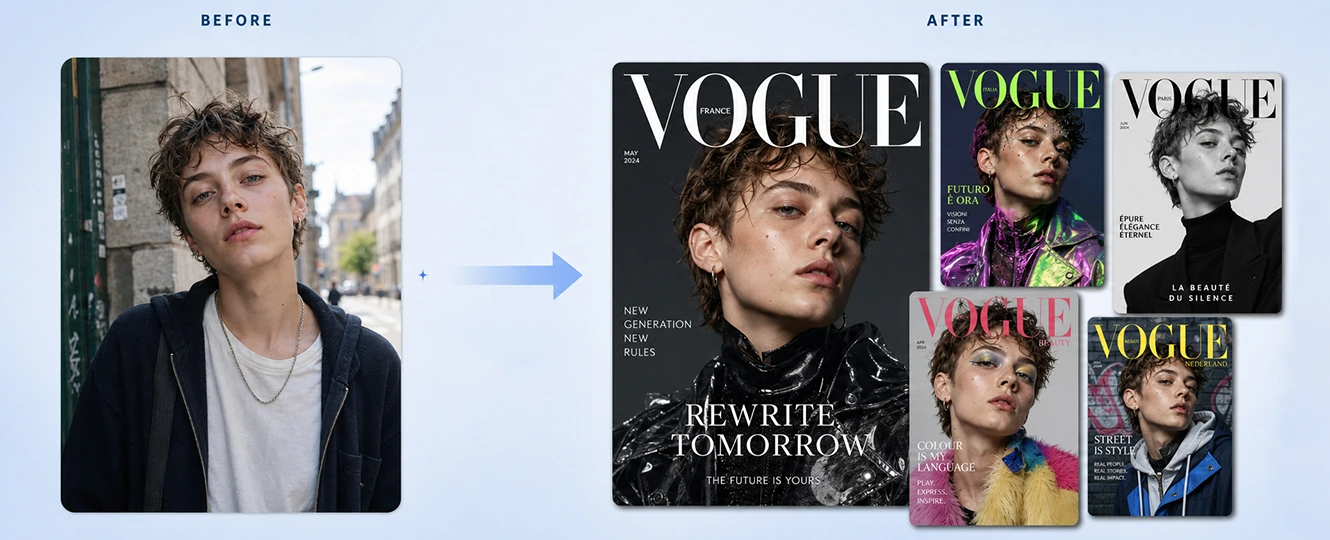
A good portrait does not always need a studio to feel editorial. Upload a casual selfie, an OOTD photo, or a picture with a messy background, and Pokecut instantly rebuilds the mood into a fashion-cover style image with studio lighting and cleaner framing.
Our smart image-to-image AI reads your portrait first, then completely reshapes the scene around you. Instead of a cheap sticker effect, it integrates your photo with a premium Vogue aesthetic, delivering a high-fashion campaign look from any ordinary shot.
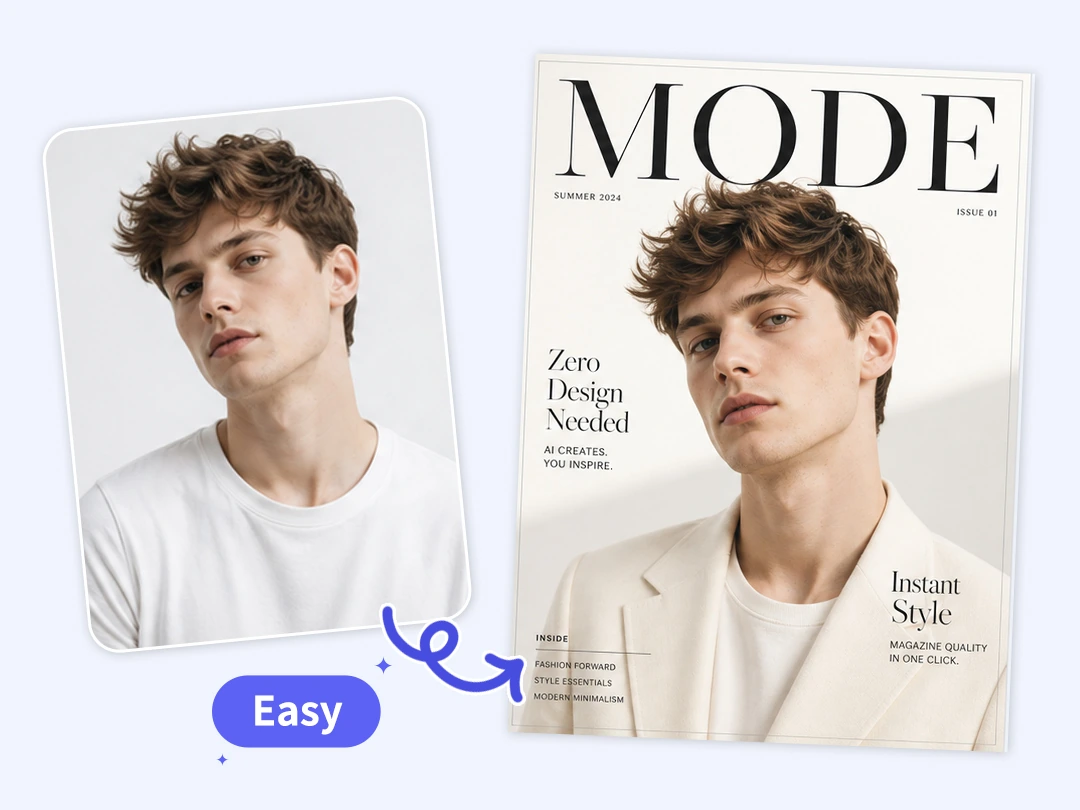
Make a Vogue Cover Without Design Skills
A premium magazine cover is not just a pretty photo. The spacing, typography, and border layout all need to work together perfectly, which is why manual designing can feel overwhelming. Pokecut acts as an instant vogue cover generator, packaging your portrait into a clean fashion layout so you never have to study complex fonts or alignment grids.
You can instantly upgrade any shot into a professional-grade editorial statement. By activating the built-in ai filter, the tool automatically builds a balanced, high-fashion magazine structure around your photo. It allows anyone to experience the creative joy of publication-level design, converting your individual style into a polished aesthetic cover.
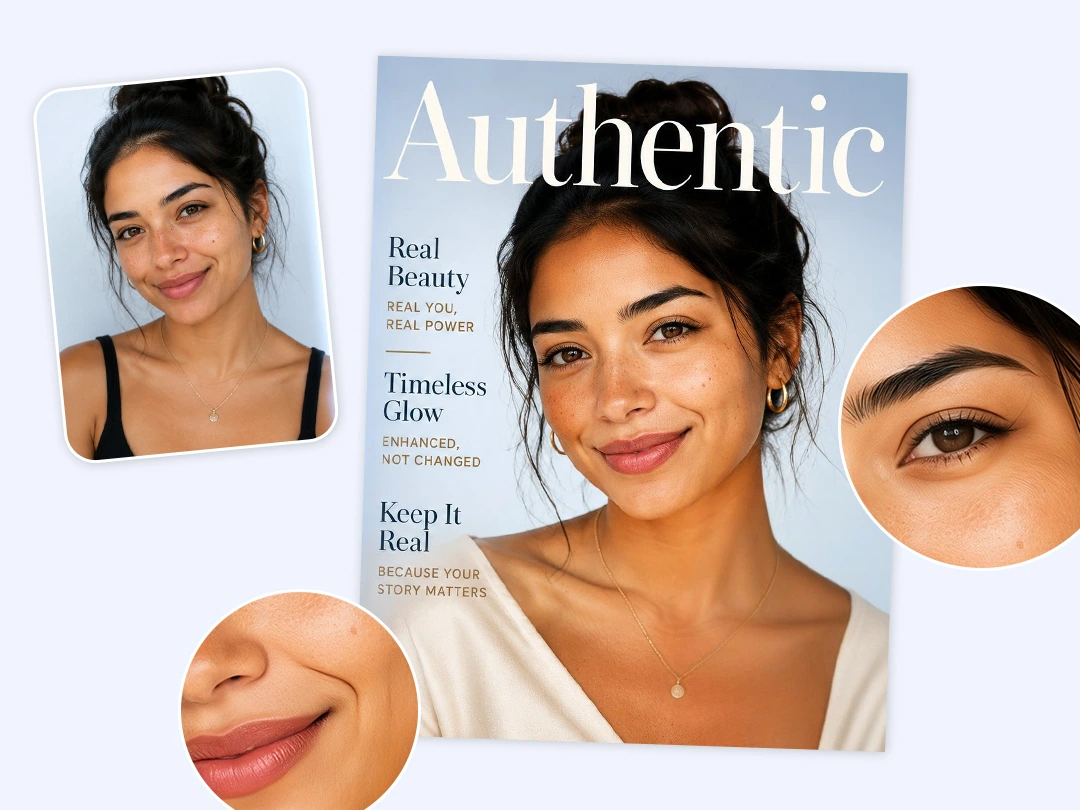
Keep Your Real Face While Raising the Style
The best fashion edit still needs to look like you. Pokecut avoids pushing every portrait into the same over-edited face, ensuring your natural features, expression, and unique details remain intact. Instead of generating a stranger, the tool only enhances the color grading and background around you, perfectly combining genuine realism with high-fashion sophistication.
This focus on authenticity allows you to keep your familiar smile or facial definition while stepping into the spotlight. If you want to subtly explore new aesthetics first, you can try makeup styles to refine your portrait. The final Vogue cover will feel completely designed, but still undeniably and beautifully yours.
Perfect Styles for Any Occasion
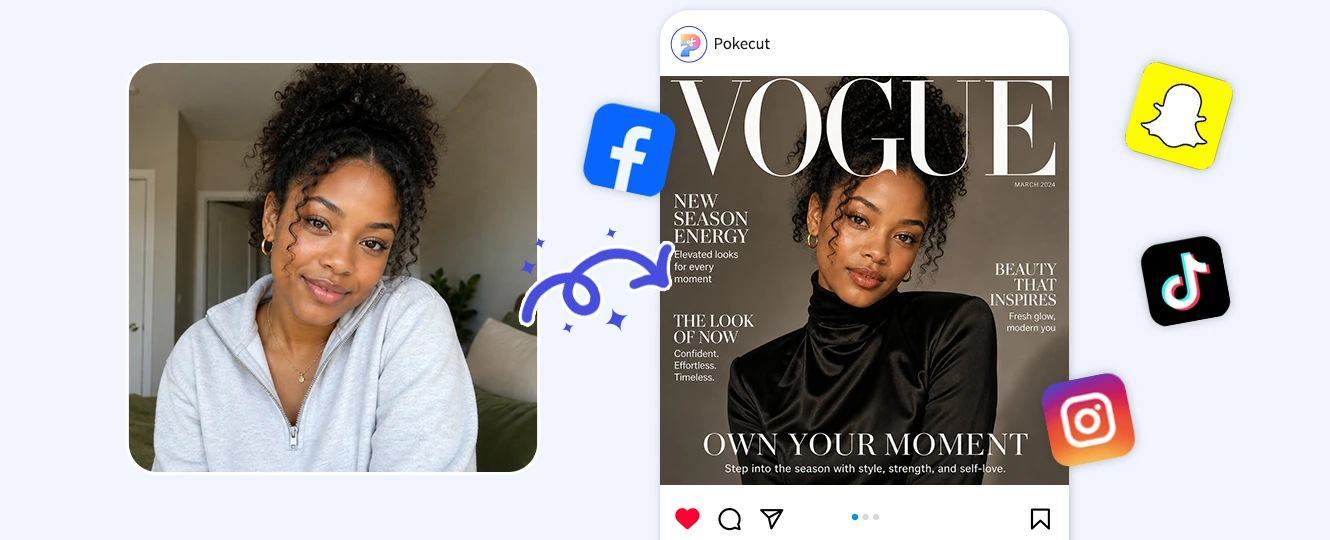
How to Use Pokecut's Vogue Filter
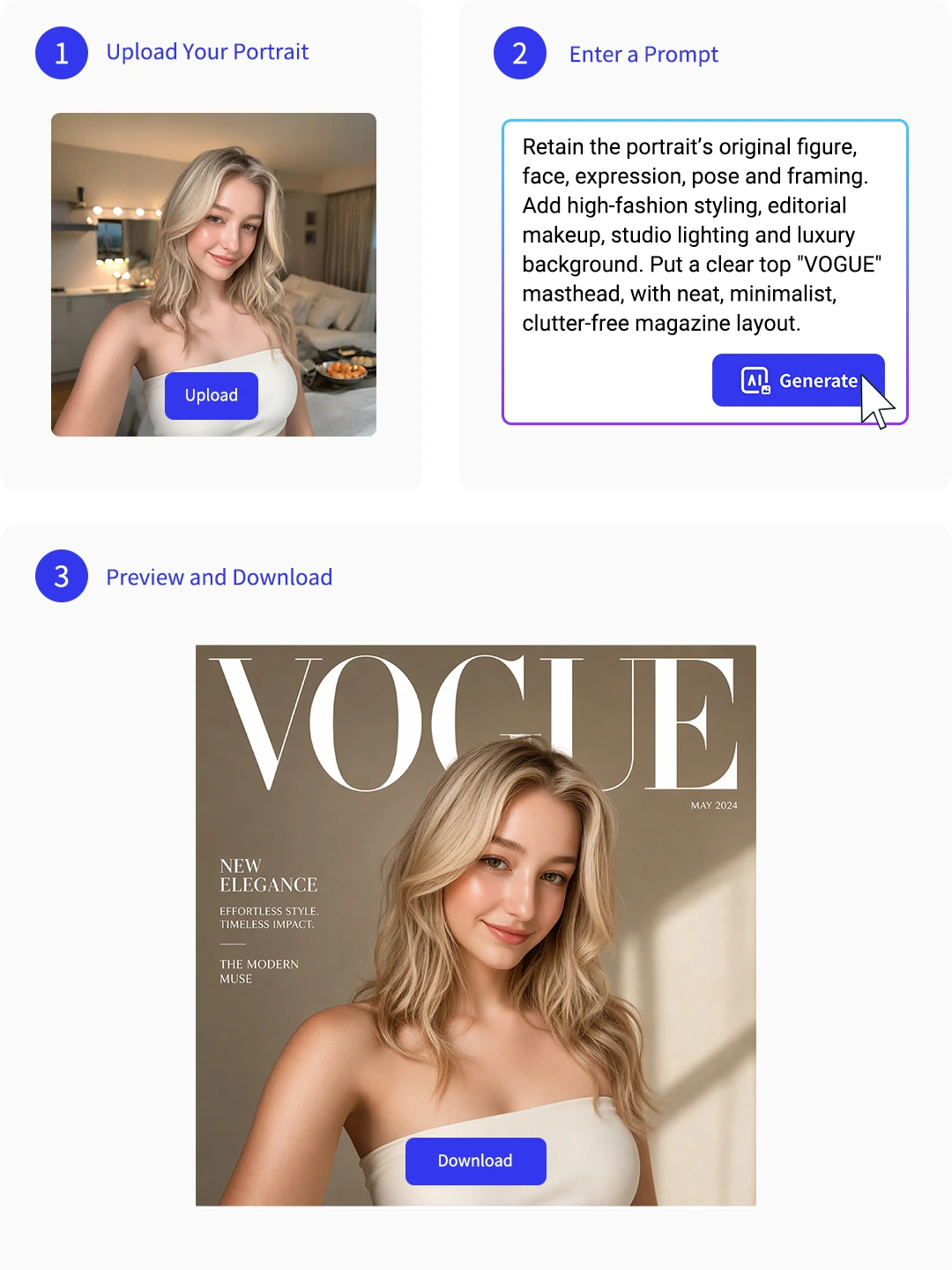
Step 1: Upload Your Portrait
Choose a clear selfie, outfit photo, or milestone portrait. Good face detail helps Pokecut keep the result personal.
Step 2: Pick the Cover Mood
Describe the magazine style, lighting, color, or layout you want. Keep the prompt focused for a cleaner cover image.
Step 3: Preview and Save
Check the face, text placement, crop, and background. Regenerate if needed, then download the cover-style photo.

Explore More Features of Pokecut's Vogue Filter
What Do Users Say About Pokecut's Vogue Filter?
Users like Pokecut for making everyday portraits feel ready for social posts and keepsakes.


Clara M.

"I used a normal street photo and turned it into a cover-style profile picture. It looked polished but still felt like me."
Nate R.
"The layout was the part I needed most. I did not want to fight with fonts, and the cover framing made my graduation photo feel special."
Mina P.
"My first result was too dark, but changing the prompt fixed it. The final cover image was perfect for my birthday post."
Owen L.
"I tried it on a makeup look and used the result in my small portfolio. It gave the photo a cleaner editorial feel."
Sofia K.
"The filter did not turn my face into someone else, which was a relief. It improved the mood without losing my expression."
Ben T.
"Good for quick social posts. I checked the text placement once, regenerated, and the second version was much cleaner."
Clara M.
"I used a normal street photo and turned it into a cover-style profile picture. It looked polished but still felt like me."
Nate R.
"The layout was the part I needed most. I did not want to fight with fonts, and the cover framing made my graduation photo feel special."
Mina P.
"My first result was too dark, but changing the prompt fixed it. The final cover image was perfect for my birthday post."
Owen L.
"I tried it on a makeup look and used the result in my small portfolio. It gave the photo a cleaner editorial feel."
Sofia K.
"The filter did not turn my face into someone else, which was a relief. It improved the mood without losing my expression."
Ben T.
"Good for quick social posts. I checked the text placement once, regenerated, and the second version was much cleaner."
Clara M.
"I used a normal street photo and turned it into a cover-style profile picture. It looked polished but still felt like me."
Nate R.
"The layout was the part I needed most. I did not want to fight with fonts, and the cover framing made my graduation photo feel special."
Mina P.
"My first result was too dark, but changing the prompt fixed it. The final cover image was perfect for my birthday post."
Owen L.
"I tried it on a makeup look and used the result in my small portfolio. It gave the photo a cleaner editorial feel."
Sofia K.
"The filter did not turn my face into someone else, which was a relief. It improved the mood without losing my expression."
Ben T.
"Good for quick social posts. I checked the text placement once, regenerated, and the second version was much cleaner."
Clara M.
"I used a normal street photo and turned it into a cover-style profile picture. It looked polished but still felt like me."
Nate R.
"The layout was the part I needed most. I did not want to fight with fonts, and the cover framing made my graduation photo feel special."
Mina P.
"My first result was too dark, but changing the prompt fixed it. The final cover image was perfect for my birthday post."
Owen L.
"I tried it on a makeup look and used the result in my small portfolio. It gave the photo a cleaner editorial feel."
Sofia K.
"The filter did not turn my face into someone else, which was a relief. It improved the mood without losing my expression."
Ben T.
"Good for quick social posts. I checked the text placement once, regenerated, and the second version was much cleaner."
Clara M.
"I used a normal street photo and turned it into a cover-style profile picture. It looked polished but still felt like me."
Nate R.
"The layout was the part I needed most. I did not want to fight with fonts, and the cover framing made my graduation photo feel special."
Mina P.
"My first result was too dark, but changing the prompt fixed it. The final cover image was perfect for my birthday post."
Owen L.
"I tried it on a makeup look and used the result in my small portfolio. It gave the photo a cleaner editorial feel."
Sofia K.
"The filter did not turn my face into someone else, which was a relief. It improved the mood without losing my expression."
Ben T.
"Good for quick social posts. I checked the text placement once, regenerated, and the second version was much cleaner."
Owen L.
"I tried it on a makeup look and used the result in my small portfolio. It gave the photo a cleaner editorial feel."
Sofia K.
"The filter did not turn my face into someone else, which was a relief. It improved the mood without losing my expression."
Ben T.
"Good for quick social posts. I checked the text placement once, regenerated, and the second version was much cleaner."
Clara M.
"I used a normal street photo and turned it into a cover-style profile picture. It looked polished but still felt like me."
Nate R.
"The layout was the part I needed most. I did not want to fight with fonts, and the cover framing made my graduation photo feel special."
Mina P.
"My first result was too dark, but changing the prompt fixed it. The final cover image was perfect for my birthday post."
Owen L.
"I tried it on a makeup look and used the result in my small portfolio. It gave the photo a cleaner editorial feel."
Sofia K.
"The filter did not turn my face into someone else, which was a relief. It improved the mood without losing my expression."
Ben T.
"Good for quick social posts. I checked the text placement once, regenerated, and the second version was much cleaner."
Clara M.
"I used a normal street photo and turned it into a cover-style profile picture. It looked polished but still felt like me."
Nate R.
"The layout was the part I needed most. I did not want to fight with fonts, and the cover framing made my graduation photo feel special."
Mina P.
"My first result was too dark, but changing the prompt fixed it. The final cover image was perfect for my birthday post."
Owen L.
"I tried it on a makeup look and used the result in my small portfolio. It gave the photo a cleaner editorial feel."
Sofia K.
"The filter did not turn my face into someone else, which was a relief. It improved the mood without losing my expression."
Ben T.
"Good for quick social posts. I checked the text placement once, regenerated, and the second version was much cleaner."
Clara M.
"I used a normal street photo and turned it into a cover-style profile picture. It looked polished but still felt like me."
Nate R.
"The layout was the part I needed most. I did not want to fight with fonts, and the cover framing made my graduation photo feel special."
Mina P.
"My first result was too dark, but changing the prompt fixed it. The final cover image was perfect for my birthday post."
Owen L.
"I tried it on a makeup look and used the result in my small portfolio. It gave the photo a cleaner editorial feel."
Sofia K.
"The filter did not turn my face into someone else, which was a relief. It improved the mood without losing my expression."
Ben T.
"Good for quick social posts. I checked the text placement once, regenerated, and the second version was much cleaner."
Clara M.
"I used a normal street photo and turned it into a cover-style profile picture. It looked polished but still felt like me."
Nate R.
"The layout was the part I needed most. I did not want to fight with fonts, and the cover framing made my graduation photo feel special."
Mina P.
"My first result was too dark, but changing the prompt fixed it. The final cover image was perfect for my birthday post."
Owen L.
"I tried it on a makeup look and used the result in my small portfolio. It gave the photo a cleaner editorial feel."
Sofia K.
"The filter did not turn my face into someone else, which was a relief. It improved the mood without losing my expression."
Ben T.
"Good for quick social posts. I checked the text placement once, regenerated, and the second version was much cleaner."
Clara M.
"I used a normal street photo and turned it into a cover-style profile picture. It looked polished but still felt like me."
Nate R.
"The layout was the part I needed most. I did not want to fight with fonts, and the cover framing made my graduation photo feel special."
Mina P.
"My first result was too dark, but changing the prompt fixed it. The final cover image was perfect for my birthday post."
Reviews from: Reddit, Product Hunt, G2, TrustRadius, Google Play, App Store, and more.
Pokecut Trusted by Millions of Leaders and Users

1M+ Users Worldwide
Pokecut generates over 500,000 images every day

#2 on Product Hunt
Pokecut launched and won #2 product of the day

Professional Privacy Protection
Ensure 100% data privacy for every photo

Trusted by Well-known Brands
Apple、Google、Paypal、Stripe、Product hunt、G2、TrustRadius
FAQs About Pokecut's Vogue Filter
What kind of photo works best for a Vogue AI filter?
Use a sharp portrait with visible face, enough lighting, and space around the head and shoulders for cover composition.
Does it work for full-body photos?
Yes. The AI detects your entire outfit and body silhouette, automatically scaling the magazine typography to fit both close-ups and full-body OOTD shots perfectly.
What file formats can I upload?
We support all standard image formats, including JPEG, PNG, JPG, BMP and WEBP. Simply upload your photo in any of these extensions to start.
Will the vogue filter replace my original background?
No, it keeps your original background but optimizes its lighting. If you want a brand-new backdrop, you can use our background remover tool first.
Is there a generation limit?
Every users get 20 credits for free images. For more downloads and processing, you can upgrade to our premium plan.







