





Create Stunning Videos with YouTube Thumbnail Resizer for Perfectly Sized Images
Easily resize image for YouTube and use our youtube thumbnail converter and thumbnail resizer tools. Convert and optimize your visuals for social media and YouTube in seconds, making your content stand out.







By uploading an image or URL you agree to our Terms of Use and Privacy Policy
How to Use YouTube Thumbnail Resizer and Converter
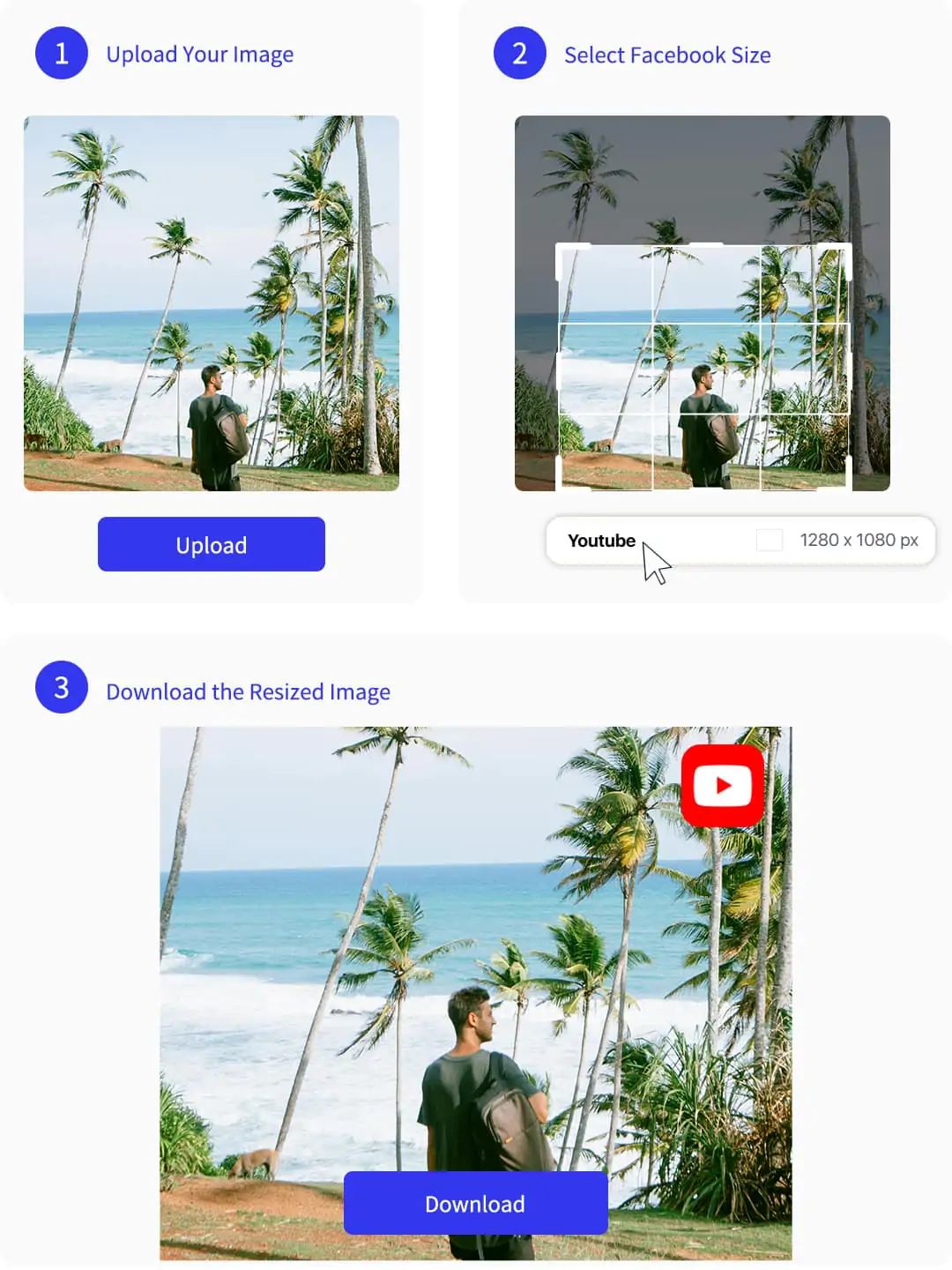
step1: Upload Your Image
Select and upload your original image from your device. Use our youtube thumbnail resizer to begin editing. Instantly preview your image before resizing.
step2: Select YouTube Thumbnail Size
Go to the editor and choose the YouTube thumbnail size preset. Adjust your image to fit perfectly. Instantly see the correct youtube thumbnail dimensions.
step3: Download the Resized Thumbnail
Download your resized image in PNG or JPG format. Instantly upload your YouTube thumbnail to social media or your channel. Ready for sharing.

Effortless Thumbnail Resizer for Instant YouTube Conversion
With our advanced thumbnail resizer, you can resize image for youtube in just a few clicks. Pokecut makes it simple to adjust your visuals to the perfect youtube thumbnail dimensions, ensuring your videos look professional and stand out instantly.
Our platform also supports creative editing features for those who want more than just resizing. For example, you can further enhance your visuals with tools like AI-powered image extension to expand your creative possibilities. Enjoy seamless and fast resizing, and get your content ready for upload within seconds.
Elevate Your Channel with a Powerful Thumbnail Resizer
Creating an eye-catching video cover is easy with our youtube thumbnail converter. You can use resize picture for youtube and customize every detail to match your channel's style. Our tools help you instantly improve your video's first impression and boost click-through rates.
Get creative with our advanced features and templates. Try the YouTube thumbnail maker for a seamless design experience, ensuring your thumbnail resize fits perfectly and stands out among the competition. Start designing like a pro with Pokecut.

Resize YouTube Thumbnail and Upload with One Click
After you resize youtube thumbnail and perfect your design, you can quickly upload your new visual directly to your channel. Pokecut ensures your images meet the best size for youtube thumbnail, so your content always looks professional.
Enhance your thumbnails further with advanced editing tools, such as using AI background removal to create a clean, eye-catching look. Save time and streamline your workflow by turning your creative ideas into ready-to-publish thumbnails for YouTube.

Thumbnail Resizer for Social Media and YouTube
Pokecut offers resize picture for youtube and helps you adapt images for various platforms. With youtube thumbnail converter, you can switch between different social media sizes quickly. Stay consistent across all your channels and make every post look professional.
Expand your creativity using our Instagram image resizer for perfect Instagram posts, and add engaging elements with the speech bubble generator. Enjoy flexible resizing and creative tools to meet every platform's unique requirements.
Powerful YouTube Thumbnail Resizer and Converter for Perfect Video Covers

Instant Thumbnail Resizing Tools
Experience fast and efficient youtube thumbnail resizer features that let you resize image for youtube with just a few clicks. Our thumbnail resizer supports automatic adjustment for optimal quality. Edit your visuals and use youtube thumbnail converter for seamless resizing. Enjoy the convenience of instant updates and previews before saving your final design.

Perfect Dimensions for Every Platform
Achieve the best size for youtube thumbnail and custom youtube thumbnail size for all your videos. Easily switch between platforms and match youtube thumbnail dimensions to social media standards. Optimize every thumbnail for maximum engagement and ensure your content is always ready for sharing or promotion.

Easy Conversion and Upload
Convert and resize youtube thumbnail quickly with Pokecut. Use youtube thumbnail convert and thumbnail resize features to prepare images for upload in seconds. Enjoy a streamlined process that makes it simple to edit, convert, and publish your video covers directly to YouTube or other platforms. Boost your workflow and save valuable time.
Frequently Asked Questions
Can I use Pokecut to change image size for YouTube thumbnails and share them on different social media platforms?
Yes, Pokecut lets you easily change image size for YouTube thumbnails. Simply upload your picture, select the YouTube thumbnail dimensions, and download your resized image. You can instantly share it on social media platforms.
Does Pokecut offer a free youtube thumbnail resizer for converting images to the correct size?
Yes, Pokecut provides a free youtube thumbnail resizer. You can convert any image to the best size for youtube thumbnail. No registration is required. Enjoy easy resizing for your content.
What file formats can I download after using Pokecut's youtube thumbnail size converter?
After resizing your image with the youtube thumbnail size converter, you can download your thumbnail in both PNG and JPG formats. Choose the best option for your project needs.
How can I ensure my resized image meets the custom youtube thumbnail size requirements on Pokecut?
Pokecut provides custom youtube thumbnail size options. Choose the preset or enter your dimensions. Instantly preview the result. Your image will always match platform standards.





