





Free Online CV Photo Editor for Professional Resume Headshots
Use Pokecut's resume picture editor to turn a clear selfie into a polished, recognizable headshot for your CV, LinkedIn profile, or company bio.
📸 Professional CV Photos from Selfies 📐 Flexible Sizes and Crops 🏢 Background and Formal Wear Changes ✨ Natural Face and Hair Retouching




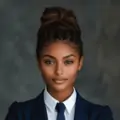
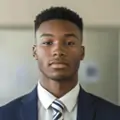
By uploading an image or URL you agree to our Terms of Use and Privacy Policy
Why Choose Pokecut’s All-in-One CV Photo Editor?

Resize and Crop for Every Application
Set the photo ratio, pixel dimensions, and physical size from the same workspace. Pokecut's flexible crop and resize controls help the head and shoulders fit cleanly inside a CV template instead of looking squeezed, off-center, or too small.
Choose a preset when a recruitment portal gives clear dimensions, or enter a custom size for your own layout. The online image resizer gives you more control when you need square, vertical, and print-ready versions from one portrait without taking the photo again for each destination.

Replace Distracting Backgrounds
Replace a bedroom, street, or café with a clean white, gray, blue, or softly blurred office setting. Pokecut's CV photo background editor separates the person while keeping hair and shoulder edges clear, so the portrait looks intentional instead of pasted onto a new scene.
Use a neutral background when a resume template or hiring portal needs a cleaner visual style. Preview the edge detail, background brightness, and subject lighting before export to make sure the new setting blends naturally with the original selfie.

Add Role-Appropriate Formal Wear
Turn a casual T-shirt or hoodie into a blazer, suit, or business shirt without arranging another photo session. Pokecut's formal wear editor changes the clothing while keeping your face, expression, pose, and body proportions recognizable.
Use the formal attire editor to compare looks that fit your role and industry. Check the neckline, lapels, shoulders, and lighting before choosing the final version, especially when the original selfie was taken from an angle.

Refine Your Face and Hair Naturally
Clean up temporary distractions such as blemishes, under-eye shadows, uneven light, or stray hair without turning the portrait into a different person. Pokecut's separate Face and Hair controls let you apply only the edits the photo needs instead of placing one heavy filter over everything.
Use a clear, recent portrait and preview each effect before you continue. The AI hair editor can tidy flyaways or adjust hairstyle details, while face editor can improve small areas that make an otherwise suitable headshot look tired or unfinished.

Use Templates for CVs and More Documents
Create a CV photo first, then reuse the same portrait for other document workflows when needed. Pokecut's country, region, and document templates provide practical size and crop references for passport, visa, and other official ID formats.
Open the online ID photo maker when an official application requires a dedicated template. It keeps CV styling separate from biometric formatting while letting you continue from one portrait. Review the preview and follow the employer or issuing authority's latest instructions before submission.
When Should You Use Pokecut’s CV Photo Editor?

Prepare a Photo for Your CV
Turn a clear selfie into a polished resume photo when a studio visit is not practical. Adjust the outfit, background, crop, face, and hair, then check local hiring practices before adding the image to your CV.

Refresh Your LinkedIn Profile
Replace an outdated profile picture with a current, approachable headshot. Create a square crop with balanced lighting and a clean background while keeping a separate vertical version for your resume.

Build a Consistent Professional Image
Use one recognizable portrait across a company bio, portfolio, email signature, and professional network. Exporting several sizes keeps your image consistent without editing the same photo from the beginning each time.
How to Make a Professional CV Photo Online for Free
Step 1: Upload Your Casual Photo
Upload a clear, front-facing photo taken in everyday clothes and a normal home, street, or office setting.
Step 2: Add Formal Wear and a CV Background
Replace casual clothing with a professional outfit, then change the daily background to a clean, CV-ready background.
Step 3: Retouch Your Face Naturally
Refine blemishes, under-eye shadows, uneven lighting, and other small details while keeping your natural facial features.
Step 4: Preview and Download
Check the outfit, background, facial details, and crop. Once everything looks natural and professional, download your finished CV photo.

How Does Pokecut Compare With Other CV Photo Editors?
Compare the editing scope and free-use entry point of each reviewed CV photo tool. Pokecut is designed for users who want sizing, styling, portrait refinement, and document templates in one workspace.
What Is the Difference Between CV, LinkedIn, and Passport Photos?
Choose the right crop, background, and level of editing for each use. CV and LinkedIn photos support professional presentation, while passport photos must follow official identity rules.
What Do Job Seekers Say About Editing CV Photos With Pokecut?
People use Pokecut for internship applications, LinkedIn updates, and professional bios. Their reviews focus on flexible sizing, natural portrait editing, and avoiding another photoshoot.


Maya L.

"I had a clear selfie for an internship application, but I was wearing a hoodie. The formal outfit option gave me a cleaner look while the final photo still felt like me."
Daniel K.
"My old LinkedIn photo had a busy café behind me. I replaced the background, made a square crop, and saved another version for my CV without starting over."
Sofia M.
"The application portal asked for a specific image size. I entered the dimensions, adjusted the face position, and got a version that fit the form properly."
Marcus T.
"The first face preset was stronger than I wanted, but I tried a lighter option and kept the final result natural. Being able to review each change helped."
Aisha R.
"Loose hair around my face made my original photo look untidy. The hair tools cleaned up the small details without making the portrait look heavily edited."
Ethan P.
"I found a role with a same-day deadline and only had a phone selfie. I fixed the background, added a blazer, and prepared my application photo that evening."
Chloe W.
"I needed one portrait for my resume, company profile, and email signature. Exporting several crops from the same photo kept everything consistent."
Noah B.
"After finishing my professional headshot, I used a separate document template for another application. It was useful to handle both tasks in one editor."
Priya S.
"My initial blazer choice looked too formal for my industry, so I compared another style. I liked keeping the photo professional without making it stiff."
Lucas F.
"As a freelancer, I needed a current headshot for proposals and my website. The background and crop controls helped me build a cleaner, more consistent profile."
Maya L.
"I had a clear selfie for an internship application, but I was wearing a hoodie. The formal outfit option gave me a cleaner look while the final photo still felt like me."
Daniel K.
"My old LinkedIn photo had a busy café behind me. I replaced the background, made a square crop, and saved another version for my CV without starting over."
Sofia M.
"The application portal asked for a specific image size. I entered the dimensions, adjusted the face position, and got a version that fit the form properly."
Marcus T.
"The first face preset was stronger than I wanted, but I tried a lighter option and kept the final result natural. Being able to review each change helped."
Aisha R.
"Loose hair around my face made my original photo look untidy. The hair tools cleaned up the small details without making the portrait look heavily edited."
Ethan P.
"I found a role with a same-day deadline and only had a phone selfie. I fixed the background, added a blazer, and prepared my application photo that evening."
Chloe W.
"I needed one portrait for my resume, company profile, and email signature. Exporting several crops from the same photo kept everything consistent."
Noah B.
"After finishing my professional headshot, I used a separate document template for another application. It was useful to handle both tasks in one editor."
Priya S.
"My initial blazer choice looked too formal for my industry, so I compared another style. I liked keeping the photo professional without making it stiff."
Lucas F.
"As a freelancer, I needed a current headshot for proposals and my website. The background and crop controls helped me build a cleaner, more consistent profile."
Maya L.
"I had a clear selfie for an internship application, but I was wearing a hoodie. The formal outfit option gave me a cleaner look while the final photo still felt like me."
Daniel K.
"My old LinkedIn photo had a busy café behind me. I replaced the background, made a square crop, and saved another version for my CV without starting over."
Sofia M.
"The application portal asked for a specific image size. I entered the dimensions, adjusted the face position, and got a version that fit the form properly."
Marcus T.
"The first face preset was stronger than I wanted, but I tried a lighter option and kept the final result natural. Being able to review each change helped."
Aisha R.
"Loose hair around my face made my original photo look untidy. The hair tools cleaned up the small details without making the portrait look heavily edited."
Ethan P.
"I found a role with a same-day deadline and only had a phone selfie. I fixed the background, added a blazer, and prepared my application photo that evening."
Chloe W.
"I needed one portrait for my resume, company profile, and email signature. Exporting several crops from the same photo kept everything consistent."
Noah B.
"After finishing my professional headshot, I used a separate document template for another application. It was useful to handle both tasks in one editor."
Priya S.
"My initial blazer choice looked too formal for my industry, so I compared another style. I liked keeping the photo professional without making it stiff."
Lucas F.
"As a freelancer, I needed a current headshot for proposals and my website. The background and crop controls helped me build a cleaner, more consistent profile."
Maya L.
"I had a clear selfie for an internship application, but I was wearing a hoodie. The formal outfit option gave me a cleaner look while the final photo still felt like me."
Daniel K.
"My old LinkedIn photo had a busy café behind me. I replaced the background, made a square crop, and saved another version for my CV without starting over."
Sofia M.
"The application portal asked for a specific image size. I entered the dimensions, adjusted the face position, and got a version that fit the form properly."
Marcus T.
"The first face preset was stronger than I wanted, but I tried a lighter option and kept the final result natural. Being able to review each change helped."
Aisha R.
"Loose hair around my face made my original photo look untidy. The hair tools cleaned up the small details without making the portrait look heavily edited."
Ethan P.
"I found a role with a same-day deadline and only had a phone selfie. I fixed the background, added a blazer, and prepared my application photo that evening."
Chloe W.
"I needed one portrait for my resume, company profile, and email signature. Exporting several crops from the same photo kept everything consistent."
Noah B.
"After finishing my professional headshot, I used a separate document template for another application. It was useful to handle both tasks in one editor."
Priya S.
"My initial blazer choice looked too formal for my industry, so I compared another style. I liked keeping the photo professional without making it stiff."
Lucas F.
"As a freelancer, I needed a current headshot for proposals and my website. The background and crop controls helped me build a cleaner, more consistent profile."
Maya L.
"I had a clear selfie for an internship application, but I was wearing a hoodie. The formal outfit option gave me a cleaner look while the final photo still felt like me."
Daniel K.
"My old LinkedIn photo had a busy café behind me. I replaced the background, made a square crop, and saved another version for my CV without starting over."
Sofia M.
"The application portal asked for a specific image size. I entered the dimensions, adjusted the face position, and got a version that fit the form properly."
Marcus T.
"The first face preset was stronger than I wanted, but I tried a lighter option and kept the final result natural. Being able to review each change helped."
Aisha R.
"Loose hair around my face made my original photo look untidy. The hair tools cleaned up the small details without making the portrait look heavily edited."
Ethan P.
"I found a role with a same-day deadline and only had a phone selfie. I fixed the background, added a blazer, and prepared my application photo that evening."
Chloe W.
"I needed one portrait for my resume, company profile, and email signature. Exporting several crops from the same photo kept everything consistent."
Noah B.
"After finishing my professional headshot, I used a separate document template for another application. It was useful to handle both tasks in one editor."
Priya S.
"My initial blazer choice looked too formal for my industry, so I compared another style. I liked keeping the photo professional without making it stiff."
Lucas F.
"As a freelancer, I needed a current headshot for proposals and my website. The background and crop controls helped me build a cleaner, more consistent profile."
Marcus T.
"The first face preset was stronger than I wanted, but I tried a lighter option and kept the final result natural. Being able to review each change helped."
Aisha R.
"Loose hair around my face made my original photo look untidy. The hair tools cleaned up the small details without making the portrait look heavily edited."
Ethan P.
"I found a role with a same-day deadline and only had a phone selfie. I fixed the background, added a blazer, and prepared my application photo that evening."
Chloe W.
"I needed one portrait for my resume, company profile, and email signature. Exporting several crops from the same photo kept everything consistent."
Noah B.
"After finishing my professional headshot, I used a separate document template for another application. It was useful to handle both tasks in one editor."
Priya S.
"My initial blazer choice looked too formal for my industry, so I compared another style. I liked keeping the photo professional without making it stiff."
Lucas F.
"As a freelancer, I needed a current headshot for proposals and my website. The background and crop controls helped me build a cleaner, more consistent profile."
Maya L.
"I had a clear selfie for an internship application, but I was wearing a hoodie. The formal outfit option gave me a cleaner look while the final photo still felt like me."
Daniel K.
"My old LinkedIn photo had a busy café behind me. I replaced the background, made a square crop, and saved another version for my CV without starting over."
Sofia M.
"The application portal asked for a specific image size. I entered the dimensions, adjusted the face position, and got a version that fit the form properly."
Marcus T.
"The first face preset was stronger than I wanted, but I tried a lighter option and kept the final result natural. Being able to review each change helped."
Aisha R.
"Loose hair around my face made my original photo look untidy. The hair tools cleaned up the small details without making the portrait look heavily edited."
Ethan P.
"I found a role with a same-day deadline and only had a phone selfie. I fixed the background, added a blazer, and prepared my application photo that evening."
Chloe W.
"I needed one portrait for my resume, company profile, and email signature. Exporting several crops from the same photo kept everything consistent."
Noah B.
"After finishing my professional headshot, I used a separate document template for another application. It was useful to handle both tasks in one editor."
Priya S.
"My initial blazer choice looked too formal for my industry, so I compared another style. I liked keeping the photo professional without making it stiff."
Lucas F.
"As a freelancer, I needed a current headshot for proposals and my website. The background and crop controls helped me build a cleaner, more consistent profile."
Maya L.
"I had a clear selfie for an internship application, but I was wearing a hoodie. The formal outfit option gave me a cleaner look while the final photo still felt like me."
Daniel K.
"My old LinkedIn photo had a busy café behind me. I replaced the background, made a square crop, and saved another version for my CV without starting over."
Sofia M.
"The application portal asked for a specific image size. I entered the dimensions, adjusted the face position, and got a version that fit the form properly."
Marcus T.
"The first face preset was stronger than I wanted, but I tried a lighter option and kept the final result natural. Being able to review each change helped."
Aisha R.
"Loose hair around my face made my original photo look untidy. The hair tools cleaned up the small details without making the portrait look heavily edited."
Ethan P.
"I found a role with a same-day deadline and only had a phone selfie. I fixed the background, added a blazer, and prepared my application photo that evening."
Chloe W.
"I needed one portrait for my resume, company profile, and email signature. Exporting several crops from the same photo kept everything consistent."
Noah B.
"After finishing my professional headshot, I used a separate document template for another application. It was useful to handle both tasks in one editor."
Priya S.
"My initial blazer choice looked too formal for my industry, so I compared another style. I liked keeping the photo professional without making it stiff."
Lucas F.
"As a freelancer, I needed a current headshot for proposals and my website. The background and crop controls helped me build a cleaner, more consistent profile."
Maya L.
"I had a clear selfie for an internship application, but I was wearing a hoodie. The formal outfit option gave me a cleaner look while the final photo still felt like me."
Daniel K.
"My old LinkedIn photo had a busy café behind me. I replaced the background, made a square crop, and saved another version for my CV without starting over."
Sofia M.
"The application portal asked for a specific image size. I entered the dimensions, adjusted the face position, and got a version that fit the form properly."
Marcus T.
"The first face preset was stronger than I wanted, but I tried a lighter option and kept the final result natural. Being able to review each change helped."
Aisha R.
"Loose hair around my face made my original photo look untidy. The hair tools cleaned up the small details without making the portrait look heavily edited."
Ethan P.
"I found a role with a same-day deadline and only had a phone selfie. I fixed the background, added a blazer, and prepared my application photo that evening."
Chloe W.
"I needed one portrait for my resume, company profile, and email signature. Exporting several crops from the same photo kept everything consistent."
Noah B.
"After finishing my professional headshot, I used a separate document template for another application. It was useful to handle both tasks in one editor."
Priya S.
"My initial blazer choice looked too formal for my industry, so I compared another style. I liked keeping the photo professional without making it stiff."
Lucas F.
"As a freelancer, I needed a current headshot for proposals and my website. The background and crop controls helped me build a cleaner, more consistent profile."
Maya L.
"I had a clear selfie for an internship application, but I was wearing a hoodie. The formal outfit option gave me a cleaner look while the final photo still felt like me."
Daniel K.
"My old LinkedIn photo had a busy café behind me. I replaced the background, made a square crop, and saved another version for my CV without starting over."
Sofia M.
"The application portal asked for a specific image size. I entered the dimensions, adjusted the face position, and got a version that fit the form properly."
Marcus T.
"The first face preset was stronger than I wanted, but I tried a lighter option and kept the final result natural. Being able to review each change helped."
Aisha R.
"Loose hair around my face made my original photo look untidy. The hair tools cleaned up the small details without making the portrait look heavily edited."
Ethan P.
"I found a role with a same-day deadline and only had a phone selfie. I fixed the background, added a blazer, and prepared my application photo that evening."
Chloe W.
"I needed one portrait for my resume, company profile, and email signature. Exporting several crops from the same photo kept everything consistent."
Noah B.
"After finishing my professional headshot, I used a separate document template for another application. It was useful to handle both tasks in one editor."
Priya S.
"My initial blazer choice looked too formal for my industry, so I compared another style. I liked keeping the photo professional without making it stiff."
Lucas F.
"As a freelancer, I needed a current headshot for proposals and my website. The background and crop controls helped me build a cleaner, more consistent profile."
Maya L.
"I had a clear selfie for an internship application, but I was wearing a hoodie. The formal outfit option gave me a cleaner look while the final photo still felt like me."
Daniel K.
"My old LinkedIn photo had a busy café behind me. I replaced the background, made a square crop, and saved another version for my CV without starting over."
Sofia M.
"The application portal asked for a specific image size. I entered the dimensions, adjusted the face position, and got a version that fit the form properly."
Reviews from: Reddit, Product Hunt, G2, TrustRadius, Google Play, App Store, and more.
Why Creators and Brands Trust Pokecut

1M+ Users Worldwide
Pokecut generates over 500,000 images every day

#2 on Product Hunt
Pokecut was voted #2 Product of the Day on launch

Professional Privacy Protection
Ensure 100% data privacy for every photo

Trusted by Well-Known Brands
Apple, Google, PayPal, Stripe, Product Hunt, G2, TrustRadius
FAQs About Pokecut’s CV Photo Editor
What can I edit with Pokecut’s CV photo editor?
You can resize and crop a portrait, replace its background, add formal clothing, and refine face or hair details. This photo editor for CV use also provides document templates when you need a different output format.
Can I create a professional CV photo from a selfie?
A clear selfie can work well when your face is visible and the lighting is reasonably even. Pokecut turns it into a polished headshot by improving the crop, setting, clothing, and temporary portrait distractions.
Is Pokecut’s CV photo editor free to use online?
You can start using Pokecut’s CV photo editor online for free. Some AI tasks, advanced options, or repeated use may require sign-in or credits, so review the current on-screen terms before finishing your edit.
Can I change both the background and formal outfit?
Pokecut lets you replace a distracting background and try a blazer, suit, shirt, or another professional outfit in the same workspace. Review the neckline, shoulders, lighting, and edges before saving.
How can I edit my face and hair naturally?
Apply only the Face or Hair preset needed for the photo, then preview the result before continuing. This AI photo editor for resume portraits can tidy blemishes, under-eye shadows, flyaways, or hairstyle details.
What size should I choose for a CV photo?
There is no single global CV photo size. Follow the instructions in your resume template or application portal, then choose a preset or custom dimensions instead of treating passport sizes as universal resume standards.
Is a CV photo the same as a passport photo?
No. A CV photo supports professional presentation and may allow light styling, while a passport photo is used for identity verification. Follow official rules and avoid appearance-changing edits for government documents.






