





AI Attractiveness Test: Free Face Rater Online
"How attractive am I?" Upload a selfie for an instant AI score. Get a detailed report on your facial structure, skin, and vibe to capture your best look.
✨ Instant AI Rating 📐 Shape & Symmetry 💡 Smart Photo Tips

Detector Dimension:
or drop a file here
CTRL+V to paste image or URL
Supported formats: JPEG, JPG, PNG, WebP, BMP
Private by default. Your image will not be used for training or long-term storage.
Why Choose Pokecut's AI Attractiveness Test

Free to Try Online
Upload one clear selfie and get a face rating free without complex setup. Pokecut keeps the flow simple for quick avatar checks or a casual rate my face test.
Multi-Dimensional Rating
A single score is not enough. Pokecut looks at face structure and balance, then weighs light and expression so the AI face rating feels easier to understand.

Private Photo Upload
Your uploaded photo is used to create the current result, not to appear in a public gallery. That keeps selfie checks more comfortable for personal use.

Useful Photo Ideas
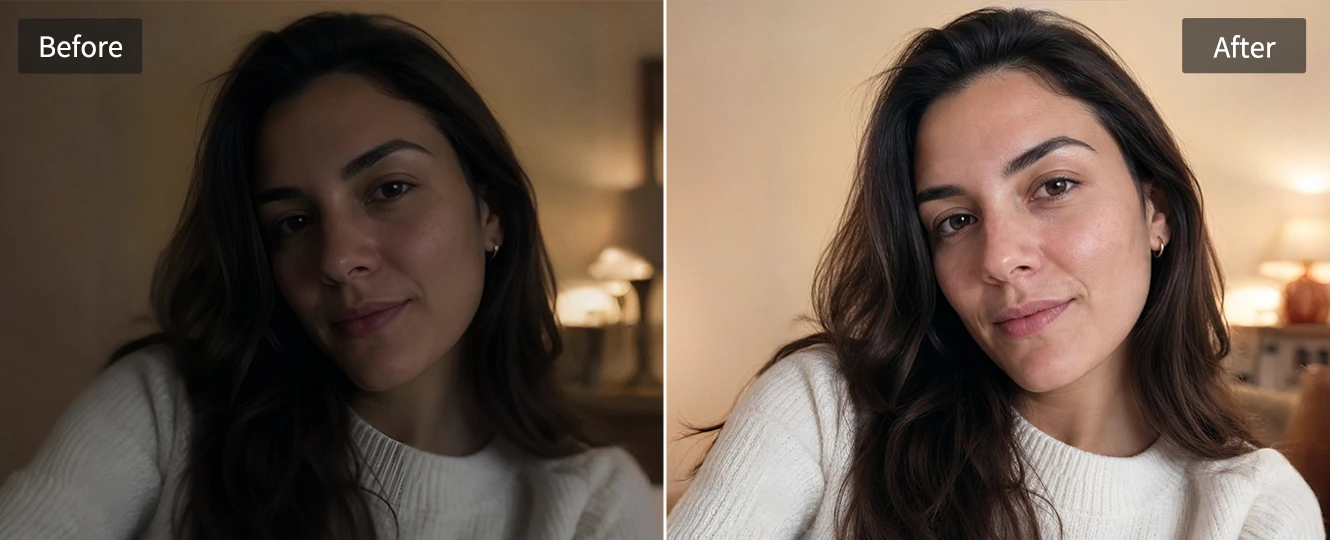
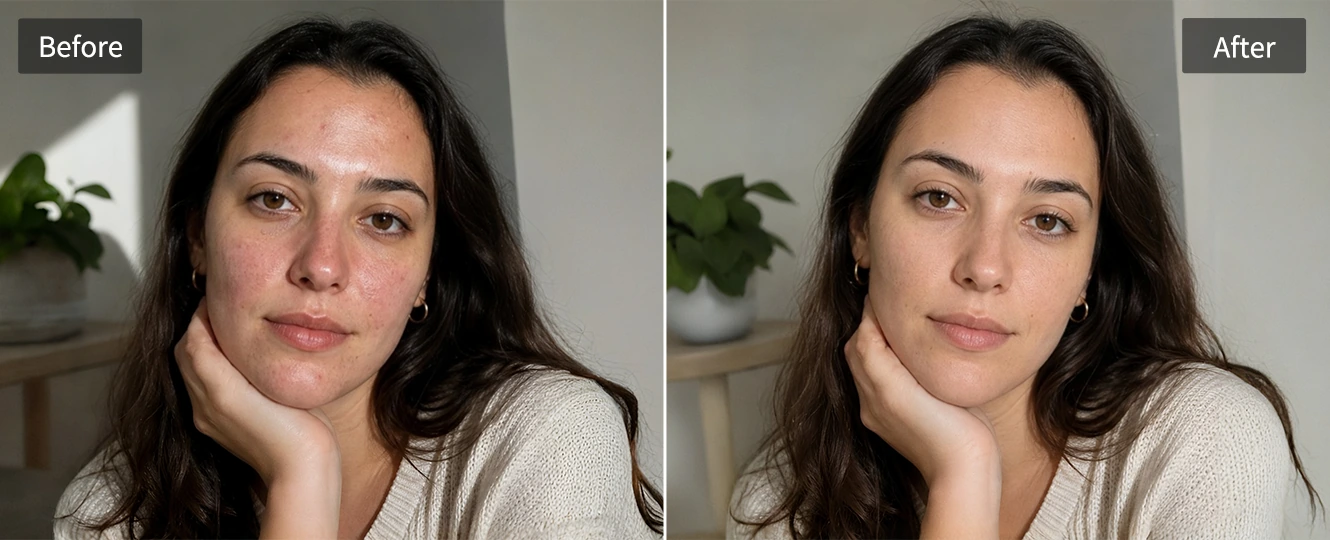
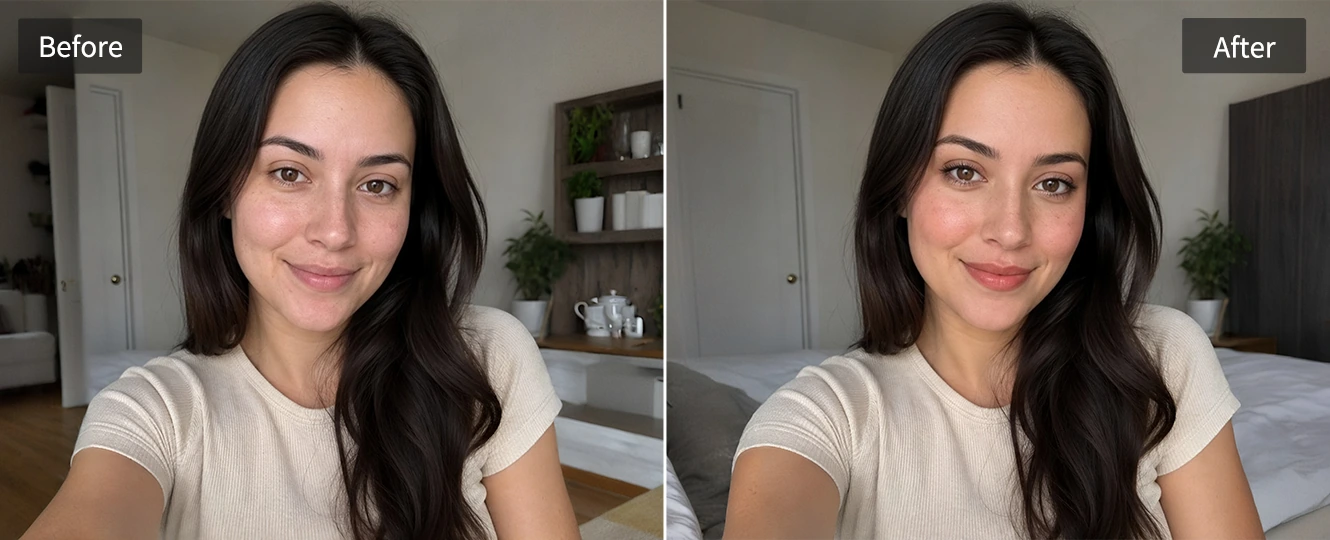
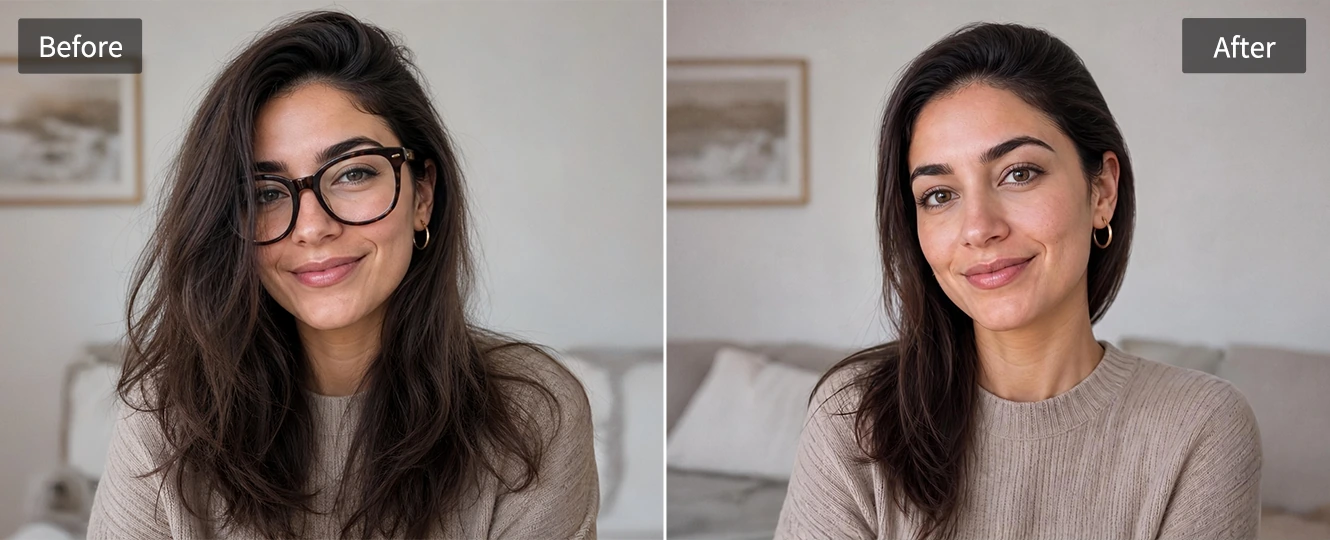
Each result points to what may change the photo impression. Lighting issues, low clarity, stiff pose, or styling choices become practical editing direction.
How to Use the Face Attractiveness Test
Step 1
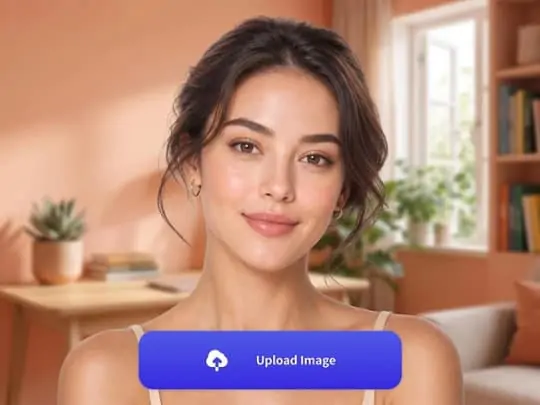
Upload a Clear Face Photo
Choose a recent solo portrait with the face visible. A front-facing selfie or slight angle helps the AI face rater read the photo cleanly.
Step 2
Let AI Rate Your Face
Pokecut reviews visible facial cues in the image and turns them into an AI face rating with score bands and short notes.
Step 3
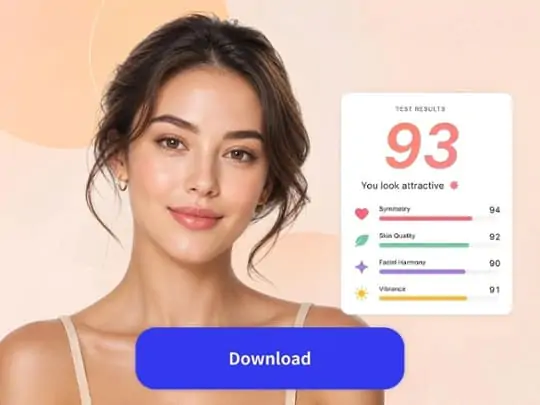
Read the Result
Check the overall score, dimension feedback, and simple tips. Then compare another selfie or improve the photo before posting it.

What Does the AI Face Rater Measure?
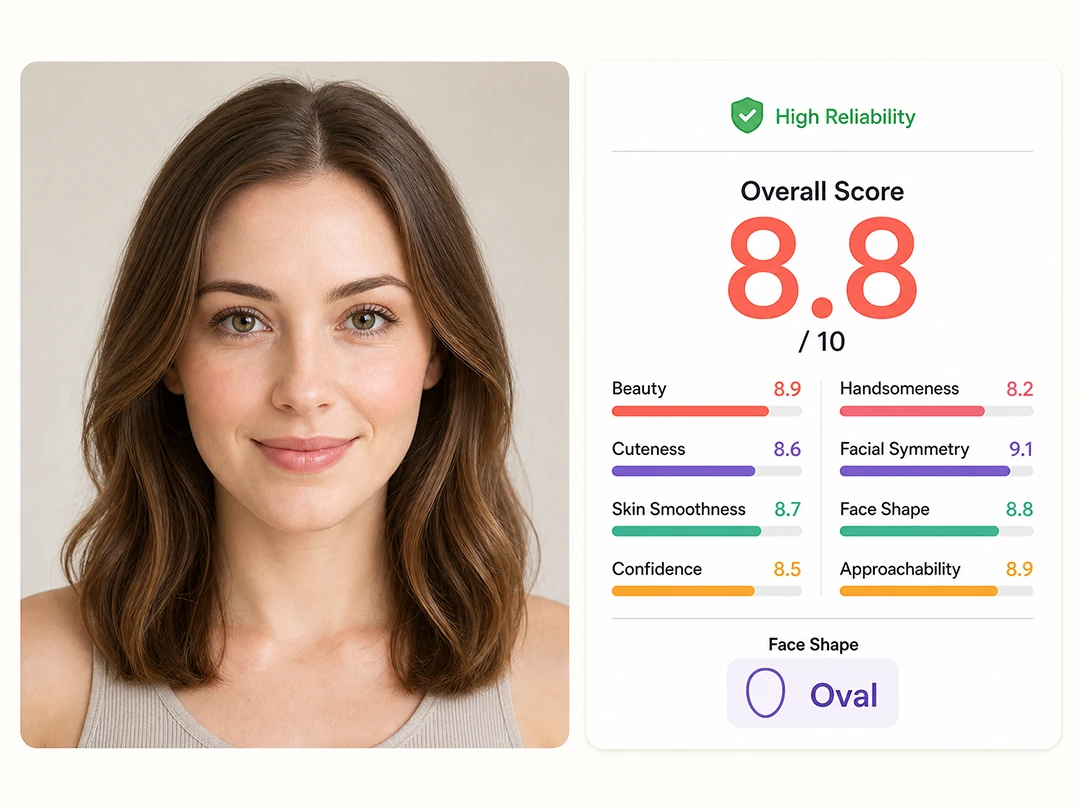
Pokecut's AI face rater uses visible clues in the uploaded photo to generate a pretty scale for that image. It looks at face structure, photo quality, and expression cues so the attractiveness rating feels easier to understand.
- Beauty Impression: Reads the overall visual appeal of the selfie.
- Facial Symmetry: Checks how balanced the face appears in the photo.
- Face Shape Clarity: Looks at whether the jawline and face outline are easy to see.
- Skin and Lighting: Reads smoothness, exposure, shadows, and image sharpness.
- Expression: Looks at eye contact, smile, posture, and natural confidence.
- First Impression: Considers the overall vibe for profile photos and social sharing.
How to Understand Your Face Rating Results
The table below explains each face rating category and helps you understand what your AI results reveal about your photo.
💡 Tips for More Accurate Face Rating Results
A more reliable face attractiveness test starts with a photo the AI can actually read. Upload a clear solo portrait, and Pokecut analyzes your face shape, symmetry, lighting, and expression from visible details.
✓ Face the camera directly or use a slight angle to show your facial structure clearly.
✓ Use soft, even lighting to reduce shadows and improve photo clarity. If the image is too dark, lighten image online before testing.
✓ Keep one face visible and avoid hair, hands, masks, hats, or sunglasses covering your features.
✓ Skip heavy filters that may change facial details or reduce analysis accuracy.
✓ Keep your expression natural with clear eyes and a relaxed smile.
✓ Try multiple selfies because angle, lighting, and expression can affect your result.
When to Use an AI Attractiveness Rater
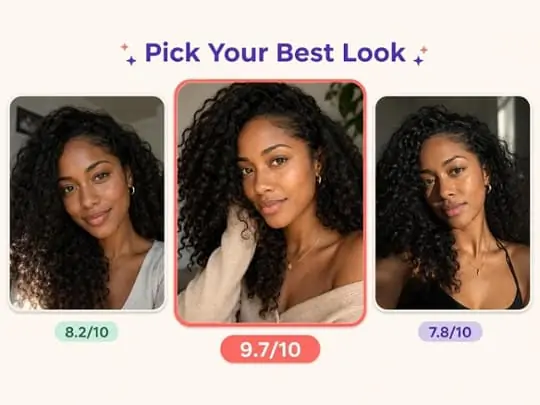
Choose Your Best Profile Photo
Compare several selfies before updating a profile picture. When you rate your photo online, the score and notes make it easier to choose the shot that looks clear, relaxed, and confident for a dating profile or personal page.
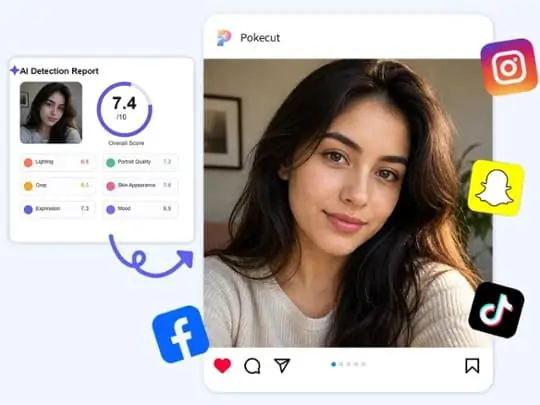
Check a Selfie Before Posting
Run a quick attractive test before sharing a selfie. The result can flag weak lighting, blur, stiff expression, or distracting crop issues that are easy to miss when you have stared at the same photo for too long.
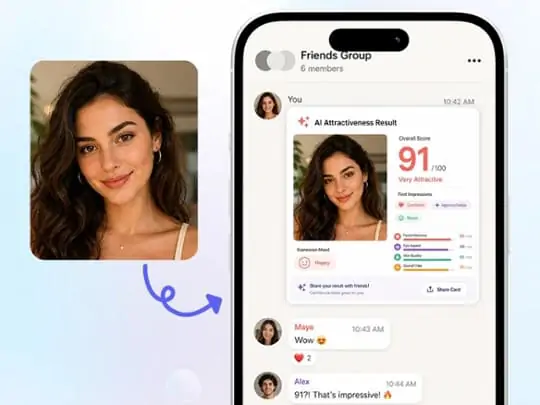
Create a Shareable Result
Turn a casual photo into a face rating result you can discuss with friends. An AI first impression test style read also helps explain why a portrait feels warm, serious, confident, or less approachable.
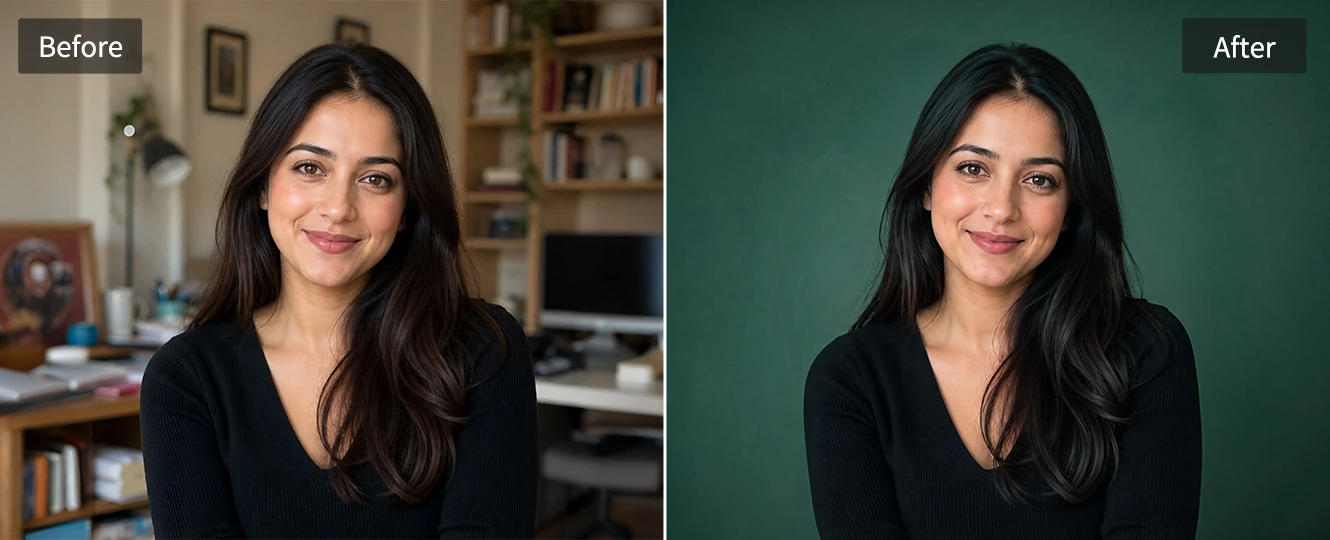
Improve Your Photo After the Face Rating
What Users Say About Pokecut's AI Face Rater
Users like the clear score, practical notes, and easy selfie comparison.


Mia P.

"I tried it with three selfies and finally understood why one photo worked better. The score felt playful, but the notes were actually useful."
Ethan R.
"The report explained lighting and symmetry in plain English. I used the tips before choosing a new dating profile photo."
Sofia L.
"I liked that it gave more than a score. The face rating bars made the result easier to understand and share with friends."
Noah K.
"The upload flow was quick, and the suggestions helped me fix a dark portrait without making it look over-edited."
Ava M.
"It was useful for comparing profile photos. I checked the best one again after improving the lighting and background."
Leo S.
"The test is fun, but the result still gave me practical ideas for expression, camera angle, and photo clarity."
Mia P.
"I tried it with three selfies and finally understood why one photo worked better. The score felt playful, but the notes were actually useful."
Ethan R.
"The report explained lighting and symmetry in plain English. I used the tips before choosing a new dating profile photo."
Sofia L.
"I liked that it gave more than a score. The face rating bars made the result easier to understand and share with friends."
Noah K.
"The upload flow was quick, and the suggestions helped me fix a dark portrait without making it look over-edited."
Ava M.
"It was useful for comparing profile photos. I checked the best one again after improving the lighting and background."
Leo S.
"The test is fun, but the result still gave me practical ideas for expression, camera angle, and photo clarity."
Mia P.
"I tried it with three selfies and finally understood why one photo worked better. The score felt playful, but the notes were actually useful."
Ethan R.
"The report explained lighting and symmetry in plain English. I used the tips before choosing a new dating profile photo."
Sofia L.
"I liked that it gave more than a score. The face rating bars made the result easier to understand and share with friends."
Noah K.
"The upload flow was quick, and the suggestions helped me fix a dark portrait without making it look over-edited."
Ava M.
"It was useful for comparing profile photos. I checked the best one again after improving the lighting and background."
Leo S.
"The test is fun, but the result still gave me practical ideas for expression, camera angle, and photo clarity."
Mia P.
"I tried it with three selfies and finally understood why one photo worked better. The score felt playful, but the notes were actually useful."
Ethan R.
"The report explained lighting and symmetry in plain English. I used the tips before choosing a new dating profile photo."
Sofia L.
"I liked that it gave more than a score. The face rating bars made the result easier to understand and share with friends."
Noah K.
"The upload flow was quick, and the suggestions helped me fix a dark portrait without making it look over-edited."
Ava M.
"It was useful for comparing profile photos. I checked the best one again after improving the lighting and background."
Leo S.
"The test is fun, but the result still gave me practical ideas for expression, camera angle, and photo clarity."
Mia P.
"I tried it with three selfies and finally understood why one photo worked better. The score felt playful, but the notes were actually useful."
Ethan R.
"The report explained lighting and symmetry in plain English. I used the tips before choosing a new dating profile photo."
Sofia L.
"I liked that it gave more than a score. The face rating bars made the result easier to understand and share with friends."
Noah K.
"The upload flow was quick, and the suggestions helped me fix a dark portrait without making it look over-edited."
Ava M.
"It was useful for comparing profile photos. I checked the best one again after improving the lighting and background."
Leo S.
"The test is fun, but the result still gave me practical ideas for expression, camera angle, and photo clarity."
Noah K.
"The upload flow was quick, and the suggestions helped me fix a dark portrait without making it look over-edited."
Ava M.
"It was useful for comparing profile photos. I checked the best one again after improving the lighting and background."
Leo S.
"The test is fun, but the result still gave me practical ideas for expression, camera angle, and photo clarity."
Mia P.
"I tried it with three selfies and finally understood why one photo worked better. The score felt playful, but the notes were actually useful."
Ethan R.
"The report explained lighting and symmetry in plain English. I used the tips before choosing a new dating profile photo."
Sofia L.
"I liked that it gave more than a score. The face rating bars made the result easier to understand and share with friends."
Noah K.
"The upload flow was quick, and the suggestions helped me fix a dark portrait without making it look over-edited."
Ava M.
"It was useful for comparing profile photos. I checked the best one again after improving the lighting and background."
Leo S.
"The test is fun, but the result still gave me practical ideas for expression, camera angle, and photo clarity."
Mia P.
"I tried it with three selfies and finally understood why one photo worked better. The score felt playful, but the notes were actually useful."
Ethan R.
"The report explained lighting and symmetry in plain English. I used the tips before choosing a new dating profile photo."
Sofia L.
"I liked that it gave more than a score. The face rating bars made the result easier to understand and share with friends."
Noah K.
"The upload flow was quick, and the suggestions helped me fix a dark portrait without making it look over-edited."
Ava M.
"It was useful for comparing profile photos. I checked the best one again after improving the lighting and background."
Leo S.
"The test is fun, but the result still gave me practical ideas for expression, camera angle, and photo clarity."
Mia P.
"I tried it with three selfies and finally understood why one photo worked better. The score felt playful, but the notes were actually useful."
Ethan R.
"The report explained lighting and symmetry in plain English. I used the tips before choosing a new dating profile photo."
Sofia L.
"I liked that it gave more than a score. The face rating bars made the result easier to understand and share with friends."
Noah K.
"The upload flow was quick, and the suggestions helped me fix a dark portrait without making it look over-edited."
Ava M.
"It was useful for comparing profile photos. I checked the best one again after improving the lighting and background."
Leo S.
"The test is fun, but the result still gave me practical ideas for expression, camera angle, and photo clarity."
Mia P.
"I tried it with three selfies and finally understood why one photo worked better. The score felt playful, but the notes were actually useful."
Ethan R.
"The report explained lighting and symmetry in plain English. I used the tips before choosing a new dating profile photo."
Sofia L.
"I liked that it gave more than a score. The face rating bars made the result easier to understand and share with friends."
Noah K.
"The upload flow was quick, and the suggestions helped me fix a dark portrait without making it look over-edited."
Ava M.
"It was useful for comparing profile photos. I checked the best one again after improving the lighting and background."
Leo S.
"The test is fun, but the result still gave me practical ideas for expression, camera angle, and photo clarity."
Mia P.
"I tried it with three selfies and finally understood why one photo worked better. The score felt playful, but the notes were actually useful."
Ethan R.
"The report explained lighting and symmetry in plain English. I used the tips before choosing a new dating profile photo."
Sofia L.
"I liked that it gave more than a score. The face rating bars made the result easier to understand and share with friends."
Reviews from: Reddit, Product Hunt, G2, TrustRadius, Google Play, App Store, and more.
FAQs About Pokecut's Facial Attractiveness Test
Is this AI attractiveness test accurate?
Pokecut's AI attractiveness test is best used as photo feedback. Lighting, angle, blur, and expression can change the result, so treat it as a fun visual reference rather than a fixed judgment of you.
What does an AI face rater measure?
An AI face rater reads visible cues in the photo, including facial balance, face shape clarity, lighting, skin impression, and expression. Pokecut explains those signals instead of showing only a score.
What photo should I upload for the best result?
Upload a clear solo portrait with your face visible. Natural light, a recent selfie, and fewer filters usually work best for a face attractiveness score online because the AI can read real photo details.
Is my uploaded face photo private?
Pokecut uses the uploaded photo to create your current face rating result. For safer use, avoid photos you do not have permission to process or images you would not want handled by an online tool service.
What does my attractiveness score mean?
Your score summarizes how the current photo reads to the AI. It reflects visible cues such as clarity, lighting, expression, and face balance, not your worth or a universal beauty standard or objective fact.
Can lighting or angle change my face rating?
Yes. Low light, a strong side angle, heavy filters, blur, or a tense expression can change the face rating. Test a few natural selfies if you want a fairer comparison across different photos and moods.
Can I use this test to choose a profile picture?
Yes. Compare a few portraits and look for the one with the clearest, most natural result. The free AI face rating workflow can help narrow choices for social profiles or dating photos before you post.
Can I improve my attractiveness score?
You can improve the photo before testing again. Sharper quality, softer retouching, and better lighting can help the AI analyse your beauty score from a photo for a clearer result.

Pokecut's Face Attractiveness Analyzer is Trusted by Creators

1M+ Users Worldwide
Create, compare, and polish portraits with Pokecut.

#2 on Product Hunt
Try an AI photo tool recognized by real users.

Privacy-Aware Uploads
Check selfies with a more comfortable upload flow.

Built for Everyday Creators
Use simple tools for portraits, profiles, and social photos.





