





Fathers Day Photo Editor Online Free for Family Gifts
Use Pokecut's fathers day photo maker to turn ordinary dad photos into warm cards, framed portraits, posters, and restored family memories.

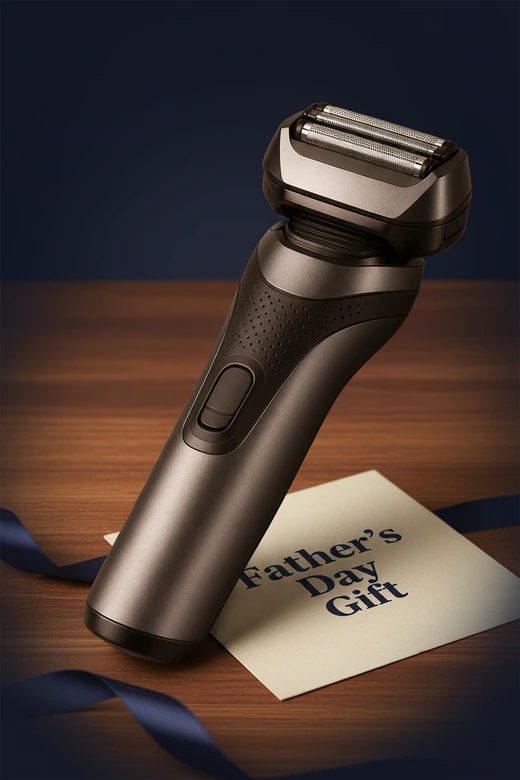


Why Choose Pokecut's Fathers Day Photo Editor?
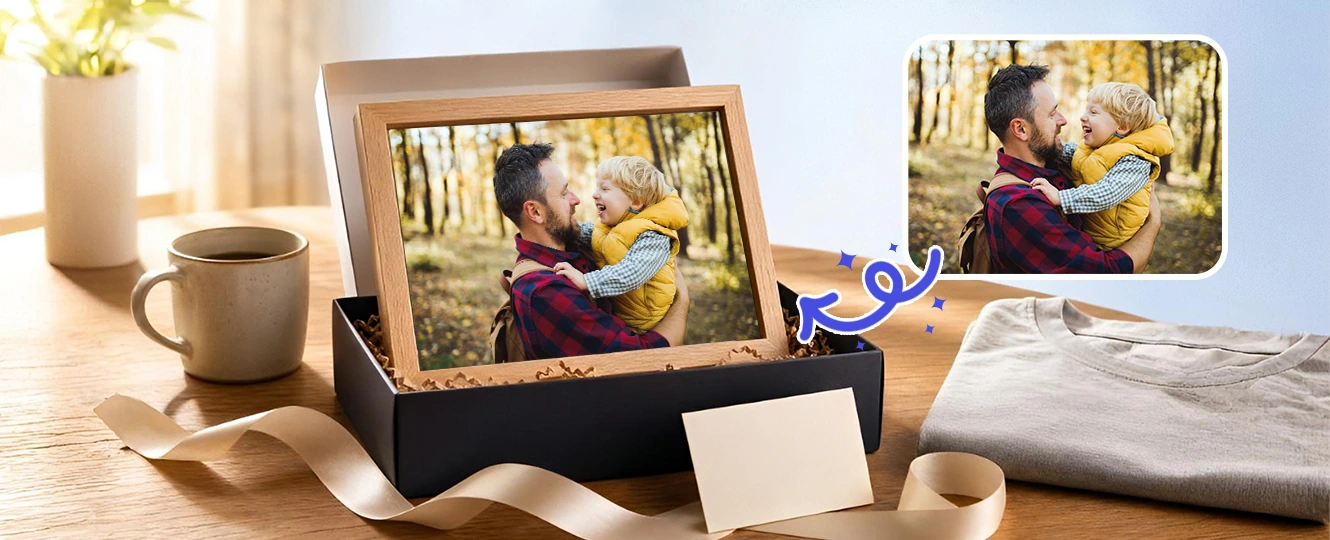
One-click Background Changer for Father's Day
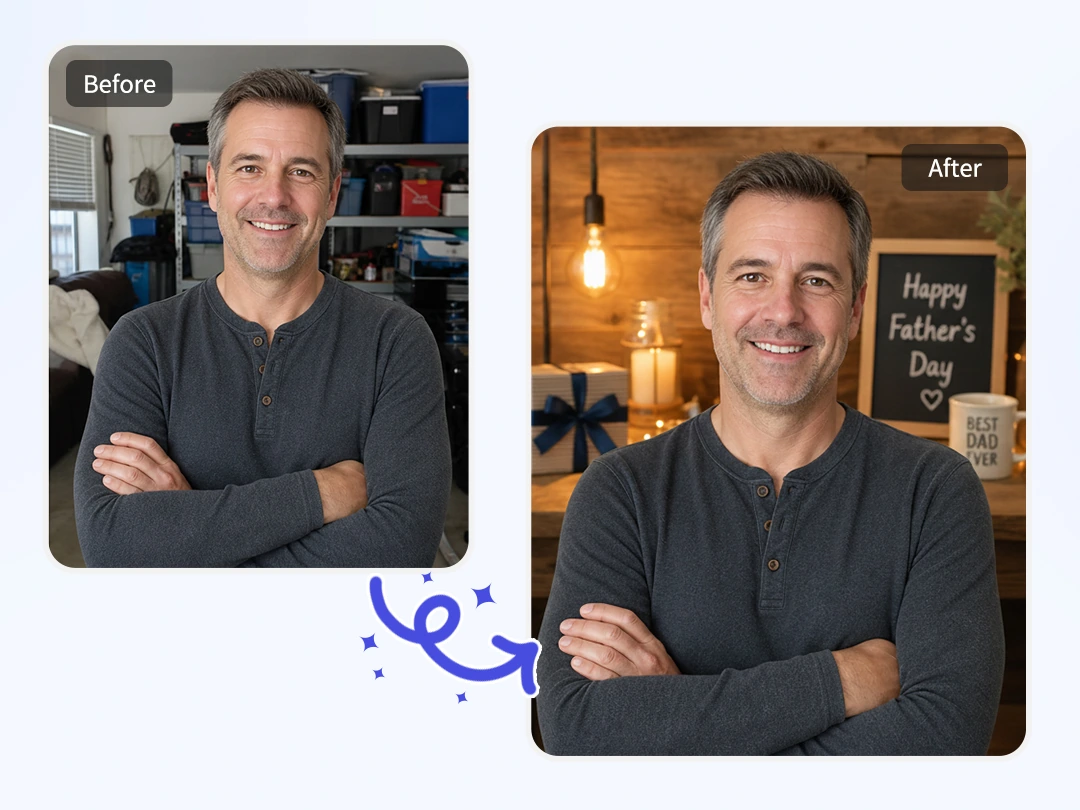
A good photo of Dad can still feel hard to share when the background is a messy garage, a dark office, or a living room full of clutter. Pokecut's fathers day photo editor reads the person in the picture, clears the original background, and places him into a cleaner celebration scene that feels more fitting for the day.
You do not need layers or masking skills. Upload the photo, choose the mood, and let the AI background changer process the transition while keeping Dad's face and posture natural. It is a simple way to edit fathers day photo with AI tool when the original moment is lovely but the setting needs help.
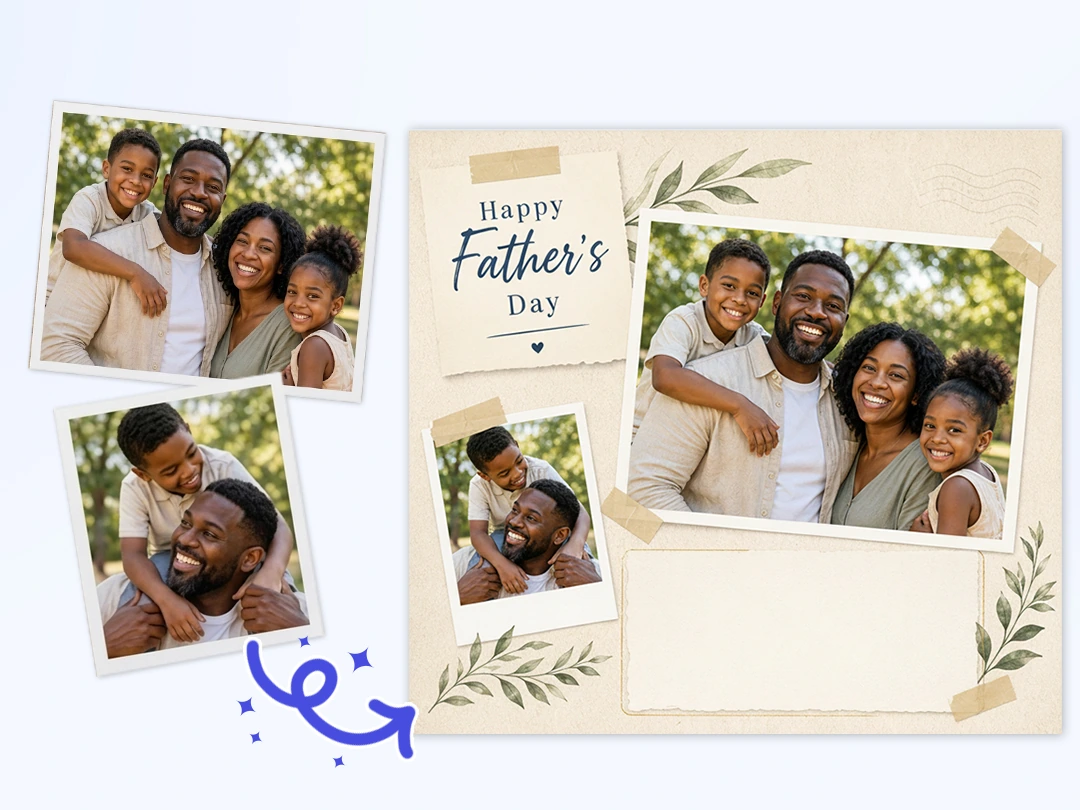
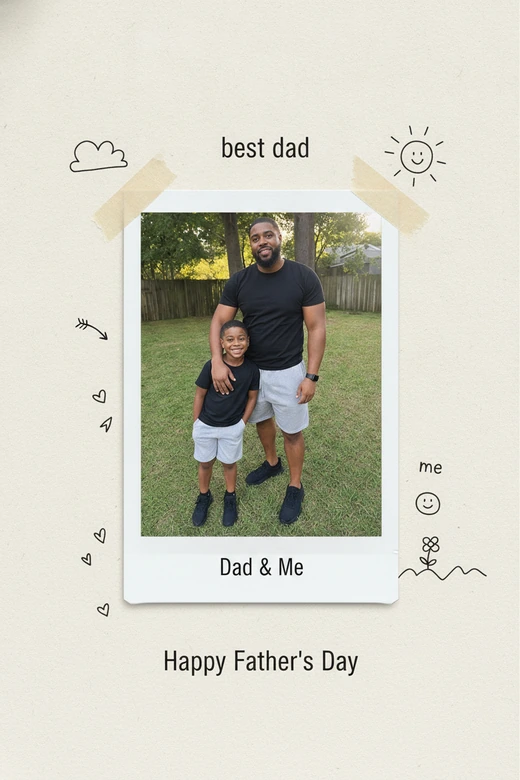
Turn Everyday Shots into Personal Cards
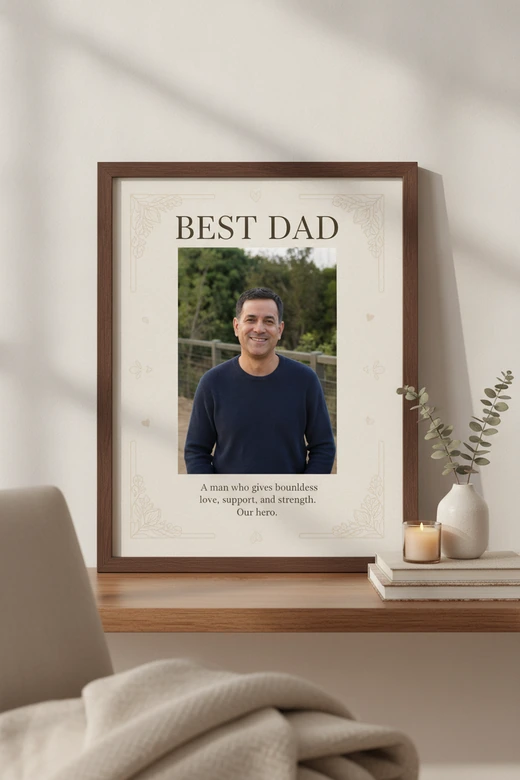
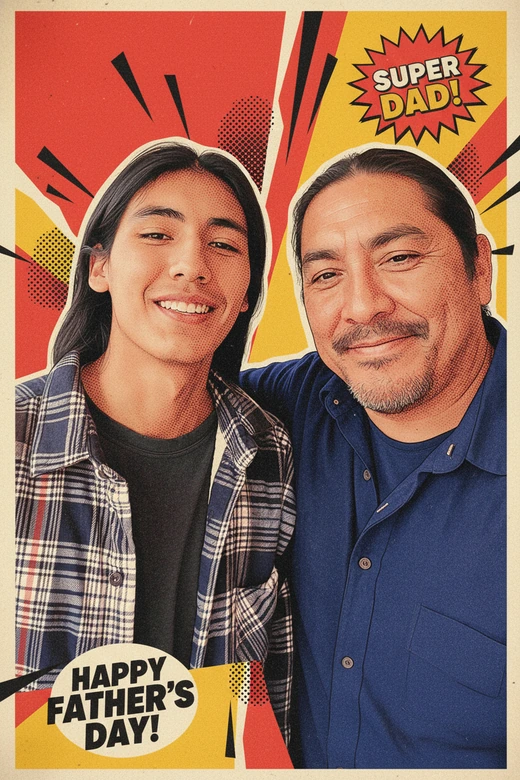
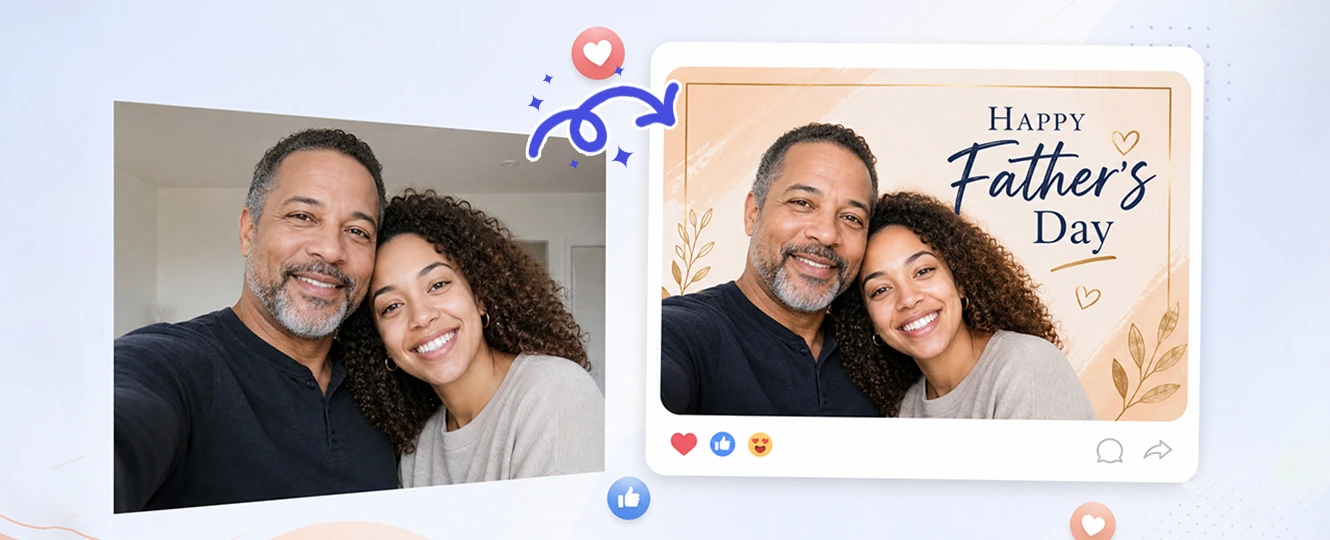
A store-bought greeting image is easy, but it rarely feels personal. With Pokecut, you can take a casual phone photo and turn it into a Father's Day card that uses your own family memory. The fathers day image editor can add a warmer layout, softer color, and room for a short message, so the final card feels made for him rather than pulled from a search result.
This works especially well for family chats and private messages. Send the finished card to Dad in the morning, or share it with siblings before everyone starts posting the same generic holiday graphic. To make your custom card look even more complete, you can also add a fathers day frame with just one click to perfectly lock in that festive holiday mood.
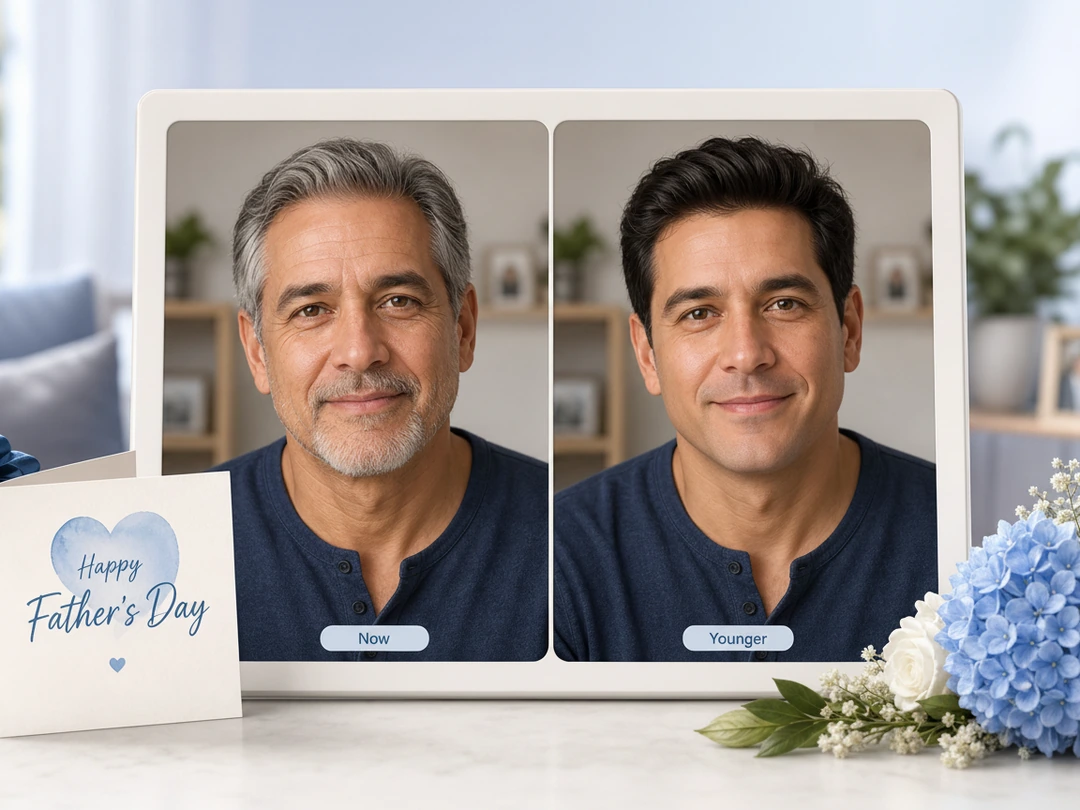
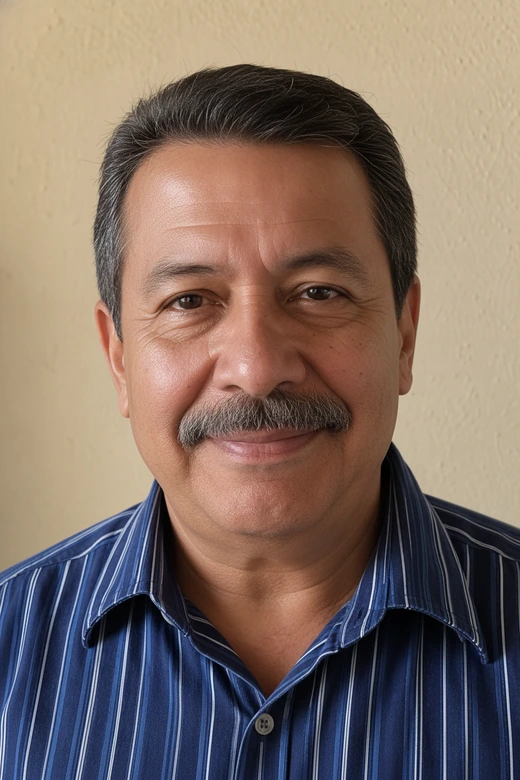
Bring Back Dad's Younger Look
Some Father's Day gifts are funny for a second. This one can start a real conversation. Upload a clear portrait of Dad, and Pokecut can help capture your father's youthful look while keeping the core face recognizable. The goal is not to turn him into someone else, but to bring back a younger version that still feels connected to the person your family knows.
Use this feature when you want a surprise that feels personal, not random. The result can sit beside an old family photo, become part of a digital card, or spark stories about the years before you knew him as Dad. Keep the source image clear and front-facing for the most natural result.
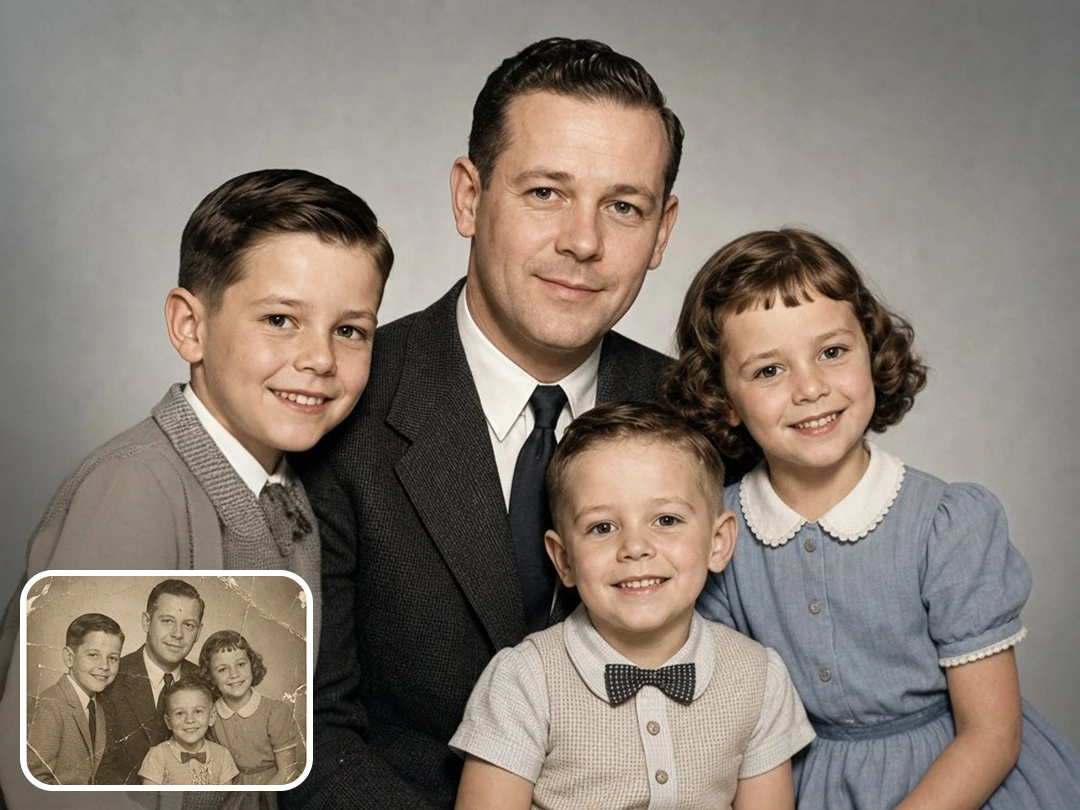
Restore Old Family Photos
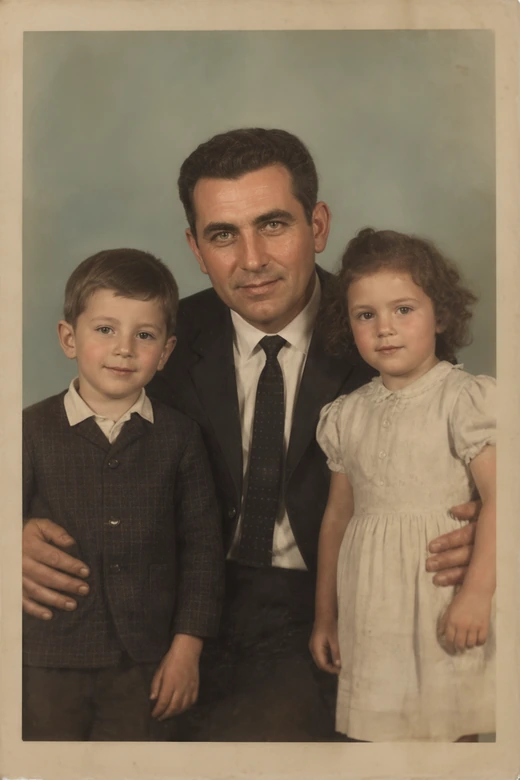
Old photos often carry the best stories, but phone scans can look yellow, cracked, or too soft to print. Pokecut helps fix blurry old photos by sharpening facial detail, cleaning small marks, and making the image easier to enjoy again. It is a thoughtful step before turning an old picture into a Father Day card, framed print, or family group message.
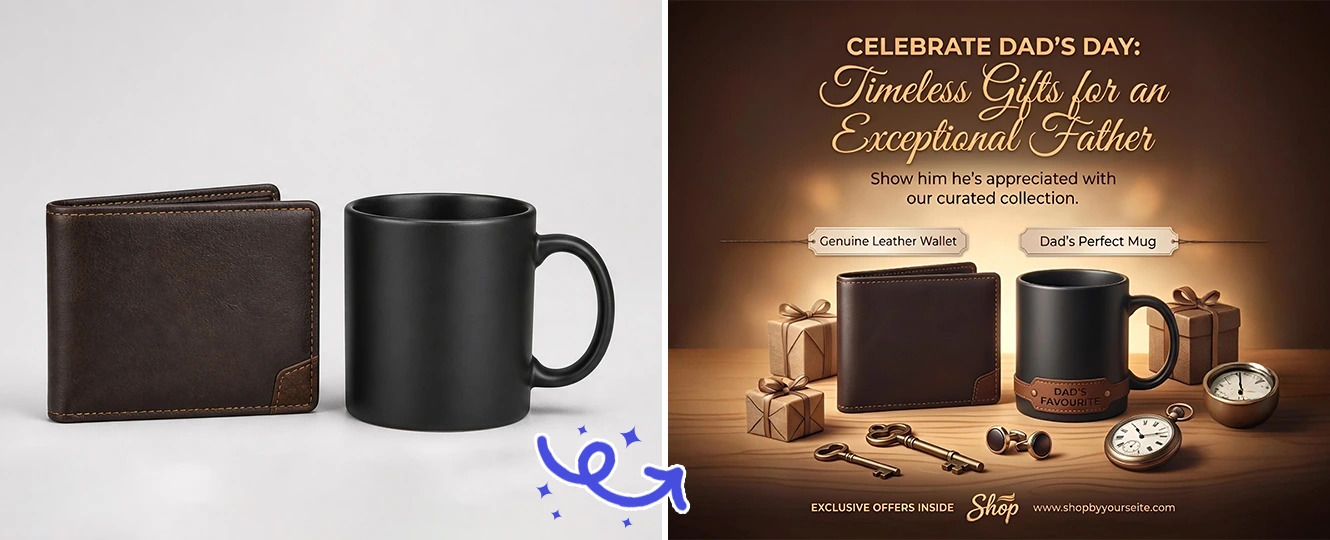
This matters because many dads and grandfathers keep photos that no one has seen in years. Once the image looks clearer, you can print it, place it in a frame, or use it inside a fathers day poster maker layout. The gift feels heavier because the memory is real.
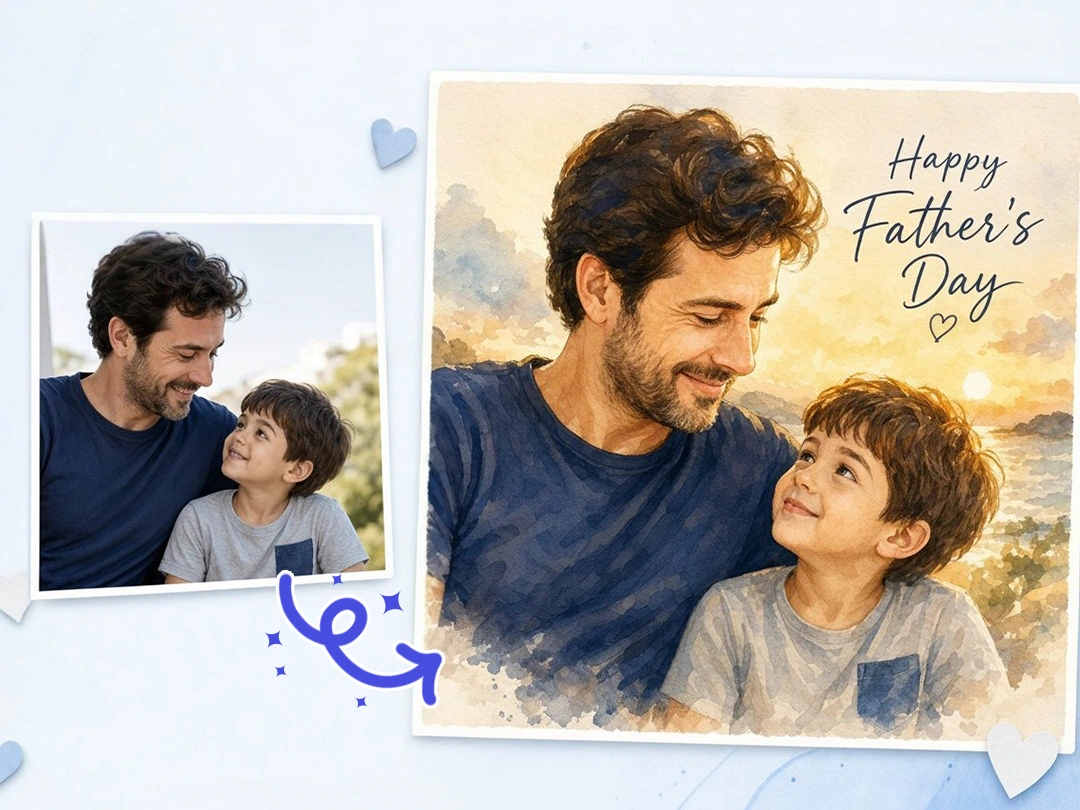
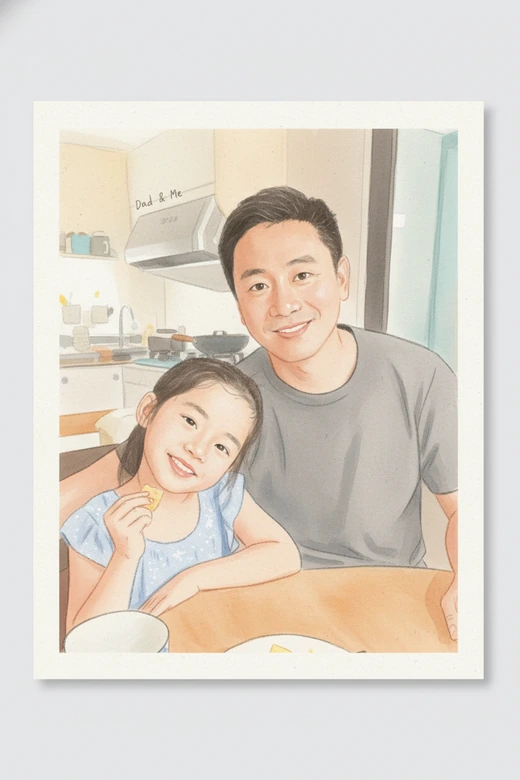
Turn Family Photos into Warm Drawings
A normal snapshot can become a gift when it stops looking like another camera roll image. Pokecut can turn a family photo or a single portrait of father into a soft drawing, watercolor-style keepsake, or painted-looking card. It does not just throw a harsh filter over the picture; it rebuilds the photo with a warmer handmade feel while keeping the people easy to recognize.
Use this when you want a fathers day photo maker that feels more personal than a quick sticker. The finished image can be printed as a card, sent as a digital greeting, or saved as a small keepsake for the family. Choose a calm style if the photo already has a lot of emotion in it.
What Can You Do with Fathers Day Photo Editor?
How to Make a Happy Father Day Photo
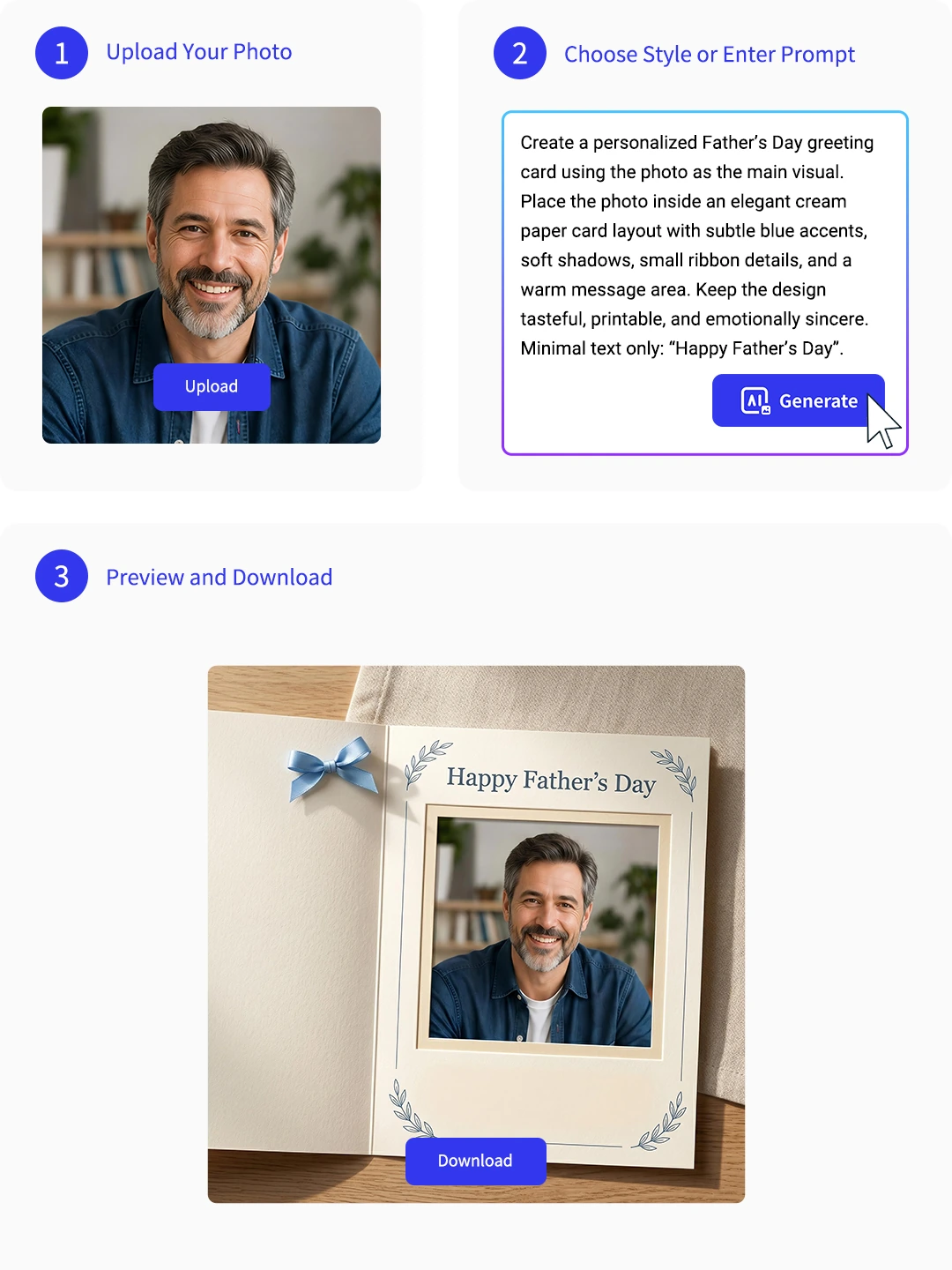
Step 1: Upload Dad's Photo
Choose a clear portrait, family photo, or old scan. Good face detail helps Pokecut build a cleaner Father's Day edit.
Step 2: Apply a Festive Template
Pick a card, frame, younger-look edit, restored photo, or poster mood. Keep the idea focused for a cleaner result.
Step 3: Generate and Share
Preview the edit, check Dad's face and the message area, then download the image for printing or sharing.

What Do Users Say About Pokecut's Fathers Day Photo Editor?
Families use Pokecut to make Father's Day photos feel more personal and ready to share.


Emily R.

"I used an old phone photo of my dad and turned it into a clean Father's Day card. The background looked much better, but his smile still felt real."
Jason P.
"The younger-look edit surprised our whole family chat. It was not a joke filter; it actually started a long conversation about Dad's old photos."
Marta L.
"I fixed a blurry picture of my grandfather before printing it. It needed one extra try, but the final version looked clear enough for a small frame."
Ryan K.
"I made a quick Father's Day sale poster for my shop. The product stayed clear, and the background finally looked like it belonged to the holiday."
Nora C.
"The painted family photo style was my favorite. It made a normal weekend picture feel like a real gift without making everyone look fake."
Ben S.
"I am not good at editing apps, so the simple upload flow helped. I had a Father's Day image ready before breakfast."
Emily R.
"I used an old phone photo of my dad and turned it into a clean Father's Day card. The background looked much better, but his smile still felt real."
Jason P.
"The younger-look edit surprised our whole family chat. It was not a joke filter; it actually started a long conversation about Dad's old photos."
Marta L.
"I fixed a blurry picture of my grandfather before printing it. It needed one extra try, but the final version looked clear enough for a small frame."
Ryan K.
"I made a quick Father's Day sale poster for my shop. The product stayed clear, and the background finally looked like it belonged to the holiday."
Nora C.
"The painted family photo style was my favorite. It made a normal weekend picture feel like a real gift without making everyone look fake."
Ben S.
"I am not good at editing apps, so the simple upload flow helped. I had a Father's Day image ready before breakfast."
Emily R.
"I used an old phone photo of my dad and turned it into a clean Father's Day card. The background looked much better, but his smile still felt real."
Jason P.
"The younger-look edit surprised our whole family chat. It was not a joke filter; it actually started a long conversation about Dad's old photos."
Marta L.
"I fixed a blurry picture of my grandfather before printing it. It needed one extra try, but the final version looked clear enough for a small frame."
Ryan K.
"I made a quick Father's Day sale poster for my shop. The product stayed clear, and the background finally looked like it belonged to the holiday."
Nora C.
"The painted family photo style was my favorite. It made a normal weekend picture feel like a real gift without making everyone look fake."
Ben S.
"I am not good at editing apps, so the simple upload flow helped. I had a Father's Day image ready before breakfast."
Emily R.
"I used an old phone photo of my dad and turned it into a clean Father's Day card. The background looked much better, but his smile still felt real."
Jason P.
"The younger-look edit surprised our whole family chat. It was not a joke filter; it actually started a long conversation about Dad's old photos."
Marta L.
"I fixed a blurry picture of my grandfather before printing it. It needed one extra try, but the final version looked clear enough for a small frame."
Ryan K.
"I made a quick Father's Day sale poster for my shop. The product stayed clear, and the background finally looked like it belonged to the holiday."
Nora C.
"The painted family photo style was my favorite. It made a normal weekend picture feel like a real gift without making everyone look fake."
Ben S.
"I am not good at editing apps, so the simple upload flow helped. I had a Father's Day image ready before breakfast."
Emily R.
"I used an old phone photo of my dad and turned it into a clean Father's Day card. The background looked much better, but his smile still felt real."
Jason P.
"The younger-look edit surprised our whole family chat. It was not a joke filter; it actually started a long conversation about Dad's old photos."
Marta L.
"I fixed a blurry picture of my grandfather before printing it. It needed one extra try, but the final version looked clear enough for a small frame."
Ryan K.
"I made a quick Father's Day sale poster for my shop. The product stayed clear, and the background finally looked like it belonged to the holiday."
Nora C.
"The painted family photo style was my favorite. It made a normal weekend picture feel like a real gift without making everyone look fake."
Ben S.
"I am not good at editing apps, so the simple upload flow helped. I had a Father's Day image ready before breakfast."
Ryan K.
"I made a quick Father's Day sale poster for my shop. The product stayed clear, and the background finally looked like it belonged to the holiday."
Nora C.
"The painted family photo style was my favorite. It made a normal weekend picture feel like a real gift without making everyone look fake."
Ben S.
"I am not good at editing apps, so the simple upload flow helped. I had a Father's Day image ready before breakfast."
Emily R.
"I used an old phone photo of my dad and turned it into a clean Father's Day card. The background looked much better, but his smile still felt real."
Jason P.
"The younger-look edit surprised our whole family chat. It was not a joke filter; it actually started a long conversation about Dad's old photos."
Marta L.
"I fixed a blurry picture of my grandfather before printing it. It needed one extra try, but the final version looked clear enough for a small frame."
Ryan K.
"I made a quick Father's Day sale poster for my shop. The product stayed clear, and the background finally looked like it belonged to the holiday."
Nora C.
"The painted family photo style was my favorite. It made a normal weekend picture feel like a real gift without making everyone look fake."
Ben S.
"I am not good at editing apps, so the simple upload flow helped. I had a Father's Day image ready before breakfast."
Emily R.
"I used an old phone photo of my dad and turned it into a clean Father's Day card. The background looked much better, but his smile still felt real."
Jason P.
"The younger-look edit surprised our whole family chat. It was not a joke filter; it actually started a long conversation about Dad's old photos."
Marta L.
"I fixed a blurry picture of my grandfather before printing it. It needed one extra try, but the final version looked clear enough for a small frame."
Ryan K.
"I made a quick Father's Day sale poster for my shop. The product stayed clear, and the background finally looked like it belonged to the holiday."
Nora C.
"The painted family photo style was my favorite. It made a normal weekend picture feel like a real gift without making everyone look fake."
Ben S.
"I am not good at editing apps, so the simple upload flow helped. I had a Father's Day image ready before breakfast."
Emily R.
"I used an old phone photo of my dad and turned it into a clean Father's Day card. The background looked much better, but his smile still felt real."
Jason P.
"The younger-look edit surprised our whole family chat. It was not a joke filter; it actually started a long conversation about Dad's old photos."
Marta L.
"I fixed a blurry picture of my grandfather before printing it. It needed one extra try, but the final version looked clear enough for a small frame."
Ryan K.
"I made a quick Father's Day sale poster for my shop. The product stayed clear, and the background finally looked like it belonged to the holiday."
Nora C.
"The painted family photo style was my favorite. It made a normal weekend picture feel like a real gift without making everyone look fake."
Ben S.
"I am not good at editing apps, so the simple upload flow helped. I had a Father's Day image ready before breakfast."
Emily R.
"I used an old phone photo of my dad and turned it into a clean Father's Day card. The background looked much better, but his smile still felt real."
Jason P.
"The younger-look edit surprised our whole family chat. It was not a joke filter; it actually started a long conversation about Dad's old photos."
Marta L.
"I fixed a blurry picture of my grandfather before printing it. It needed one extra try, but the final version looked clear enough for a small frame."
Ryan K.
"I made a quick Father's Day sale poster for my shop. The product stayed clear, and the background finally looked like it belonged to the holiday."
Nora C.
"The painted family photo style was my favorite. It made a normal weekend picture feel like a real gift without making everyone look fake."
Ben S.
"I am not good at editing apps, so the simple upload flow helped. I had a Father's Day image ready before breakfast."
Emily R.
"I used an old phone photo of my dad and turned it into a clean Father's Day card. The background looked much better, but his smile still felt real."
Jason P.
"The younger-look edit surprised our whole family chat. It was not a joke filter; it actually started a long conversation about Dad's old photos."
Marta L.
"I fixed a blurry picture of my grandfather before printing it. It needed one extra try, but the final version looked clear enough for a small frame."
Reviews from: Reddit, Product Hunt, G2, TrustRadius, Google Play, App Store, and more.
Pokecut Trusted by Millions of Leaders and Users

1M+ Users Worldwide
Pokecut generates over 500,000 images every day

#2 on Product Hunt
Pokecut launched and won #2 product of the day

Professional Privacy Protection
Ensure 100% data privacy for every photo

Trusted by Well-known Brands
Apple、Google、Paypal、Stripe、Product hunt、G2、TrustRadius
FAQs About Fathers Day Photo Editor
Should I cut out the background before uploading?
No, Pokecut automatically detects the person and removes the messy background for you in seconds.
Is it free to use fathers day photo editor online for cards?
Yes. You can try Pokecut online and turn a daily photo into a Father's Day greeting online. Pokecut provides free credits fot all users.
What are the output file format and size?
It delivers JPEG or PNG files in original quality. You can choose different ratio like 1:1, 4:3, or 16:9, to perfectly fit social posts, stories, or print frames.
Does the drawing style change my dad's face?
Not at all. It changes the artistic texture and brushstrokes while locking and preserving his real facial features.
What kind of photo works best for Pokecut to make a poster?
Clear, well-lit photos with faces looking forward and not blocked by sunglasses or hats.





