





Unblur Text Online Free: Make Blurry Words Readable
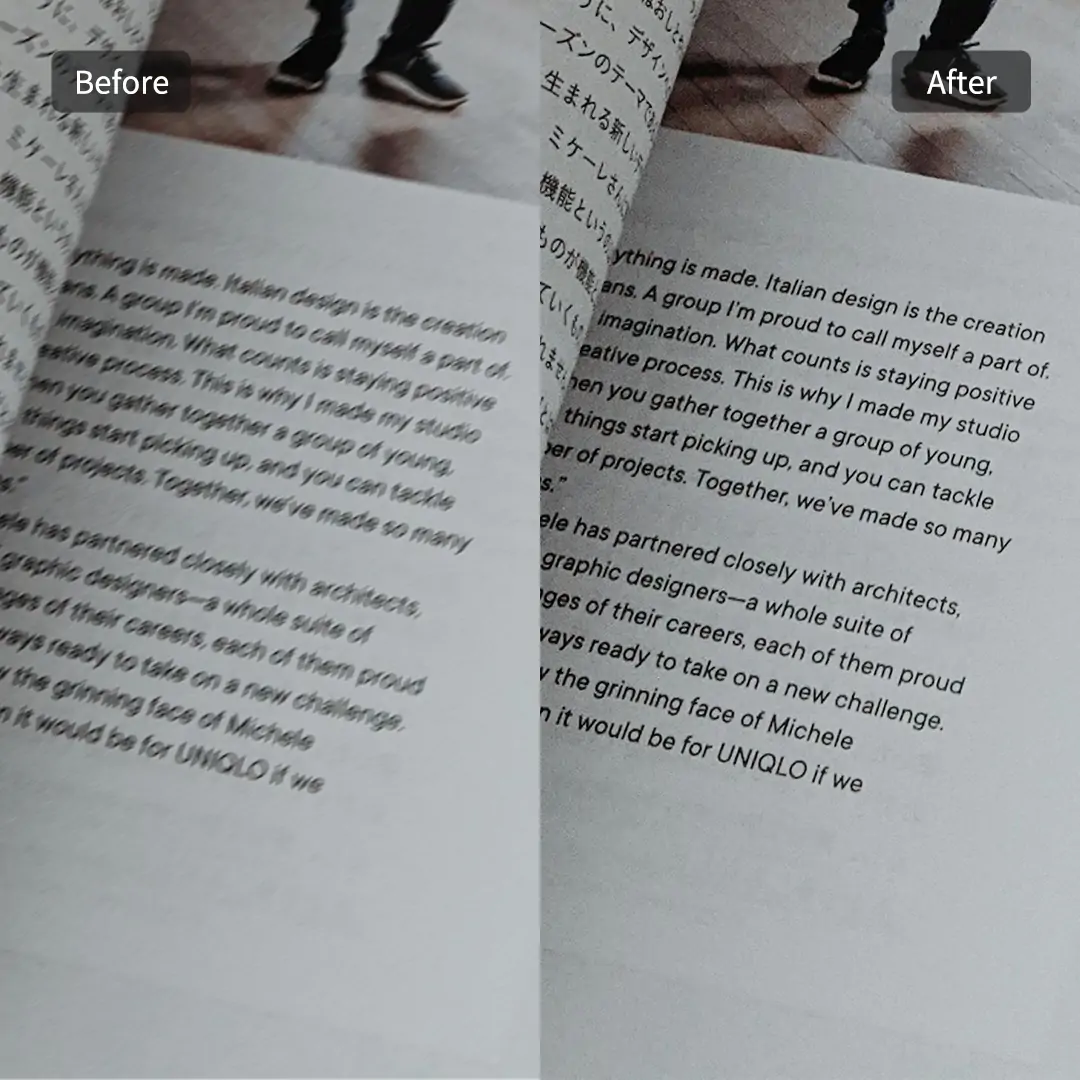
Pokecut's online text unblurer helps you read unclear text from photos, screenshots, and documents easily. Upload your illegible image, and our smart AI cleans up every detail to make all words clear in a flash.
📝Specialized text mode 📱Multi-scenario support 🔍Sharp detail recovery 📁Batch process 50 images


By uploading an image or URL you agree to our Terms of Use and Privacy Policy
Powerful AI Text Deblurrer for Every Scenario

Make Study Notes and Slides Readable Again
Pokecut applies targeted edge detection models to clean up camera shake and dim lighting in whiteboards, slides, or class notes. A far screen or a quick handheld snap often leaves text soft with distracting double vision. Our algorithm targets the letter shapes directly, raising local contrast to smooth out light ghosting and turn every line crisp without manual tracing.
When you need to enhance text images after long lectures, this tool provides a smooth way to catch up. It works reliably on missed board copy, printed handouts, and projected decks. You can review sharp notes right away, skipping the hassle of zooming in repeatedly just to guess what the professor wrote before exams.

Restore Compressed Screenshot Text Easily
By reconstructing damaged pixels, Pokecut repairs rough blocks and jagged characters caused by social app compression. Saving software captures back and forth usually ruins tiny app labels, transaction tags, settings menus, and interface copy. The system rebuilds damaged character edges, bringing critical information back into focus without forcing you into heavy photo software.
It saves time when you need to store system logs or interface captures for proof. If your screenshot has unwanted marks over important sections, you can remove scribbles first to keep the core text visible. Just upload or drag in your file to grab a sharp image ready for work or filing.

Enhance Faded Financial Records and Receipts
Pokecut sharpens faint print through targeted contrast tuning on pale thermal paper and worn ink. Receipts, shipping slips, and taxi bills naturally fade over time until numbers disappear into the paper background. The AI brightens the base layout while deepening weak character strokes, making totals, dates, and item names visible for filing or reimbursement.
This function gives you a readable copy when you enhance blurry document images for office work or personal tracking. It restores character shapes without making the background look noisy or harsh. You get a clean, clear document preview that makes verification effortless and far less frustrating.

Clear Up Aged Documents and Manuscripts
To keep reading smooth, Pokecut isolates real ink strokes from yellowed background noise on old papers, books, and scanned letters. Aging paper, ink bleed, and low resolution scans usually cause original words to blend into the sheet background. Our text engine sharpens fuzzy character boundaries while preserving natural paper textures, avoiding harsh black and white patches.
Researchers and archivists can use this feature to restore old photo scans and historical manuscripts with ease. The AI reduces visual grain and reinforces light handwriting or faint print, which helps transcribe old pages, quote sections, or organize family records with much better readability.

Sharpen Small Text on Product Photos
Pokecut focuses on restoring illegible package text while maintaining the natural tones and details of your product photo. Supplier image compression often renders package instructions, size charts, and warning tags completely blurry. The AI sharpens fine print locally with high precision, ensuring every small label becomes readable without altering the original product color or style.
The tool fits smoothly into your workflow alongside product photo retouching tasks for online store listings. Clear packaging copy builds customer confidence and cuts down on basic support questions. You can upgrade thumbnails, ad graphics, and detail pages with crisp copy that looks professional across any marketplace.
Why Choose Pokecut to Unblur Text?

One-Click AI Enhancement
Unblur text in image files effortlessly with one simple click. Pokecut's instant AI text unblurer automatically sharpens pixelated words and fuzzy documents in seconds, making blurry photos legible without complex editing skills or manual adjustments.

Specialized Text Mode
Unlike generic image upscalers, our dedicated text deblurrer model focuses specifically on character recognition. It accurately enhances character edges, removes compression artifacts, and restores faded notes without distorting original fonts or numbers.

Batch Process up to 50 Images
Save valuable time with powerful batch processing. Easily unblur text online across up to 50 images at the same time. Perfect for processing multi-page scanned documents, receipts, or study notes in one automated workflow.

HD Output Without Watermarks
Download crystal clear, high definition images without any distracting watermarks. Easily upgrade text image resolution to get sharp, print-ready files for all your personal, academic, or commercial projects.
How to Unblur Text in An Image
Step 1: Upload a Blurry Text Image
Upload any photo, screenshot, receipt, note, scan, or product label with words that look soft, compressed, faded, or hard to read. Simply drag and drop your file into the editor, or choose it directly from your device to begin.
Step 2: AI Enhances Text Immediately
Our specialized Text Mode is automatically applied by default to give you the best possible result. It detects character edges, enhances local contrast, removes compression noise, and sharpens blurry letter shapes with high precision, making every word crisp without distorting your original file.
Step 3: Download the Clearer Result
Preview your sharp image using the interactive viewer to double check critical words, numbers, and fine details. Once you are satisfied with the crisp text quality, click download to save your clean, high-definition file for study, records, or work.

How Does Pokecut Compare for Unblurring Text?
Many tools can help unblur text in images. Pokecut offers 20 free images, watermark-free results, and PNG or JPG exports so your finished image is ready for sharing, editing, or documentation.
Free users get a watermark

What Do Users Say About Pokecut's Text Deblurrer?
Users choose Pokecut for clearer notes, receipts, screenshots, and document text.


Olivia M.

"I had blurry lecture slides from the back of the room. Pokecut made the small text readable enough for me to rewrite my notes."
James R.
"A compressed screenshot had an order number I could barely see. The tool cleaned the letters without making the whole image look strange."
Maya K.
"I used it on old receipts for expenses. The totals and dates became much easier to check before I uploaded the files."
Leo P.
"The batch option helped with several scanned pages. I did not have to run every document image through the same edit one by one."
Sofia L.
"For product labels, it sharpened the tiny text while the package still looked natural. That was exactly what our listing images needed."
Ethan T.
"I liked how simple it was. Upload the image, wait a moment, and the blurred words were much easier to read."
Olivia M.
"I had blurry lecture slides from the back of the room. Pokecut made the small text readable enough for me to rewrite my notes."
James R.
"A compressed screenshot had an order number I could barely see. The tool cleaned the letters without making the whole image look strange."
Maya K.
"I used it on old receipts for expenses. The totals and dates became much easier to check before I uploaded the files."
Leo P.
"The batch option helped with several scanned pages. I did not have to run every document image through the same edit one by one."
Sofia L.
"For product labels, it sharpened the tiny text while the package still looked natural. That was exactly what our listing images needed."
Ethan T.
"I liked how simple it was. Upload the image, wait a moment, and the blurred words were much easier to read."
Olivia M.
"I had blurry lecture slides from the back of the room. Pokecut made the small text readable enough for me to rewrite my notes."
James R.
"A compressed screenshot had an order number I could barely see. The tool cleaned the letters without making the whole image look strange."
Maya K.
"I used it on old receipts for expenses. The totals and dates became much easier to check before I uploaded the files."
Leo P.
"The batch option helped with several scanned pages. I did not have to run every document image through the same edit one by one."
Sofia L.
"For product labels, it sharpened the tiny text while the package still looked natural. That was exactly what our listing images needed."
Ethan T.
"I liked how simple it was. Upload the image, wait a moment, and the blurred words were much easier to read."
Olivia M.
"I had blurry lecture slides from the back of the room. Pokecut made the small text readable enough for me to rewrite my notes."
James R.
"A compressed screenshot had an order number I could barely see. The tool cleaned the letters without making the whole image look strange."
Maya K.
"I used it on old receipts for expenses. The totals and dates became much easier to check before I uploaded the files."
Leo P.
"The batch option helped with several scanned pages. I did not have to run every document image through the same edit one by one."
Sofia L.
"For product labels, it sharpened the tiny text while the package still looked natural. That was exactly what our listing images needed."
Ethan T.
"I liked how simple it was. Upload the image, wait a moment, and the blurred words were much easier to read."
Olivia M.
"I had blurry lecture slides from the back of the room. Pokecut made the small text readable enough for me to rewrite my notes."
James R.
"A compressed screenshot had an order number I could barely see. The tool cleaned the letters without making the whole image look strange."
Maya K.
"I used it on old receipts for expenses. The totals and dates became much easier to check before I uploaded the files."
Leo P.
"The batch option helped with several scanned pages. I did not have to run every document image through the same edit one by one."
Sofia L.
"For product labels, it sharpened the tiny text while the package still looked natural. That was exactly what our listing images needed."
Ethan T.
"I liked how simple it was. Upload the image, wait a moment, and the blurred words were much easier to read."
Leo P.
"The batch option helped with several scanned pages. I did not have to run every document image through the same edit one by one."
Sofia L.
"For product labels, it sharpened the tiny text while the package still looked natural. That was exactly what our listing images needed."
Ethan T.
"I liked how simple it was. Upload the image, wait a moment, and the blurred words were much easier to read."
Olivia M.
"I had blurry lecture slides from the back of the room. Pokecut made the small text readable enough for me to rewrite my notes."
James R.
"A compressed screenshot had an order number I could barely see. The tool cleaned the letters without making the whole image look strange."
Maya K.
"I used it on old receipts for expenses. The totals and dates became much easier to check before I uploaded the files."
Leo P.
"The batch option helped with several scanned pages. I did not have to run every document image through the same edit one by one."
Sofia L.
"For product labels, it sharpened the tiny text while the package still looked natural. That was exactly what our listing images needed."
Ethan T.
"I liked how simple it was. Upload the image, wait a moment, and the blurred words were much easier to read."
Olivia M.
"I had blurry lecture slides from the back of the room. Pokecut made the small text readable enough for me to rewrite my notes."
James R.
"A compressed screenshot had an order number I could barely see. The tool cleaned the letters without making the whole image look strange."
Maya K.
"I used it on old receipts for expenses. The totals and dates became much easier to check before I uploaded the files."
Leo P.
"The batch option helped with several scanned pages. I did not have to run every document image through the same edit one by one."
Sofia L.
"For product labels, it sharpened the tiny text while the package still looked natural. That was exactly what our listing images needed."
Ethan T.
"I liked how simple it was. Upload the image, wait a moment, and the blurred words were much easier to read."
Olivia M.
"I had blurry lecture slides from the back of the room. Pokecut made the small text readable enough for me to rewrite my notes."
James R.
"A compressed screenshot had an order number I could barely see. The tool cleaned the letters without making the whole image look strange."
Maya K.
"I used it on old receipts for expenses. The totals and dates became much easier to check before I uploaded the files."
Leo P.
"The batch option helped with several scanned pages. I did not have to run every document image through the same edit one by one."
Sofia L.
"For product labels, it sharpened the tiny text while the package still looked natural. That was exactly what our listing images needed."
Ethan T.
"I liked how simple it was. Upload the image, wait a moment, and the blurred words were much easier to read."
Olivia M.
"I had blurry lecture slides from the back of the room. Pokecut made the small text readable enough for me to rewrite my notes."
James R.
"A compressed screenshot had an order number I could barely see. The tool cleaned the letters without making the whole image look strange."
Maya K.
"I used it on old receipts for expenses. The totals and dates became much easier to check before I uploaded the files."
Leo P.
"The batch option helped with several scanned pages. I did not have to run every document image through the same edit one by one."
Sofia L.
"For product labels, it sharpened the tiny text while the package still looked natural. That was exactly what our listing images needed."
Ethan T.
"I liked how simple it was. Upload the image, wait a moment, and the blurred words were much easier to read."
Olivia M.
"I had blurry lecture slides from the back of the room. Pokecut made the small text readable enough for me to rewrite my notes."
James R.
"A compressed screenshot had an order number I could barely see. The tool cleaned the letters without making the whole image look strange."
Maya K.
"I used it on old receipts for expenses. The totals and dates became much easier to check before I uploaded the files."
Reviews from: Reddit, Product Hunt, G2, TrustRadius, Google Play, App Store, and more.
Pokecut Trusted by Millions of Leaders and Users

1M+ Users Worldwide
Pokecut generate over 500,000 images every day

#2 on Product Hunt
Pokecut launched and won #2 product of the day

Professional Privacy Protection
Ensure 100% data privacy for every photo

Trusted by well-known brands
Apple、Google、Paypal、Stripe、Product hunt、G2、TrustRadius
Trusted and Featured by Industry Media
Pokecut has been mentioned by industry media and online tool reviewers as a practical AI solution for cleaning images, removing unwanted marks, and restoring clearer visuals from screenshots and photos.


Perfectcorp
Pokecut's Photo Enhancer is a reliable and efficient tool for improving image quality. It utilizes high-precision AI models to ensure your photos are enhanced with exceptional detail and clarity.
>>>Learn More
ProjectHunt
Pokecut is a free online platform offering AI-powered image enhancement tools. Its primary function is to upscale low-resolution images to 4K resolution, supporting various image types such as portraits, anime, and photographs.
>>>Learn More
ProLinkDirectory
Pokecut is an innovative AI-driven photo editing tool designed for users who wish to enhance the quality of their photos. Whether you are a professional photographer, a social media enthusiast, or a small business owner, Pokecut can help you effortlessly create images with professional studio quality.
>>>Learn MoreFAQs About Unblurring Text in Image
Will the AI text deblurrer alter or invent words in my image?
No. The AI sharpens existing character shapes, lines, and edges based on visual patterns. It does not generate new words or change the original meaning of your text.
How does AI text unblurring differ from standard sharpen tools?
Standard sharpen tools apply general filters across the entire picture. Pokecut uses a dedicated Text Mode that specifically recognizes character structures, sharpening only the text edges for a much cleaner and more readable result.
Can Pokecut unblur text in screenshots from mobile devices?
Yes, Pokecut can unblur text screenshot online free. It enhances text in image files from phones or tablets. Improve text readability in image and make words clear for any screenshot you upload.
What image formats does Pokecut support for unblurring text?
Pokecut supports JPEG, JPG, PNG, WebP, and BMP formats. You can unblur document image and make scanned text clear. The tool ensures text unblur results for different image types.
Does Pokecut support enhancing handwritten notes or old manuscripts?
Pokecut uses AI text enhancer and photo text clarity tool. It helps restore blurry text and increase text sharpness in photo scans. Make old handwritten documents readable and easy to archive.





