





Placeit Watermark Remover Online Free
Use Pokecut's Placeit logo remover to clean grid-marked mockup images online, rebuild covered details, and save sharper product visuals.






By uploading an image or URL you agree to our Terms of Use and Privacy Policy
What Can Pokecut's Placeit Watermark Remover Do?
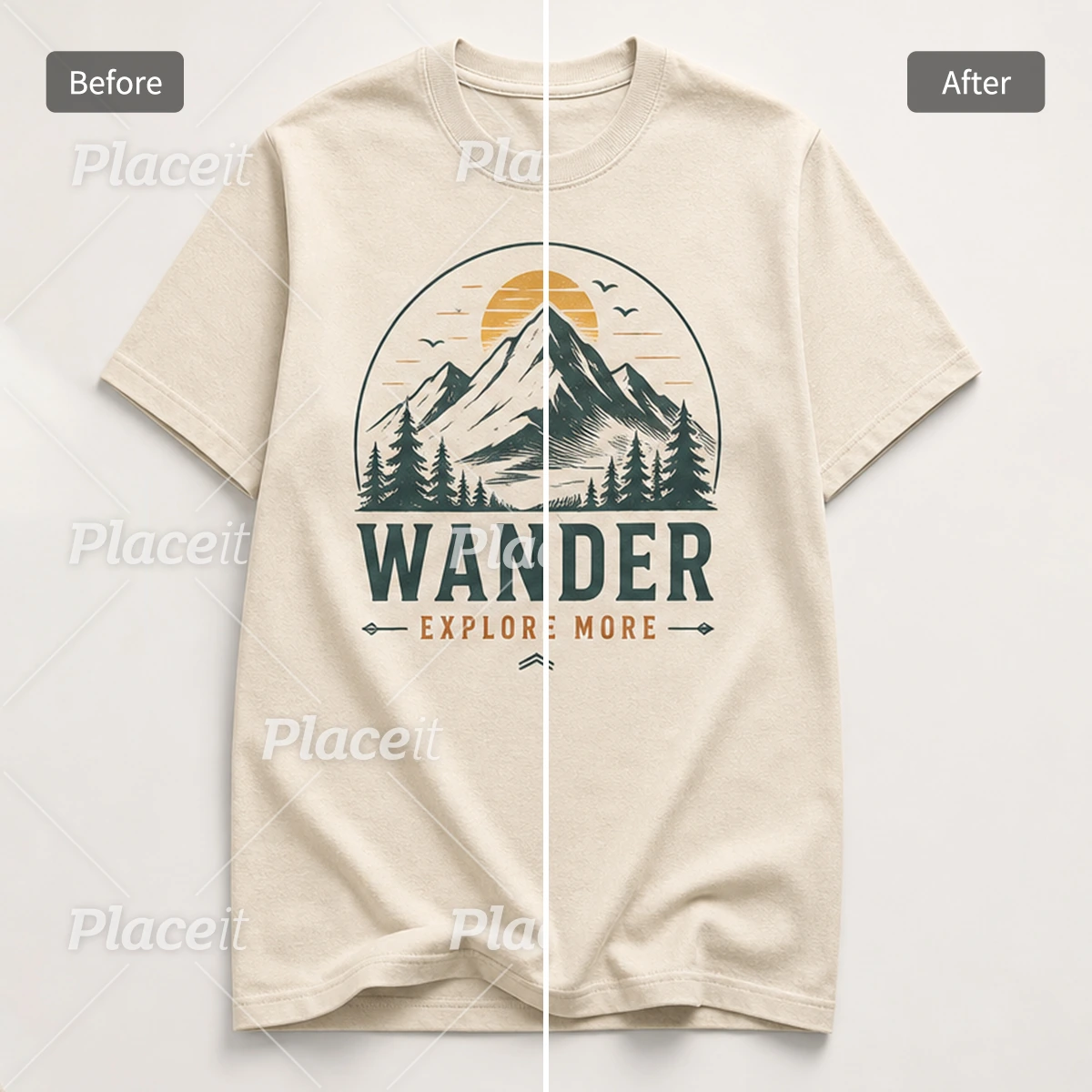
Remove Placeit Grid Marks in One Upload
Pokecut makes it easier to remove Placeit watermark grids from product images when you do not want to paint over every line by hand. Upload the image, let the tool read the repeated grid pattern, and it will clean the marks while keeping the main product area clear. You do not need Photoshop skills or a layer-by-layer workflow.
This is useful when a product image looks right but the watermark blocks the view. Instead of starting again, use the Placeit watermark remover online to remove the watermark and check whether the design, clothing texture, or product layout is worth keeping for your next draft.
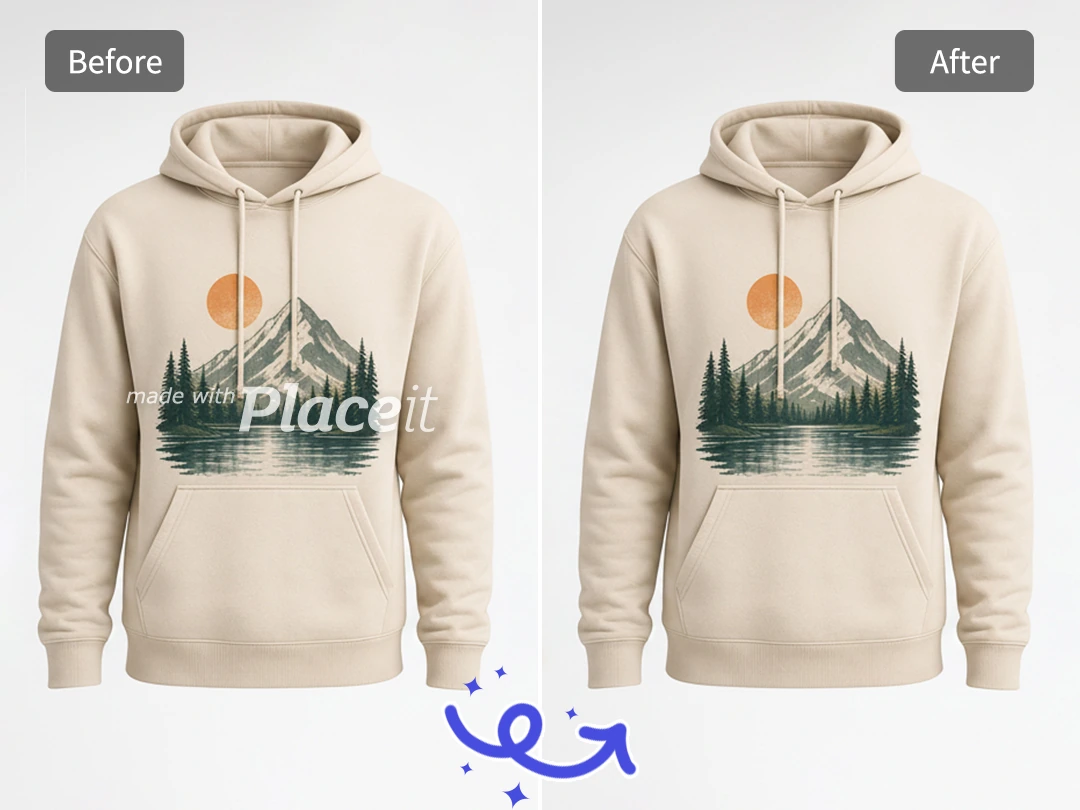
Clean Watermarks Without Leaving Traces
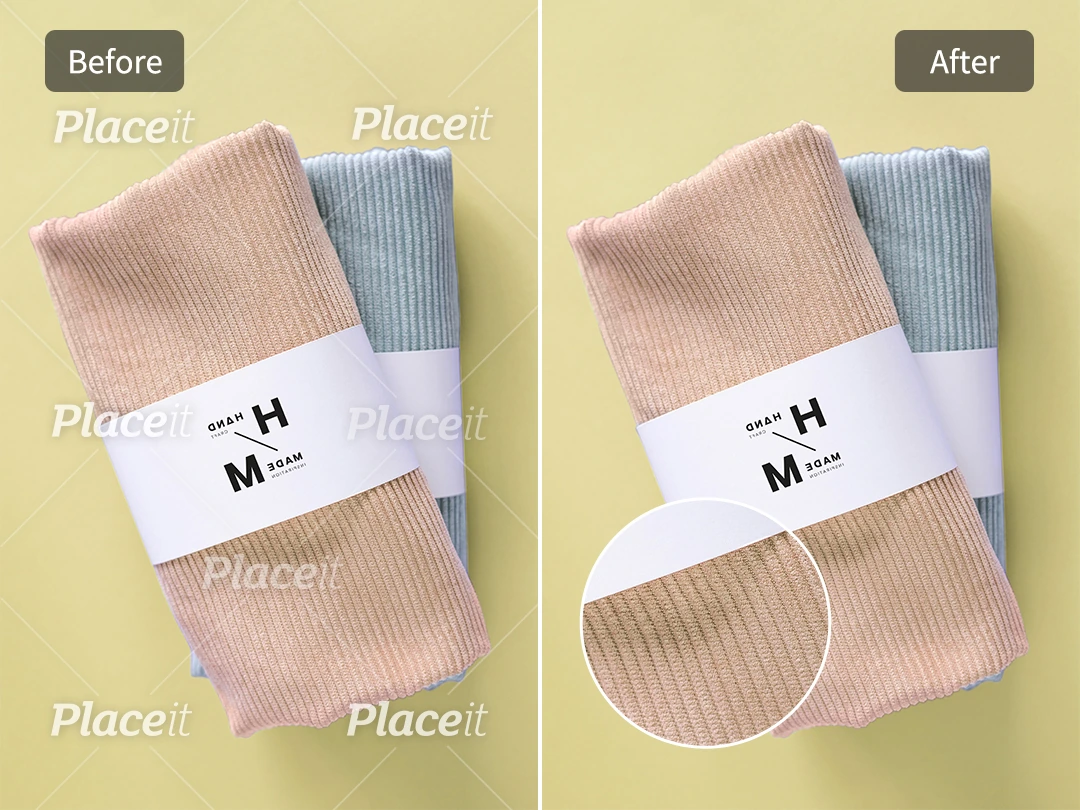
A basic eraser often leaves pale patches, soft pixels, or dents where the grid used to be. Pokecut evaluates nearby texture and light to fill the removed area, keeping fabric folds, product edges, and background colors natural and uniform. Instead of blurring the image, the system cleans the watermark while preserving the original design structure.
For e-commerce sellers, this Placeit image watermark remover turns blocked previews into clean product photos for fast market testing. For low-resolution sources, combining the result with Pokecut's AI Photo Enhancer ensures a sharper final export appropriate for store listings and commercial presentations.
Pokecut's Watermark Remover for Different Users



How to Remove Placeit Watermark Online
Step 1: Upload Your Placeit Image
Choose a product image with clear product detail. A larger file helps Pokecut read the grid watermark and nearby texture.
Step 2: Let Pokecut Clean the Grid
The tool detects repeated Placeit watermark lines, removes them, and rebuilds the covered area from surrounding pixels.
Step 3: Download the Clean Mockup
Save the cleaner image for draft review, product testing, or a design presentation once the result looks natural.

Why Choose Pokecut's Watermark Remover?
Support Multi-Formats
The tool supports formats including JPG, JPEG, PNG, WebP, and BMP without requiring any pre-conversion or format changes.

Qualitied Resolution Export
The tool removes Placeit grids without lowering image quality. It keeps the original resolution and sharpness, ensuring product edges and background details stay clean upon export.

Free to Try Online
Use the Placeit watermark remover online with no software setup. Pokecut gives you 20 free images every day, so you can clean your product previews instantly for free.

Secure Data Privacy
All uploaded files are automatically and permanently deleted from the system immediately after processing, ensuring complete privacy and asset security.

What Do Users Say About Pokecut's Watermark Remover?
Creators use Pokecut to clean product previews and move faster on design checks.


Sophie M.

"I had a shirt picture covered with a grid watermark, and Pokecut cleaned it well enough for an internal product check. It saved me from rebuilding the whole preview."
Mark T.
"The best part is that I did not have to brush over every tiny line. I uploaded the image, checked the result, and used the clean version in a client mood board."
Ava R.
"Some busy backgrounds still need a second try, but the fabric areas came out much cleaner than my manual edits. For quick preview testing, it is very handy."
Ethan P.
"I used it on product preview images before sending options to my store team. The details stayed readable, and I did not need to open a desktop editor."
Nina C.
"Pokecut helped me clean a logo image where the watermark crossed the lettering. I liked that the edges did not turn into a blurry mess."
Owen L.
"It made my Placeit preview usable for a draft presentation. I still kept the licensed version for final use, but this was great for comparing concepts quickly."
Sophie M.
"I had a shirt picture covered with a grid watermark, and Pokecut cleaned it well enough for an internal product check. It saved me from rebuilding the whole preview."
Mark T.
"The best part is that I did not have to brush over every tiny line. I uploaded the image, checked the result, and used the clean version in a client mood board."
Ava R.
"Some busy backgrounds still need a second try, but the fabric areas came out much cleaner than my manual edits. For quick preview testing, it is very handy."
Ethan P.
"I used it on product preview images before sending options to my store team. The details stayed readable, and I did not need to open a desktop editor."
Nina C.
"Pokecut helped me clean a logo image where the watermark crossed the lettering. I liked that the edges did not turn into a blurry mess."
Owen L.
"It made my Placeit preview usable for a draft presentation. I still kept the licensed version for final use, but this was great for comparing concepts quickly."
Sophie M.
"I had a shirt picture covered with a grid watermark, and Pokecut cleaned it well enough for an internal product check. It saved me from rebuilding the whole preview."
Mark T.
"The best part is that I did not have to brush over every tiny line. I uploaded the image, checked the result, and used the clean version in a client mood board."
Ava R.
"Some busy backgrounds still need a second try, but the fabric areas came out much cleaner than my manual edits. For quick preview testing, it is very handy."
Ethan P.
"I used it on product preview images before sending options to my store team. The details stayed readable, and I did not need to open a desktop editor."
Nina C.
"Pokecut helped me clean a logo image where the watermark crossed the lettering. I liked that the edges did not turn into a blurry mess."
Owen L.
"It made my Placeit preview usable for a draft presentation. I still kept the licensed version for final use, but this was great for comparing concepts quickly."
Sophie M.
"I had a shirt picture covered with a grid watermark, and Pokecut cleaned it well enough for an internal product check. It saved me from rebuilding the whole preview."
Mark T.
"The best part is that I did not have to brush over every tiny line. I uploaded the image, checked the result, and used the clean version in a client mood board."
Ava R.
"Some busy backgrounds still need a second try, but the fabric areas came out much cleaner than my manual edits. For quick preview testing, it is very handy."
Ethan P.
"I used it on product preview images before sending options to my store team. The details stayed readable, and I did not need to open a desktop editor."
Nina C.
"Pokecut helped me clean a logo image where the watermark crossed the lettering. I liked that the edges did not turn into a blurry mess."
Owen L.
"It made my Placeit preview usable for a draft presentation. I still kept the licensed version for final use, but this was great for comparing concepts quickly."
Sophie M.
"I had a shirt picture covered with a grid watermark, and Pokecut cleaned it well enough for an internal product check. It saved me from rebuilding the whole preview."
Mark T.
"The best part is that I did not have to brush over every tiny line. I uploaded the image, checked the result, and used the clean version in a client mood board."
Ava R.
"Some busy backgrounds still need a second try, but the fabric areas came out much cleaner than my manual edits. For quick preview testing, it is very handy."
Ethan P.
"I used it on product preview images before sending options to my store team. The details stayed readable, and I did not need to open a desktop editor."
Nina C.
"Pokecut helped me clean a logo image where the watermark crossed the lettering. I liked that the edges did not turn into a blurry mess."
Owen L.
"It made my Placeit preview usable for a draft presentation. I still kept the licensed version for final use, but this was great for comparing concepts quickly."
Ethan P.
"I used it on product preview images before sending options to my store team. The details stayed readable, and I did not need to open a desktop editor."
Nina C.
"Pokecut helped me clean a logo image where the watermark crossed the lettering. I liked that the edges did not turn into a blurry mess."
Owen L.
"It made my Placeit preview usable for a draft presentation. I still kept the licensed version for final use, but this was great for comparing concepts quickly."
Sophie M.
"I had a shirt picture covered with a grid watermark, and Pokecut cleaned it well enough for an internal product check. It saved me from rebuilding the whole preview."
Mark T.
"The best part is that I did not have to brush over every tiny line. I uploaded the image, checked the result, and used the clean version in a client mood board."
Ava R.
"Some busy backgrounds still need a second try, but the fabric areas came out much cleaner than my manual edits. For quick preview testing, it is very handy."
Ethan P.
"I used it on product preview images before sending options to my store team. The details stayed readable, and I did not need to open a desktop editor."
Nina C.
"Pokecut helped me clean a logo image where the watermark crossed the lettering. I liked that the edges did not turn into a blurry mess."
Owen L.
"It made my Placeit preview usable for a draft presentation. I still kept the licensed version for final use, but this was great for comparing concepts quickly."
Sophie M.
"I had a shirt picture covered with a grid watermark, and Pokecut cleaned it well enough for an internal product check. It saved me from rebuilding the whole preview."
Mark T.
"The best part is that I did not have to brush over every tiny line. I uploaded the image, checked the result, and used the clean version in a client mood board."
Ava R.
"Some busy backgrounds still need a second try, but the fabric areas came out much cleaner than my manual edits. For quick preview testing, it is very handy."
Ethan P.
"I used it on product preview images before sending options to my store team. The details stayed readable, and I did not need to open a desktop editor."
Nina C.
"Pokecut helped me clean a logo image where the watermark crossed the lettering. I liked that the edges did not turn into a blurry mess."
Owen L.
"It made my Placeit preview usable for a draft presentation. I still kept the licensed version for final use, but this was great for comparing concepts quickly."
Sophie M.
"I had a shirt picture covered with a grid watermark, and Pokecut cleaned it well enough for an internal product check. It saved me from rebuilding the whole preview."
Mark T.
"The best part is that I did not have to brush over every tiny line. I uploaded the image, checked the result, and used the clean version in a client mood board."
Ava R.
"Some busy backgrounds still need a second try, but the fabric areas came out much cleaner than my manual edits. For quick preview testing, it is very handy."
Ethan P.
"I used it on product preview images before sending options to my store team. The details stayed readable, and I did not need to open a desktop editor."
Nina C.
"Pokecut helped me clean a logo image where the watermark crossed the lettering. I liked that the edges did not turn into a blurry mess."
Owen L.
"It made my Placeit preview usable for a draft presentation. I still kept the licensed version for final use, but this was great for comparing concepts quickly."
Sophie M.
"I had a shirt picture covered with a grid watermark, and Pokecut cleaned it well enough for an internal product check. It saved me from rebuilding the whole preview."
Mark T.
"The best part is that I did not have to brush over every tiny line. I uploaded the image, checked the result, and used the clean version in a client mood board."
Ava R.
"Some busy backgrounds still need a second try, but the fabric areas came out much cleaner than my manual edits. For quick preview testing, it is very handy."
Ethan P.
"I used it on product preview images before sending options to my store team. The details stayed readable, and I did not need to open a desktop editor."
Nina C.
"Pokecut helped me clean a logo image where the watermark crossed the lettering. I liked that the edges did not turn into a blurry mess."
Owen L.
"It made my Placeit preview usable for a draft presentation. I still kept the licensed version for final use, but this was great for comparing concepts quickly."
Sophie M.
"I had a shirt picture covered with a grid watermark, and Pokecut cleaned it well enough for an internal product check. It saved me from rebuilding the whole preview."
Mark T.
"The best part is that I did not have to brush over every tiny line. I uploaded the image, checked the result, and used the clean version in a client mood board."
Ava R.
"Some busy backgrounds still need a second try, but the fabric areas came out much cleaner than my manual edits. For quick preview testing, it is very handy."
Reviews from: Reddit, Product Hunt, G2, TrustRadius, Google Play, App Store, and more.
Pokecut Trusted by Millions of Leaders and Users

1M+ Users Worldwide
Pokecut generate over 500,000 images every day

#2 on Product Hunt
Pokecut launched and won #2 product of the day

Professional Privacy Protection
Ensure 100% data privacy for every photo

Trusted by well-known brands
Apple、Google、Paypal、Stripe、Product hunt、G2、TrustRadius
FAQs About Placeit Watermark Remover
Does the tool blur the image details under the watermark?
No. Pokecut analyzes the surrounding texture, colors, and light to fill in the grid lines. This keeps details clean and natural instead of blurry.
What should I do if some grid lines are still visible?
Complex backgrounds can sometimes leave minor marks. Simply use the brush to paint over the remaining spot to clean them up.
Is it secure to upload my designs to Pokecut?
Your privacy is our priority. We use advanced encryption to handle your files. All files are automatically deleted permanently after processing.
How long does it take to clean an image?
Most watermark removals take only a few seconds. Complex backgrounds or large files might take slightly longer, but you will get your clean preview almost instantly.
Can I use the tool on my mobile browser?
Yes. The tool works fully on your mobile browser. You can upload pictures directly from your phone's photo library.





