





Alamy Watermark Remover Online Free for Clean Images
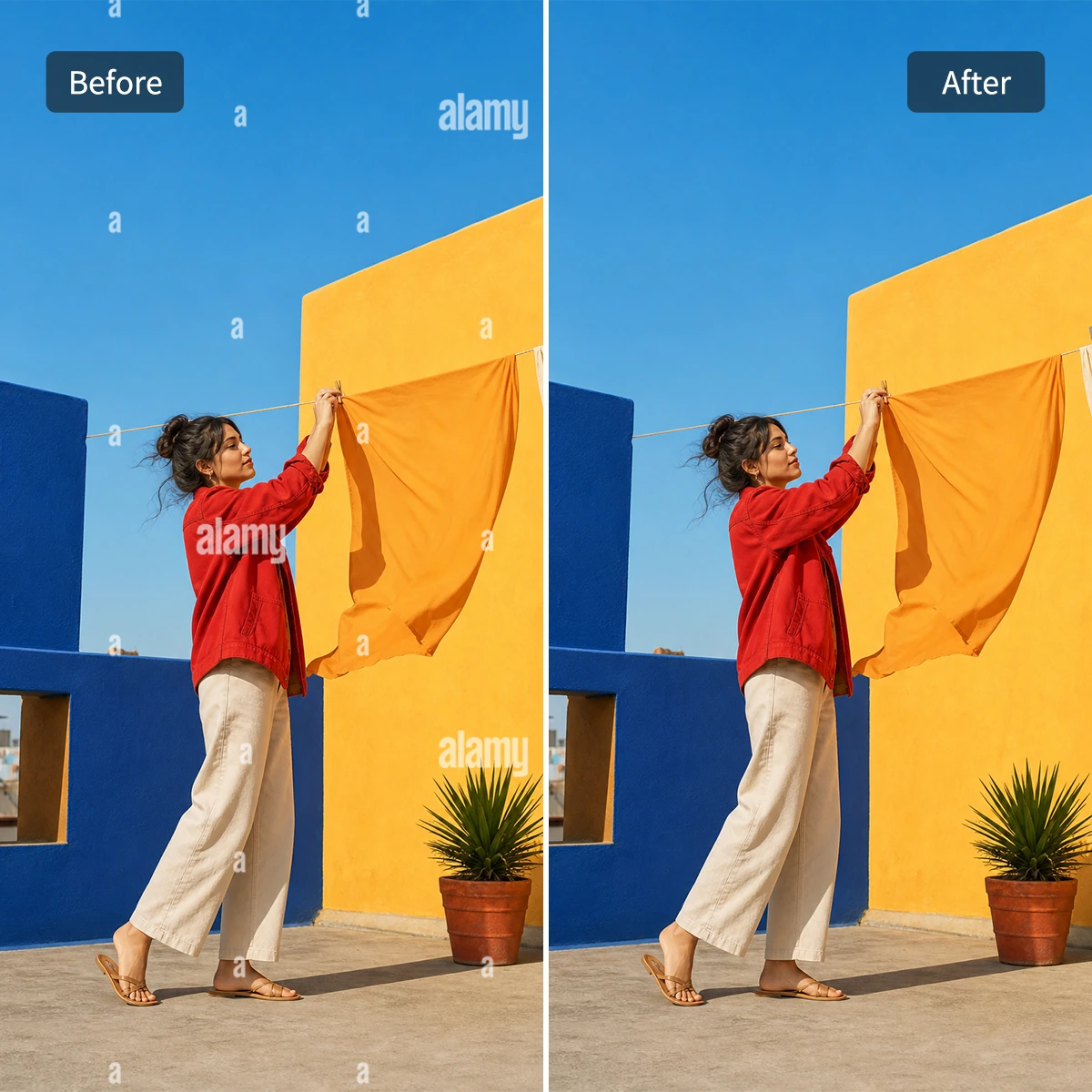
Use Pokecut's alamy stock photo watermark remover to clear scattered marks from preview images while keeping faces, textures, and edges natural.





By uploading an image or URL you agree to our Terms of Use and Privacy Policy
How to Remove Alamy Watermark in Seconds
Step 1: Upload Your Alamy Preview
Choose the image with scattered Alamy marks. A clear upload helps Pokecut read letters, edges, and background texture.
Step 2: Let AI Detect the Marks
Pokecut finds repeated letters across the full picture, including small low-contrast marks that are easy to miss by hand.
Step 3: Preview and Download
Check faces, borders, and detailed areas, then download a cleaner image for drafts, presentations, or layout previews.

Why Choose Pokecut's Alamy Watermark Remover?
Clear Scattered Alamy Waterarks in One Pass
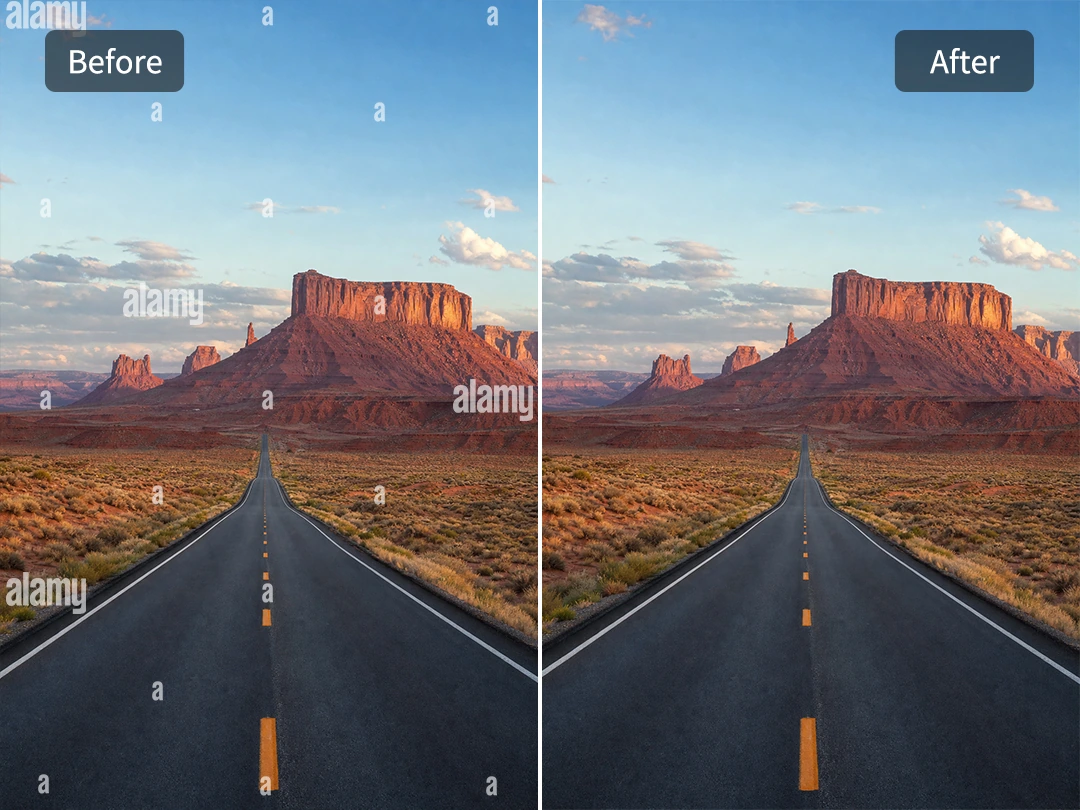
Alamy preview images often carry tiny letters across the whole frame, not just one large mark in the center. That is what makes manual cleanup so annoying. Pokecut's alamy watermark remover is built for that scattered pattern, so the tool can detect repeated marks across the full image instead of asking you to chase them one by one.
Upload the preview, and the AI looks for the semi-transparent Alamy letters and small anchors that blend into the original photo. It is useful when you need to remove the watermark for a design picture, classroom presentation, or internal visual draft and do not want a page full of gray letters breaking the layout. The result gives you a cleaner image without turning the cleanup into slow brushwork.
Preserve Real Textures and Details
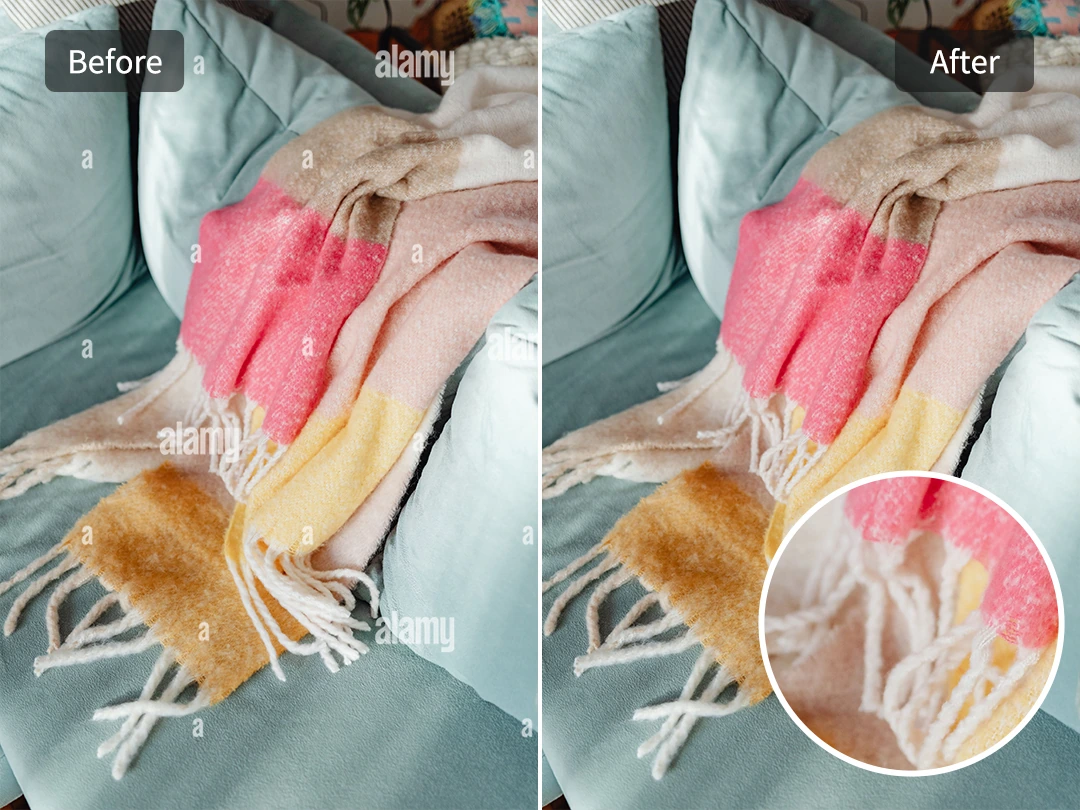
A weak tool often blurs cleaned areas or smears textures, making the repair obvious. Pokecut avoids this by analyzing surrounding pixels and scene context, seamlessly rebuilding missing details. Whether it is a smooth wall or intricate skin and fabric, the AI ensures the texture blends naturally with the original photo.
This is essential for visual proposals or layouts where a messy patch would ruin the look. Our tool preserves grain and background patterns, keeping previews clean. Since stock previews are often low-resolution, you can instantly upgrade the quality using an AI Photo Enhancer right after the watermark is gone.
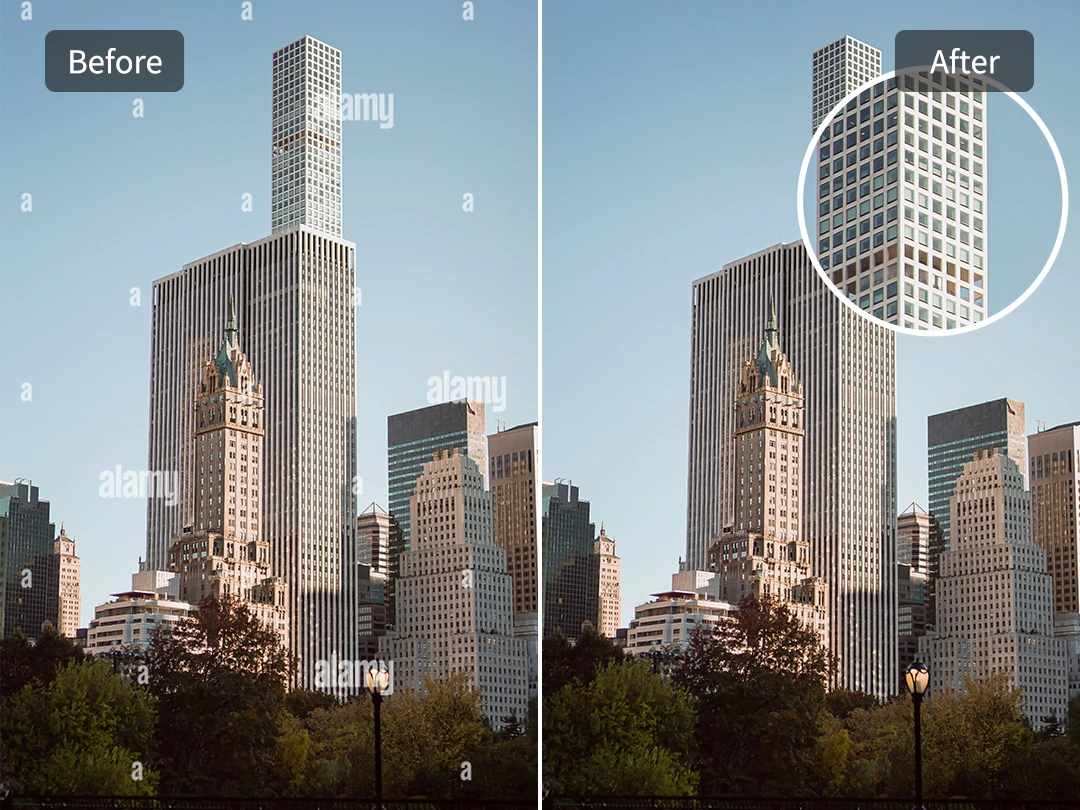
Protect Edges Around People and Objects
The hardest Alamy marks are the ones sitting on a coat edge, a building line, a hand, or a thin object against the background. Because the letters are semi-transparent, basic tools can confuse the watermark with the real image and chew through the outline while trying to erase it. Pokecut separates the mark from the subject more carefully, so a sleeve edge, window frame, or product border stays crisp after cleanup.
This alamy image watermark remover avoids heavy blur and forced compression, which helps the final preview look more like the source photo. If your file has a different brand mark rather than Alamy's repeated letters, you can also remove logo watermark from image with a tool made for logo-shaped marks.
Who Can Benefit from Pokecut's Alamy Watermark Remover?

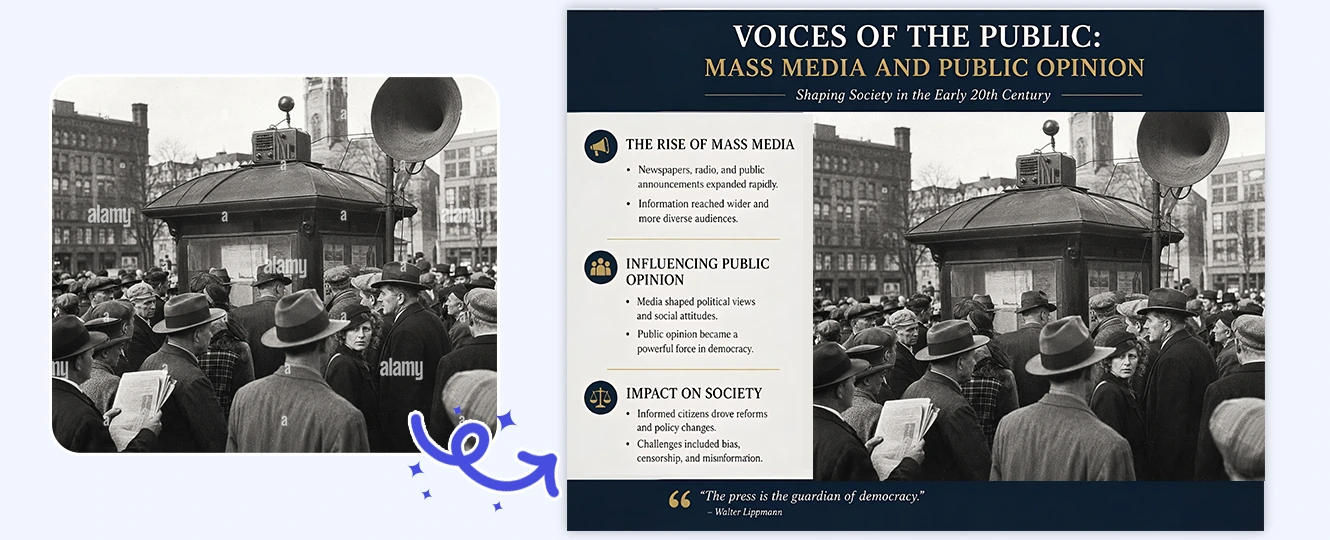

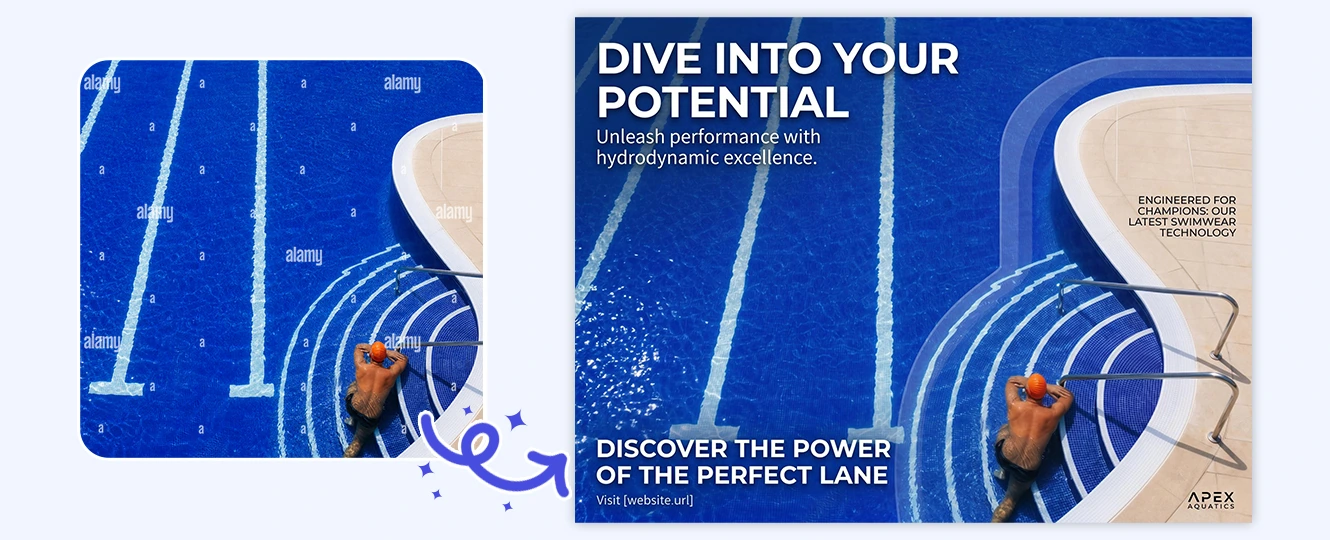

What Do Users Say About Pokecut's Alamy Watermark Remover?
Users rely on Pokecut when scattered Alamy marks make drafts hard to judge.


Lena R.

"I used it on a layout preview with tiny Alamy letters everywhere. The cleaned version was much easier to show during our design review."
Marcus D.
"The best part was how it handled marks near building edges. I expected blurry patches, but the lines stayed clean enough for a presentation."
Hannah P.
"I cleaned a historical image for a classroom slide. One textured area needed another try, but the final preview looked readable."
Victor S.
"Our ad mockup had marks right across the subject. Pokecut removed them without making the background look like a smudged patch."
Nina C.
"I am not a Photoshop person, so this saved me a lot of zooming and painting. Uploading the image and checking the result was enough."
Elliot M.
"It worked well for a book cover draft. I still licensed the final image later, but the clean mockup helped the team decide faster."
Lena R.
"I used it on a layout preview with tiny Alamy letters everywhere. The cleaned version was much easier to show during our design review."
Marcus D.
"The best part was how it handled marks near building edges. I expected blurry patches, but the lines stayed clean enough for a presentation."
Hannah P.
"I cleaned a historical image for a classroom slide. One textured area needed another try, but the final preview looked readable."
Victor S.
"Our ad mockup had marks right across the subject. Pokecut removed them without making the background look like a smudged patch."
Nina C.
"I am not a Photoshop person, so this saved me a lot of zooming and painting. Uploading the image and checking the result was enough."
Elliot M.
"It worked well for a book cover draft. I still licensed the final image later, but the clean mockup helped the team decide faster."
Lena R.
"I used it on a layout preview with tiny Alamy letters everywhere. The cleaned version was much easier to show during our design review."
Marcus D.
"The best part was how it handled marks near building edges. I expected blurry patches, but the lines stayed clean enough for a presentation."
Hannah P.
"I cleaned a historical image for a classroom slide. One textured area needed another try, but the final preview looked readable."
Victor S.
"Our ad mockup had marks right across the subject. Pokecut removed them without making the background look like a smudged patch."
Nina C.
"I am not a Photoshop person, so this saved me a lot of zooming and painting. Uploading the image and checking the result was enough."
Elliot M.
"It worked well for a book cover draft. I still licensed the final image later, but the clean mockup helped the team decide faster."
Lena R.
"I used it on a layout preview with tiny Alamy letters everywhere. The cleaned version was much easier to show during our design review."
Marcus D.
"The best part was how it handled marks near building edges. I expected blurry patches, but the lines stayed clean enough for a presentation."
Hannah P.
"I cleaned a historical image for a classroom slide. One textured area needed another try, but the final preview looked readable."
Victor S.
"Our ad mockup had marks right across the subject. Pokecut removed them without making the background look like a smudged patch."
Nina C.
"I am not a Photoshop person, so this saved me a lot of zooming and painting. Uploading the image and checking the result was enough."
Elliot M.
"It worked well for a book cover draft. I still licensed the final image later, but the clean mockup helped the team decide faster."
Lena R.
"I used it on a layout preview with tiny Alamy letters everywhere. The cleaned version was much easier to show during our design review."
Marcus D.
"The best part was how it handled marks near building edges. I expected blurry patches, but the lines stayed clean enough for a presentation."
Hannah P.
"I cleaned a historical image for a classroom slide. One textured area needed another try, but the final preview looked readable."
Victor S.
"Our ad mockup had marks right across the subject. Pokecut removed them without making the background look like a smudged patch."
Nina C.
"I am not a Photoshop person, so this saved me a lot of zooming and painting. Uploading the image and checking the result was enough."
Elliot M.
"It worked well for a book cover draft. I still licensed the final image later, but the clean mockup helped the team decide faster."
Victor S.
"Our ad mockup had marks right across the subject. Pokecut removed them without making the background look like a smudged patch."
Nina C.
"I am not a Photoshop person, so this saved me a lot of zooming and painting. Uploading the image and checking the result was enough."
Elliot M.
"It worked well for a book cover draft. I still licensed the final image later, but the clean mockup helped the team decide faster."
Lena R.
"I used it on a layout preview with tiny Alamy letters everywhere. The cleaned version was much easier to show during our design review."
Marcus D.
"The best part was how it handled marks near building edges. I expected blurry patches, but the lines stayed clean enough for a presentation."
Hannah P.
"I cleaned a historical image for a classroom slide. One textured area needed another try, but the final preview looked readable."
Victor S.
"Our ad mockup had marks right across the subject. Pokecut removed them without making the background look like a smudged patch."
Nina C.
"I am not a Photoshop person, so this saved me a lot of zooming and painting. Uploading the image and checking the result was enough."
Elliot M.
"It worked well for a book cover draft. I still licensed the final image later, but the clean mockup helped the team decide faster."
Lena R.
"I used it on a layout preview with tiny Alamy letters everywhere. The cleaned version was much easier to show during our design review."
Marcus D.
"The best part was how it handled marks near building edges. I expected blurry patches, but the lines stayed clean enough for a presentation."
Hannah P.
"I cleaned a historical image for a classroom slide. One textured area needed another try, but the final preview looked readable."
Victor S.
"Our ad mockup had marks right across the subject. Pokecut removed them without making the background look like a smudged patch."
Nina C.
"I am not a Photoshop person, so this saved me a lot of zooming and painting. Uploading the image and checking the result was enough."
Elliot M.
"It worked well for a book cover draft. I still licensed the final image later, but the clean mockup helped the team decide faster."
Lena R.
"I used it on a layout preview with tiny Alamy letters everywhere. The cleaned version was much easier to show during our design review."
Marcus D.
"The best part was how it handled marks near building edges. I expected blurry patches, but the lines stayed clean enough for a presentation."
Hannah P.
"I cleaned a historical image for a classroom slide. One textured area needed another try, but the final preview looked readable."
Victor S.
"Our ad mockup had marks right across the subject. Pokecut removed them without making the background look like a smudged patch."
Nina C.
"I am not a Photoshop person, so this saved me a lot of zooming and painting. Uploading the image and checking the result was enough."
Elliot M.
"It worked well for a book cover draft. I still licensed the final image later, but the clean mockup helped the team decide faster."
Lena R.
"I used it on a layout preview with tiny Alamy letters everywhere. The cleaned version was much easier to show during our design review."
Marcus D.
"The best part was how it handled marks near building edges. I expected blurry patches, but the lines stayed clean enough for a presentation."
Hannah P.
"I cleaned a historical image for a classroom slide. One textured area needed another try, but the final preview looked readable."
Victor S.
"Our ad mockup had marks right across the subject. Pokecut removed them without making the background look like a smudged patch."
Nina C.
"I am not a Photoshop person, so this saved me a lot of zooming and painting. Uploading the image and checking the result was enough."
Elliot M.
"It worked well for a book cover draft. I still licensed the final image later, but the clean mockup helped the team decide faster."
Lena R.
"I used it on a layout preview with tiny Alamy letters everywhere. The cleaned version was much easier to show during our design review."
Marcus D.
"The best part was how it handled marks near building edges. I expected blurry patches, but the lines stayed clean enough for a presentation."
Hannah P.
"I cleaned a historical image for a classroom slide. One textured area needed another try, but the final preview looked readable."
Reviews from: Reddit, Product Hunt, G2, TrustRadius, Google Play, App Store, and more.
Pokecut Trusted by Millions of Leaders and Users

1M+ Users Worldwide
Pokecut generate over 500,000 images every day

#2 on Product Hunt
Pokecut launched and won #2 product of the day

Professional Privacy Protection
Ensure 100% data privacy for every photo

Trusted by well-known brands
Apple、Google、Paypal、Stripe、Product hunt、G2、TrustRadius
FAQs About Pokecut's Alamy Watermark Remover
Do I need to download an app to use this Alamy Watermark Remover?
Not at all. This is a fully web-based online tool. You just need to open your browser, upload your photo, and get the result.
Are my uploaded images safe from privacy leaks?
Absolutely. We value your privacy. All uploaded files are used strictly for automated AI processing and are completely cleared from our servers periodically.
Why does the cleaned photo still look low-resolution?
Alamy stock previews are inherently low-res. To get a razor-sharp image, you can upscale it instantly with our built-in AI Photo Enhancer right after the cleanup.
Can I use Pokecut to remove other stock photo watermarks?
Of course. Pokecut provides specialized tools for different watermark styles, including grid lines and central watermarks.
What is the best way to remove alamy watermark cleanly?
Start with the highest-quality preview you have, avoid over-cropping, and make one cleanup pass first. After that, check detailed areas and only enhance the image if the texture still looks natural.





