Remove Scribbles from Screenshot Online Free with AI
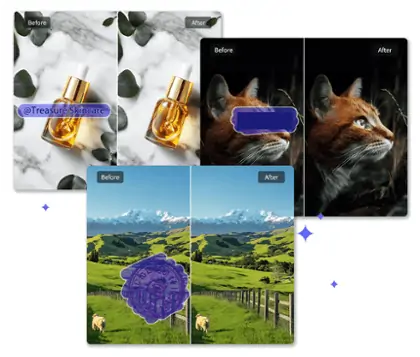
Pokecut provides a powerful way on how to remove scribbles from screenshot online. Easily erase messy drawings, filter highlighter strokes, wipe out unwanted stickers, and restore original background details in one click.
🎨Auto & manual dual brush control ⚡Seamless background AI inpainting 🔒100% privacy-safe secure cloud ✨Pure watermark-free HD export



By uploading an image or URL you agree to our Terms of Use and Privacy Policy
How to Remove Scribbles on a Screenshot
Upload Your Image
Upload your marked screenshot. Pokecut supports JPG, JPEG, PNG, WebP, and BMP formats for a fast and seamless upload.
Way 1: Use Smart Auto Mode
Switch to auto mode to let our AI instantly detect and erase stickers, logos, or watermarks in one click.
Way 2: Use Manual Magic Brush
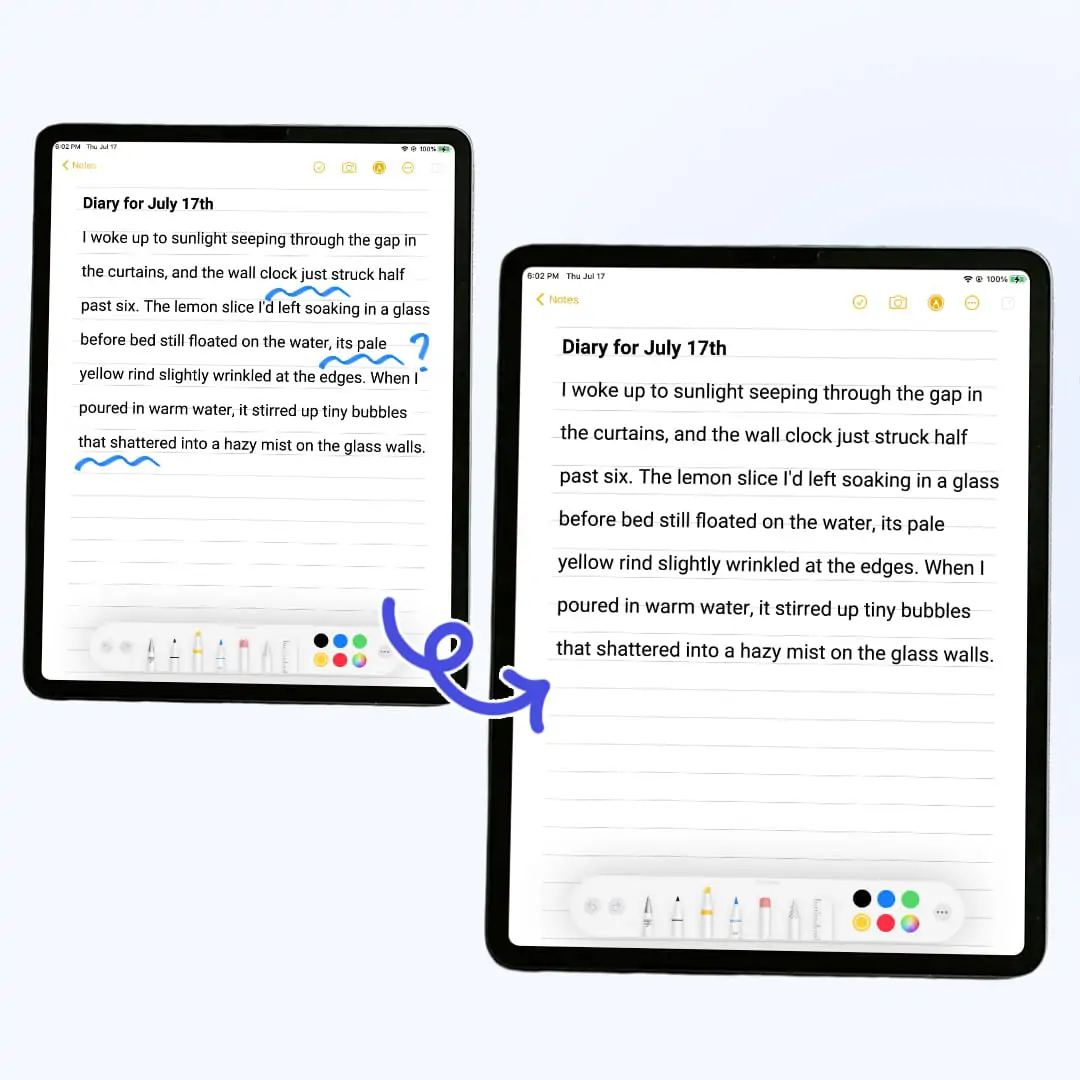
Adjust the brush size, paint over messy doodles or handwritten notes, and use the eraser to refine your selection.
Optional: Enhance Image Quality
Toggle our AI image enhancer to instantly sharpen fuzzy text and restore pixel details for a clean, professional finish.
Get Your Cleaned Original Image
Export your cleaned screenshot instantly. Enjoy lossless quality saving that preserves the exact original resolution without any compression.

Clean Screenshot Scribbles Instantly with Dual Eraser Modes
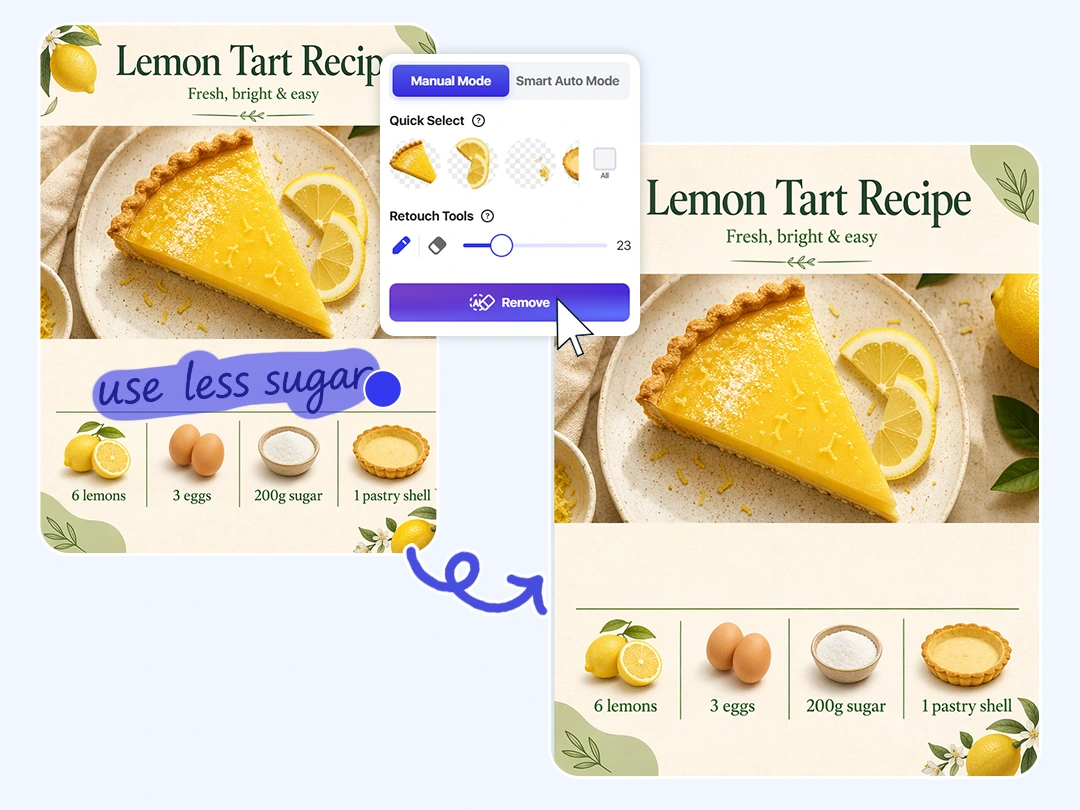
Custom Brush Size for Precise Manual Erasing
Adjust the brush size freely to manually paint over irregular scribbles and protect your background details. When you need to remove scribbles from screenshot files, the hardest part is protecting the small text, chart lines, or app icons sitting underneath. Pokecut's magic eraser lets you paint over unwanted red circles, black markers, or rough brush strokes, and rebuilds only the selected area while keeping the rest of your screenshot completely untouched.
This pixel level control allows you to handle delicate areas precisely without any learning curve. You can easily guide the tool around tight spaces, meaning the AI only targets the unwanted markings you want to clear.
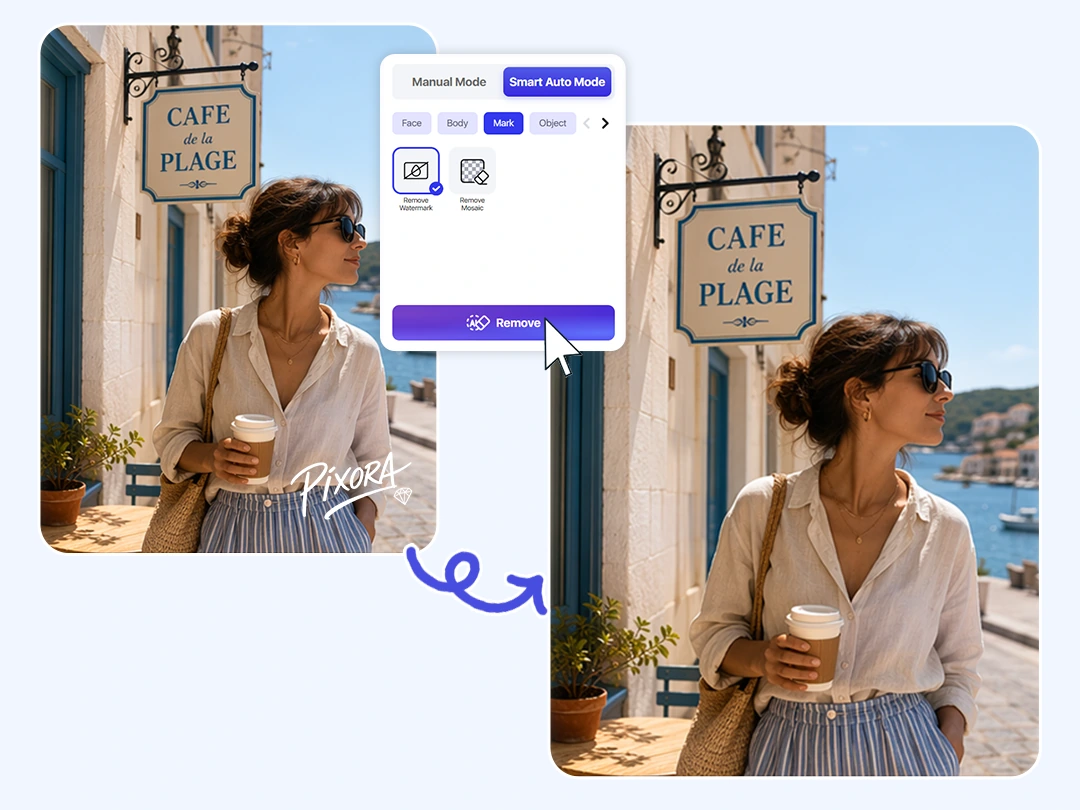
One Click Auto Detect for Instant Mark Removal
Use smart auto mode to instantly scan and erase obvious overlays in a single click. This hands free mode does the heavy lifting for you by scanning the entire image to locate prominent markings without any manual drawing. The AI automatically isolates these unwanted top layers and wipes them out immediately, making it the fastest way to get a clean image when you are short on time.
This automated tool is ideal for quickly clearing away distinct digital graphics across standard interfaces. It excels at recognizing and purging daily overlays like brand logos, stamps, stickers, and standard highlighters. Without the need for careful brush adjustments, you can instantly purify your screen captures so they are completely clean and ready for your documents.
Choose the Best Way to Erase Scribbles
Not every mark needs the same cleanup method. Use Auto Detect for obvious overlays that stand out from the background, or switch to Magic Brush when you need to control exactly what AI removes.
What Does Pokecut's Scribble Remover Offer?
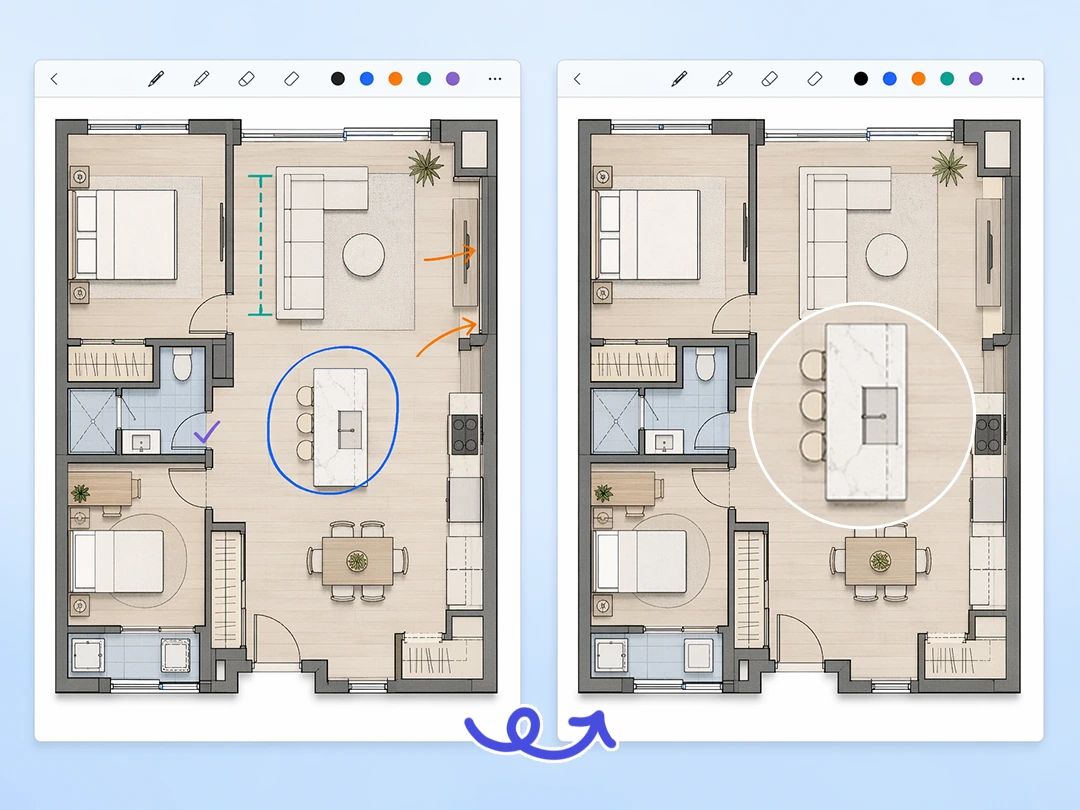
Seamless Background Inpainting Without Detail Damage
Rebuild the blocked background naturally by letting the smart AI analyze the surrounding texture of your screenshot. When you erase markups, the real challenge is protecting the small text or app icons sitting underneath them. Whether it is a dark mode grid, a system chat bubble, or a clean white document, the final image is restored seamlessly as if the scribbles were never there.
To keep your files looking professional, this process ensures that every untouched part of the image stays in its original place. The tool focuses only on rebuilding the pixel areas inside your selected brush strokes, which means the rest of the screenshot remains completely safe from any accidental changes. You will get a clean result without worrying about blurry patches or shifted layouts.
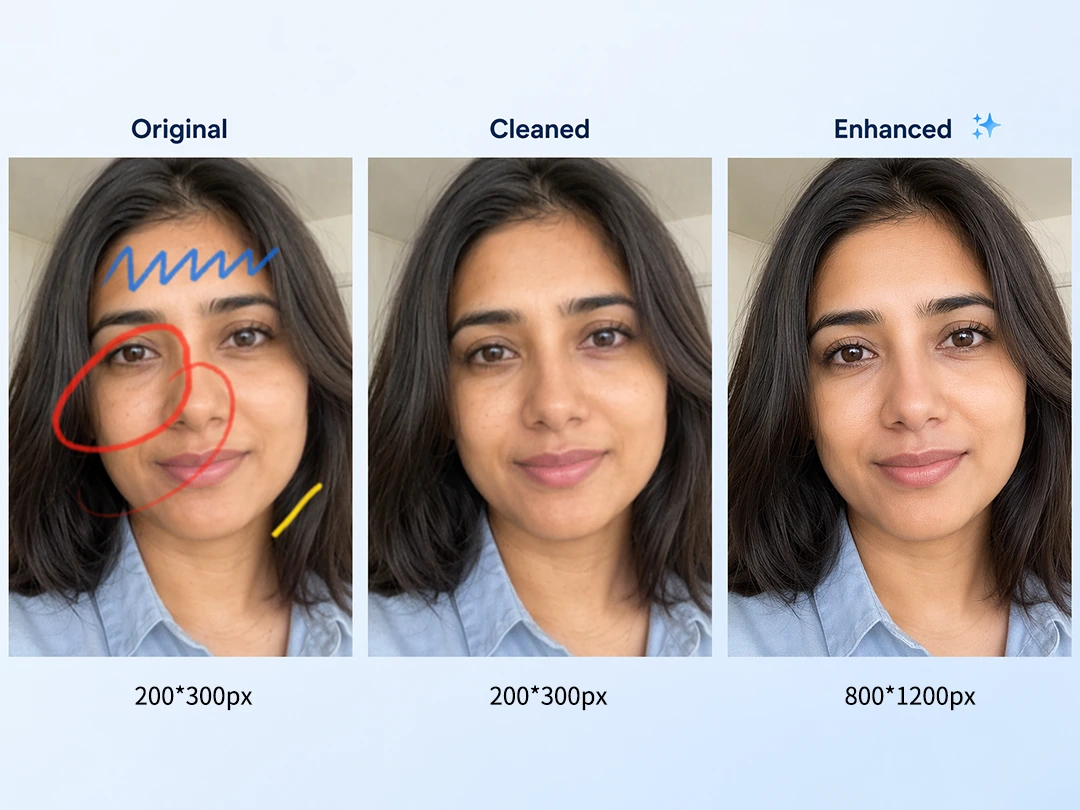
Lossless Resolution Export and Optional Enhancement
You never have to worry about our editing tool degrading your image quality. Pokecut guarantees a lossless process, ensuring that the screenshot is exported with the exact same resolution and clarity as your uploaded file. Every detail, from small table numbers to sharp font edges, remains completely uncompressed and ready to be used in your work reports or slide decks.
If you are dealing with a screenshot that was already low-quality or blurred from multiple forwards, you can take advantage of our AI image enhancer. With a single click after removing your scribbles, the tool will reconstruct lost pixels and sharpen fuzzy letters. This powerful combination ensures you get a final image that is not only clean but also incredibly easy to read.
What Kinds of Scribbles Can Pokecut Works On?
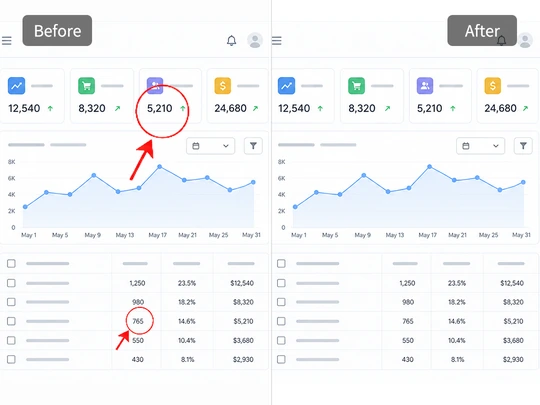
Red Markups
Remove red marker from screenshot online when a bug circle or arrow blocks your interface. Pokecut clears the bright line while keeping tiny labels and grid details readable.
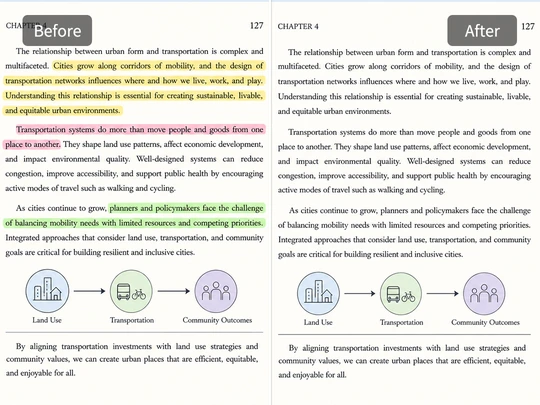
Text Highlighters
Clean highlighter strokes from PDF or ebook screenshots so the paragraph is readable again. Pokecut separates color marks from the text edge instead of smearing the words.
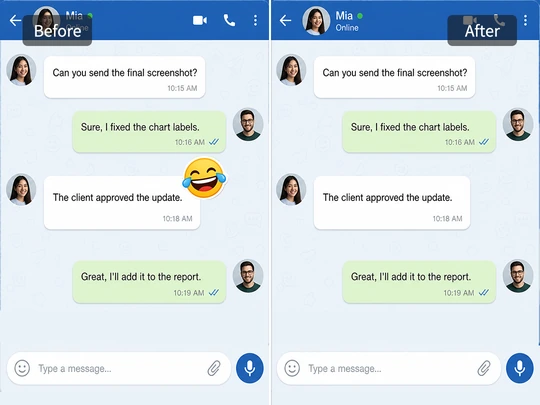
Stickers and Symbols
Use Pokecut to remove stickers or emoji covers from screenshots, then rebuild the simple background or chat area underneath.
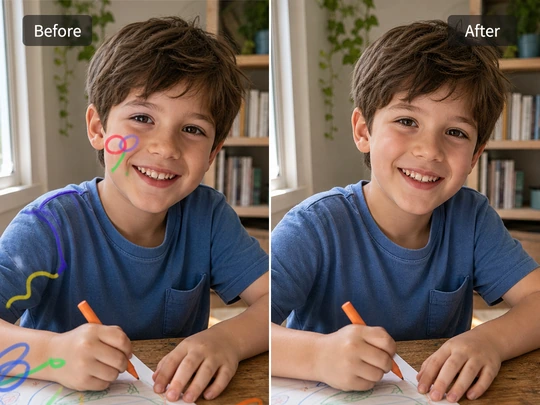
Accidental Doodles
Remove draw line from photo captures when a child, stylus, or accidental touch leaves messy strokes over an important image. Pokecut repairs the selected area only.
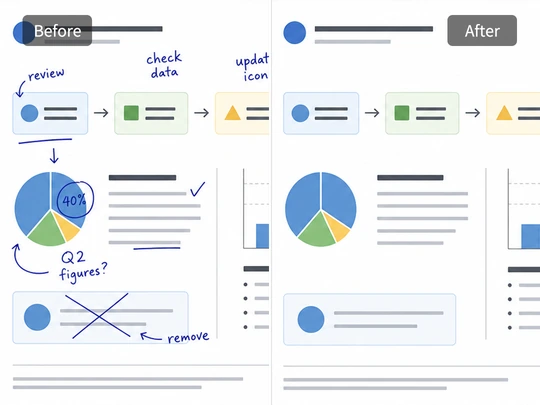
Handwritten Notes
Clean handwritten notes from whiteboard, slide, or worksheet screenshots. The tool helps you keep the printed layout while removing rough pen marks and check signs.
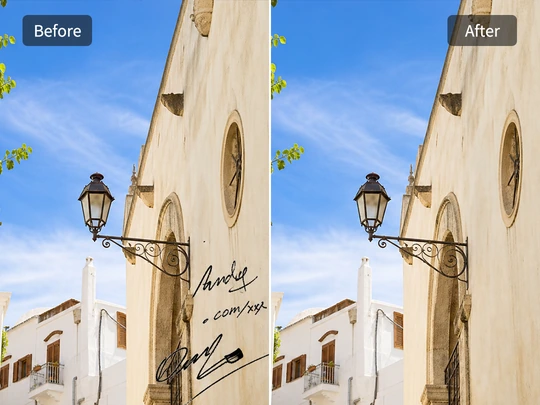
Paintbrush Watermarks
Remove paintbrush from screenshot online when a name, URL, or rough signature sits in the corner. Pokecut blends the edge so the image looks ready to share.
How Does Pokecut Compare in Removing Scribbles from Screenshots?
Many scribble removers are built for general photo retouching or a single removal workflow. Pokecut combines Auto Detect for obvious overlays with Magic Brush control for detailed screenshot cleanup, plus direct clipboard or image-URL paste and an optional enhancement step for reuse-ready screenshots.
What Do Users Say About AI Scribble Remover?
Users choose Pokecut to clean marked screenshots faster and with more control.


Mia L.

"I removed a red bug circle from a product screenshot before sending it to a client. The small UI text stayed clear, which mattered most."
Aaron K.
"The manual brush helped me clean marker lines over a chart. I could cover only the scribble instead of changing the whole image."
Sofia R.
"Auto Detect worked well for obvious stickers. I used the brush once for a small leftover edge, then the screenshot looked clean."
Ben T.
"I use it for tutorial screenshots. It removes arrows and rough notes without forcing me to reopen a heavy design app."
Priya N.
"The output did not look compressed after cleanup. That made it easier to reuse the screenshot in our help center article."
Leo P.
"It is simple enough for quick support work. Upload, brush the markup, and download a cleaner version for the next reply."
Mia L.
"I removed a red bug circle from a product screenshot before sending it to a client. The small UI text stayed clear, which mattered most."
Aaron K.
"The manual brush helped me clean marker lines over a chart. I could cover only the scribble instead of changing the whole image."
Sofia R.
"Auto Detect worked well for obvious stickers. I used the brush once for a small leftover edge, then the screenshot looked clean."
Ben T.
"I use it for tutorial screenshots. It removes arrows and rough notes without forcing me to reopen a heavy design app."
Priya N.
"The output did not look compressed after cleanup. That made it easier to reuse the screenshot in our help center article."
Leo P.
"It is simple enough for quick support work. Upload, brush the markup, and download a cleaner version for the next reply."
Mia L.
"I removed a red bug circle from a product screenshot before sending it to a client. The small UI text stayed clear, which mattered most."
Aaron K.
"The manual brush helped me clean marker lines over a chart. I could cover only the scribble instead of changing the whole image."
Sofia R.
"Auto Detect worked well for obvious stickers. I used the brush once for a small leftover edge, then the screenshot looked clean."
Ben T.
"I use it for tutorial screenshots. It removes arrows and rough notes without forcing me to reopen a heavy design app."
Priya N.
"The output did not look compressed after cleanup. That made it easier to reuse the screenshot in our help center article."
Leo P.
"It is simple enough for quick support work. Upload, brush the markup, and download a cleaner version for the next reply."
Mia L.
"I removed a red bug circle from a product screenshot before sending it to a client. The small UI text stayed clear, which mattered most."
Aaron K.
"The manual brush helped me clean marker lines over a chart. I could cover only the scribble instead of changing the whole image."
Sofia R.
"Auto Detect worked well for obvious stickers. I used the brush once for a small leftover edge, then the screenshot looked clean."
Ben T.
"I use it for tutorial screenshots. It removes arrows and rough notes without forcing me to reopen a heavy design app."
Priya N.
"The output did not look compressed after cleanup. That made it easier to reuse the screenshot in our help center article."
Leo P.
"It is simple enough for quick support work. Upload, brush the markup, and download a cleaner version for the next reply."
Mia L.
"I removed a red bug circle from a product screenshot before sending it to a client. The small UI text stayed clear, which mattered most."
Aaron K.
"The manual brush helped me clean marker lines over a chart. I could cover only the scribble instead of changing the whole image."
Sofia R.
"Auto Detect worked well for obvious stickers. I used the brush once for a small leftover edge, then the screenshot looked clean."
Ben T.
"I use it for tutorial screenshots. It removes arrows and rough notes without forcing me to reopen a heavy design app."
Priya N.
"The output did not look compressed after cleanup. That made it easier to reuse the screenshot in our help center article."
Leo P.
"It is simple enough for quick support work. Upload, brush the markup, and download a cleaner version for the next reply."
Ben T.
"I use it for tutorial screenshots. It removes arrows and rough notes without forcing me to reopen a heavy design app."
Priya N.
"The output did not look compressed after cleanup. That made it easier to reuse the screenshot in our help center article."
Leo P.
"It is simple enough for quick support work. Upload, brush the markup, and download a cleaner version for the next reply."
Mia L.
"I removed a red bug circle from a product screenshot before sending it to a client. The small UI text stayed clear, which mattered most."
Aaron K.
"The manual brush helped me clean marker lines over a chart. I could cover only the scribble instead of changing the whole image."
Sofia R.
"Auto Detect worked well for obvious stickers. I used the brush once for a small leftover edge, then the screenshot looked clean."
Ben T.
"I use it for tutorial screenshots. It removes arrows and rough notes without forcing me to reopen a heavy design app."
Priya N.
"The output did not look compressed after cleanup. That made it easier to reuse the screenshot in our help center article."
Leo P.
"It is simple enough for quick support work. Upload, brush the markup, and download a cleaner version for the next reply."
Mia L.
"I removed a red bug circle from a product screenshot before sending it to a client. The small UI text stayed clear, which mattered most."
Aaron K.
"The manual brush helped me clean marker lines over a chart. I could cover only the scribble instead of changing the whole image."
Sofia R.
"Auto Detect worked well for obvious stickers. I used the brush once for a small leftover edge, then the screenshot looked clean."
Ben T.
"I use it for tutorial screenshots. It removes arrows and rough notes without forcing me to reopen a heavy design app."
Priya N.
"The output did not look compressed after cleanup. That made it easier to reuse the screenshot in our help center article."
Leo P.
"It is simple enough for quick support work. Upload, brush the markup, and download a cleaner version for the next reply."
Mia L.
"I removed a red bug circle from a product screenshot before sending it to a client. The small UI text stayed clear, which mattered most."
Aaron K.
"The manual brush helped me clean marker lines over a chart. I could cover only the scribble instead of changing the whole image."
Sofia R.
"Auto Detect worked well for obvious stickers. I used the brush once for a small leftover edge, then the screenshot looked clean."
Ben T.
"I use it for tutorial screenshots. It removes arrows and rough notes without forcing me to reopen a heavy design app."
Priya N.
"The output did not look compressed after cleanup. That made it easier to reuse the screenshot in our help center article."
Leo P.
"It is simple enough for quick support work. Upload, brush the markup, and download a cleaner version for the next reply."
Mia L.
"I removed a red bug circle from a product screenshot before sending it to a client. The small UI text stayed clear, which mattered most."
Aaron K.
"The manual brush helped me clean marker lines over a chart. I could cover only the scribble instead of changing the whole image."
Sofia R.
"Auto Detect worked well for obvious stickers. I used the brush once for a small leftover edge, then the screenshot looked clean."
Ben T.
"I use it for tutorial screenshots. It removes arrows and rough notes without forcing me to reopen a heavy design app."
Priya N.
"The output did not look compressed after cleanup. That made it easier to reuse the screenshot in our help center article."
Leo P.
"It is simple enough for quick support work. Upload, brush the markup, and download a cleaner version for the next reply."
Mia L.
"I removed a red bug circle from a product screenshot before sending it to a client. The small UI text stayed clear, which mattered most."
Aaron K.
"The manual brush helped me clean marker lines over a chart. I could cover only the scribble instead of changing the whole image."
Sofia R.
"Auto Detect worked well for obvious stickers. I used the brush once for a small leftover edge, then the screenshot looked clean."
Reviews from: Reddit, Product Hunt, G2, TrustRadius, Google Play, App Store, and more.
Pokecut Trusted by Millions of Leaders and Users

1M+ Users Worldwide
Pokecut generate over 500,000 images every day

#2 on Product Hunt
Pokecut launched and won #2 product of the day

Professional Privacy Protection
Ensure 100% data privacy for every photo

Trusted by well-known brands
Apple、Google、Paypal、Stripe、Product hunt、G2、TrustRadius
Trusted and Featured by Industry Media
Pokecut has been mentioned by industry media and online tool reviewers as a practical AI solution for cleaning images, removing unwanted marks, and restoring clearer visuals from screenshots and photos.


LightPDF
This is a convenient image sticker remover for users who need fast, hassle-free sticker removal online.
>>>Learn More
FreeAppsAI
Automatically detect image content and erase unwanted objects from photos without manually painting and editing. Pokecut's Magic Eraser-style workflow helps users clean up screenshots in just a few steps.
>>>Learn More
HeadshotMaster
For creators who also need to clean watermarks from images, thumbnails, or visual assets, Pokecut's AI watermark remover offers a simple way to remove unwanted marks and restore a cleaner look.
>>>Learn MoreFAQs About Removing Scribbles from Photo
Can I remove multiple scribbles from a single screenshot at the same time?
Yes. You can brush over all the unwanted drawings, stickers, or marks across the screenshot and erase them all at once using our manual brush tool.
What should I do if the auto-mode misses a small piece of a sticker?
You can seamlessly switch to the manual magic brush, adjust the brush size to be smaller, and simply paint over the remaining piece to erase it completely.
Which mode is better for removing from a screenshot?
For solid, well-defined overlays like brand logos, watermarks, or app stickers, AI Auto Mode is the best choice. It automatically detects their distinct edges and cleanly removes them in one click.
Can I use this tool on my mobile web browser?
Yes. No app download is required. You can open Pokecut directly in Safari, Chrome, or any mobile browser to clean screenshots on the go.
Can I use Pokecut to modify copyrighted screenshots?
Pokecut is designed for personal image editing and cleanup. Please note that images with removed watermarks, brand logos, or copyrighted drawings should not be used for commercial purposes without the explicit consent of the original content owner.