Superimpose Pictures Online and Easily Overlay Images with AI
Learn how to superimpose two images online with Pokecut’s AI tool. Quickly create unique photo overlays for social media, collages, or personalized projects.


By uploading an image or URL you agree to our Terms of Use and Privacy Policy
How to Superimpose Pics Online Easily?
Step 1

Upload the Image you want to superimpose
Upload your main image to Pokecut’s online editor. The AI will automatically remove the background. Then you can start superimposing image instantly.
Step 2

Add a New Background and Superimpose Images
Select or upload a background, then place your subject on it. Adjust the size, position, and opacity to create a smooth and natural overlay.
Step 3

Download Your Superimposed Image Instantly
When editing is complete, download your superimposed image instantly. You can save it in JPG or PNG format. Pokecut will preserve the image’s clarity as much as possible.
Superimpose Pictures Online for Creative Edits

Resize and Rotate Overlays for Perfect Layouts
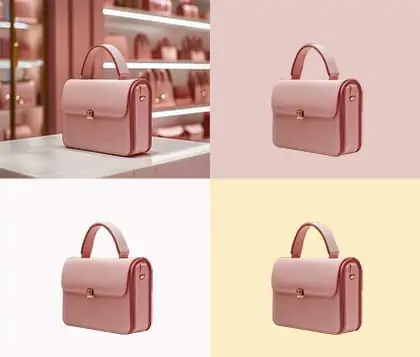
Easily remove background from any photo and superimpose it onto new scenes, objects, or backgrounds. You can resize, flip, or rotate the image to make fun collages or creative designs. This feature works great for Instagram posts, product images, or personal designs.

Enhance Superimposed Photos with Custom Effects
Quickly sharpen image with AI and adjust brightness, opacity, or shadows to make your overlays stand out. Experimenting with different settings lets you produce professional images without complex tools. This is perfect for enhance your e-commerce listings.

Superimpose Pics Online Smoothly for Natural Results
Pokecut offers over 30 blend templates to help you quickly superimpose your photos online. You can easily pick the template that best overlays your images. It makes your photos smoother and more natural. With just a few clicks, your overlays come together seamlessly, creating polished and eye-catching designs.

Superimpose Photos for Fun and Personalized Portraits
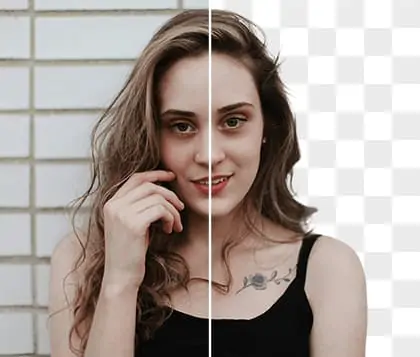
With Pokecut, you can quickly cutout face photos or pet portraits and superimpose them onto any background. Place your face on cartoon bodies, or print it on mugs or T-shirts within seconds. This superimpose pictures online feature makes it easy to overlay images. You can create playful edits and design personalized content. Share your superimposed images with friends or post them on social media to show your creativity.

Superimpose Images to Create Collages Easily
Want to showcase multiple photos in one frame? With Pokecut, you can easily overlay images and arrange every layer the way you like. Resize each photo, adjust brightness, or add fun stickers to make your collage more expressive. Unlike other collage tools, this tool for superimposing images online gives you more editing options and higher quality. Export your collage in sharp resolution and share one picture that tells many stories.

Superimpose Pictures with Light and Texture Overlays
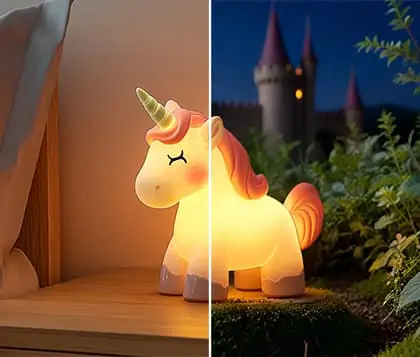
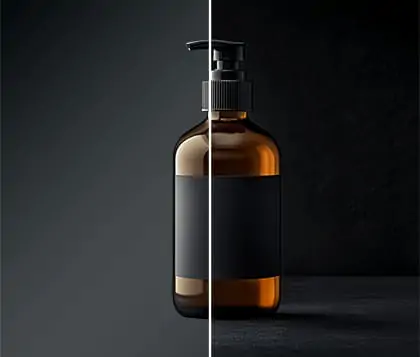
With Pokecut, you can superimpose images online free. Give your photos a fresh look by adding light and texture overlays. Add simple colors, glowing highlights, or patterns. Turn them into effects that feel like modern filters. Add shadows or bright lights for a cool look. Use the superimpose picture on picture feature to blend photos with ease and explore new creative looks. Turn any ordinary photo into a polished image with unique visual impact.
FAQs About How to Superimpose Two Images
Can I superimpose photos with a transparent background using Pokecut online?
Yes, with Pokecut you can superimpose an image with a transparent background onto any photo. Easily overlay images, change backgrounds, and adjust opacity for creative results.
How do you superimpose a picture on a picture with Pokecut?
To superimpose an image, you can upload your main photo to Pokecut, remove the background, and then overlay another image for a creative photo.
Can I superimpose two pictures online free with Pokecut?
Yes, Pokecut lets you superimpose two pictures online free. Upload your photos, use the overlay images tool, and customize transparency for creative, high-quality results.
Is there a way to impose images online for a natural look?
Pokecut allows you to superimpose and blend images online. Use adjustable blend modes and transparency settings. Achieve a natural, seamless finish when you superimpose photos easily.
How to superimpose images with Pokecut?
To superimpose images online with Pokecut, simply upload your photo and the AI will automatically remove the background. Then you can overlay another image.